The online podcast editor that anyone can use.

Edit and clip your podcast & videos faster - no editing experience required. Powered by AI that handles the heavy lifting.

Video interviews
Webinars
Tutorial videos
Talking head video
Video presentations
Video podcasts
YouTube videos
Social media clips
Marketing videos
Get Started
*No credit card needed. Free plan available.
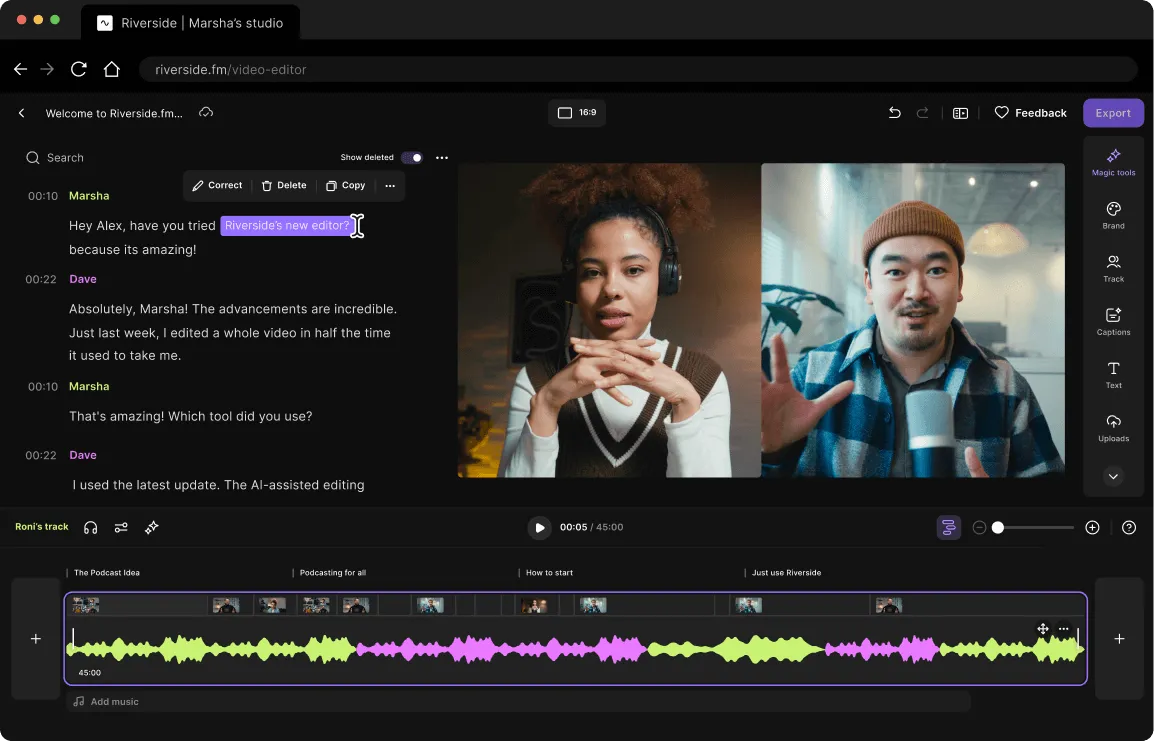
Video editing interface showing a conversation transcript, two people on video call, and an audio waveform timeline with editing tools.
Trusted by individuals & businesses
4.8
On G2 with 1,582 reviews

It's so intuitive, you already know how to use it.

Close-up of a text editing interface with a highlighted phrase 'podcast with Riverside' and options to Correct, Delete, or Copy.

Next-level, text-based editing.

Every word and silence is transcribed so you can edit everything just like a doc.
Screen capture of a chat conversation about using Riverside for podcast recording, showing text editing options like Correct, Delete, and Copy.
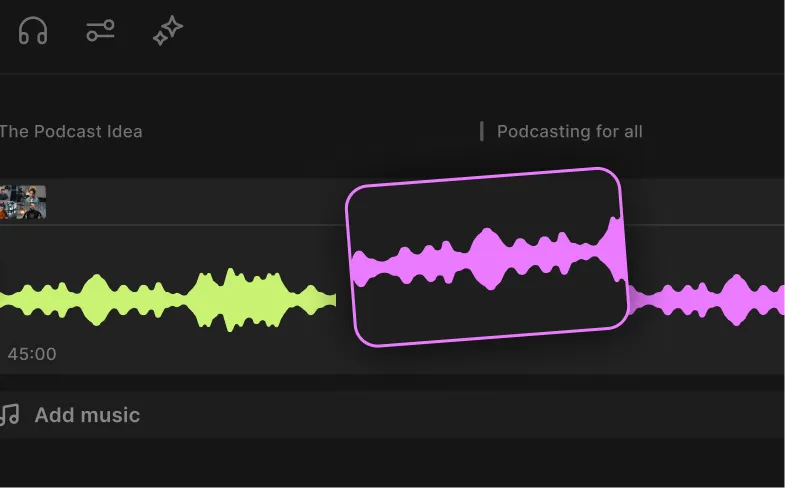
Audio editing interface showing two waveform tracks in yellow and pink on a dark background, with options for adding music and podcasting.

A timeline machine.

Easily navigate with color-coded speakers, zoom in, trim, cut, and splice it together. 

Audio editing interface showing waveform in purple with markers for Chapter 1, Chapter 2, and Chapter 3 at the top.

Your chapters await.

Your content is automatically divided into chapters that make it easier to skim and scan.
Record. Stream, Edit. All in one place.

Start creating with Riverside.

Get started
*No credit card needed. Free plan available.

Showing on any screen near you.

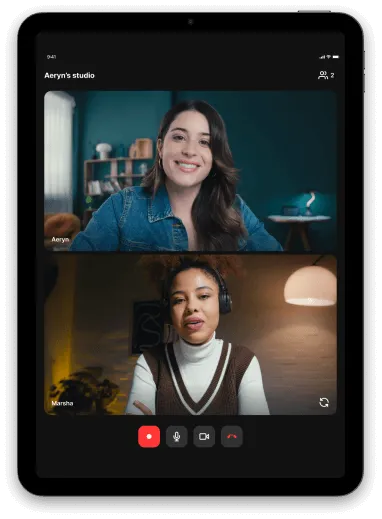
Tablet screen showing a video call with two women, one wearing a denim jacket and the other wearing headphones and a brown vest over a white shirt.

IPad

Our iPad app re-imagines the mobile app on a bigger and brighter screen.
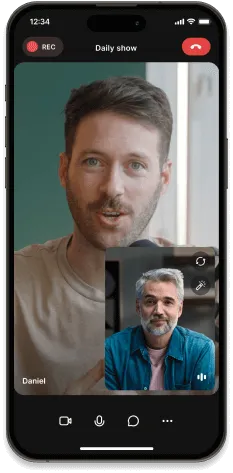
iPhone screen showing a video call between two men, one named Daniel, with ongoing recording indicated.

Phone

You and your guests can join on the go using the app, or just use it as a second camera or to turn your phone into a 4K webcam.
Learn more
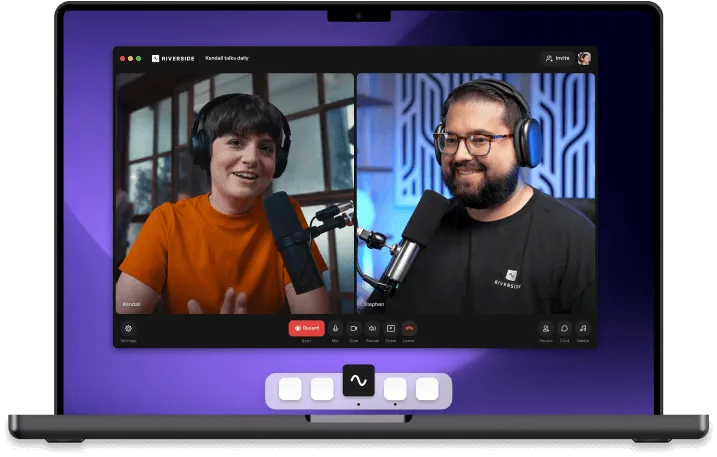
Laptop screen showing a video call between two people wearing headphones and speaking into microphones on a purple background.

Mac

Bring your studio to your laptop or desktop but keeps all those browser distractions out of it.
Learn more

AI features that work like your personal video editor.

Magic Audio

Remove background noises, fine-tune your audio, and make it sound like it was recorded in a million-dollar studio.

Smooth Speech

Take out all ‘ums’ and ‘ahs’, along with other audio disfluencies, to smooth out the conversation flow.

Set Pace

Delete all silences, or just the right amount, to set the conversation pace to super-fast or highly-natural.

Magic Clips

Let AI find your magic highlights and turn them into perfect social clips. Use them as they are or tweak them 
as you feel.
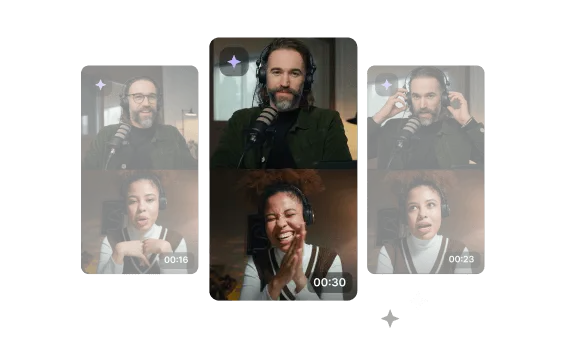
Three video call screenshots showing a man with a beard and headphones speaking into a microphone, and a woman reacting with different expressions.

Show Notes

One click you’ve got the title, description, takeaways, soundbites, and keywords all written up for you.

Full Episode

Add captions, enable Magic Audio, remove silences and filler words automatically, and get a headstart on your editing.
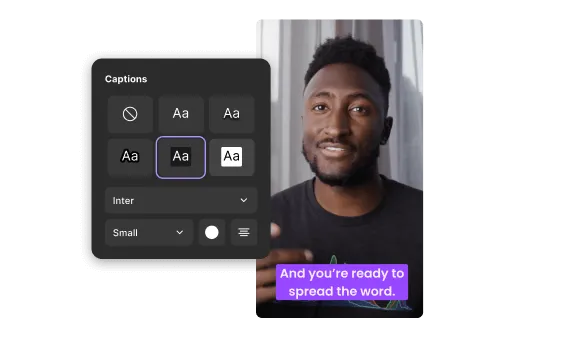
Man speaking in a video with purple caption text saying 'And you're ready to spread the word,' alongside a captions style settings panel.
The editor you wished for, re-imagined. Start creating with Riverside.
Get Started
*No credit card needed. Free plan available.

Finish off in style.

Smiling man with glasses and headphones speaking into a microphone in a recording studio, captioned 'And you're ready to spread the word.'
Caption
Pick a caption style, try out different fonts, colors, and sizes, choose your animation, and place it.
Editing text overlay on video showing phrase 'Just type it' in Alfa Slab font with medium weight and light green highlight.
Overlay
Add text, images, and music to your content with the help of smart suggestions, a stock library, and a music* catalog.
Two women wearing headphones speaking during a podcast or online interview, one in a green shirt and the other in an orange shirt.
Design
Upload your logo, change backgrounds, and switch between ideal aspects for different channels.

The reviews are in.

Headshot of a man with short brown hair wearing a dark blazer and white shirt in an indoor setting.
JJ K.
Partner
Small-Business(50 or fewer emp.)
Posted on
G2
Oct 31, 2023

“Separate have to tracks for each guest give me freedom in editing. And you have to see the incredible AI generated captions that can be easily edited.”

Tonya G.
Small-Business(50 or fewer emp.)
Posted on
G2
Oct 30, 2023

“Riverside has made it so EASY that even I can publish something and not wait on my publisher. I now use Riverside for my Reels for Facebook and Instagram, and I do them myself. Riverside is an absolutely no-brainer.”

Blue background with white Kardia Science logo featuring a stylized heart and pulse line.
Kardiamedia
@kardiamedia
Posted on
X

“Separate tracks for each guest give me freedom in editing. And you have to see the incredible AI generated captions that can be easily edited”

Oct 31, 2023
A man with dark hair and a serious expression, wearing a dark jacket and scarf.
Jeff R.
Manager, Advisory, Strategic Policy
Small-Business (50 or fewer emp.)
Posted on
G2
Aug 23, 2023

“I really like the way it generates transcripts and separate audio and video recordings of high quality that allow me to edit my interviews into great engaging content.”

Man speaking with microphone headset on stage wearing a dark shirt.
Michael D.
Founder
Small-Business(50 or fewer emp.)
Posted on
G2
Aug 14, 2023

“My Production Partner - My Editing Team - My Podcast support System - My Everything!”

Portrait of a young man with short brown hair wearing a light gray shirt, smiling against a plain light gray background.
Alex MacGregor
@alexmacgregor__
Posted on
X

Pretty cool now @RiversidedotFM can do TikTok/Shorts style videos on the fly using AI. AI literally automating video editing now!

Sep 13, 2023
Doug S.
VP of Research and insights
Enterprise(> 1000 emp.)
Posted on
G2
Aug 14, 2023

“Riverside has made it so easy to export quality audio... It automatically creates clips and then generates great titles without any work. Makes social promotion so much easier.”

Kayla B.
Digital Marketing Coordinator
Mid-Market (51-1000 emp.)
Posted on
G2
Jun 07, 2023

“Navigating the platform is incredibly intuitive, making it easy for beginners, experienced podcasters, and video editors... ensuring a hassle-free recording and editing process.”

Smiling woman with blonde hair holding a beige smartphone to her ear.
Joseph Jude
@jjude
Posted on
G2

Magic clips Editing like GDoc Captions for videos It is getting better and better.Happy to be a customer.

Sep 5, 2023

Start creating with Riverside.

Start now
*No credit card needed. Free plan available.