


Riverside vs. Zencastr
Zencastr covers the basics. Riverside is for consistent professional podcasts and videos. Get studio-quality recording, robust AI editing, and fast repurposing. From live shows to clips to hosting, it's the end-to-end platform for creators and teams.

.svg)




Why Riverside over Opus clips:
A podcast platform built for every stage of your growth
Studio-quality resolution, every time
Record up to 4K video and lossless audio on desktop or mobile. Capture everything directly on your device, so content stays crisp even if your Internet doesn’t.

Create more with less effort using AI
Edit in minutes with text-based editing. Or ask the AI agent to create full episodes for you. Turn your video into social-ready clips, hooks, and segments instantly with AI.

Live to published on one platform
Stream to multiple platforms in Full HD and engage with your audience with live calls, Q&A, and polls. Then edit, host, and publish your show, all without switching tools.
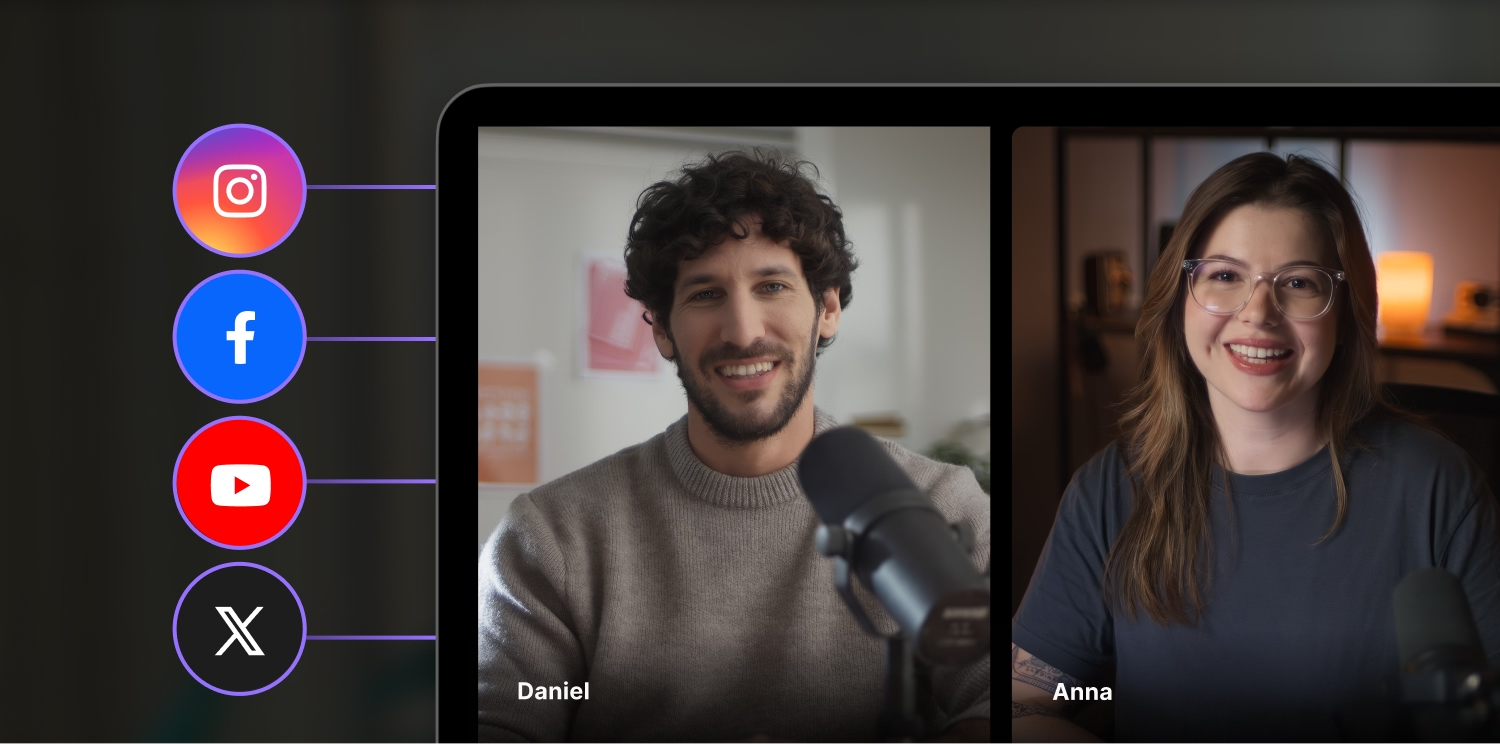
Record to publish in one end-to-end platform.
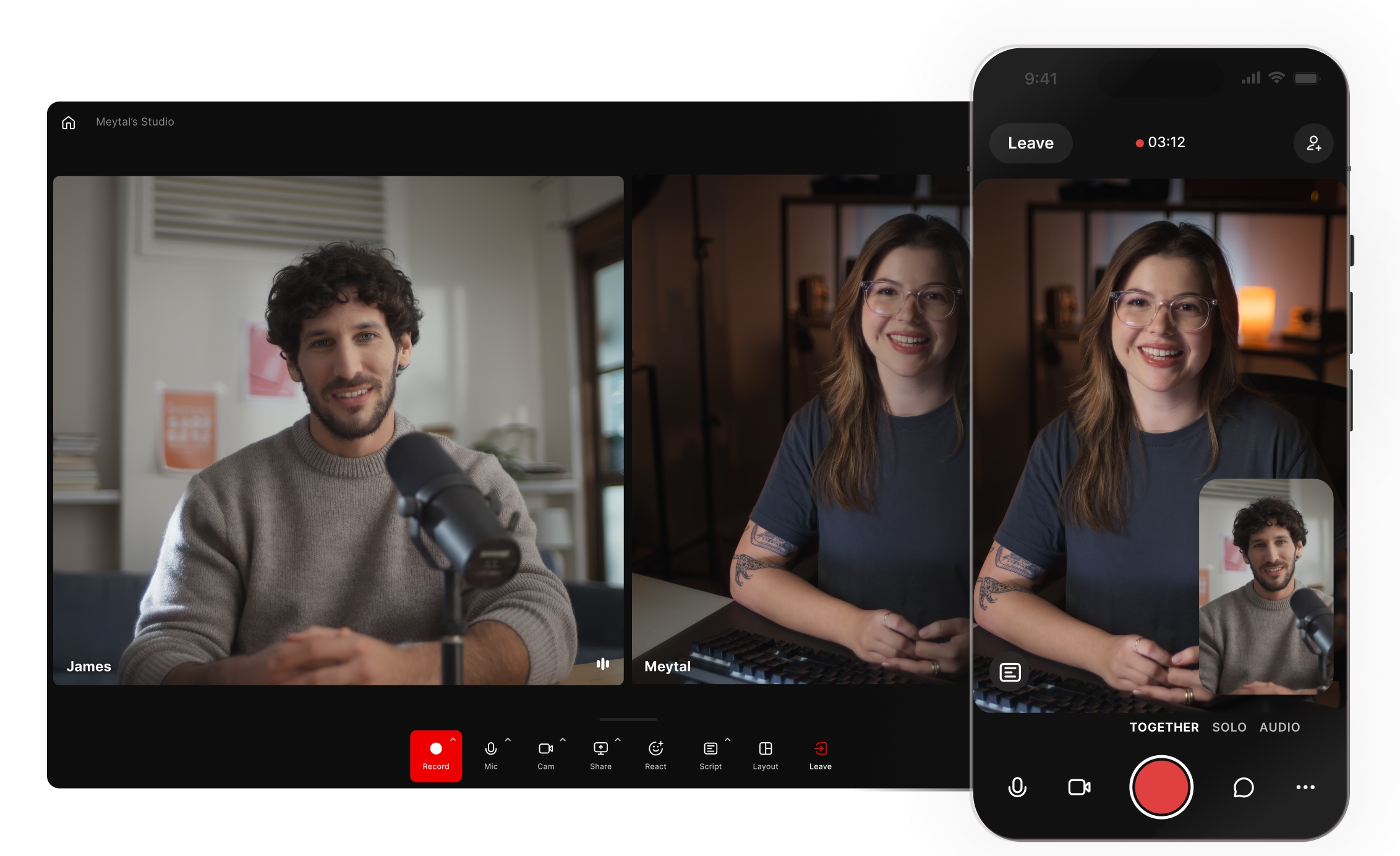
Record anywhere on any device
No matter if you’re on iOS, Android or your desktop, record studio-quality content on any device. With local recording, record in up to 4K from anywhere.

Editing and repurposing as easy as typing
Generate clips and full episodes with an easy click or prompt. Keep control, and refine your story with captions, text, music, and b-roll in the full editor.
No switching tools, create content in one platform.
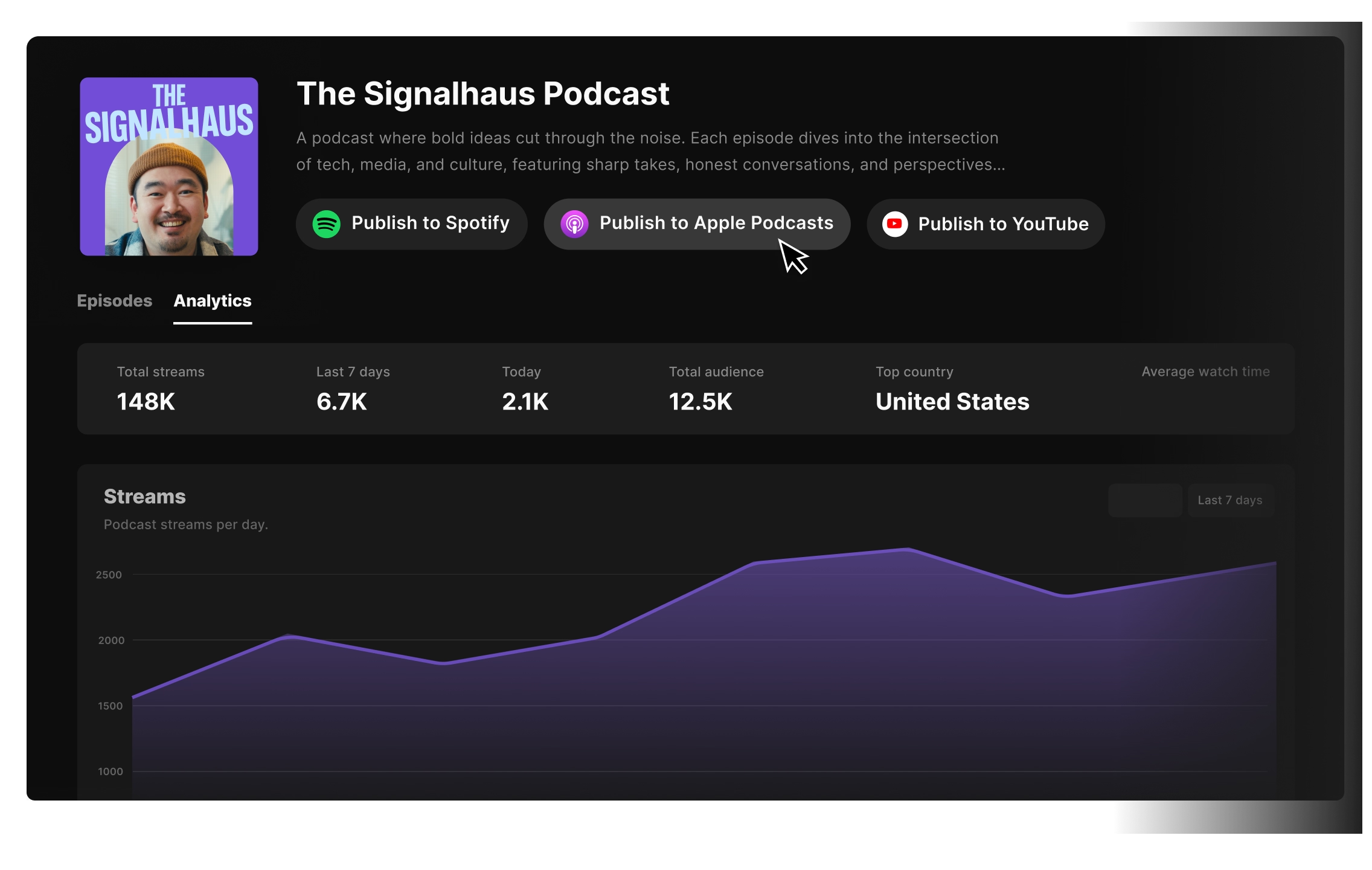
Host and publish where you create your show
Distribute your show to Spotify, Apple Podcasts, YouTube, and anywhere your audience is. Customize episode covers, generate show notes, and track analytics in the same place you record and edit.

Built to scale with your team
From solo creators to global brands, Riverside grows with you. Set up collaborative workspaces, manage brand kits, assign producer roles, and keep full control of your content as your team grows.
Riverside vs. Zencastr: Full feature breakdown
Explore each platform’s features side-by-side.
Compare Riverside’s recording features
Start for Free

Local recording
Record directly on each persons’ device so
quality isn’t affected by internet connection.
Also offers local recording.
Resolution
Capture 4K video and 48kHZ WAV audio
resolution.
Same. Record in up to 4K video and 48kHz resolution.
Separate tracks
Record and edit with separate audio and
video tracks for each participant.
Capture separate audio and video tracks per
guest. No multi-track editing timeline.
Mobile app (iOS & Android)
Record and edit on any iOS, or Android mobile device.
Only has an iOS app for recording. No
Android app and no editing on mobile.
Remote guests
Invite up to 9 remote guests with a reusable
invite link.
Invite up to 9 guests with a reusable link.
Editing and repurposing features
Start for FreeFull-suite editor
Full multi-track timeline editor with tools for branding, audio clean up, overlays, and more.
Basic editor with capped AI tools and limited customization options.
Chat-based editing
Ask the chat-based editor to clean audio,
style videos or create full edits.
No chat-based editor.
Text-based editing
Yes. Any text you change in your recording transcript syncs with your video.
Offers basic text-based editing.
Smart layouts
Smart layouts with speaker detection, plus control over rhythm and scenes.
Basic speaker switching with limited layout
control. Cannot see a preview in the editor.
Audio enhancement
Audio enhancer removes background noise
and reverb, and equalizes sound.
Audio enhancement available, with usage
limits based on editing credits.
Filler words & silence removal
Automatic AI tools to remove filler words and
cut silences to to set the pace.
Filler word and silence removal available but
usage is limited based on editing credits.
Automatic captions
Captions with customizable styles, fonts,
colors, and animations. Save presets to keep
on brand.
Captions are available but with limited and
less intuitive customization.
AI eye contact
Adjust a speaker’s gaze to look directly at the camera. Apply to all tracks or a single one.
No eye gaze correction available.
Video dubbing
Fix mistakes without re-takes. Adjust your transcript and your audio, video and lips sync.
No video dubbing features.
Social clips AI generation
Turn videos into shareable clips with the AI
clipper. Set length, branding and topic focus.
Create shareable clips with AI. But limited
controls over clip settings.
AI repurposing agent
Ask the chat-based AI agent to turn your video
into clips, thumbnails, blogs and more.
No AI agent.
Transcriptions
Transcriptions available in 100+ languages with 99% accuracy.
Transcriptions available but only in a few languages.
AI translation
Translations available for select languages
with video dub to sync lips.
No synced translation available.
Live streaming features
Start for FreeLive streaming
Go live in up to 1080p HD.
No streaming capabilities.
Multistreaming
Simultaneously stream to YouTube, Twitch,
LinkedIn and any custom RTMP platform.
No multistreaming.
Live audience engagement
Invite viewers to call in live or engage your audience with a poll, Q&A and the chatbox.
Only has a chatbox.
Live analytics
Track audience engagement, watch time and attendance.
No live stream analytics.
Hosting and publishing features
Start for FreeInstant publishing to social platforms
Publish to Instagram, YouTube and other social media plaforms directly from Riverside.
Posting directly to social media platforms is only available on paid plans.
Cloud Storage
Host your show and distribute it to Spotify, YouTube, Apple Podcasts and other platforms.
Yes, hosting available.
Native podcast hosting
Track streams, top episodes, demographics, and what platforms your viewers most use.
Analytics for downloads, listener retention, demographics and platform usage.
There’s a Riverside plan for every need.
From first-timers to professional marketing teams, find a plan that’s right for you.
Join thousands of creators and businesses who switch to Riverside and never look back.

Dr. F. Gianmichael S.
Personal and Executive Transformation Coach
Small-Business (50 or fewer emp.)

"Effortless Podcast Creation with Powerful Tools and Stellar Tutorials"
Although the feature set is packed with powerful tools, the learning curve remains gentle... The improved video quality, made possible by importing localized video, leads to even better final results. I really love it!

John K.
Direction of Production
Small-Business (50 or fewer emp.)
"Riverside Is a Game-Changer for Fast, Easy Podcast Editing"
Riverside has been a game-changer for recording marketing and podcast content for my company. The editing software is easy to use and has a simple learning curve. I was easily able to integrate it into our process, and all of the features provided saved my final delivery times so much faster. I love editing via transcription and the AI audio clean-up.
.webp)
Ebony F.
Podcast Host
Small-Business (50 or fewer emp.)
"Helped me combine all my tools"
I used to have to record using one platform, edit in another one and create my own social media clips in another application. Riverside has cut out all the noise and the need for multiple platforms. Now everything is truly all in one place for me. The tools were so easy to learn!
.webp)
Jared K.
Producer
Small-Business (50 or fewer emp.)
"Game changing AI editing software"
I'm constantly amazed at how much time Riverside's AI features save our team, across "magic" audio editing, easy video clip generation, and constantly releasing new features that make our team's workflows more efficient.
Ben W.
Senior Coordinator, AV Services & IT
Small-Business (50 or fewer emp.)
"Took our podcast abilities to a whole new level."
The simplicity to not just edit, but create shorts and long form podcast. The built in features really allow anyone to create a top tier show with a professional touch.
Made with Riverside
The all-in-one podcast platform you can grow with.
Stream live, record in 4K, edit or repurpose in minutes, and host your show in one place.
Frequently Asked Questions
Riverside is better than Zencastr for creators who need reliable audio and video quality, advanced editing and repurposing tools, or host a live show. Meanwhile, Zencastr can be better for podcasters who need a basic setup and built-in monetization.
This is how they compare:
- Recording: Riverside was built on recording. It offers up to 4K video and 48kHz local recording. Zencastr only recently matched this.
- Editing: While Zencastr has an editor, it’s missing many of the features you’ll find in Riverside’s video editor. On Riverside, you have better customization available, mixed AI tools, and a full multi-track editor for working with individual tracks. Riverside also has a chat-based editor where you can prompt the app to turn a rough file into a clip.
- Repurposing: Zencastr has a clip maker, but you don’t have the same controls that Riverside’s clip maker offers. Riverside’s clip maker lets you set presets for length, branding, and which speaker to focus on. Riverside also has more repurposing tools. The chat-based editor lets you repurpose videos into blogs, trailers, and more.
- Hosting: Both platforms can host podcasts. Zencastr does have better monetization features built into its hosting, though.
- Streaming: Zencastr does not support streaming. Riverside has a full live stream studio with custom branding, engagement features, and analytics.
Yes, you can use Zencastr on a phone but only on iOS devices. Zencastr does not support Android or mobile web browsers.
Zencastr’s mobile app lets you and guests record and participate in sessions. But you won’t have access to any editing or hosting features on mobile. If you want a podcast app compatible with Android and iPhone, or if you want more capability than Riverside would be the better option versus Zencastr here.
Zencastr alternatives include:
- Riverside: On Riverside you get an end-to-end production workflow but with better AI editing and repurposing tools, streaming capabilities, and broader device support.
- Descript: Descript offers better editing features than Zencastr, but it doesn’t have hosting.
- StreamYard: This is an alternative if you’re focused on hosting a live podcast show. But note that StreamYard has limited post-production features.
Zencastr can be worth it for podcasters who want a platform that offers basic podcast recording, editing, hosting, and monetization. But it is limiting if you want advanced editing and AI features, streaming options, or if you’re looking for a podcast platform that will grow with you.
Yes, you can edit audio in Zencastr. You can trim, enhance and arrange audio tracks. But you won’t be able to make advanced audio edits like EQ effects or filters.
For more advanced edits, consider using dedicated audio editing software.
Riverside is one of the best platforms for podcasts. It stands out for its end-to-end workflow with high-quality recording, editing, streaming, and hosting in one platform.
Key features include:
- Studio quality 4K video and 48kHz audio recordings.
- Streaming to multiple platforms at once.
- A built-in editor with automated tools to speed up editing.
- Unlimited hosting with one-click distribution to major directories.
- AI features for podcast clips, transcriptions, show notes and more.
It’s reliable, easy to use, and speeds up your workflow making it a good podcast maker for beginners and pros alike.
More ways to perfect content
Recording
Record uncompressed video and audio in studio-quality from anywhere.

Podcasting
From idea to episode in minutes. Record, edit, and host podcasts in one place.
Hosting
Host your show right where you create it with one-click distribution, analytics, and your own custom site.
Co-creator
Turn your content into endless promotional assets, like clips, blog posts, social media content, and more

Pro-level podcasts made easy
Studio-quality recordings, AI-powered editing, and direct publishing in one workflow.


