






Table of contents
Key takeaways:
- Audioboom is best for established podcasters who want to monetize via advertising, not beginners looking for an affordable entry point.
- It features hosting, distribution, dynamic ad insertion, IAB-certified analytics, and basic clip creation, with monetization as the core value proposition.
- Audioboom starts at $12.99 per month but monetization only kicks in on the Plus plan ($24.99 per month), and full access to premium ads requires a minimum of 10,000 plays per episode.
- The platform is audio-only, so video podcasters will need a separate tool for recording, editing, and creating video clips.
Audioboom is a hosting platform designed for established podcasters who want to monetize their episodes through ad campaigns. However, the platform’s limitations start to show the moment you step outside that use case.
I spent a few weeks exploring the platform to give you an honest picture of what Audioboom delivers, where it falls short, and whether it's the right fit for your setup.
What is Audioboom: A quick overview
Audioboom is a podcast hosting platform that helps creators monetize by connecting them with advertisers and managing campaigns on their behalf. It works best for creators with a growing audience who want to scale their revenue.
That said, I want to point out a few limitations up front. Audioboom’s higher price point isn’t a great fit for beginners looking for affordable podcast hosting solutions.
The platform also lacks built-in recording and editing tools, so creators who want an all-in-one production and hosting workflow will need to look elsewhere. And since it focuses exclusively on audio content, it’s not suitable for video-first podcasters.
What are Audioboom’s key features?
Audioboom’s value proposition is helping podcasters grow their audience and turn that audience into revenue. Here are the key features the platform offers to deliver on this promise.
Hosting and distribution
Audioboom’s hosting infrastructure is designed for scale. You can upload unlimited episodes every month (though download limits depend on your pricing tier).
I particularly like how easy it is to distribute your podcast across multiple channels like Spotify, Amazon Music, YouTube, and other major apps. You can also schedule episodes in advance, and publish back catalogs as well.
As with other major hosts, once you configure your distribution settings, your RSS feed updates automatically with every published episode.
But, Audioboom falls short in terms of onboarding. Compared to other podcasting platforms, I found the setup experience less beginner-friendly. There's no guided walkthrough or checklist to help you get started, so expect a bit of a learning curve early on.
Monetization and ad marketplace
Most podcast hosting platforms give tools to run ads. But monetization is one of Audioboom’s biggest strengths because it actively sells ads on your behalf.
Its ad marketplace, Showcase, connects your podcast directly with advertisers relevant to your niche. The tool uses dynamic ad insertion to automatically place pre-roll, mid-roll, and post-roll ads in your episodes.
This means you can monetize your entire back catalog along with new content. And as your audience grows, your earnings grow with it. I also found it fairly easy to adjust ad placement within episodes using Audioboom’s built-in controls.
What's more interesting is how the platform handles ad relevance on the back end. Every time someone streams or downloads an episode, Audioboom analyzes your show's listener data to find and place the most suitable ad. These signals include format and theme, listener interests, listeners' locations and local times, etc.
You can run two types of ads:
- Programmatic ads: Ad content sourced from advertisers and automatically inserted into your show.
- Host-read ads: You can either bake these into your episode content or let Audioboom insert them dynamically.
Here’s how host reads show up on your ad management dashboard. The ones in blue are baked into your show, and the ones in yellow are dynamically inserted.
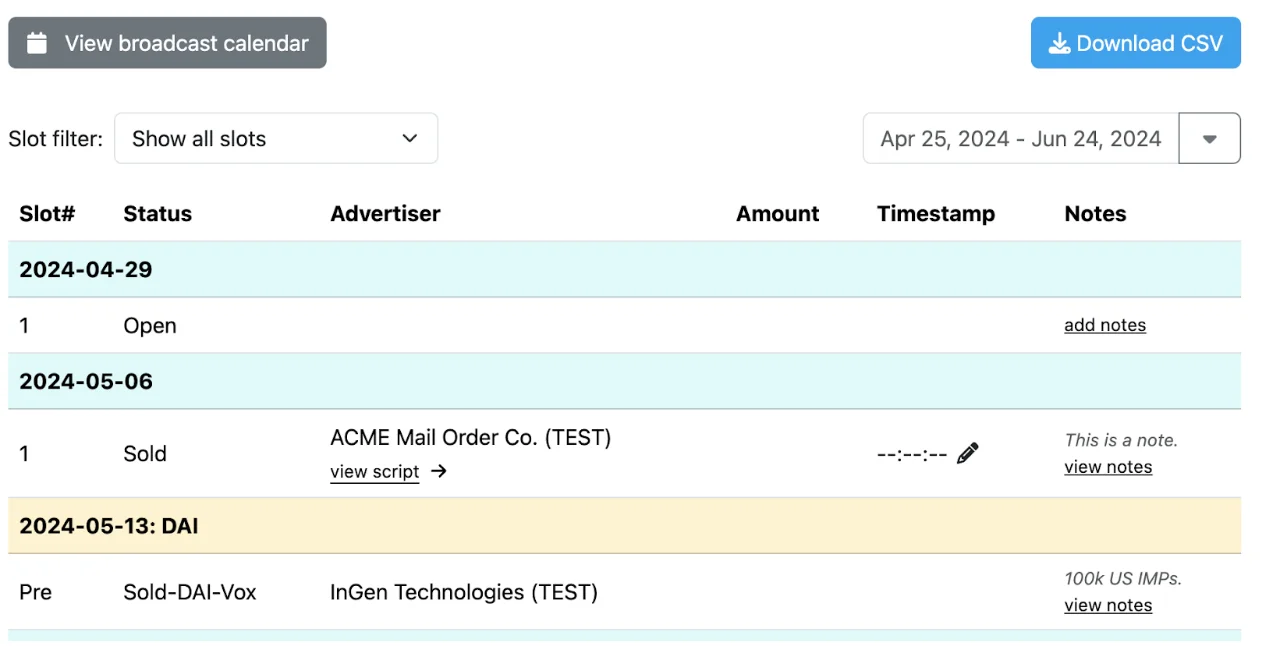
I also want to point out that Audioboom's monetization features will scale your revenue only when you're generating meaningful download numbers. Ad fill rates and earnings depend heavily on audience size and demographics, so smaller shows may not see any significant revenue uptick right away.
Analytics and reporting
Audioboom's analytics dashboard is certified by the IAB Tech Lab (the non-profit that sets international ad standards), so you can use this data to win advertiser trust.
The analytics dashboard shows:
- Listener trends.
- Total downloads.
- Platforms and apps data.
- Episode-level performance.
- Geography/device breakdown.
What I find genuinely useful is that the analytics are built for monetization. Most hosting platforms just tell you how many people downloaded an episode. Audioboom's analytics are designed to support ad sales and show data that can help you win new revenue opportunities.
For example, you’ll see the percentage increase in average daily listeners over the past 30 days and campaign metrics, like impressions and ad delivery.
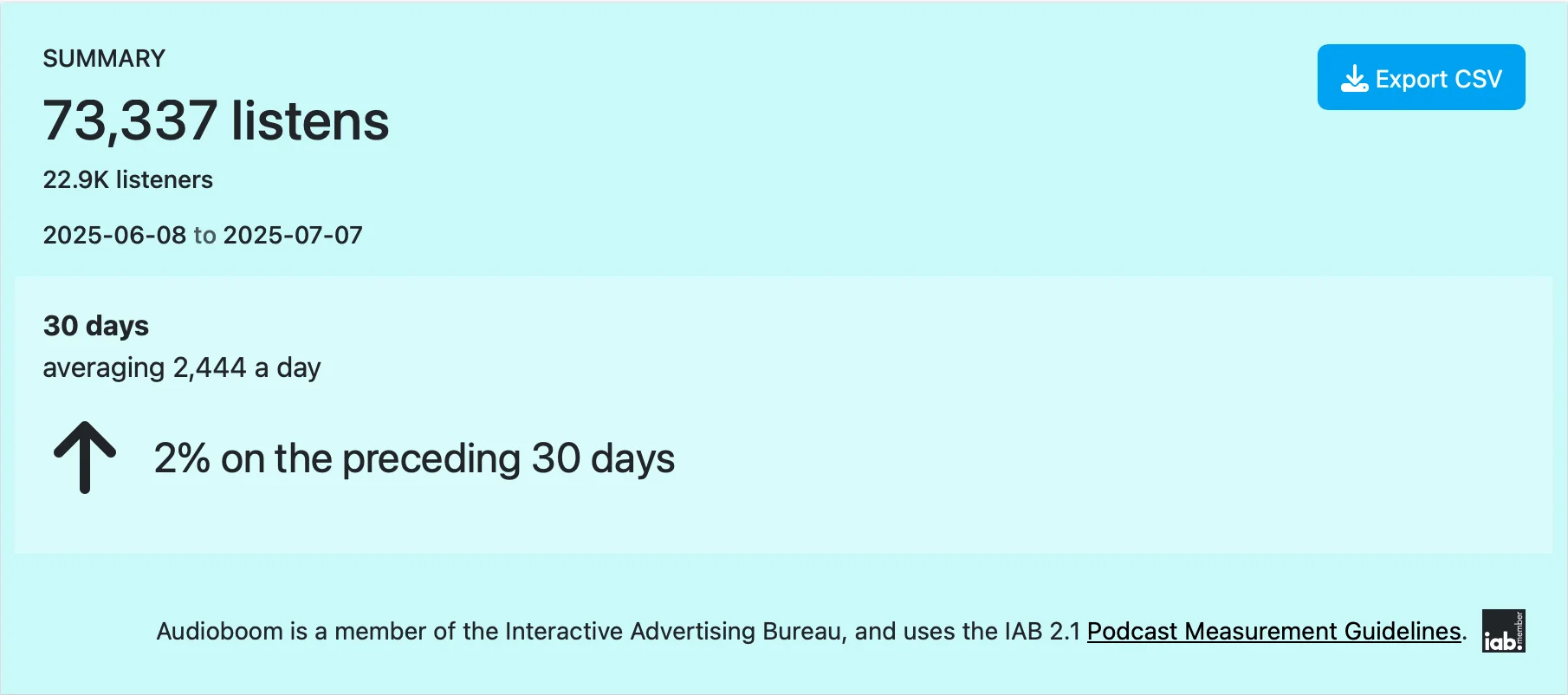
That said, I want to be clear that this level of depth can be confusing for some creators, especially if you’re not running ads yet. If you simply want to understand which episodes resonate with your audience, this dashboard takes some getting used to.
Transcripts and accessibility
Audioboom lets you upload transcript files, but it doesn't generate them automatically. You have to create and add transcripts manually for every language you want to support.
When most modern podcast hosting tools offer automatic transcription, this manual step can be a hassle. This can also limit your ability to add accurate transcripts in multiple languages (which affects how accessible your show is to a global audience).
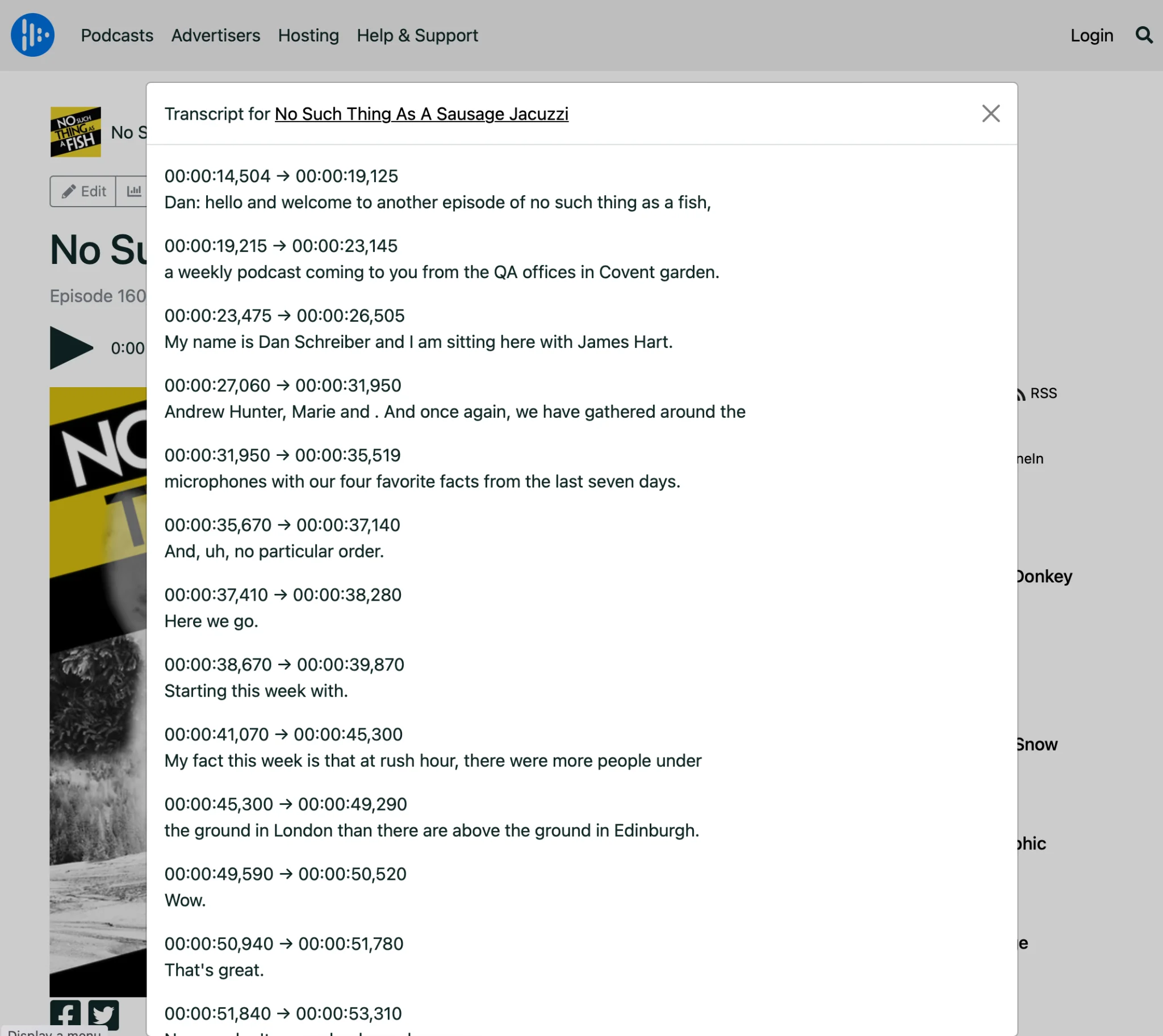
Once added, transcripts appear on the episode landing page and in your RSS feed. This allows search engines to index your episode content and makes it easier for AI tools to show information about your show.
Built-in website and embed player
Every Audioboom account includes a channel page and a customizable embeddable player you can add to any landing page. The player works across devices and updates automatically when new episodes go live.
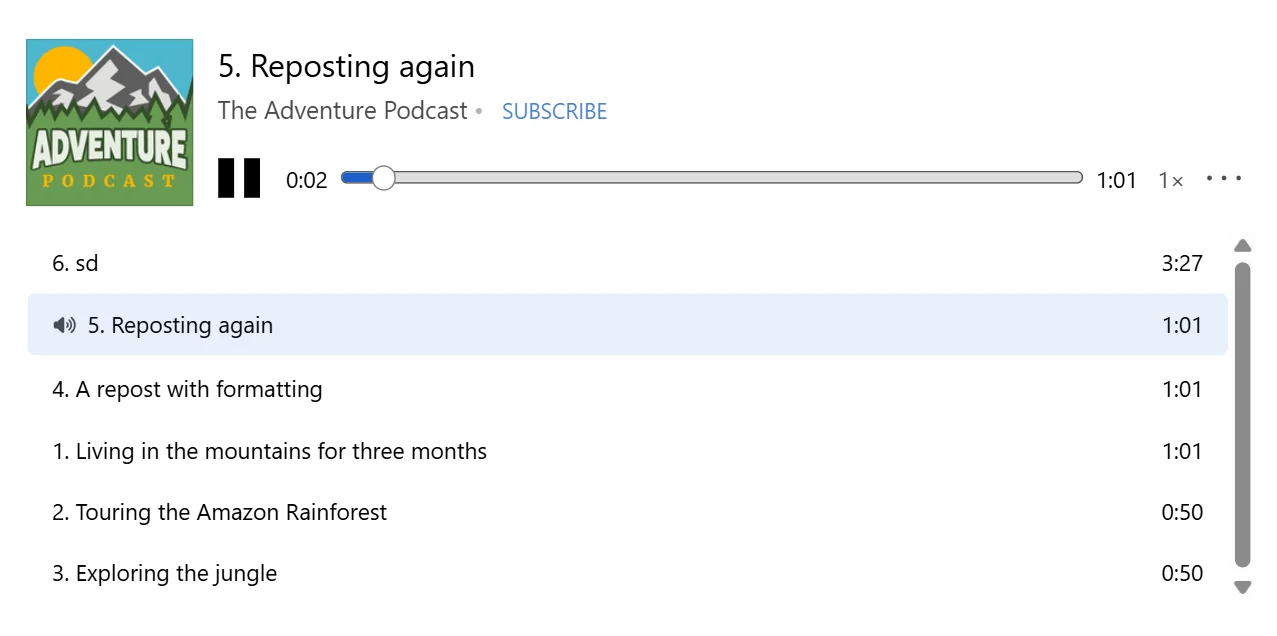
However, Audioboom falls short by not offering a full publishing destination for your podcast. The channel page is functional, but it doesn't support essentials like SEO customization, email capture, or meaningful design flexibility. I’ve seen many Audioboom users embed their podcast player on a separate site built with WordPress, Squarespace, etc.
Video and clips
Beyond its embeddable player, Audioboom lets you create short video clips from your episodes using Headliner. The platform converts a full-length episode into up to 10 clips. You can add text captions and publish them directly to YouTube, Instagram, TikTok, Facebook, and so on.
In practice, though, this workflow feels clunky because Audioboom is fundamentally an audio platform. That means creating video clips requires a third-party tool with limited post-production and distribution options.
How much does Audioboom cost?
Here’s an overview of Audioboom’s pricing plans:
Additional factors to consider
Beyond its subscription costs, here are a few more considerations to factor into your podcast’s revenue potential:
- Revenue share: Audioboom takes a cut of ad revenue in exchange for ad sales and access to its marketplace.
- Monetization thresholds: To get full access to premium ads and support, you have to meet a minimum threshold of 10,000 plays per episode.
- Variable earnings: Your revenue from advertising depends on ad fill rates and audience demographics.
Audioboom vs. Alternatives: How to choose the right option
If you're looking for an Audioboom alternative that better matches your setup or goals, here are three worth considering.
It's also worth noting that Audioboom is currently considering a sale, which could affect the platform's stability, pricing, and feature set down the line. If you're already on the fence, that's a good reason to evaluate your alternatives sooner rather than later.
Audioboom alternative for video podcasts: Riverside
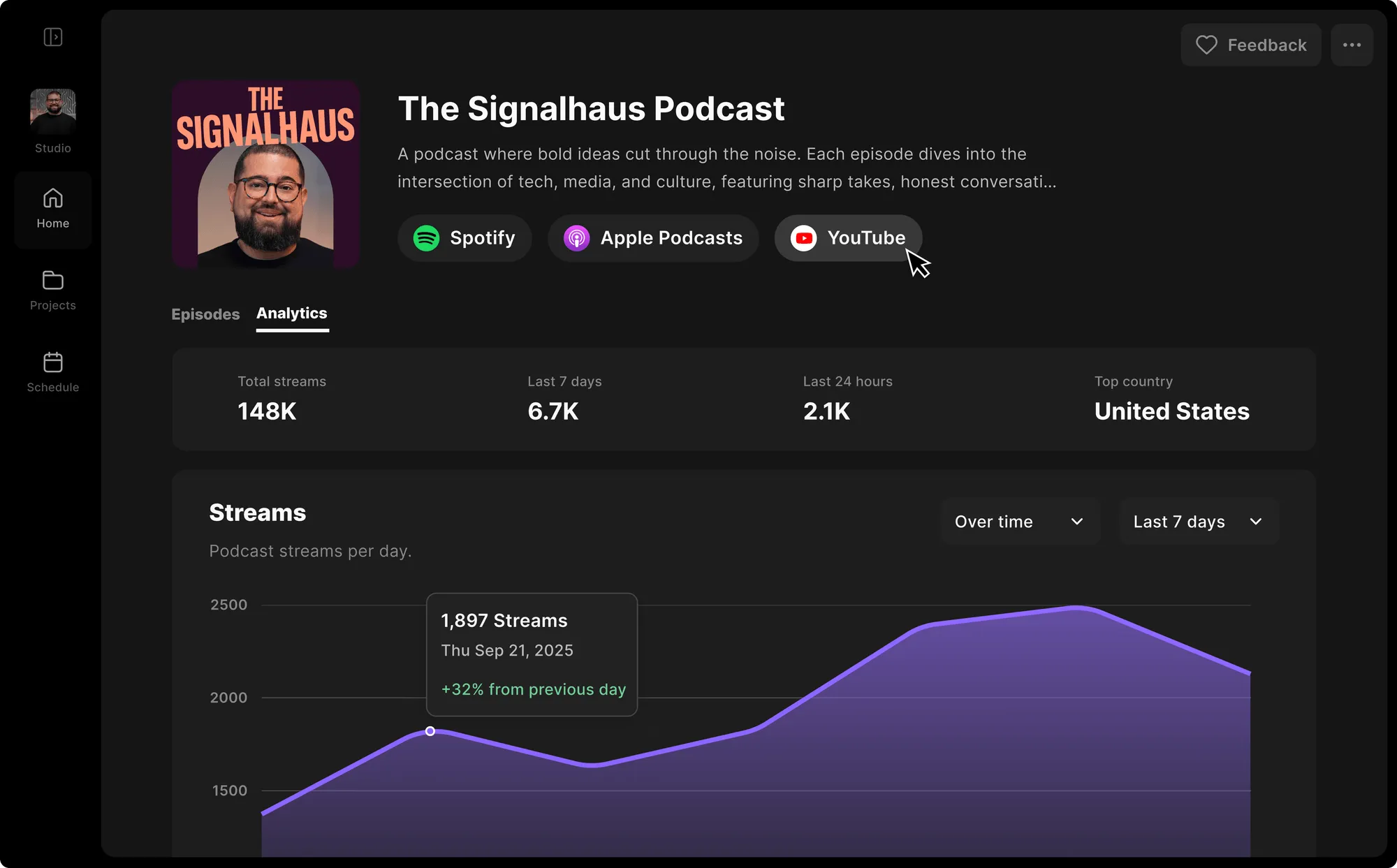
Riverside is an all-in-one platform for recording, editing, and distributing studio-quality podcast content in both audio and video formats.
I find Riverside ideal for podcasters of all skill levels. Whether you’re a savvy video editor who wants deep customization or don’t have any editing skills, its AI can do the heavy lifting.
What sets Riverside apart is its post-production toolkit with intuitive features like:
- AI Co-Creator: Chat with AI to edit and polish your podcast content without needing specialized video editing skills.
- Magic Audio: Automatically removes background noise and adjusts the equalizer for studio-quality sound.
- Transcription: Auto-generates transcripts in 100+ languages with 99% accuracy.
- Show notes: Generates a title, description, soundbites, and key takeaways for each episode with one click.
- AI Clip Maker: Pulls highlights from full-length episodes and converts them into short, branded clips for social media.
And, Riverside goes well beyond what Audioboom offers for hosting and distribution. Every plan includes hosting with direct publishing to Spotify, Apple Podcasts, YouTube, and other major directories. You also get an auto-generated podcast website for better branding.
Budget-friendly Audioboom alternative: Captivate
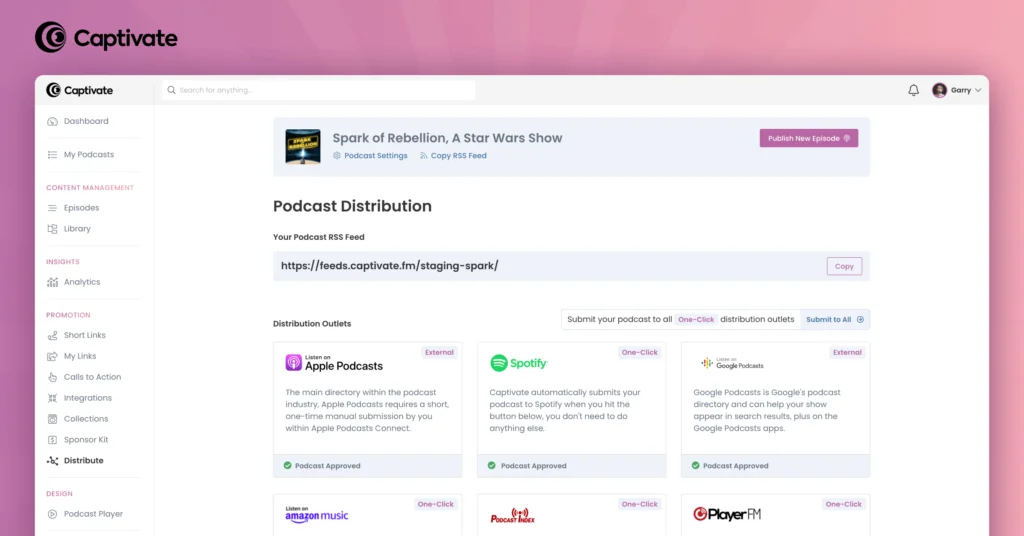
For budget-conscious creators who don’t have a large listenership, Captivate is a more practical alternative to Audioboom. Starting at $19 per month, Captivate covers everything you’ll find in Audioboom, including unlimited storage, IAB-certified analytics, and built-in monetization tools.
What makes it stand out is that every subscriber, regardless of plan, gets access to the full feature set, including:
- Hosting and publishing
- Detailed analytics
- Dynamic podcast delivery
- Customizable website
The only variable is your download limit. For podcasters who want professional-grade tools without Audioboom's monetization-first pricing model, Captivate delivers great value at a lower price point.
Beginner-friendly Audioboom alternative: Buzzsprout
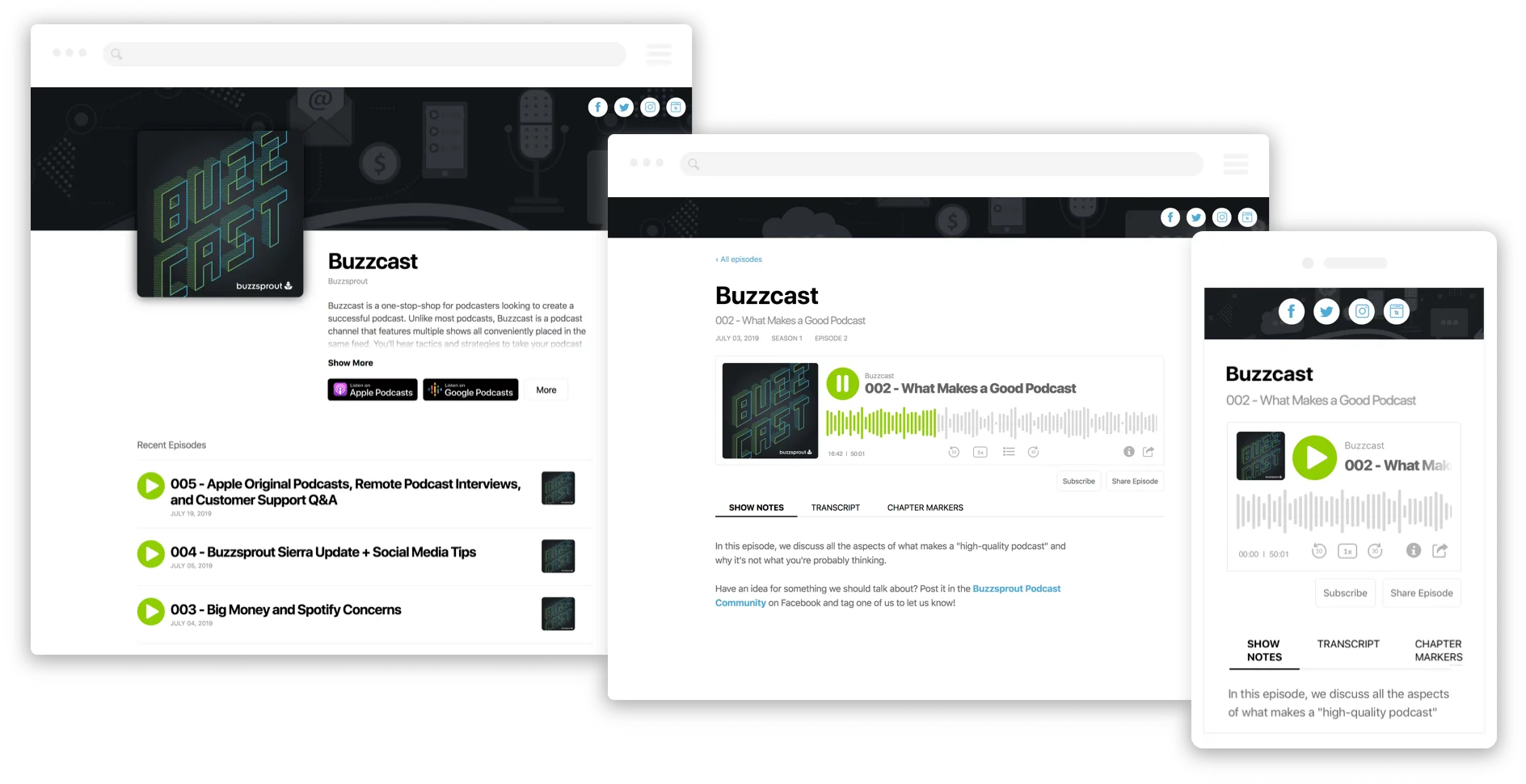
Buzzsprout is a beginner-friendly podcast hosting platform built to help creators publish, distribute, and grow their shows from day one. Unlike Audioboom, it doesn’t feel overwhelming if you're just starting out.
The platform is free for 90 days, giving you enough runway to launch and build momentum before committing to a paid plan. It also handles the technical side automatically, taking care of file types, bitrates, and ID3 tags so your episodes are optimized for the best listening experience.
Like Riverside, Buzzsprout offers Magic Mastering to enhance audio quality. It automatically removes background noise, removes filler words, and balances sound levels.
However, Buzzsprout uses a community-driven revenue model (where Audioboom's approach is advertiser-first). Its Listener Support feature lets your listeners contribute directly to your show through donations. You can also offer premium subscriptions with perks like exclusive content and ad-free listening.
I believe Buzzsprout is the clearest path to start for beginners who want to focus on creating rather than configuring tech.
FAQs about Audioboom hosting
Is Audioboom free to use?
No, Audiboom doesn’t offer a free plan or a free trial. The lowest subscription plan is an archived account at $4.99 per month (or $49 per year). It’s designed for podcasters who want to keep existing content online but aren't actively publishing new episodes.
Is Audioboom suitable for beginners?
Audioboom is not a great fit for beginners since the platform is built around advertising and monetization to large audiences.
Its features only become meaningful once you meet the minimum requirement of 10,000 plays per episode. So, podcasters at the start of their journey won't be able to benefit from Audioboom's primary value proposition.
How can I add or import a show to Audioboom?
There are two methods for adding or importing a show to Audioboom:
- If you're starting fresh, you can upload episodes directly from your Audioboom dashboard. Use the “Upload” button, and drag in your audio file or select it from your device.
- If you're migrating from another platform, go to your dashboard and select "Import from RSS." Then, paste in your old RSS feed URL and choose how many episodes to import. Audioboom will then pull in your designated content.


.webp)
-Need-to-Know-About-Podcast-Hosting-Sites.png)
.webp)


