


Key takeaways:
- Restream is better for creators and businesses that prioritize streaming to multiple channels simultaneously.
- StreamYard is better for more casual creators looking for a simple live studio that’s easy to use.
- Both Restream and Streamyard are on the same level if you’re looking for local recording quality and studio customization.
Restream and StreamYard are both built for live streaming, but with different purposes in mind.
In this guide, I’ll break down exactly how these two popular options compare across features and price tiers. This way, you can pick the right tool for your goals.
Is StreamYard or Restream better? Quick overview
When looking at StreamYard and Restream, this is what I think each is best for:
- Restream is the better option if your primary goal is maximizing reach and you’re okay with a more technical setup. It is built around advanced multistreaming and broadcasting pre-recorded videos. You can manage a wider distribution setup and connect your existing production tools through RTMP and external encoders.
- StreamYard is the better choice if you prioritize a highly intuitive, user-friendly studio. It’s smoother for interviews, webinars, guest-led shows, panel discussions, and branded live sessions where ease of use matters more.
I scored each platform from 1-5, so you can easily see how I assessed them based on different criteria:
Key features comparison: StreamYard vs. Restream
Multistreaming
- StreamYard score: 3/5
- Restream score: 5/5
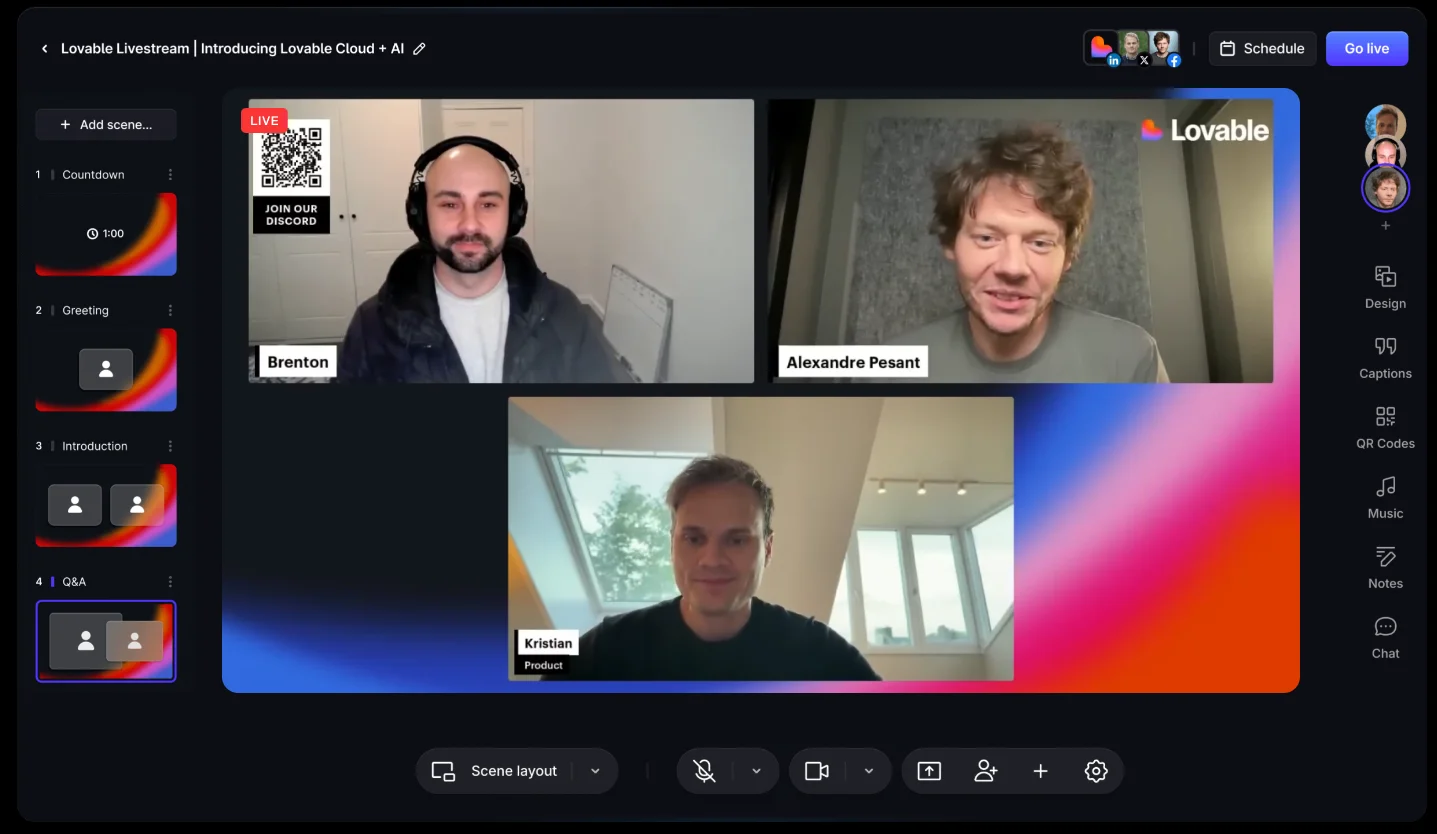
Restream wins here because multistreaming is its core product. StreamYard supports multistreaming as well, but it lacks the flexibility that Restream provides.
Restream offers up to 8 destinations and includes multistreaming on its free plan. You also get access to over 30 platform integrations, guest channels, and dual format streaming, so you can stream vertically and horizontally at the same time. Plus, there’s no added bandwidth demand even when streaming to multiple destinations.
StreamYard takes a simpler approach. It supports up to 8 destinations, too, but you cannot multistream on the free tier. Custom RTMP destinations are available as well, but that’s pretty much all it offers.
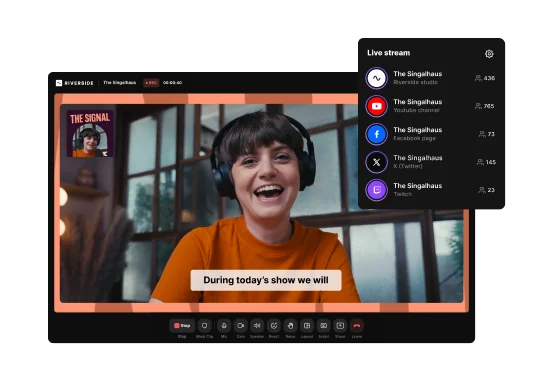
Pro tip: Want to stream to more than just 8 destinations simultaneously? Riverside’s allows you to multistream to unlimited destinations.
Audience engagement
- StreamYard score: 5/5
- Restream score: 3/5
.webp)
StreamYard has the edge here because all its engagement features are much easier to use during a live broadcast. Restream isn’t weak in this department, but it mostly focuses on cross-platform chat control with everything else as an afterthought.
On both StreamYard and Restream, you get a unified chat to reply without switching tabs and clickable chat overlays to display comments on screen. You can even adjust their style with custom themes and brand settings. They both support scrolling text tickers, customizable banners, and QR codes directly in your live feed as well.
But, StreamYard has native live polls and live call-ins through its “StramYard On Air” feature. Its interface also makes managing all these elements mid-stream much smoother, especially if you are producing the show alone.
Streaming quality
- StreamYard score: 4/5
- Restream score: 5/5
.webp)
Both Streamyard and Restream cap their browser-based live streams at 1080p.
But Restream has a slight edge in quality because it supports up to 4K multistreaming when using an external encoder. You have to bypass their built-in studio and use third-party software like OBS.
Still, the difference isn’t so dramatic unless multistreaming in 4K is an absolute dealbreaker for you. Broadcasting in 1080p is generally the current industry standard and is sufficient for most interviews, webinars, and branded live shows.
Recording resolution
- StreamYard score: 5/5
- Restream score: 5/5
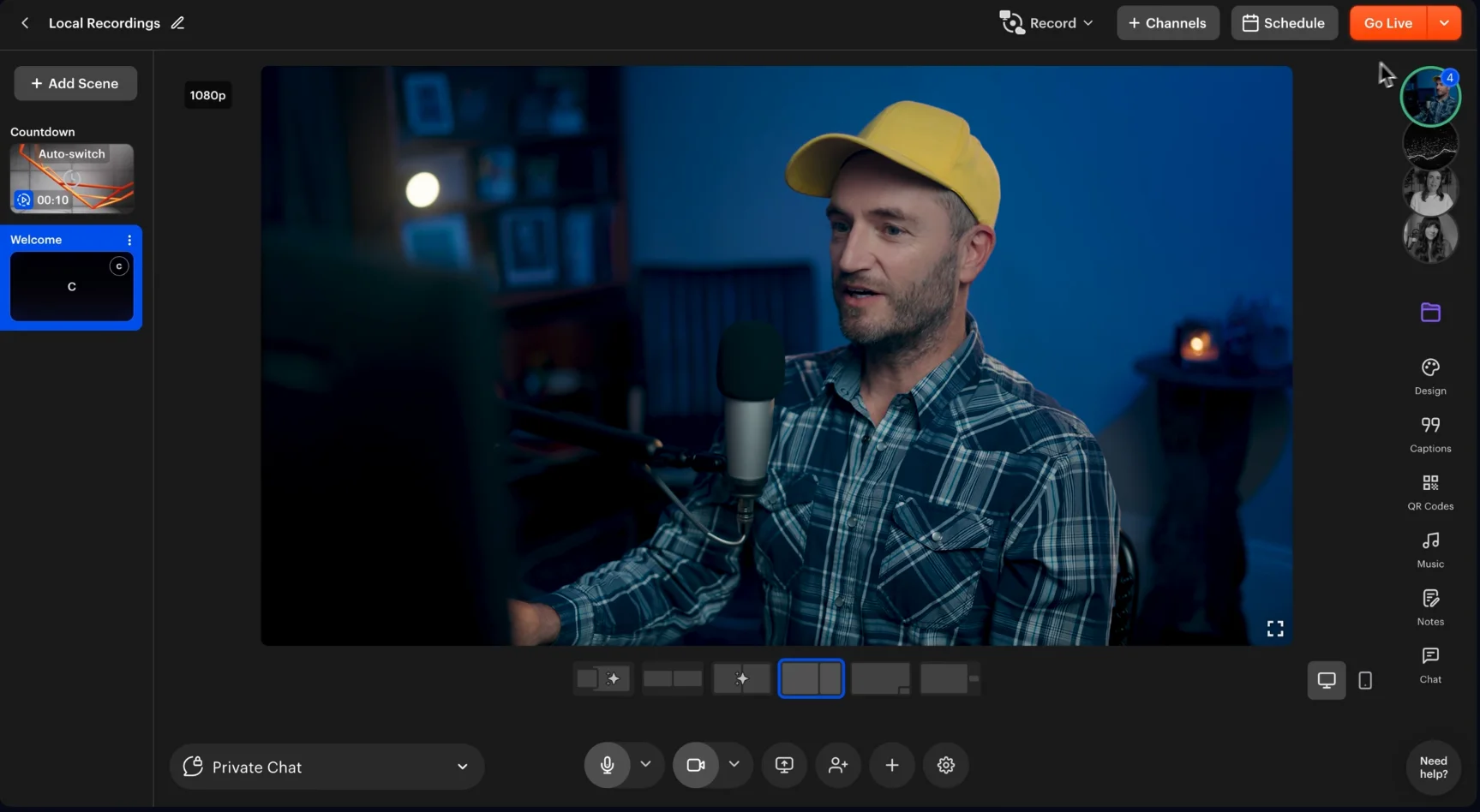
For recording resolution, StreamYard and Restream are essentially tied. Both platforms allow you to capture up to 4K video and 48kHz audio locally. This means that even if a guest's internet connection drops during the live broadcast, your final downloaded files will look and sound pristine.
And, both platforms record separate local audio and video tracks for each participant. They can also export synced project files for Premiere Pro, Final Cut Pro, and DaVinci Resolve.
Pre-recorded streaming
- StreamYard score: 2/5
- Restream score: 5/5

While both platforms let you schedule pre-recorded live streams, Restream gives you much more control.
StreamYard’s pre-recorded streaming is straightforward but limited. You can schedule up to 8 hours of your content, and StreamYard automatically starts the broadcast in 1080p. But that’s all you can do. You can’t show comments on screen, and you can’t control overlays or media assets during the automated broadcast.
Restream lets you schedule a recorded video as a true simulive event. You can monitor the stream and still interact with viewers in real time through chat while the video plays. You can also string multiple videos together into a playlist and loop them up to 10 times, add thumbnails, and create social posts for your events.
External media capabilities
- StreamYard score: 5/5
- Restream score: 4/5
.webp)
StreamYard wins this one because it makes it easier to trigger intros, outros, and video clips during a live broadcast. Restream can play external media, but it’s a bit more limited, and the workflow is less intuitive for on-the-fly execution.
StreamYard handles both short video clips and longer local video sharing in a simple, host-friendly way. You have a dedicated section in your studio to upload short video clips, and a local one for longer videos. At any time during your broadcast, you can pause, play, scrub, control volume, change layouts, and queue up to 10 videos thanks to its clean interface.
Restream also allows you to share local video files and add custom background music to your streams. But, organizing and triggering lots of B-roll and media assets mid-show can feel a bit clunky, especially for solo creators. Also, Restream Studio only supports one local video file at a time.
Guest invites and participants
- StreamYard score: 5/5
- Restream score: 4/5
.webp)
Both platforms have solid guest controls, but StreamYard wins here because you can invite more people, and its green room is more streamlined.
Both StreamYard and Restream let you invite guests by sending them a simple URL that requires no downloads or installations.
StreamYard allows up to 10 people on screen plus another 15 in the backstage area (for a total of 25). Here, hosts can hold and rotate guests before bringing them on screen. Additionally, the green room provides a separate prep space where they can check their setups and review slides before the live show.
Restream supports up to 10 participants in total and features a backstage waiting area, too. But this backstage isn’t a true waiting-room layer, and to set it up, you need to first duplicate your stream draft by creating a copy of your studio session. This copy will then be used as a private rehearsal room before sending guests the real live-session link. While functional, the process is a bit clunky and feels like a workaround rather than a fully integrated production workflow.
Ease of use
- StreamYard score: 5/5
- Restream score: 3/5

StreamYard is built entirely around simplicity, so it gets an easy win here. Restream is a more advanced tool focused on backend routing, so it has a steeper learning curve.
StreamYard’s core workflow is very straightforward: create a studio, invite guests, choose destinations, add branding, and go live. The dashboard is clean and the interface is intuitive, even for absolute beginners.
Restream Studio is also relatively simple to navigate. But the broader platform can feel overwhelming for a beginner. You have to connect multiple third-party channels, manage custom RTMP endpoints, and configuring external encoders is completely on you.
Customization and studio setup
- StreamYard score: 5/5
- Restream score: 5/5

This is another tie because both platforms offer solid branding tools. But StreamYard focuses on straightforwardness and ease of use, while Restream’s scene system feels more production-oriented.
StreamYard is better for fast, clean branding. You can upload custom logos, video overlays, layouts, and background images, and group them into "brand folders." This lets you swap your entire studio theme with one click. Custom banners and tickers are also very host-friendly and easy to run live.
Restream offers a more structured scene-based production with granular studio organization. You can build the show flow like a presentation, with camera and media scenes, pre-set graphics, videos, presentations, and scene switching. You can also assign participants to specific scenes, which is useful if different segments need different speakers or layouts.
Compatibility
- StreamYard score: 4/5
- Restream score: 5/5

Restream wins on compatibility because it’s purposefully built to work as a routing layer between external production tools and encoders.
StreamYard is compatible with major platforms and custom RTMP destinations, but it’s primarily built around its own browser studio. It also supports standard and mobile browsers, allowing guests to join from their phones effortlessly.
Restream Studio shares the same browser-based flexibility, but it’s stronger when you use external tools. You can plug Restream into almost any external encoder, like OBS Studio or vMix, and it supports custom RTMP destinations and encrypted SRT ingest/output. It also works like a charm with complex multi-camera setups or hardware switchers.
Analytics
- StreamYard score: 3/5
- Restream score: 5/5

Restream has a stronger native analytics dashboard for multistreaming.
StreamYard shows you live viewer counts during the broadcast and provides basic post-stream statistics. But for a detailed breakdown of how your YouTube stream performed compared to Twitch, you will need to log into those individual platforms.
Restream gives you a unified look at your performance across every platform. It measures your average viewers, maximum viewers, total watch time, and chat message volume across all your connected destinations simultaneously. You can instantly see which specific platform drives the most engagement, and filter by platform as well.
Post-production / Repurposing
- StreamYard score: 1/5
- Restream score: 2/5
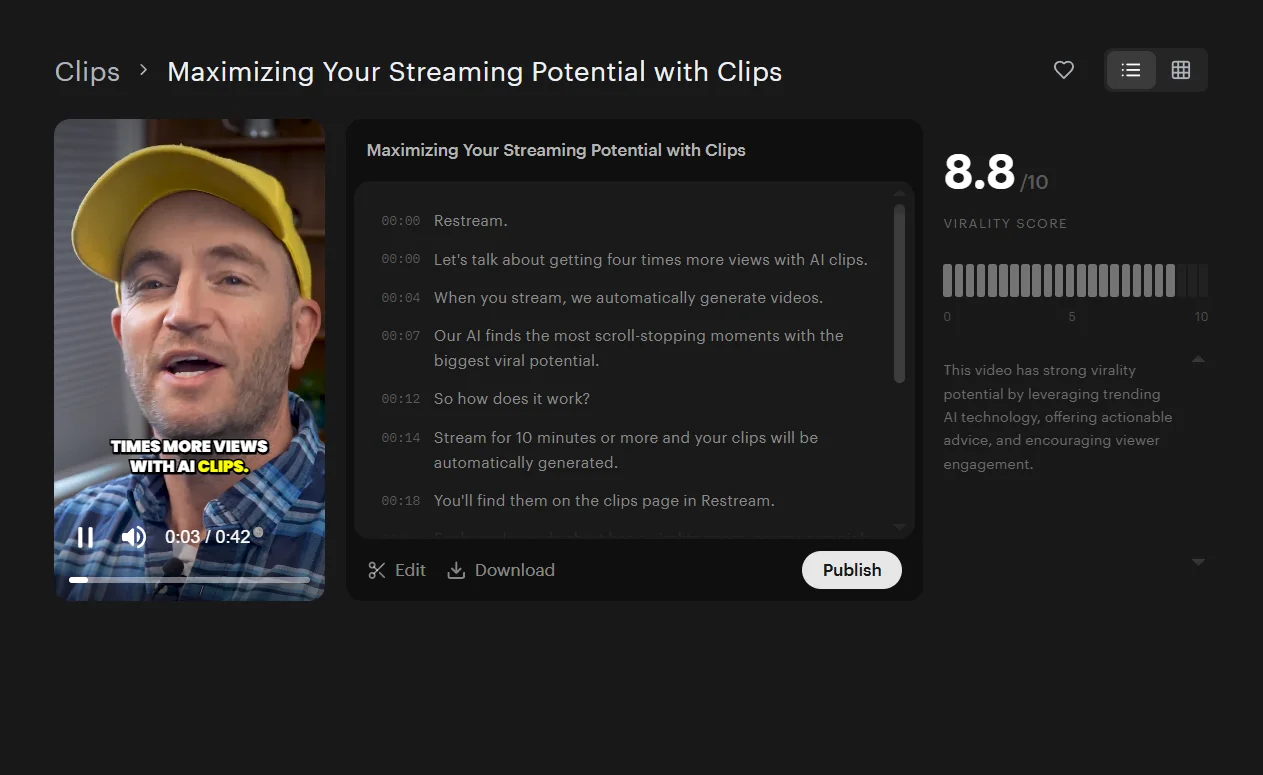
Neither platform is built for serious post-production, but Restream wins with its sleeker and more modern AI-powered short-form repurposing tool.
StreamYard includes a basic trimming tool so you can cut the beginning and end of your streams. It also features a rudimentary short-clip generator that crops moments into vertical videos. You can download transcripts in TXT or VTT format, but that’s pretty much all it does.
Restream’s repurposing features are AI-driven. Restream Clips can automatically turn videos into short-form clips with a few clicks. It also offers a basic text-based editor to manually trim and clip your videos and change their aspect ratio.
Both editors’ limitations are worth noting, though. StreamYard’s captions for Shorts and Reels currently only support English. The captions can’t be edited, and shorts must be between 5 and 60 seconds. Restream Clips is an add-on, starting at 50 generated clips per month for $19 per month. Neither platform supports audio editing.
If you’re looking for a streaming platform built with repurposing in mind, you’d be better off choosing an all-in-one platform like Riverside.
StreamYard vs. Restream: Pricing comparison
Both platforms offer a free plan, 2 lower-tier paid plans, a business plan, and an enterprise plan, but with slightly different features.
Here’s a direct tier-by-tier comparison:
Free tier
Both platforms offer generous free tier plans with 720p streaming quality and up to 6 on-screen participants. StreamYard is better for recording since it offers up to 2 hours of local recording. Restream doesn’t allow recording, but lets you multistream to 2 channels at once.
Entry-level plans
At $44.99 per month, StreamYard’s Core plan costs more than double Restream’s Standard plan at $19 per month. However, StreamYard Core unlocks 1080p quality and unlimited streaming and recording, so it pretty much includes all you might need as a solo content creator.
Mid-level plans
StreamYard’s Advanced plan is, once again, almost twice the price of Restream’s Professional plan. Still, it offers multistreaming to 8 destinations (instead of 5 Restream’s destinations), and up to 15 backstage participants. Restream’s Professional plan unlocks 1080p streaming and 2 team seats.
Enterprise and Business plans
Both Restream and StreamYard offer 2 tiers here, but Restream’s Business plan is slightly cheaper at $239 per month compared to $299 per month. StreamYard’s Business tier supports up to 10 multistreaming channels compared to Restream’s 8, but they’re quite similar overall, with 1,000 concurrent viewers and plenty of storage space.
Overall
Both platforms offer very similar features, but Restream plans are generally cheaper. The trade-off is that Restream also offers less in each plan, with more restrictions on streaming quality, multistreaming destinations, and storage space. Also, some of Restream’s features (like team workspaces and AI clips) are add-ons that you must pay for separately.
Should you choose StreamYard or Restream?
Restream is generally better for distribution-heavy workflows, while StreamYard is a better fit for simple and polished livestreams.
For beginners and interactive hosts
Choose StreamYard. It is the clear winner if you want a frictionless studio with a streamlined interface.
StreamYard is ideal for panel discussions and casual live podcasts. It lets you easily manage audience comments, run live polls, play media files, and bring guests on screen without any technical expertise.
Read more: Looking for more than just simple, guest-friendly live production? Compare your options in our guide to the best StreamYard alternatives.
For advanced producers and gamers
Choose Restream. It is your best option if your primary goal is getting in front of audiences on as many platforms as possible.
Restream is built for tech-savvy creators who prefer external production software like OBS Studio or vMix and hardware switchers. And, it comes with superior multistreaming capabilities and robust platform-by-platform performance tracking.
Read more: Want to compare Restream with other multistreaming tools that offer better features? Check out our guide to the best Restream alternatives.
FAQs on StreamYard vs. Restream
Can you use Restream and StreamYard together?
Yes, you can use StreamYard and Restream together by producing your live show in StreamYard, then sending that feed to Restream through custom RTMP. StreamYard supports custom RTMP destinations, while Restream can receive an encoder feed through an RTMP URL and stream key.
This setup lets you use StreamYard's smooth on-screen engagement tools while taking advantage of Restream's wider multistreaming network. However, this setup might end up being very complex in practice. You may need to manage comments, analytics, and destination settings inside Restream rather than StreamYard, so you’re probably better off choosing one primary platform.
Is StreamYard better than Restream for beginners?
Yes, StreamYard is better than Restream for beginners. StreamYard features a highly intuitive dashboard that is simple to use even with no prior experience. Restream has a steeper learning curve because it functions more as an advanced routing layer and often requires configuring external encoders.
Can you record on Restream without going live?
Yes, you can record on Restream without going live using the record-only mode in Restream Studio. This allows you to record separate local audio and video tracks for each participant without hosting a live broadcast.





.webp)


