%20_2023_.webp)


Key takeaways:
- For some people, Restream is too expensive or it lacks essential features like auto-captioning, unlimited AI clips, and built-in monetization.
- If you’re looking for a beginner-friendly platform with an intuitive interface, Riverside, StreamYard, and PRISM Live Studio are the top picks.
- For more advanced setups or enterprise needs, check Castr, Socialive, or even OBS Studio.
Restream is a great multistreaming platform, but it isn’t a perfect fit for everyone. Maybe you’re seeking a tool that offers more flexibility, or you’re simply curious about what else is out there.
In this article, we will look at the 10 best Restream alternatives as well as the top contenders in the world of multistreaming.
Let’s go!
What is Restream?
Restream is a cloud-based video streaming solution that lets you live stream to up to 8 social media platforms simultaneously. It's marketed as an alternative to StreamYard, Riverside, Streamlabs, and other popular streaming platforms.
The app comes with the following features and capabilities:
- Video storage (up to 10 hours recorded/stream).
- Up to 10 participants on screen.
- Screen sharing.
- Split-track recording (separate recordings for each guest on your stream for easier repurposing and editing).
- Ability to add your company's logo, custom overlays, and backgrounds.
- Analytics to monitor audience behavior across different platforms.
- Unified chat that combines chat across all streaming platforms on one screen.
- Pre-recorded, scheduled live streaming.
Why it may be time for an alternative: Restream drawbacks
Restream has several limitations that might drive you to seek alternatives, such as:
- No mobile app or device support.
- Full HD 1080p streaming is only available on Restream’s highest-tier plans.
- No built-in editing or post-production tools.
- No native monetization (you can’t sell tickets, run paywalls, or accept donations).
- No automatic captioning.
- AI clips are available, but in a limited number, depending on the plan.
- The free version of Restream streams with a watermark.
- It can be expensive compared to other platforms (especially the highest-tier).
- There are no filters during the stream (e.g., camera and beauty filters).
If you’ve read this far, at least one of these limitations likely concerns you. Whether you’re looking for a more affordable solution, built-in editing tools, or a free self-hosted option, here’s a list of potential alternatives.
10 best Restream alternatives
Here’s a quick comparison of the best streaming software and how they stack up against Restream.
Riverside: Best overall Restream alternative
Price: Free version; Pro at $24/month; Live at $34/month; Webinar at $79/month.
Streaming resolution: Up to 1080p live streaming with 4K local video recording.
Multistreaming: Unlimited multistreaming to all major platforms or any custom RTMP destination.
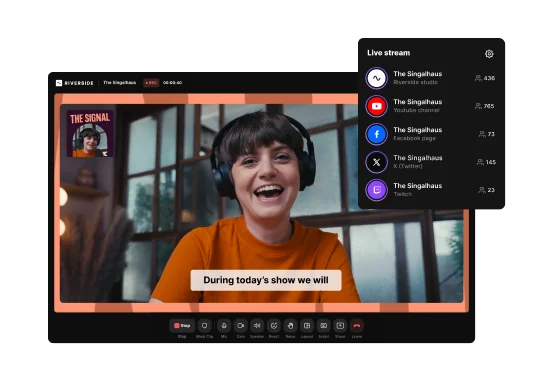
Riverside gives you a smooth end-to-end workflow for live streaming, recording and editing in one place.
Unlike Restream, you can multistream to unlimited destinations, including Facebook, YouTube, Twitch, and any custom RTMP output in 1080p.
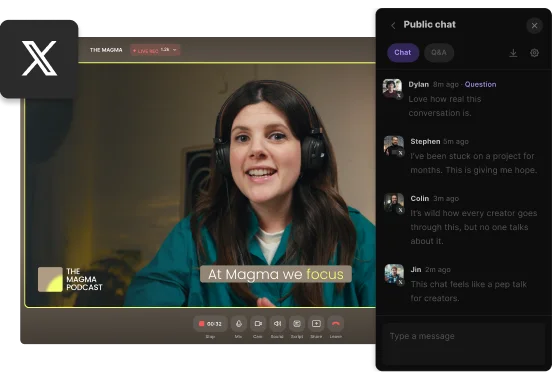
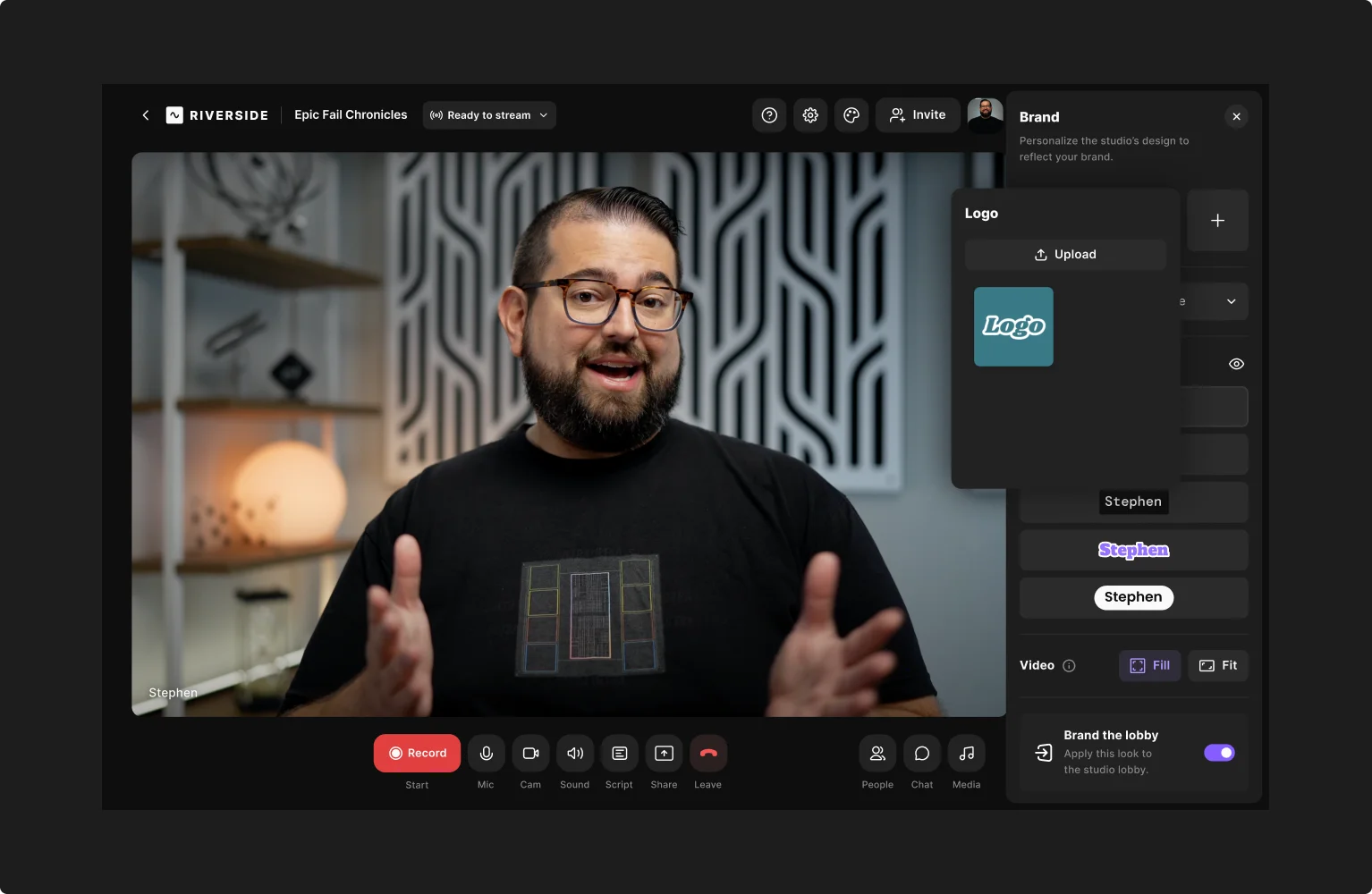
Use the Omnichat to follow every comment in one feed, and invite audience members to call in during the stream. All the while, stay on brand with live overlays, lower thirds, your own logo, and background as you stream.
To get the most out of your live, record every stream in up to 4K resolution. Everything records directly on each speaker’s device so, your quality doesn’t depend on your internet connection. You get separate audio and video tracks for each speaker, giving you full control when editing.
And with Co-Creator, your new AI editing agent, turn your stream into an on-demand video, social clips, a blog, and more, just by chatting. Or, for more hands-on editing, you’ve got a full AI editor with text-based editing, filler word removal, captions, b-roll, music, and more.
Key features:
- Multistream in 1080p to unlimited destinations including custom RTMP.
- Record your stream up to 4K video and up to 48kHz audio resolution.
- Unified Omnichat to interact with all your audiences simultaneously.
- Branding customization to make your live stream look unique.
- Producer mode lets your production team control recording from behind the scenes.
- Up to 9 guests (10 on screen overall) and 10,000 audience members.
- Can add up to 2GB of pre-recorded media files to your live streams.
- Speaker management to hide or show participants at any time.
- Audience analytics to measure attendance and engagement.
- Local recording, so you don’t have to worry about the quality of your internet connection.
- Media Board to play audio and video clips during your live stream.
- Live call-in feature allows listeners hop on a call during the live stream.
- Magic Clips to quickly create punchy promotional social media clips.
- Chat with Co-Creator to edit your recording in minutes and repurpose it into blog posts, email newsletters, and more.
- Automated AI transcription in over 100 languages.
User review: “The live stream quality and stability are top-tier. I've hosted live conferences with hundreds of attendees and never experienced a dropped feed. The interface lets me monitor all speakers, trigger recordings, and handle technical issues discreetly using the producer controls.” — Viktoriao S., Virtual Event Manager
Restream vs. Riverside
Restream is a distribution-first tool. Riverside is a quality-first, all-in-one studio. If you just want to broadcast a stream, Restream works. If you are a serious creator who needs studio-quality recordings you can edit, repurpose, Riverside is the superior solution.
StreamYard: Best Restream alternatives for beginners
Price: Free; Core (hidden price); Advanced (hidden price).
Streaming resolution: Up to 1080p live streaming. 4K local video recording on the highest price tier.
Multistreaming: Up to 8 destinations on the highest price tier.
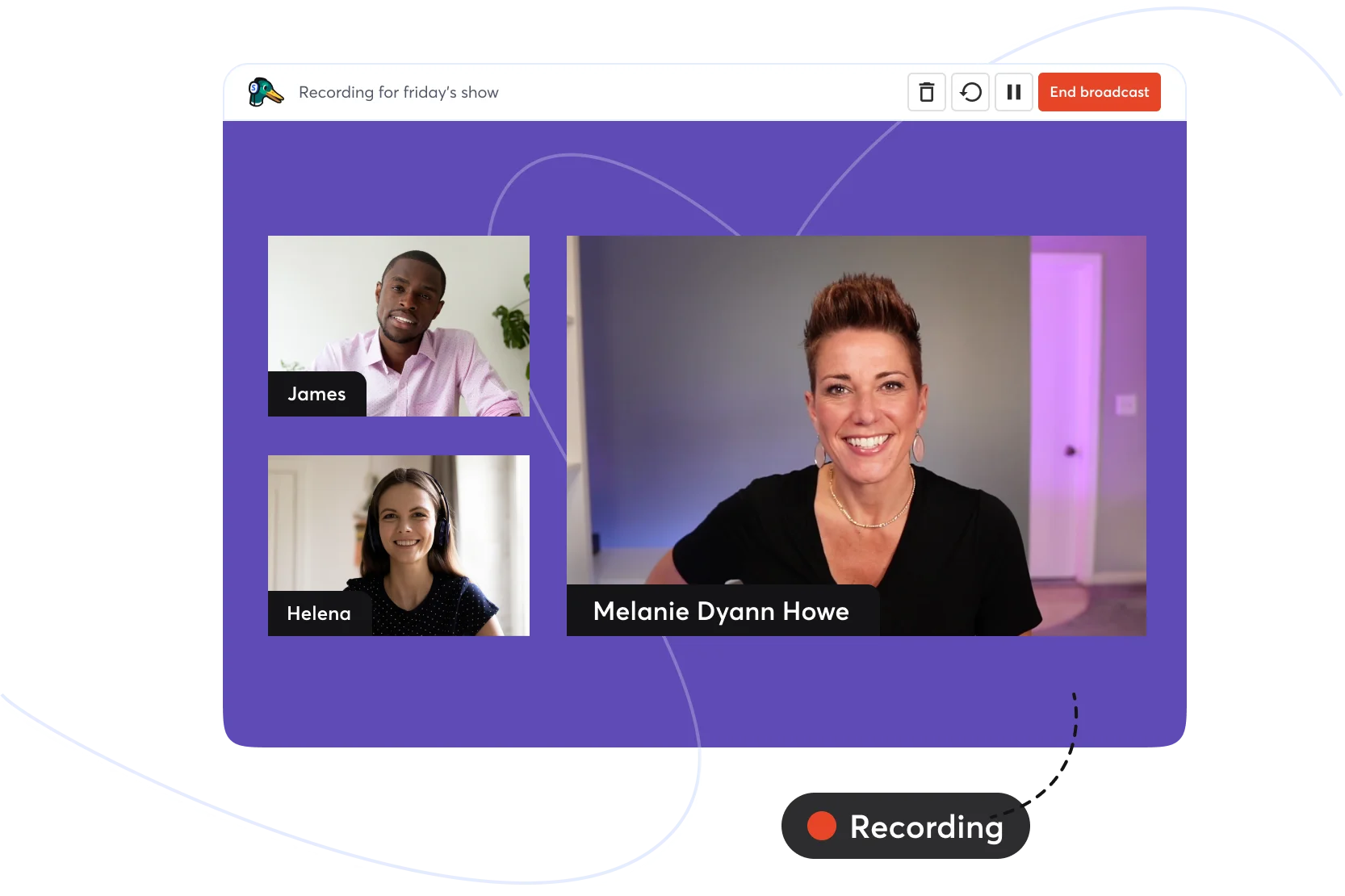
StreamYard is a simple, reliable tool that is perfect for beginners and non-technical hosts who need to go live with guests quickly. It’s entirely web-based, so there’s no complicated setup. YYou can literally create a professional-looking live stream in minutes. And, the drag-and-drop interface makes it really user-friendly.
Its free plan is surprisingly functional, offering 6 on-screen guests and 2 hours per month of local recording.
But, many of its best features are locked behind a fee on the highest tier plans (and StreamYard is quite pricey).
Key features:
- Schedule pre-recorded streams of up to 4 hours.
- Automatically launch an intro and outro video during each livestream.
- Easily add logos, lower-thirds, overlays, and banners with one click.
- Highlight comments or show emojis or reactions on screen.
- Run webinars with registration pages using StreamYard’s studio.
User review: “StreamYard keeps live streaming super easy and professional. I love the intuitiveness of the platform, right from no downloads to direct streaming via your browser. But I do find it a bit expensive, especially for smaller teams or businesses just starting out.” — Marina C., Head of Marketing
Restream vs. StreamYard
StreamYard is more expensive, but it’s simpler and more intuitive to use. It’s a much safer choice for recording content if your priority is doing it in a stable and hassle-free live studio.
Streamlabs Talk Studio: Best Restream alternatives for lower budgets
Price: Free 7-day trial; Standard $9/mo; Pro $17/mo.
Streaming resolution: 720p (Standard), 1080p (Pro).
Multistreaming: 3 destinations or unlimited on Pro.
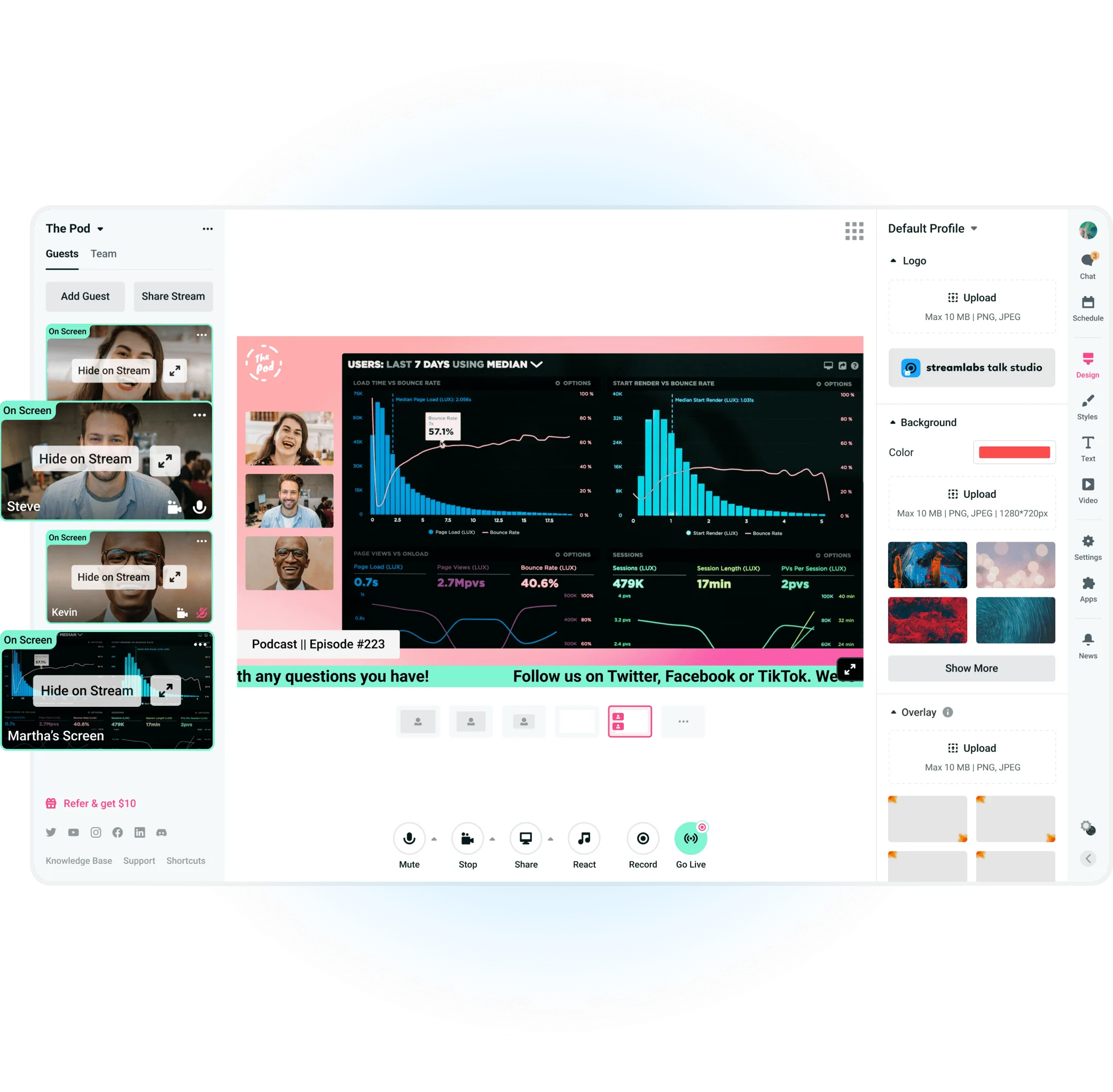
Streamlabs Talk Studio (previously known as Melon) is a simple and straightforward browser-based streaming studio.
Its main distinction is its integration into the vast Streamlabs ecosystem, which includes lots of integrations, like OBS Studio plugins and Discord, among others. You can go live on multiple platforms and still have your donation alerts and chat widgets pop up on screen, which is great for engagement.
It’s also relatively affordable compared to other studios, with the Pro plan providing 1080p resolution and unlimited multistream at just $17 per month.
Key features:
- Simple, browser-based interface, no downloads needed.
- Unlimited multistreaming on Pro plan.
- Up to 10 hours of local recording.
- Vast integration with other apps in the Streamlabs ecosystem (Mobile Ultra, Console, Podcast Editor Pro, Web Suite Ultra, etc).
- Can invite up to 24 guests (15 on screen).
Restream vs. Streamlabs Talk Studio
Streamlabs Talk Studio Pro is simpler and more limited without all the other apps, but it’s a much cheaper alternative than Restream. For less money, it’s still fully functional as it offers 1080p streaming, unlimited destinations, and even more guests (up to 24).
OneStream Live: Best Restream alternative for scheduled/automated streams
Price: Free plan; Basic $12/mo; Standard $32/mo; Professional $39/mo; Enterprise $83/mo.
Streaming resolution: 720p (Free/Basic), 1080p (Standard & up).
Multistreaming: Up to 50 destinations on the highest price tier.
.webp)
OneStream Live is a scheduling and automation tool for maintaining a presence when you’re not actually available to stream. It’s built to take your pre-recorded videos and stream them as simulive events to up to 50 destinations simultaneously.
You can mix live inputs and scheduled videos, and even do things like start a live stream and then play a pre-recorded segment. And, OneStream still has a basic multistream studio for real-time streams with guests, giving you the best of both worlds.
Its pricing is entirely built around limits, though. The Basic plan, for example, has a 1-hour duration cap and only 5GB of storage.
Key features:
- Schedule pre-recorded videos as live streams that can be uploaded via cloud storage or a URL.
- Automate recurring streams to set a repeat schedule.
- Audience analytics to track viewership across platforms.
- Customizable branding and landing page.
- Captions, thumbnail, and description customization for each destination.
User review: “What I like the most about Onestreamlive is that it gives me the most valuable thing: the freedom to go live with pre-recorded video. Therefore, I do not have to take the burden of live streaming and going blank on camera. What I dislike about this is that it asks for reauthorization for platforms like Facebook and has many issues with crashing and failing to upload videos. That, and the price is high.” — Ratish J., Lifestyle Coach
Restream vs. OneStream
Restream does let you schedule pre-recorded videos, but OneStream’s implementation is more flexible and efficient. OneStream allows you to manage a whole queue and recurring schedules of cloud imports, while Restream’s approach is more limited and manual.
Castr: Best Restream alternative for TV and radio stations
Price: Starter ($12.50/mo) up to Ultra ($250/mo).
Streaming resolution: Up to 4K.
Multistreaming: Up to 30 destinations.
.webp)
Castr is a high-performance, advanced streaming platform for the most technical users. You use it to relay one or more video feeds to rebroadcast it to multiple platforms, rather than just host a livestream.
It’s suitable for TV or radio stations since it can run 24/7 loops from your video files, which you can schedule in advance. It also supports up to 4K streaming with adaptive bitrate, and IP camera ingestion for broadcasting feeds from any RTSP or SRT sources.
Key features:
- Host on-demand videos and even run a looping 24/7 live channel with your content.
- Livestream in up to 4K video quality.
- Adaptive bitrate to automatically adjust quality for the viewer.
- White-label HTML5 player to embed a stream on your own website.
- CDN streaming to broadcast without buffering.
User review: “It is invaluable being able to stream to one provider and then let Castr send the stream to our different social channels and websites. It feels a little ‘cheap’ or ‘unrefined’ in some areas, though. For example, the pre-recorded stream feature in Castr needs a lot of work.” — Adam B., Technical Director
Restream vs. Castr
Castr is a much more advanced streaming platform than Restream for always-on streams and looping content. It includes professional-grade features that Restream does not support, but caters to a more technical audience.
OBS Studio: Best free Restream alternative
Price: Free and open-source.
Streaming resolution: Up to 4K.
Multistreaming: Unlimited.

If you’re looking for zero-cost ways to multistream, you can use OBS Studio with the Multiple RTMP Outputs plugin to set up your own self-hosted RTMP server.
You can even spend a few bucks ($5-$10) per month to use OBS to send one high-quality stream to your own cloud server. Then, run an RTMP module on Nginx to replicate your stream and send it to all your destinations to offload bandwidth from your local network.
Beware though while, OBS is free and gives you total control, you are fully responsible for the technical setup and performance.
Key features:
- Streaming quality is limited only by your hardware and bandwidth, and can even go beyond 4K.
- OBS and the plugins are open-source, so they’re regularly updated, and there’s a large community for support.
- Record your stream locally in full quality while live streaming.
- Multistream to unlimited locations at once.
Restream vs. OBS Studio
OBS Studio can fully replace all Restream's core functions. But it uses your PC and internet to do the work Restream's cloud servers would otherwise do. This means it relies on your internet connection (if it goes down, all streams end) and requires considerable technical skill to set it up correctly.
PRISM Live Studio: Best mobile-first Restream alternative
Price: Free; PRISM Plus $79.99/year.
Streaming resolution: Up to 4K.
Multistreaming: Up to 6 destinations (paid version).
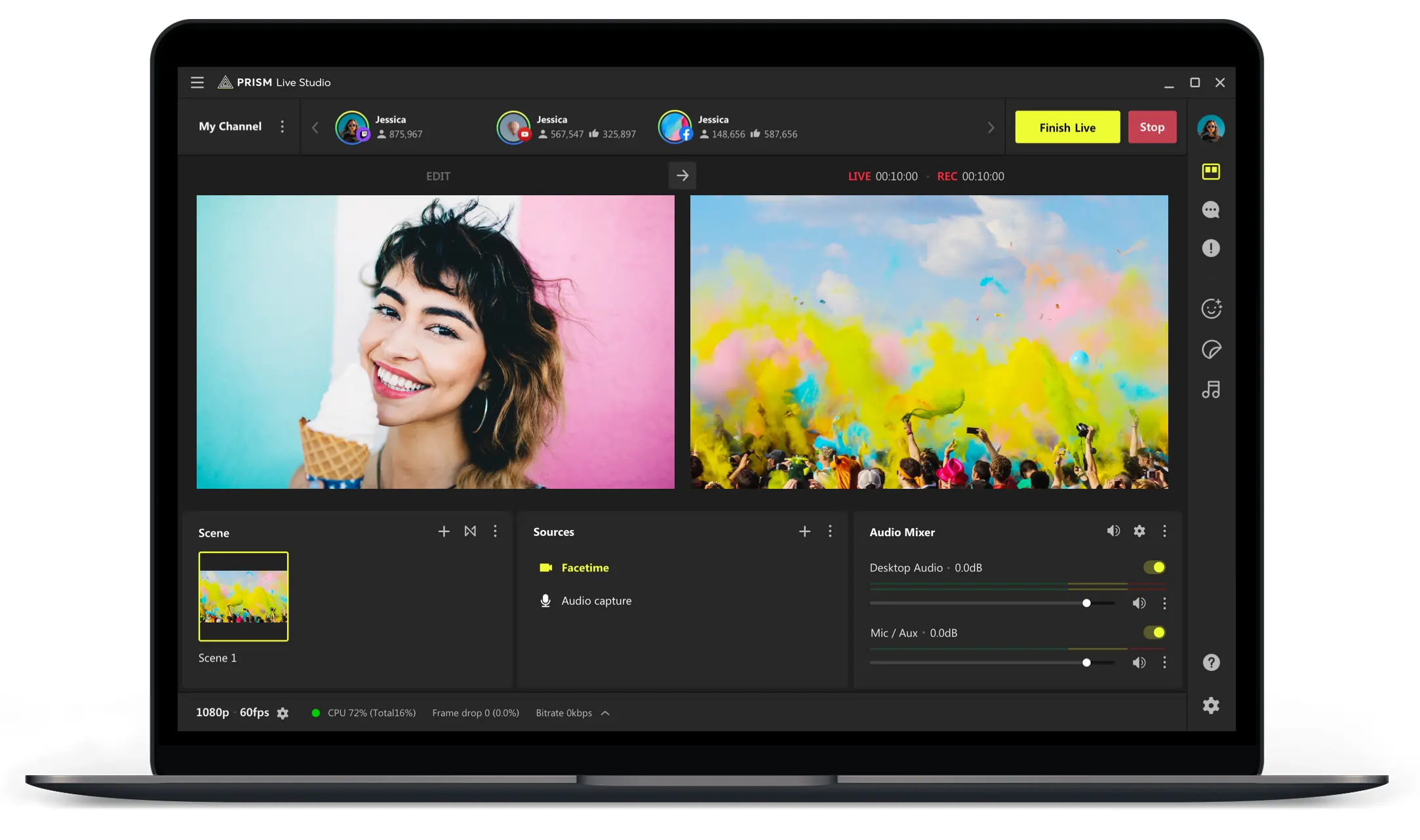
PRISM Live Studio is the ultimate tool for live streaming from your mobile device.
You can mix your camera feed with media, share your screen, or use your front and back cameras dynamically. There’s also face tracking, so you always stay in frame even while you’re moving. And, PRISM lets you add personality to streams with fun filters and effects, which is great for social media content.
While there is a desktop version available as well, it’s mostly there for support since it’s a lightweight and somewhat basic app.
Key features:
- 3D VTuber face tracking (limited duration on free plan).
- Live facial adjustments, makeup effects, and color filters.
- Scene and text templates.
- Dual horizontal/vertical output.
- Aggregated YouTube, Twitch, and Facebook chat.
PRISM Live Studio vs. Restream
Restream is much more powerful, but has no mobile support. PRISM is a great mobile-first solution for multistreaming, with all you need for on-the-go broadcasting.
Note: Mobile platforms heavily restrict third-party streaming. For example, Instagram Live is mobile-only via their app, and TikTok requires you to use its Live Studio and have 1,000 followers to go live from external software. So while apps like PRISM can technically send to custom RTMP, you’ll still need those platforms to allow it.
Socialive: Best Restream alternative for enterprises
Price: Enterprise (quote-based pricing only).
Streaming resolution: 1080p.
Multistreaming: Number of destinations depends on your package.

Socialive is a B2B platform for enterprise-level streaming like large corporate events, professional broadcasts. It’s built for large-scale corporate communications with strong security features, like SOC II Type 2 Certification and SSO.
Socialive includes advanced collaboration workflows and a full producer suite for behind-the-scenes control. After the event, you can check analytics or repackage your stream into on-demand videos with its post-production tools.
It features a "ProducerSuite" for full team control behind the scenes and can run "simulated live" broadcasts, which involves scheduling pre-recorded content.
It's also a key partner for LinkedIn Live. This means you get priority support and early access to new features if you stream on this social media network.
Key features:
- Producer mode to manage layouts and media while hosts focus on the presentation.
- Full post-production suite for editing and repurposing.
- Advanced security settings with SOC II Type 2 and ISO 27001 certifications.
- Integration with enterprise platforms like Microsoft Teams, Vimeo Enterprise, Brightcove, and internal video portals.
- Dedicated customer support and assisted onboarding.
Socialive vs. Restream
Restream is a consumer-grade tool. Socialive can handle scenarios with hundreds or thousands of participants, like virtual conferences, employee training, or global all-hands meetings.
Stage TEN: Best Restream alternative for ecommerce brands
Price: Free; Partner $29/mo; Enterprise (custom).
Streaming resolution: 1080p.
Multistreaming: 8 destinations on the free plan and up to 30 on the custom price tier.
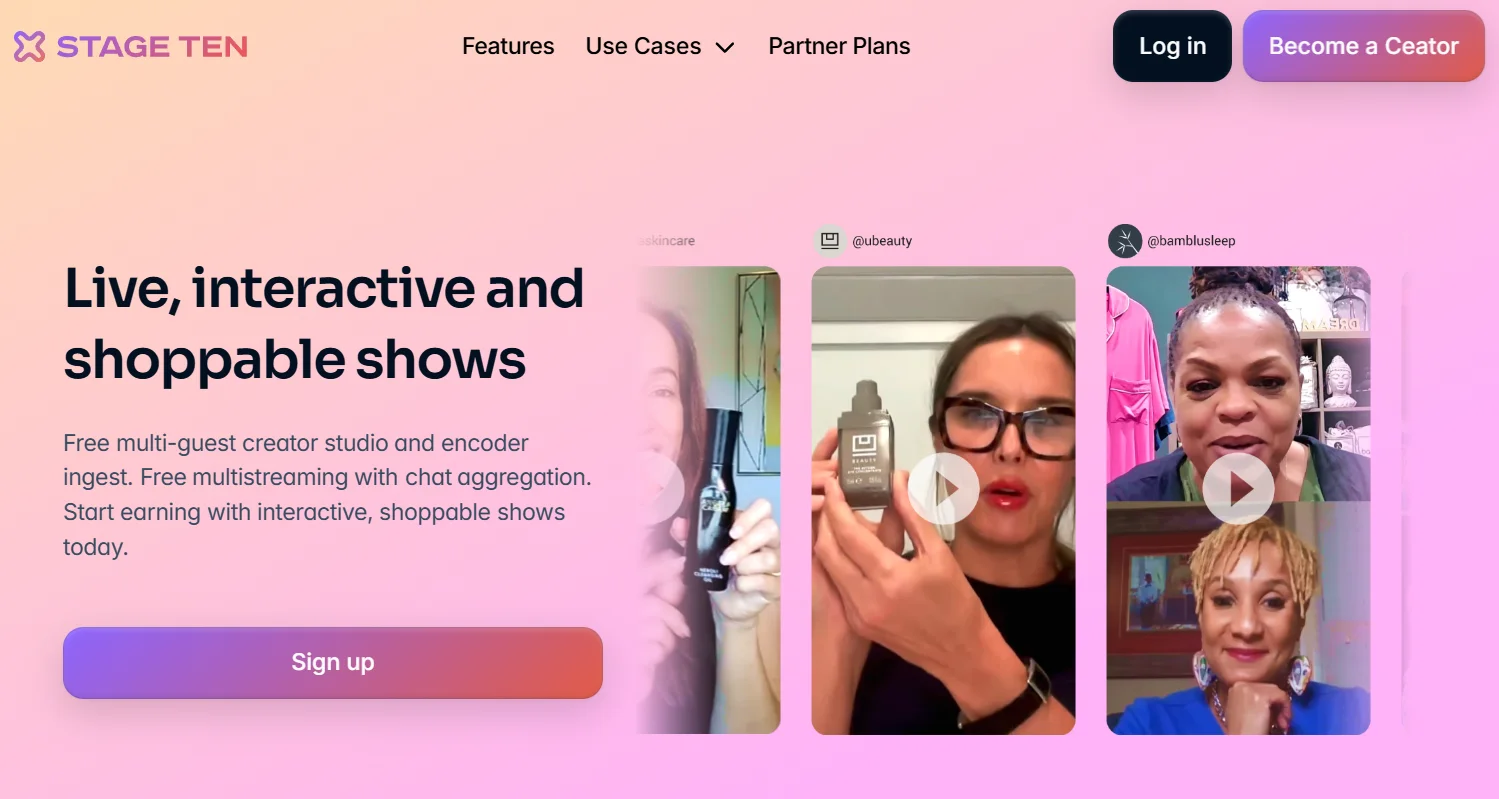
Stage TEN is a multistreaming platform with a unique niche: commerce on social media. It’s built for streams like interactive ecommerce on social media or live game shows.
For example, you can showcase products in a carousel on screen so viewers can see before they purchase. Everything can be integrated with Shopify and your show can even get featured on its discovery channel.
Key features:
- Interactive live production studio with multicam support and interactive on-screen elements.
- Producer mode to help you queue up different scenes or set up shoppable replays.
- Deep integration with Shopify and other ecommerce platforms.
- Post-streaming analytics with data on viewership, engagement, and sales metrics.
User review: “I have been using StageTen with my college television production class to create professional-looking live television programs, and it’s easy to learn and to use. The biggest problem is the unpredictability of connections on the Internet. This often results in frozen screens, distorted screens, and audio that is out of sync with the video.” — Steve M., Professor
Restream vs. Stage TEN
Stage TEN has a specific edge with interactive and commerce features that Restream simply doesn’t have. Also, its free plan is one of the most generous available, with 1080p streaming quality and up to 8 destinations.
Switchboard Live: Best Restream alternative for partnerships and collaborations
Price: SMB (hidden price); Public Sector (hidden price); Enterprise (hidden price).
Streaming resolution: 720p (Indie); 1080p (Pro & up).
Multistreaming: Unlimited destinations on all plans.
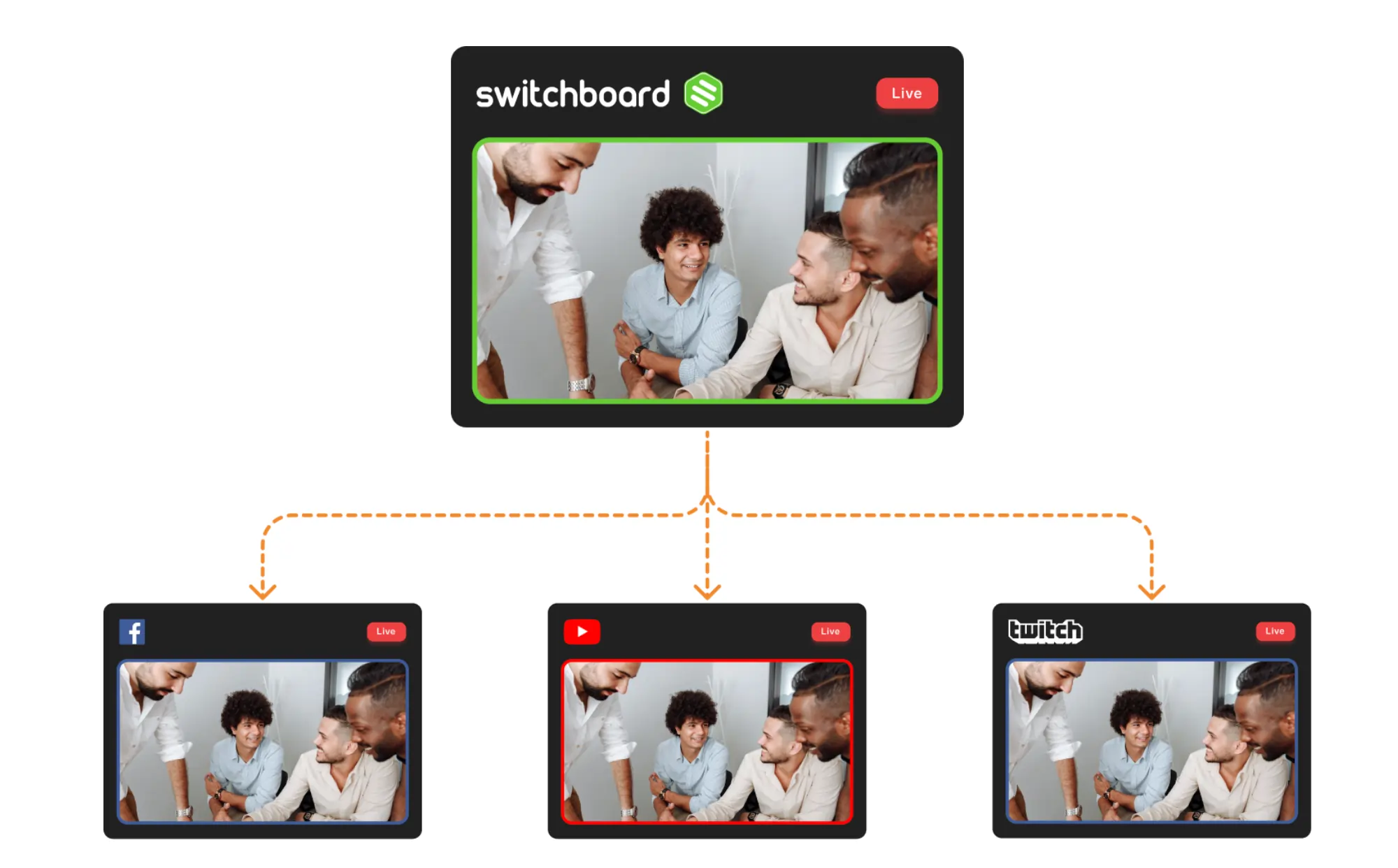
Switchboard Live makes complex syndication simple with its collaboration features. It’s ideal in scenarios where you can leverage an external partner’s channel. This makes it popular among non-profit organizations and government agencies,
The “StreamShare: feature allows your organization’s partners or sponsors to carry your stream on their social channels without sharing their private login credentials.
It doesn’t provide editing capabilities or have guest invites, but you can set up and send a feed to multiple partners’ channels at once with just a few clicks.
Note: Switchboard doesn’t have a guest or studio feature. You must have the video feed ready using OBS or other hardware encoders, and just use Switchboard to multicast it.
Key features:
- Switchboard lets others authorize their social channels to distribute your content without having to share their logins or stream keys.
- Concurrent viewers analytics and after-stream reports.
- Schedule events with custom titles and descriptions for each destination.
- Stream 24/7 on higher-priced plans.
Restream vs. Switchboard Live
For a single streamer who just has their own accounts, Switchboard Live might be overkill. But if your business involves managing streams for multiple clients or partners, Switchboard's StreamShare is what you need.
How to pick an alternative to Restream: Criteria that actually matters
You've seen the options. Now it’s time to find the right one for you. Here are some criteria to consider when picking the best Restream alternative for your needs:
Consider quality vs. convenience
If you need the best possible quality, you must use a tool with local recording, like Riverside or OBS Studio. If your goal is to click a link and go live with guests in 5 minutes, user-friendly, browser-based studios like StreamYard, Streamlabs Talk Studio, or Riverside should be on top of the list.
Destinations and RTMP flexibility
Ensure the platform you pick can stream to all the platforms you care about (like Facebook, YouTube, etc). If you have a less common destination, like a private RTMP server, check that the tool allows custom RTMP outputs.
Studio and guest production needs
Do you require a full studio environment with screen sharing and scene switching? Then a platform with an integrated producer mode, like Stage TEN, Socialive, or Riverside, can streamline your livestreams.
If you host remote guests, a browser-based studio with one-click invites can save you many headaches with less technical participants.
Reliability and performance
Cloud encoding uses remote servers to send your stream over the internet, while local encoding uses software installed on your own computer.
Cloud encoding (used by Restream and StreamYard) is simple, but adds latency and is dependent on their servers. Local encoding (using OBS) gives you control, but requires a powerful PC and massive upload bandwidth. If you want a less technical solution, you can choose simplified desktop software like Streamlabs Desktop that support local encoding but offer a user-friendly interface.
Pricing and plan caveats
Be on the lookout for watermarks, as most free plans will add a logo to your stream. Always check simultaneous destination caps, too. A "Pro" plan might only offer 5 destinations , while another “Basic” plan offers unlimited destinations.
Editing and post-production
Do you plan to repurpose your live sessions into recorded content, like short-form videos and clips? First, you need software that records separate, high-quality tracks locally. An all-in-one recording and editing platform like Riverside is a great pick, so you don’t even need to leave your dashboard.
Recording hours and storage
Many platforms have caps on storage or cloud recordings per month. For example, OneStream caps storage (5GB on Basic) and Streamlabs caps recording time (10hr/track on Pro). Check these limits before you buy.
FAQs about Restream alternatives
Is Restream free?
Yes, Restream has a free version, but it comes with limitations. In the free version, you can only multistream to 2 channels in 720p, with no options for recording. It will also permanently add a Restream watermark to your stream.
Can I multistream with OBS without Restream?
Yes, you can multistream with OBS, but you’ll need to use the free "Multiple RTMP Outputs" plugin. By default, OBS sends one stream to one destination at a time. The plugin adds a new dock where you can paste the RTMP server URL and stream key for every platform you want to stream to. However your computer and network will have to handle the combined load of all streams at once.
How do I go live to Instagram or TikTok with a Restream alternative?
Both platforms restrict live streaming, and only creators with at least 1,000 followers can access this capability. Once you meet this requirement, you’ll have to find the stream key to paste into your tool's "Custom RTMP" destination.
To find this key, follow these instructions:
Instagram:
- Click the “Add post” button and select “Live.”
- Fill in the details (title, audience, type of broadcast).
- A screen that contains your unique Instagram URL and stream key will pop up.
TikTok:
- Select the plus sign at the bottom of the screen.
- Select “LIVE.”
- Fill in the details (title, effects, etc).
- Select “PC” or “console.”
- A screen that contains your unique TikTok URL and stream key will pop up.
How do I bring remote guests on stream without Restream?
If you want to have remote guests or co-hosts in your live stream, you’ll need a dedicated remote recording software. Tools like Riverside, StreamYard, and Streamlabs Talk Studio are built for this.
You simply send your guest a private link that they can click to join your studio session from their web browser (with no downloads needed). For the best quality, use a platform like Riverside that records each guest locally.
What’s the difference between cloud and local encoding?
Before a video is broadcasted, it needs to be encoded (compressed into a stream).
Cloud encoding means your computer sends the stream to your software’s servers, and they will do the hard work of encoding and multistreaming. This means the CPU strain on your computer is minimal, and you won’t need high upload speeds to go live. The downside is that cloud encoding adds latency, and your stream quality depends on your connection to the servers. Software like Restream, Riverside, and StreamYard use cloud encoding.
Local encoding means your computer will have to do all the work of encoding your video using software like OBS Studio. This requires a powerful rig and a very high upload bandwidth. However, you’ll have full control over your stream's quality and bitrate, and very low latency.




.webp)