

%20(copy)%20(1).webp)


Key takeaways:
- Fully free webinar software is rare, but some platforms offer free plans and trials.
- The main choice for a purely free webinar platform is Jitsi, but it’s open-sourced and complex.
- Top free plans include Zoom, and Google Meets where free trials worth testing include tools like Riverside, Demio, and Webex.
- Free plans have major limitations. For a full webinar experience, you’ll need a paid tool. With Riverside, get custom registration, lead tracking, 4K webinar recordings, and AI repurposing tools on one affordable plan.
Can you really get free webinar software?
There are very few truly free webinar platforms. But a lot of software offers limited free plans or short trials.
So what can you actually get for free? Not a lot.
Free plans usually include live video conferencing, screen sharing, basic chat or engagement tools and local or limited recording.
But, they fall short because of:
- Attendee caps and time limits.
- Lower video quality with only recording and streaming at 720p.
- Few true webinar features like registration pages, analytics, branding, CRM integrations, and automations.
- Complex interfaces and technical setups that accompany open-source tools.
If you have the budget, a paid plan is the better long-term option, and we have a full guide to the best webinar software for that.
But if you want to test a free trial or reduce upfront costs, here’s the best free webinar software to try.
The 10 best webinar platforms for 2026
We evaluated as many webinar services as we could to find out which ones offer the best value for no cost. After comprehensive testing, we’ve narrowed it down to these 10 top contenders.
The chart below shows what’s available on their respective free plans.
Riverside: Best all-in-one solution
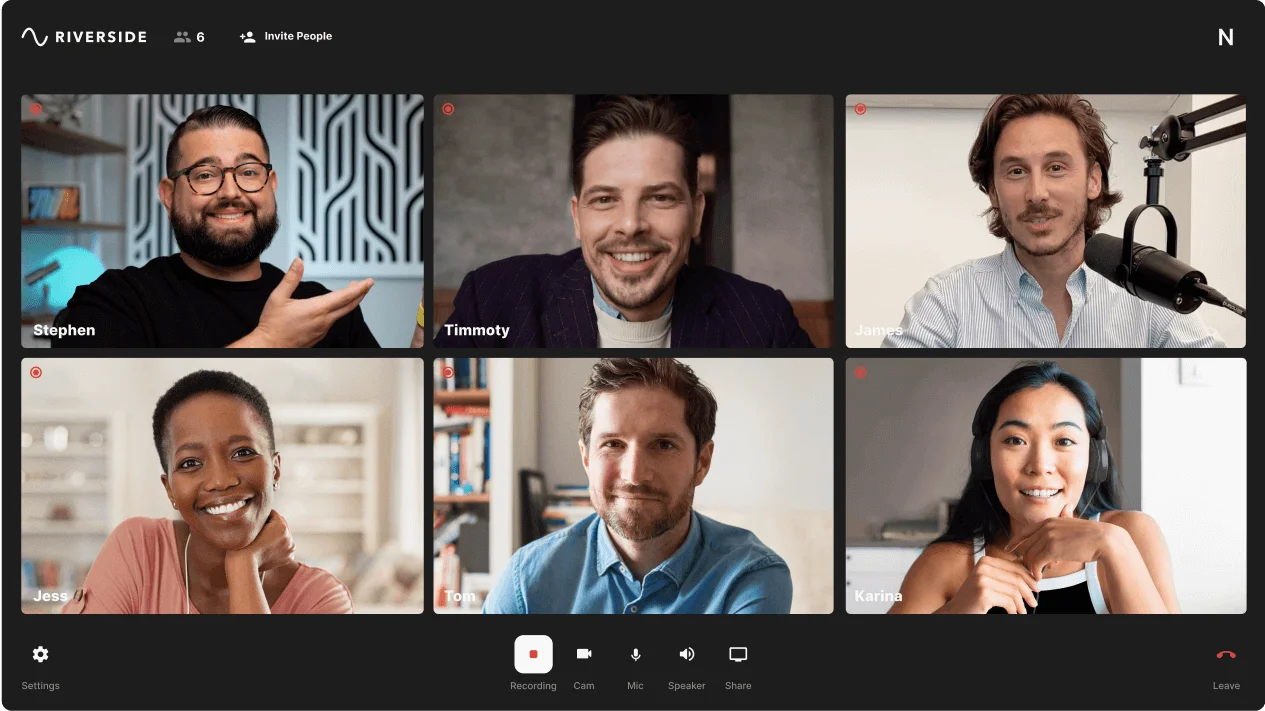
Price: Free plan available. Paid Webinar plan is $79/month.
While you can host a webinar on Riverside for free, you’d get the most benefit from the 14-day free trial.
On the free plan, you can only host live events directly on the Riverside platform. Studio branding is available with logos, lower thirds and your choice of backgrounds and overlays. You’ll also have access to the media board to play live effects during your event.
Riverside is an all-in-one platform. If you want to host a live event, record it in high-quality, and repurpose it in minutes, this is the free webinar platform for you.
Free plan features
Riverside’s free plan isn’t a trial. You can use it for free forever. It includes:
- Unlimited recording time: Unlike many competitors, Riverside lets you record as long as you want in 720p video and 44.1 kHz audio (and save it to our cloud for free, too).
- Local recording: Get high-quality audio and video even when your internet stumbles, and never lose your work! Riverside records locally to your device with progressive cloud uploading.
- Up to 200 attendees: Present your live session to up to 100 attendees on the Riverside platform.
- Screen sharing: Easily share your screen right from the Riverside platform.
- AI-powered editing tools: Use Co-Creator, Riverside’s AI agent, to edit your recordings with prompts. Or, head to the video editor to trim recordings with text-based editing, add captions, clean up audio, remove filler words or silences, and more..
With the free trial, access our full Webinar plan features. This comes with :
- Ultra HD recording: Record in up to 4K video and 48 kHz audio (professional quality).
- Webinar scheduling and automated invites & reminders: You set the date and write the copy, we’ll do the rest, sending out email notifications and reminders.
- Custom registration forms: Create custom, branded registration forms to collect audience data (and sync it to HubSpot.)
- Engagement features: Keep your audience’s attention with Q&A, live call-ins, polls, and reactions.
- Live streaming and multistreaming: Broaden your reach by live streaming to multiple social media platforms at once. You can even chat live with participants across platforms with Omnichat.
- Branding and custom layouts: Add custom branding to your studio and adjust layouts as you see fit.
- Automatic transcription: Instantly transcribe in 100+ languages with up to 99% accuracy at the end of your recording.
- Pre-recorded webinar webinars: Host pre-recorded webinars and simlulate a live feel with the audience engagement tools.
Limitations
- Recordings include a small watermark on the free plan.
BigBlueButton: Best open-source webinar tool

Price: Free.
BigBlueButton is a free, open-source web conferencing tool built for online learning. Many schools use it for virtual classes and webinars. But anyone can install and run it on their own server with no license fees or attendee limits.
With BigBlueButton, the number of attendees depends on your hosting setup. If you’re not technical, providers offer BigBlueButton rooms with small free plans at around 25 attendees for about an hour. Hosting the room online yourself gives you full control and room to scale.
Free plan features
With BigBlueButton, you get a lot of useful features for free, including:
- Multi-user whiteboard and annotation tools (great for instructors).
- Polling and shared notes to engage attendees.
- Multiple presenters, break-out rooms for group work, and ‘raise hand’ functionality.
- Screen sharing, video, and audio conferencing.
- Public and private chat channels.
- Session recording (if you enable a recording server and storage).
- Analytics dashboard.
Limitations
- Because it’s self-hosted, setup and maintenance require technical know-how.
- Interface is functional, but clunky and unpolished.
- You’ll need a solid server and good internet bandwidth to run it smoothly.
Jitsi Meet: Best for privacy
Price: Free.
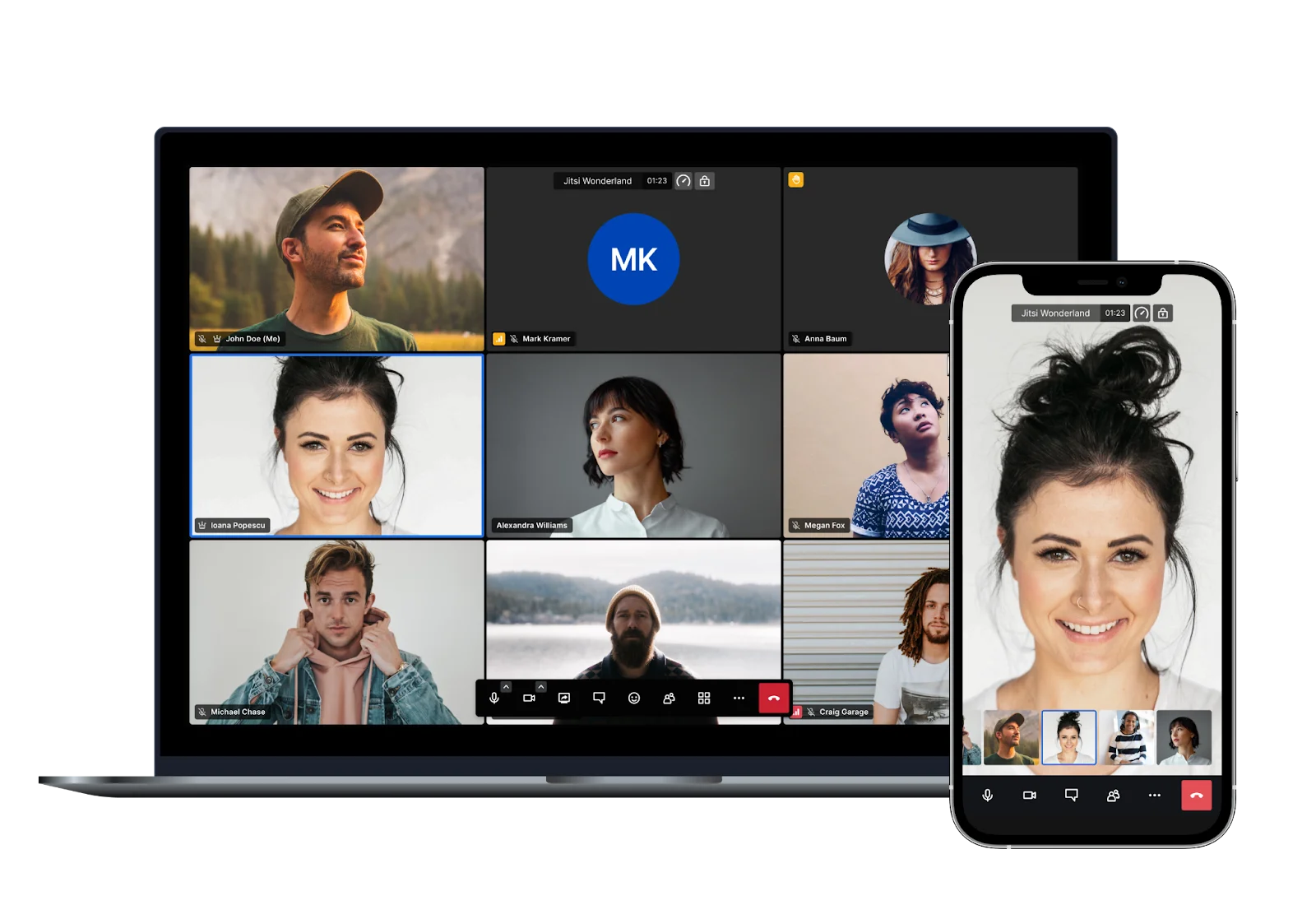
If you’re looking for free and open source, Jitsi Meet is another solid option that’s known for privacy and simplicity. You don’t need an account. Just open the site, name your room, and you’re live. It’s not built for webinar-driven marketing, but it’s great for quick, no-fuss meetings or lightweight sessions.
The public version of Jitsi Meet is free for everyone, with no time limits or per-attendee fees. It typically handles 50–100 participants comfortably. Tech-savvy teams can self-host Jitsi to boost capacity and performance.
Free plan features
Jitsi keeps things straightforward but still offers more than a barebones experience. With Jitsi meet, you’ll get:
- HD video and audio conferencing (up to 720p).
- Screen sharing and live chat.
- YouTube live streaming (with the Jibri integration).
- Free recording (with the Jibri integration).
- Excellent security, with encrypted communication and the ability to password-protect meetings.
- Availability via browser or mobile app with no installation needed on desktop (just like Google Meet).
Limitations
- No specialized webinar features (e.g., registration pages, analytics, branding).
- Free public Jitsi servers can be unstable.
- Limited support (although community documentation is solid).
Zoho Webinar: Best for integrations

Free: Free plan available. Paid plans start at $8/month.
Integrations make webinar software more flexible. They let your webinar tool connect to other platforms you already use. For example, email marketing, CRM, scheduling, payment tools, cloud storage. Most free webinar tools strip out these integrations, but not Zoho Webinar.
Its free plan is surprisingly generous, making it ideal for users who want their webinar to act more like a sales funnel. It integrates smoothly with the Zoho ecosystem and Zapier, but even on its own, it’s a strong, feature-rich option. You can host up to 100 attendees for 60 minutes (matching Zoom’s free tier), but Zoho stands out for how much it includes at no cost.
Free plan features
Zoho’s free plan includes includes:
- Integration with Zapier, as well as other Zoho apps, like Zoho CRM.
- Screen sharing and video conferencing for presenters and co-organizers (with the ability to have multiple hosts).
- Interactive tools (e.g., built-in polls, Q&A functionality, ‘raise hand’ feature, ).
- Moderation controls to mute/unmute attendees and remove unwanted participants.
- Virtual backgrounds to give a professional look.
- Meeting encryption and password protection options.
Limitations
- No recording.
- Attendees must first register to join a session.
Webex: Best for engagement tools
.webp)
Price: Free plan available. Webinar plans start at $68.75/month.
Webex offers a forever-free plan with many of the essentials, plus more engagement tools than many comparable platforms. You can host up to 100 people for 40 minutes per session, record meetings, and even get a few fancy features, like virtual backgrounds.
Webex really stands out for its engagement features, which include chat, reactions, and breakout rooms.
Free plan features
- Unlimited number of meetings.
- Unlimited local recording.
- Team chat, messaging, and file sharing.
- Engagement features like live chat, reactions, and breakout rooms.
- Interactive whiteboard.
- Multiple co-hosts.
Limitations
- No registration or landing pages features, even on paid plans.
LiveWebinar: Best for small group sessions or testing
Price: Free plan available. Paid plans start at $32/month.
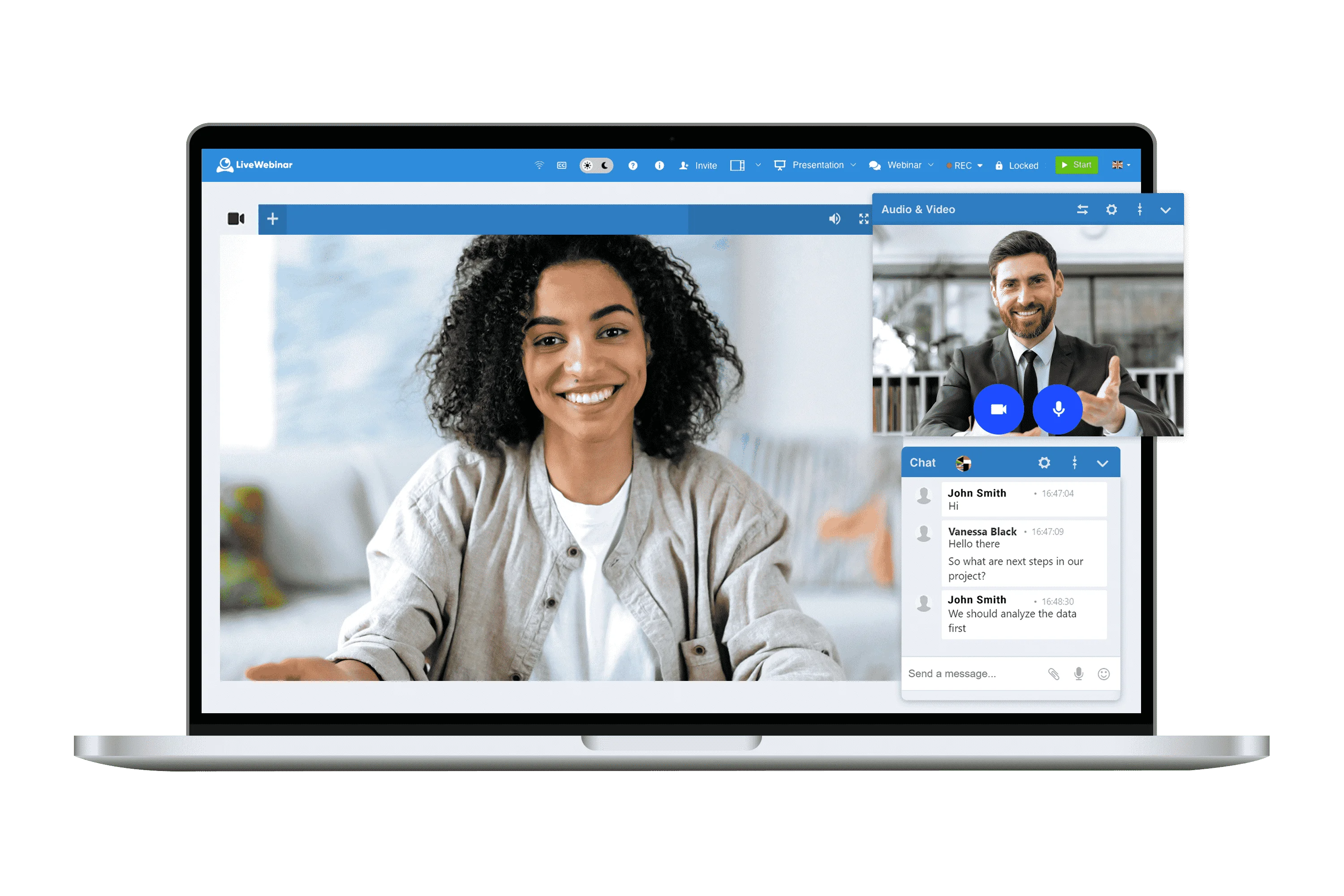
This cloud-based webinar and meeting platform is known for its rich feature set and flexibility. On higher plans, it offers everything from live streaming to marketing automations on higher plans.
The free plan from LiveWebinar is intended as a hands-on trial. It lets you explore the interface and basic functionality at no cost, but with tight limits on meeting size and duration.
Free plan features
LiveWebinar’s free tier is ideal for trying out the platform (no credit card required). Here’s what you get for free:
- Up to 5 attendees and 4 guests per session.
- Up to 30 minutes per presentation.
- Unlimited meetings/webinars.
- Screen sharing.
- Webinar waiting rooms.
Limitations
- Very low guest and attendee limits.
- No recording.
Livestorm: Best for branding and customization

Price: Free plan available. Paid plans start at $105/month.
Livestorm is a premium webinar and virtual events platform known for its sleek design and robust features. This includes email automation, analytics, and audience engagement tools.
While it’s primarily a paid service, Livestorm does offer a free-forever plan that allows you to experience the interface and host small events.
It’s especially popular for product demos, workshops, and marketing webinars. For beginners or small teams, Livestorm’s free version provides a taste of a high-end webinar tool.
Free plan features
- Up to 30 live attendees.
- Up to 20 minutes per session.
- Invite unlimited team members.
- Host unlimited events.
- Integrate with Zapier and HubSpot CRMs.
- Customizable webinar design and branding.
- Unlimited customized reminders and follow-up emails.
- Analytics dashboard for event insights.
Limitations
- You must upgrade to remove Livestorm branding on email and event pages.
Zoom: Best for familiarity and easy of use

Price: Free plan available. Paid webinar plans start at $89/month.
Zoom is practically synonymous with online meetings and webinars. And, while its dedicated webinar product is a paid add-on, you can use Zoom’s free basic plan to host webinar-style meetings. It’s a good option for beginners because of its popularity, reliability, and ease of use.
Zoom Meetings makes everyone equal participants (i.e., there is no distinction between the main presenters and attendees). This is great for interaction, but less ideal if you want a polished webinar with passive attendees.
Free plan features
Zoom’s free basic plan has some solid features you can use for webinars, including:
- Up to 100 participants per meeting.
- Up to 40 minutes of meeting time per session.
- HD streaming at up to 720p, with reliable audio performance.
- Screen sharing, whiteboard, and annotations.
- Chat and basic reactions.
- Breakout rooms to split participants into groups during the webinar.
- Polling.
- Local recording to save sessions to your computer.
- Mobile app that lets attendees join from phones or tablets.
Limitations
- Lack of webinar-specific features, like registration and branding.
- No attendee interaction management (all 100 attendees have microphone/video permissions).
Google Meet: Best for simplicity

Price: Free with a Google account. Paid plans start at $7/month.
Google’s video conferencing app, Google Meet, comes free with every account. It’s extremely easy to use and runs entirely in the browser with no additional software. While Google Meet is minimalist compared to true webinar software, its free version can host simple webinars or virtual events without hassle.
Google Meet’s free tier supports up to 100 participants per meeting (the same as Zoom and Teams free). But one of Meet’s biggest advantages is how simple it is for attendees. If you schedule a Meet via Google Calendar, invitees get a link and just click it at the time of the event. This frictionless entry is great for webinars aimed at a broad audience. Even its controls are simple enough that pretty much anyone could handle them.
Free plan features
Google Meet’s features are pretty basic. You’ll get:
- Up to 720p video that adapts well to bandwidth variations.
- Screen sharing.
- Live captioning.
- Basic admin controls (e.g., muting, removing participants, approving join requests from outside attendees).
Limitations
- No dedicated webinar features, like registration.
- Minimal engagement features (just hand-raising and emoji reactions).
- No recording.
Microsoft Teams: Best for Microsoft 365 users

Price: Free with Microsoft Teams account. Paid webinar plan is $12.50/month.
If you use Microsoft Teams, its free version offers group video call functionality similar to Zoom and Google Meet. On the free plan, you can host up to 100 participants for 60 minutes per meeting and access basic Microsoft ecosystem features (like Teams Chat and limited OneDrive file sharing).
And, while Microsoft 365 isn’t free, for teams already using it, its webinar functionality can be a great option. It provides many key webinar features, like registration, attendee controls, reporting, and SharePoint integration. Depending on your Microsoft 365 plan, you may already have webinar-specific features, or can add them for only a few dollars per user per month.
Free plan features
- Schedule meetings through Outlook or the Teams app.
- Screen sharing and whiteboard app integration.
- Teams chat during the call.
- File sharing in chat.
- Meeting recordings that are saved to SharePoint.
Limitations
- Slightly complex, less-intuitive interface.
- No webinar-style attendee reporting or registration tools.
- No presenter-attendee role controls or permissions management.
- Limited storage (5GB per user) and collaboration capacity.
What to consider when choosing a free webinar platform
Choosing the right free webinar software is all about weighing the limits these plans include. Here are critical factors to consider as you evaluate your options.
Number of attendees
Most free webinar platforms cap attendees at around 50 to 100 participants. If your typical webinar draws a modest crowd (say 30, 50, maybe up to 100), a free plan might serve you just fine. If you anticipate hundreds or even thousands of attendees, free plans won’t cut it. Riverside punches slightly higher with a 100-attendee limit on the free plan.
Webinar recording
Some free webinar software doesn’t record or restricts recording length. This means you may miss out on the opportunity to repurpose your webinar into other content, share it with those who missed it, or review your performance.
When free plans do provide recording, video file often only save to your computer. That works, but you’re responsible for having enough disk space and uploading/distributing yourself.
With Riverside, every session records locally and progressively uploads to the cloud (even on the free plan!). This means you get the stability and higher quality that comes with local recording, without having to store all your recordings on your own device. Plus, every webinar records automatically, so you’ll always be able to find it in your Riverside studio.
Read: How to Record a Webinar as a Host or Attendee
Maximum session time
Most free webinar software limits session time to 60 minutes or less. Some options limit sessions to as little as 20 minutes! Choose software with a duration limit that meets your needs. And be sure to finely-time your script so you don’t get cut off before you’re done presenting.
Riverside’s free plan allows unlimited presenting (and recording) time. So, if your webinar runs a little longer than expected, there’s no need to rush.
Engagement and interaction tools
Engagement tools are often locked behind a paid account. If it’s important to you, seek out a tool that includes them in its free plan.
Ease of use
Some free tools come at the cost of convenience. This is the case with open-source tools that offer more customization, but are harder to use and may require some technical knowledge. Choose a software that won’t leave a bad impression before the presentation even begins.
Riverside’s simple interface makes running a webinar a breeze, even for beginners. As for guests, all they have to do is click a link and they’re in! No downloads, no hassle.
User experience
Options like Riverside are designed to be user-friendly even on the free plan.
Room to grow
If you can see webinars becoming a bigger part of your strategy, consider choosing a free webinar software you can grow into. In other words, choose a software that meets your needs now, and in the future. That means considering what the software’s paid plans offer (and at what cost). If the whole package feels like a fit, you might be in the right place.
Tips to maximize your free webinar platform
With a bit of creativity and smart planning, you can deliver professional, engaging webinars without paying for an account. Here are some tips and tricks to maximize your free webinar platform’s capabilities and value.
Cover gaps with external tools
Free platforms might lack certain features, but you can often compensate with third-party tools. You can:
- Use a free service like Google Forms or Eventbrite to collect sign-ups, then manually send the webinar link to registrants.
- Use external Q&A/polling tools, like Slido or Mentimeter (they have free tiers), to interact with your audience.
- Run a screen recorder (like Riverside’s free screen recorder) during your webinar to capture it for repurposing later.
Keep it active and engaging
Free doesn’t have to mean boring. Encourage audience engagement in every way available. Use the chat if your plan includes it, designate certain times for live interaction, and unmute participants so they can join in. Engagement can be a bit harder to manage on free plans, but do what you can to make the session lively.
Brand your presentation content
Free plans often slap their logo everywhere or have generic interface elements you can’t change. Fortunately, there are still options for adding your branding to the mix.
Design your slide deck with your brand colors, logo, and tagline. Use this as the welcome screen while people join and as the backdrop throughout. You can also use a branded background image (on platforms that allow it) and mention your company or product strategically throughout the presentation.
Riverside’s free plan includes studio branding, so you can add logos, overlays, branded colors, and backgrounds as well as adjust your font styles.
Manage time strategically
Plan webinars to fit the free session time limit your webinar software allows. Set a timer or on-screen clock to ensure you know exactly how much presentation time you have left to avoid getting cut off.
As the host, give a ‘time check’ to both presenters and audience: “We have about 5 minutes left, so we’ll start wrapping up.” This avoids an abrupt cutoff. (Or use Riverside, where you can present all day if you want to!)
Extend your reach for free
Social platforms are an excellent form of free webinar promotion and a few free tools allow you to stream directly to platforms like YouTube or Facebook Live. If your platform allows you to record your session, you can post it to social channels and your website for people to view on-demand.
Riverside records all presentations in high quality and provides the tools to edit them when you’re done. This ensures you have a high-quality recording that you can share wherever you want.
Gather all the data you can
Even without paid analytics, you can still gauge success by:
- Tracking sign-ups vs. attendees manually to see how many showed up.
- Assessing engagement by looking at how many people engage in the chat and any other engagement features used.
- Sending a follow-up email to gather feedback from attendees.
Know when free isn’t enough
Maximizing free webinar platforms is great, but it’s also important to recognize when free software just won’t cut it. If you find yourself employing too many workarounds or worrying more about the platform than your content, that’s when to seriously consider upgrading. Part of maximizing ‘free’ is also knowing its limits.
When should I upgrade from a free webinar platform?
How do you know when it’s time to upgrade from a free plan? Here are some clues it’s time to make the switch.
You reach attendee limits
If you find that your webinars max out your free participant cap, it’s a strong sign of success and a cue to upgrade. You don’t want people locked out of your webinar because the room is full.
Upgrading ensures everyone interested can attend, which means more leads or engagement for you. Riverside’s paid webinar plans can accommodate up to 10,000 attendees, which is enough for just about anyone!
You want to consolidate your tool stack
Free webinar software often provides very limited features. 82% of large enterprises try to consolidate their tools stack, especially since ,on average, they end up requiring more than 3 tools to produce a single webinar. Paid plans like Riverside's oneoffer more features or all-in-one workflows that let you record, host, edit, and repurpose your webinars in asingle dashboard.
You need more advanced features
Free plans are generally bare versions of premium plans. When you need features that free plans don’t offer or you’re cobbling together different services to make it all work, it might be time to upgrade.
Maybe you want custom branding, a registration page and automated reminder emails, or analytics. These are typical paid features that can take your webinar game to a whole new level.
You are concerned about professionalism and reliability
You can think of upgrading as investing in the professional quality of your events. Paid plans often come with better reliability (e.g., service uptime, support). They may also remove watermarks and provide a more polished experience for attendees.
Webinars yield good ROI for you
While a paid webinar plan might cost from $15 to over $50 per month, that’s often negligible if your webinars consistently bring in leads or sales. When webinars move from occasional to strategic, having the full toolset of a paid platform will make your life easier and likely improve attendee satisfaction.
FAQs about free webinar platforms
Can you host a webinar for free?
Yes, you can absolutely host a webinar for free. Zoom, Google Meet, and Zoho all have free plans that support hosting webinars/meetings (with limits on duration and/or participants). There are also free and open-source tools, like Jitsi Meet or BigBlueButton, that anyone can use without payment. Riverside’s free plan offers unlimited session and recording time, and you can invite up to 200 audience members.
The key is to choose a platform that matches your needs. While you might not get every bell and whistle, the core abilities to present to an audience, share your screen, and interact are all possible on a free webinar platform. It’s a great way to get started with webinars without financial investment.
How do I record a webinar on my computer for free?
There are a few ways to record your webinars for free:
- Use built-in recording (if available): Some free webinar platforms include recording. If it’s available, simply hit the record button in the session. The file will either save to your computer or the cloud, depending on your software. (Unlike most free webinar software, Riverside provides unlimited recording on the free plan.)
- Use a screen recorder: If your platform doesn’t support recording on the free plan, you can use free screen recording software. Tools like OBS Studio, FlashBack Express, or even the built-in Xbox Game Bar on Windows and QuickTime on Mac can capture your screen and audio. Start the recording, then run your webinar in full screen. This method basically films your webinar as you see it. (Note that these solutions may not capture all webinar audio.)
How can I promote my free webinar?
Promoting a webinar is crucial for getting attendees. Fortunately, there are lots of great ways to do it for free:
- Email marketing: If you have an email list (even a small one), send a dedicated invite for the webinar. Clearly state the topic, date/time, and benefits of attending. If you don’t have a list, consider reaching out individually to contacts who might be interested. Many email marketing platforms have a free plan that will work just fine for smaller lists.
- Social media: Leverage your social networks. Create an event on Facebook and invite followers. Post the webinar link or registration page on LinkedIn, Twitter, and Instagram (wherever your target audience hangs out). Don’t forget to include a call-to-action to register!
- Communities and forums: Identify communities like relevant Reddit subreddits, industry-specific forums, or Slack groups where your target audience gathers. Share a brief, non-spammy post about the webinar, focusing on how it can help members of that community.
- Partner and cross-promote: If you’re collaborating with someone influential (a co-host or guest speaker), ask them to promote the webinar to their audience as well. Webinar partnerships can double your reach.
- Content teasers: In the lead up to your webinar, share snippets of content or interesting facts related to your webinar topic to build interest. For instance, a 1-minute video discussing a pain point that you’ll solve during the webinar. (Riverside is a great platform for filming short clips like this!)
- Reminders and follow-ups: Promotion doesn’t end once people register. Use free tools to send reminder emails (most people need a nudge on the day of the event). Also, post on social media the morning of the webinar announcing it’s the “Last chance to join us live today!” Urgency can prompt action from procrastinators.
The key is to emphasize that the webinar is free and valuable. Clearly highlight the benefits of attending and make signing up easy (the fewer clicks, the better). With consistent promotion across channels, you’ll fill up those seats without spending a dollar on ads.
What is the best free webinar platform for beginners?
For beginners, the ‘best’ platform is one that’s easy to use, reliable, and provides necessary features without overwhelming you. All of the platforms we’ve listed above can work, but I’m a big fan of Riverside. Unlike most other free platforms, there are no limits on session or recording time. You’ll also get all the tools you need to edit and repurpose your recording, ensuring you get the most out of every webinar you run.
How many people can join a free webinar?
The number of people who can join depends on your webinar platform’s limits. Most free platforms, including Zoom, Google Meet, and Microsoft Teams, allow up to 100 webinar attendees. Open-source options, like BigBlueButton and Jitis Meet, don’t have hard limits, but you’re likely to be constrained by server capability.



.webp)
.webp)
-(1).webp)
.webp)

.webp)
-p-800.webp)


