







Key takeaways:
- There are lots of BigMarker alternatives. Platforms like Riverside, Zoom, Airmeet, and ON24 specialize in different use cases, from content creation to large enterprise events.
- Choose based on your webinar goals. Some tools focus on event management and lead generation, while others prioritize high-quality recording and content repurposing.
- Recording quality varies widely. Most platforms record in 1080p, while tools like Riverside support 4K recording and separate tracks for easier editing.
- Marketing features differ by platform. Tools like Demio and WebinarJam focus on lead generation and automation. Platforms like Airmeet emphasize networking and community engagement.
BigMarker is a popular webinar and virtual event platform that a lot of people love. But it isn’t perfect.
If you’re looking for a BigMarker alternative, you’ve come to the right place. Here, we’ll compare 11 of its top competitors to cover just about every audience and use case.
Let’s do this!
11 best BigMarker alternatives
Here are 11 of the top BigMarker alternatives, their costs, and key capabilities.
Riverside: Best for high-quality, content-driven webinars
Price: Starts at $79 per month.
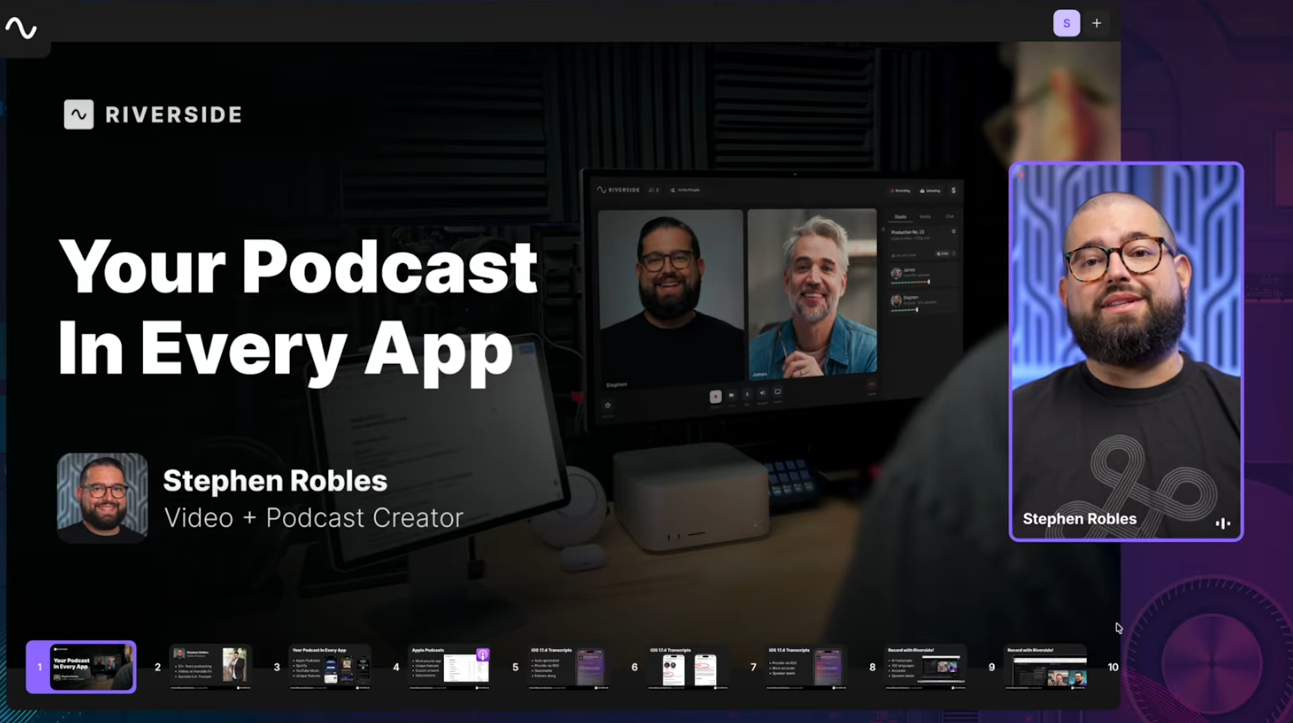
If you’re skipping BigMarker because of its complexity, you’ll love Riverside. Riverside’s webinar software is quick and easy to set up and use, and you can record with up to 10 guests and 10,000 viewers for a far lower cost.
Unlike BigMarker (which focuses heavily on webinar marketing and event management), Riverside is designed for high-quality content production. It records crisp 4K video and 48kHz audio that’s easy to edit and repurpose.
In addition to the built-in editing tools, you also get Riverside’s AI features that let you quickly turn your webinar into clips, podcasts, or social videos. This makes Riverside a great choice if your goal is to create polished content you can reuse across multiple platforms.
Key features:
- High-quality recording: Record locally in up to 4K video and 48kHz audio for studio-level quality even when internet lags.
- Separate audio and video tracks: Each speaker records to their own track, enabling easier post-production.
- Easy guest access: Guests can join directly from their browser with a simple link, no downloads or complicated setup required.
- Live, recorded, and simulive options: Run your webinar as a live, pre-recorded, or simulive event.
- Email notifications and reminders: Invite guests by email. Automated reminders and calendar integration help ensure they show up.
- Edit and repurpose with AI: Turn a single event into multiple pieces of content. Use AI tools like Co-Creator to edit or repurpose content using simple prompts, or automatically generate short clips from your webinar to share on social media.
- Multistreaming and Omnichat: Multistream to different social platforms while interacting with viewers through one unified chat interface.
- Branding and layout options: Customize your webinar with branded backgrounds, overlays, and layout options for a more professional presentation.
Pros of using Riverside:
- Simple to get started and easy for guests to join.
- Great for content-driven webinars and repurposing content.
- Lower starting cost.
- All-in-one content workflow that makes running, recording, and repurposing a webinar easier.
Cons of using Riverside:
- No built-in webinar registration pages or forms.
- Fewer marketing tools like funnels and marketing automation.
User review: “What I value most is how Riverside turns my most valuable asset—my time and expertise—into a scalable, high-fidelity content engine. As a founder, I'm constantly explaining our complex software to investors, potential hires, and early users. With Riverside, I can record a perfect, multi-camera product demo or a technical deep-dive with a co-founder in one take, regardless of our locations.” - Alexander V. Founder and CEO
Zoom Webinars: Best for scalable live sessions
Price: Starts at $97.49/month. (Zoom Workplace Pro Plan + webinar add-on.)
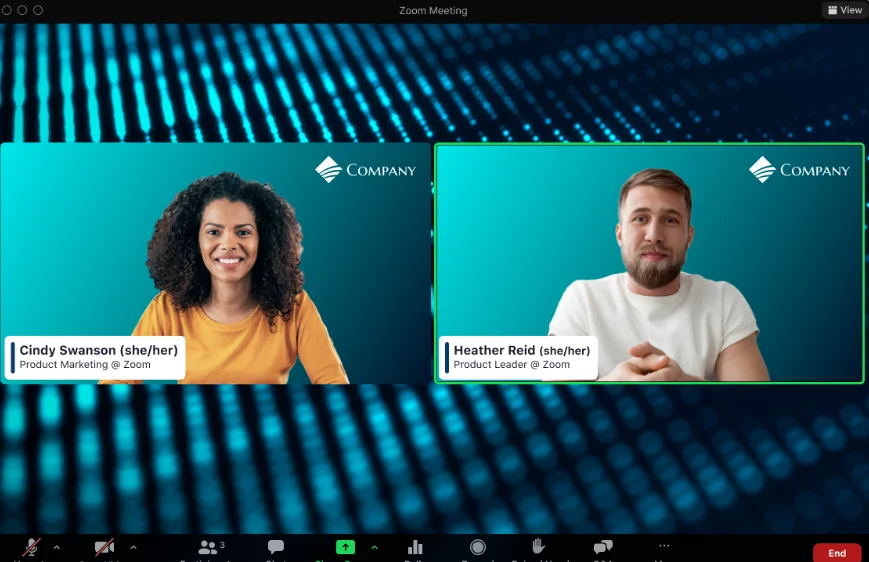
If you’re looking for a familiar, reliable platform to host large live webinars, Zoom is one of the most widely used options.
Unlike BigMarker, which focuses heavily on marketing funnels and event management tools, Zoom focuses on stable, scalable live broadcasting. It’s designed to handle big audiences while giving hosts tools like Q&A, polls, and moderated chat to manage engagement.
But while Zoom is considered highly reliable for large-scale events, it lacks some of the marketing and branding tools you’ll find in BigMarker. And, if you like BigMarker’s more in-depth analytics, you will find Zoom lacking here, too.
Key features:
- Large audience capacity: Host webinars for hundreds or thousands of attendees (depending on your plan).
- Dedicated host and panelist controls: Assign roles like host, co-host, and panelist to keep presenters organized.
- Registration and reminder emails: Built-in registration pages and automated reminders help manage sign-ups.
- Screen sharing and presentation tools: Easily present slides, share your screen, or bring panelists on stage during the webinar.
- Cloud recording: Record webinars for later playback or on-demand viewing.
- Optional integrations: Connect with tools like CRM platforms, marketing software, and calendars.
Pros of Zoom Webinars:
- Simpler to set up compared to BigMarker.
- Familiar interface decreases friction for guests and attendees.
- Known to be reliable for live events.
Cons of Zoom Webinars:
- Fewer built-in marketing tools like funnels, landing pages, and event promotion tools.
- Limited event customization and fewer branding options.
- Weaker analytics capabilities.
- Designed for single sessions, not multi-event programs.
- Compressed, single track recording means lower-quality audio and video.
- Editing tools limited to video trimming.
User review: “I found Zoom events and webinar very reliable for large-scale of the sessions. Specially [sic] the stability of audio and video is very good, even with hundreds of participants. Although the platform is robust, the initial configuration for advanced features like registration and analytics can feel a bit complex.” - Muhammad A., Junior DevOps Engineer
Read more: How to Improve Zoom Video Quality
GoToWebinar: Best for straightforward business webinars
Price: Starts at $62 per month.

If you want a simple, reliable platform, GoToWebinar is a strong alternative to BigMarker. Because it’s purpose-built for webinars, many teams find it easier to manage than more feature-heavy platforms like BigMarker.
GoToWebinar is designed for organizations that run regular webinars for training, product demos, and presentations. It comes with built-in registration pages, reminder emails, and attendee engagement tools without needing to configure a complex event environment.
Key features:
- Built-in registration management: Create registration pages and automatically collect attendee information before your webinar.
- Automated reminder emails: Improve attendance rates with registrant confirmation and reminder emails.
- Audience engagement tools: Interact with attendees through polls, Q&A, and chat during the webinar.
- Presenter controls: Assign hosts, organizers, and panelists to manage presenters during the event.
- Webinar analytics and reporting: Track attendee participation, engagement, and registration metrics after the event.
- On-demand webinar support: Record sessions and make them available for replay after the event.
- Optional integrations: Connect with marketing tools, CRM systems, and calendars.
Pros of using GoToWebinar:
- Easier to manage than complex event platforms like BigMarker.
- Strong reliability for corporate training and product demos.
- Excels at recurring and repeat webinars.
Cons of using GoToWebinar:
- Interface can feel dated compared to newer webinar platforms.
- Limited built-in editing and content repurposing tools.
- Pricing can become expensive as attendee limits increase.
User review: “It’s very easy to set up and manage webinars, scales well for large audiences, and includes useful engagement tools like polls and Q&A to keep attendees involved. But it feels a bit outdated and lacks extensive customization options. The pricing may be steep for smaller users, and attendees are occasionally required to download an app in order to join.” - Tilak M., Senior Lead Generation Specialist
Cisco Webex: Best for secure enterprise events
Price: Starts at $56.25 per month.
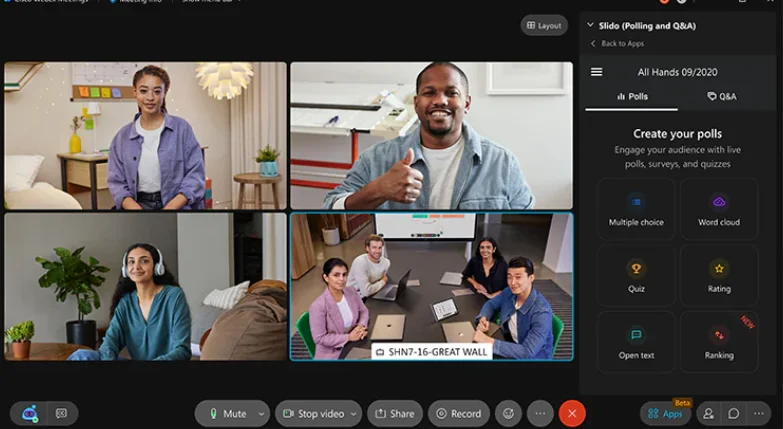
Cisco Webex offers host controls, encrypted meetings, and detailed administrative settings that allow organizations to protect sensitive information. This makes it a strong choice for companies hosting regulated industry webinars, or any other content where security and reliability are critical.
Key features:
- Enterprise-grade security: Advanced encryption, user authentication, and administrative controls help protect sensitive meetings and webinars.
- Large event capacity: Host webinars and virtual events with up to 100,000 attendees (depending on the plan).
- Host and moderator controls: Manage presenters, control participant permissions, and moderate sessions easily.
- Audience engagement tools: Use polls, Q&A, reactions, and chat to interact with attendees during events.
- Cloud recording: Record events for later viewing or internal distribution.
- Enterprise integrations: Connect with enterprise tools like CRM systems, calendars, and productivity software.
- Wide compatibility: Join events from desktop, mobile, or conference room systems.
Pros of using Webex:
- Stronger security and compliance capabilities than BigMarker.
- Trusted platform for enterprise and government organizations.
- Reliable infrastructure for large corporate events.
Cons of using Webex:
- Interface can feel more complex than BigMarker.
- Fewer built-in marketing and promotion tools.
- Branding and event customization options are not as robust.
- Often more expensive for smaller teams.
User review: “Webex Events & Webinars is generally very reliable, but the platform can sometimes feel heavy, especially for participants on limited bandwidth or using older devices. Initial load times and required software updates can occasionally delay the start of a session, which disrupts the flow of training programs.” - Hidayatullah, Business Consultant
Airmeet: Best for networking focused virtual events
Price: Starts at $167 per month.
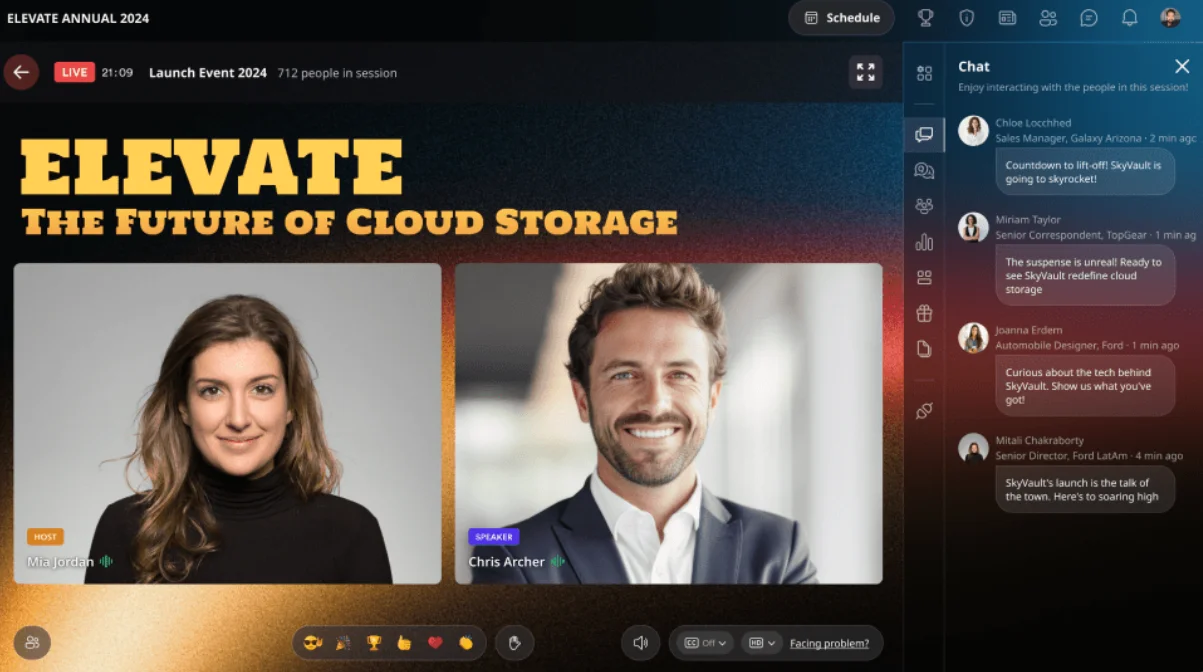
Airmeet seeks to make online events feel more social and community-driven, making it a great webinar platform when you want attendees to connect with each other.
Instead of the typical ‘presentation-only’ webinar format, Airmeet helps create a more interactive event experience. The platform includes features that encourage attendees to interact, like virtual networking tables, social lounges, and one-on-one meetings. This makes it well suited for conferences, community meetups, and virtual summits where networking is a major goal.
Key features:
- Speed networking: Automatically match attendees for short one-on-one conversations to encourage connections.
- Multi-session events: Host conferences or summits with multiple sessions, speakers, and stages.
- Interactive engagement tools: Polls, Q&A, emojis, and live chat keep attendees engaged during sessions.
- Custom event spaces: Create branded stages, virtual booths, and event environments for sponsors and exhibitors.
- Event analytics: Track engagement metrics like session attendance, networking participation, and event activity.
- Registration and email management: Built-in tools help manage sign-ups and communicate with attendees before (and after) the event.
Pros of using Airmeet:
- Stronger networking and community features than BigMarker.
- Designed for conferences, summits, and community events.
- Encourages attendee interaction instead of one-way presentations.
Cons of using Airmeet:
- Can be more complex to manage than standard webinar tools.
- Not as focused on webinar marketing funnels and lead generation as BigMarker.
- Some users report a learning curve for organizers and speakers.
- Limited branding features.
User review: “Airmeet is the perfect platform for hosting virtual events! The user interface is intuitive, and the platform runs well overall. But the onboarding process on Airmeet can be tricky for new users, especially for speakers or attendees who are less technically minded. Along with this, customization can be somewhat limited.” - John W., Web Producer
RingCentral: Best for all-in-one virtual event management
Price: Starts at $99 per month.

RingCentral Events is a platform for large virtual or hybrid events (not just webinars). It’s designed to manage the entire event lifecycle in one place, from planning and registration to promotion, hosting, and post-event analytics. Organizers can run virtual, hybrid, or in-person events while managing speakers, engagement, and reporting from a single dashboard.
RingCentral differs from BigMarker in that it’s built for multi-session conferences and complex event programs. It supports things like networking lounges, sponsor booths, and branded event environments. This makes it a good fit for organizations running conferences or large hybrid events that need a platform capable of handling everything without switching between multiple tools.
Key features:
- All-in-one event platform: Manage planning, promotion, execution, and post-event follow-up in a single system.
- Virtual and hybrid event support: Host webinars, full conferences, or hybrid events with both online and in-person audiences.
- Branded event environments: Build custom event pages, stages, and virtual venues that match your brand.
- Networking and engagement tools: Attendees can interact through chat, Q&A, networking rooms, and breakout discussions.
- Analytics and engagement scoring: Track attendee participation and engagement to understand event performance.
- CRM integrations: Sync attendee and engagement data with platforms like Salesforce, HubSpot, or Marketo.
- AI tools: Generate promotional content, highlight clips, and organize Q&A with built-in AI features.
Pros of using RingCentral:
- More comprehensive event management tools than BigMarker.
- Supports virtual, hybrid, and in-person events in one platform.
- Strong integrations with enterprise marketing and CRM tools.
- Powerful analytics for tracking event performance and engagement.
Cons of using RingCentral:
- More complex to set up than BigMarker for simple webinars.
- Often more expensive and geared toward larger organizations.
- Can be overkill if you only need straightforward marketing webinars.
User review: “RingCentral Events makes hosting virtual and hybrid events simple by combining registration, live streaming, networking, and engagement tools all in one platform. But some users find that RingCentral Events has a learning curve, especially when setting up complex events or customizing advanced features.” - Jahn M. Operations Manager
Livestorm: Best for browser-based simplicity
Price: Starts at $1,200 per year.
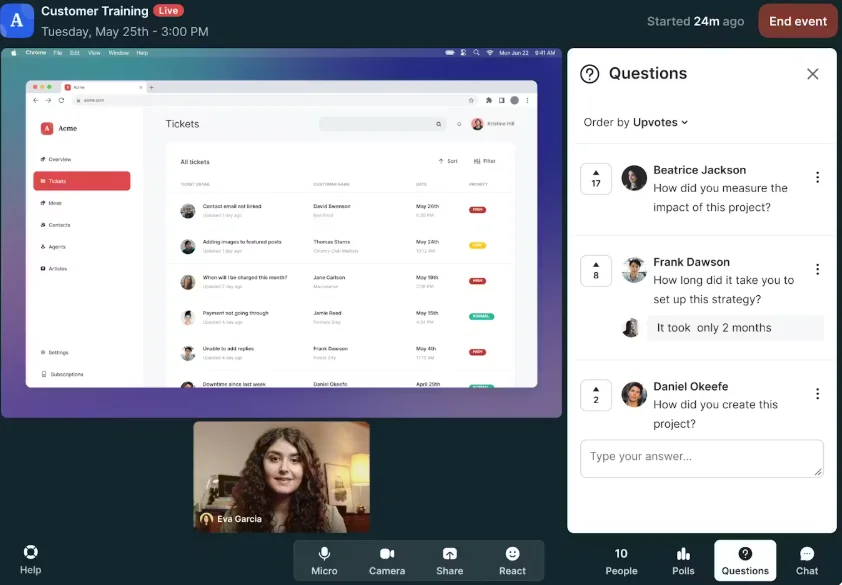
Livestorm is a strong option if you’re looking for a platform that’s easy to use. It runs entirely in your browser, meaning hosts and attendees can join events without downloading or installing software. This helps get participants into the room quickly and easily.
Since Livestorm emphasizes ease of use and smooth onboarding, it can help reduce technical barriers to improve attendance and engagement. This makes it especially useful for sales demos, onboarding sessions, and marketing webinars.
Key features:
- Registration pages and automated emails: Built-in registration forms and reminder emails help manage sign-ups and improve attendance.
- Audience engagement tools: Live chat, polls, Q&A, and file sharing help keep participants engaged during sessions.
- Automated and on-demand webinars: Run live events, pre-recorded sessions, or automated webinars from the same platform.
- CRM and marketing integrations: Connect with tools like HubSpot or Marketo for follow-up and lead management.
- Analytics and reporting: Track registrations, attendance, and engagement metrics after your webinar.
Pros of using Livestorm:
- Cleaner, more modern interface than many traditional webinar tools.
- Simpler overall experience than feature-heavy platforms like BigMarker.
Cons of using Livestorm:
- Fewer advanced webinar marketing and funnel tools than BigMarker.
- Less customization for large branded events.
- Can become expensive as attendee limits increase.
- Not as focused on large virtual conferences or hybrid events.
User review: “I love how Livestorm makes webinars feel effortless—no downloads, just click and join. Honestly, Livestorm’s pricing feels steep for small teams, and the branding options are pretty limited unless you upgrade. Sometimes it lags on weaker connections, and I wish the analytics went deeper.” - Ayesha H.
Demio: Best for lead generation
Price: Starts at $45 per month.
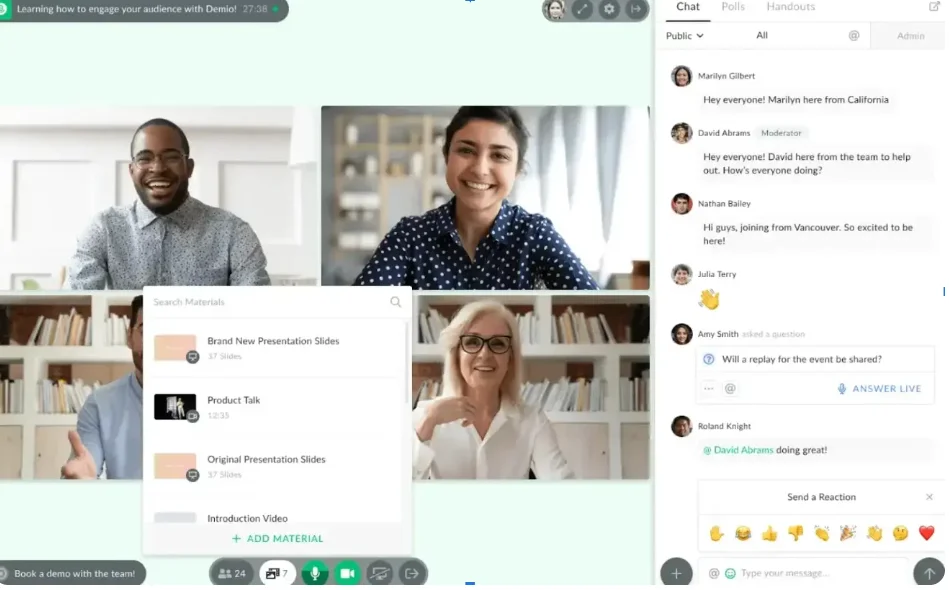
Demio bills itself as a platform for marketers who want to attract leads, nurture prospects, and convert attendees into customers through webinars. Demio is a good alternative to BigMarker if your main goal is lead generation.
Like BigMarker, Demio includes built-in registration pages, automated emails, and engagement tools. Where it differs is in its focus on simplicity and marketing workflows. This makes it easier to launch polished webinars without configuring a complex event platform.
Its browser-based design also makes it quick for attendees to join without installing additional software.
Key features:
- Built-in registration pages: Create landing pages to collect attendee information and manage webinar sign-ups.
- Automated email reminders: Send confirmation and reminder emails to improve attendance.
- Audience engagement tools: Use polls, chat, and Q&A to interact with attendees during webinars.
- Automated webinars: Run pre-recorded or scheduled evergreen webinars for ongoing lead generation.
- Analytics and engagement tracking: Track registrations, attendance, and audience participation.
- CRM and marketing integrations: Connect with tools like HubSpot, Mailchimp, and other marketing platforms.
- On-demand webinar support: Record sessions and make them available for replay.
Pros of using Demio:
- Easier to set up marketing webinars than BigMarker.
- Designed specifically for lead generation and conversion.
- Clean and modern interface that’s simple for hosts and attendees.
- Browser-based platform with no downloads required.
Cons of using Demio:
- Fewer event management features than BigMarker.
- Limited tools for large conferences or multi-session events.
- Fewer advanced customization options for branded events.
- Can be expensive for large audiences.
User review: “The platform itself is excellent for hosting a webinar. You won't have the potential connectivity issues you'd have with other meeting platforms, the interactive elements keep attendees engaged, and you get really good post-webinar analytics. But the HubSpot integration is cumbersome. You have to set it up for every webinar, plus create three separate lists in HubSpot to track back to Demio.” - Jim H., CMO
WebinarJam: Best for automated marketing webinars
Price: Starts at $49/month.
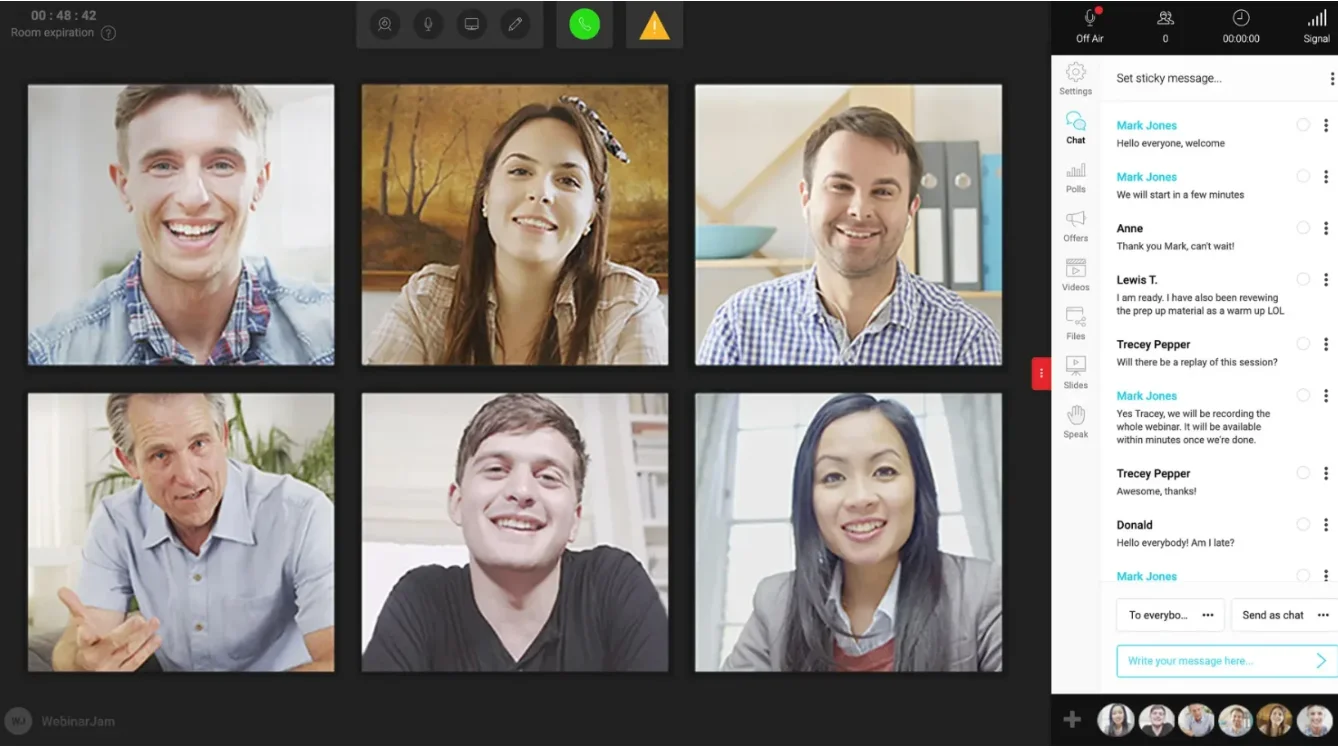
WebinarJam is designed specifically for marketers, coaches, and course creators who use webinars to sell products, promote offers, and nurture leads.
Both BigMarker and WebinarJam include registration pages, reminder emails, and engagement tools. But, WebinarJam also focuses heavily on conversion-driven webinars and automation, making it easy to run sales webinars repeatedly with less manual work. Instead of manually hosting every webinar and emailing people afterward, companies can set the system to run the process repeatedly and automatically.
While BigMarker is built to support a wide range of virtual events and conferences, WebinarJam specializes in scalable marketing webinars. It’s best for helping businesses turn live or recorded sessions into ongoing marketing assets.
Key features:
- Automated webinar scheduling: Run live or scheduled automated webinars so your presentation can reach new audiences continuously.
- Registration pages and funnels: Create customizable landing pages to capture leads and manage webinar registrations
- Automated email and SMS reminders: Send confirmations, reminders, and follow-up messages to increase attendance.
- Audience engagement tools: Use live chat, polls, and Q&A to interact with attendees during presentations
- Large attendee capacity: Host presentations for thousands of viewers in a single webinar session.
- Analytics and tracking: Monitor attendance, engagement, and conversion metrics.
- CRM and email integrations: Connect with marketing platforms to manage leads and follow-up campaigns.
Pros of using WebinarJam:
- Easier to launch conversion-focused sales webinars.
- Strong automation features for running repeat webinars.
- Designed specifically for marketers and online businesses.
- Simpler and more affordable for small teams.
Cons of using WebinarJam:
- Fewer tools for virtual conferences or multi-session events.
- Less customization for branded event environments.
- Interface can feel dated compared to newer webinar platforms.
- Limited capabilities for complex enterprise event programs.
User review: “WebinarJam has a simple, clean interface users appreciate. The registration/email support is great and the presenter options easy to use. WebinarJam seems to have unusually long latency between presenter and participant. Since the Chat and Offers options apparently run on different (more direct/faster) channels this puts the host/presenter out of sync with participants using these functions. I find this frustrating.” - Dave B., CMO
eWebinar – Best for interactive evergreen demos
Price: Starts at $99 per month.
If you want webinars that run continuously without a live presenter, eWebinar is a strong alternative to BigMarker. While BigMarker supports automated and evergreen webinars, eWebinar is specifically for interactive, always-on presentations.
Instead of simply replaying a recorded webinar, eWebinar lets you turn a presentation into a self-serve demo experience. Visitors can start the webinar instantly, interact through chat, and even trigger automated responses to common questions. Teams can also jump into conversations live if a viewer needs help.
This makes eWebinar particularly useful for product demos, onboarding sessions, and customer education webinars that run continuously. Once it’s set up, the presentation can deliver the same experience to every viewer without requiring a host or scheduled session.
Key features:
- Interactive evergreen webinars: Turn a recorded presentation into an automated webinar that runs continuously or on a schedule.
- Simulated live experience: Attendees can interact with chat, polls, and questions during the automated webinar.
- Automated chat responses: Pre-written responses can trigger automatically when attendees ask common questions.
- Instant or scheduled sessions: Offer sessions that start immediately or run at recurring times.
- Live team handoff: Notify team members to jump into chat if a viewer needs help during the automated webinar.
- CRM and marketing integrations: Connect with tools like HubSpot, Mailchimp, and other marketing platforms.
Pros of using eWebinar:
- Excellent for automated product demos and evergreen presentations.
- Webinars can run continuously without a presenter.
- Interactive automation (chat responses and live handoff) supports sales conversations.
- Saves time for teams that repeatedly run the same presentation.
Cons of using eWebinar:
- Not designed for live webinars or real-time presentations.
- Limited tools for conferences, events, or multi-speaker sessions.
- Less flexibility for highly customized webinar experiences.
- Requires pre-recorded content.
User review: “[eWebinar] allows our company to grow and expand our training options. I like that it has the prerecorded options so we can perfect the content for our attendees and clients. The cost of the platform is probably the biggest downside. It's not the most expensive option out there, but it can be a commitment for small to mid size companies like us. It's why we've switched webinar platforms so much.” - Melody T., VP Operations
ON24: Best for enterprise marketing webinars
Price: Custom pricing.
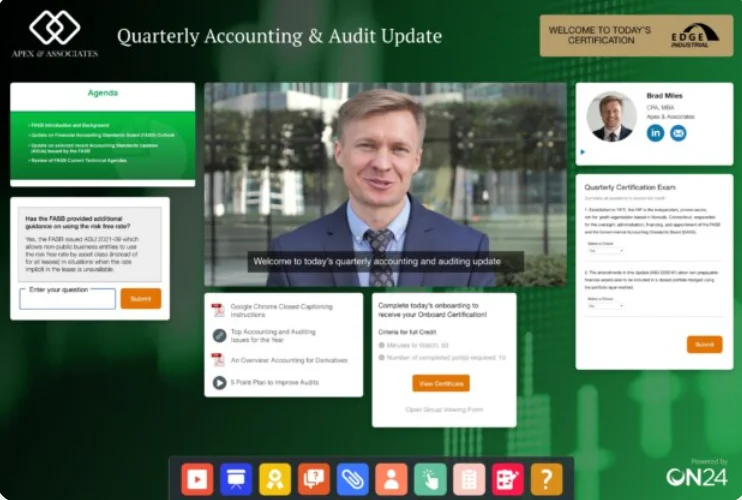
ON24 is specifically for enterprise marketing teams that use webinars as a core part of their demand-generation strategy. This makes it great for large-scale marketing and digital events.
While BigMarker supports marketing webinars and virtual events, ON24 focuses on turning webinars into measurable marketing campaigns. The platform provides detailed audience engagement data, lead scoring tools, and integrations so teams can track the attendee experience and identify qualified leads.
Key features:
- Engagement analytics: Track detailed attendee behavior, including participation, content interaction, and engagement scores.
- Interactive content experiences: Add CTAs, resource downloads, surveys, and interactive widgets directly inside the webinar interface.
- On-demand content: Turn webinars into ongoing content experiences that audiences can access after the event.
- Audience segmentation and lead scoring: Identify high-value prospects based on their engagement with the webinar.
- Enterprise integrations: Sync engagement data with CRM and marketing automation platforms like Salesforce and Marketo.
- Multi-session digital events: Host virtual conferences, summits, and large event programs.
Pros of using On24:
- Much deeper marketing analytics and audience insights.
- Designed for enterprise demand-generation teams.
- Strong integration with marketing automation platforms.
- Tools built specifically for capturing and qualifying leads.
Cons of using On24:
- More expensive than most webinar platforms.
- More complex to configure for smaller teams.
- Less flexible for simple or casual webinars.
- Content production workflow is not as streamlined as some newer tools.
User review: “The control panel is very clear and has a great user interface. It lets me set quick response times, and I really like how much it has optimized my sessions. I’d love to see improvements like better screen sharing and more control over the page’s branding. I’d also appreciate having more customization options for some of the existing features, so they can be tailored more closely to what I need.” - Omar E., Customer Service Support
How to choose the best BigMarker alternative
The best webinar platform to replace BigMarker in your tech stack depends on your workflow and use case. Let’s look at some key criteria.
Decide whether your webinar is an event or a content asset
Some platforms are built to manage large virtual events. These include:
- Zoom
- Airmeet
- RingCentral Events
- Cisco Webex
- ON24
Others, like Riverside, are built to create high-quality content you can reuse. What you prioritize here can help you choose the right platform.
Check audience scale requirements
If you’re hosting massive conferences, reliable event infrastructure and large capacity will be your priority. If you’re running high-impact, single webinars, production quality may matter more. Look for platforms that provide tools that streamline the workflow you plan to use.
Assess recording quality, not just livestreaming
Livestreaming quality matters, but if you’re going to record, recording quality does, too. Many platforms focus on hosting large audiences. Fewer focus on how the recording looks and sounds afterward. Make sure you can record in at least 1080p or 4K quality, and that audio tracks are captured separately for higher quality editing.
Look for branding features
Your webinar is part of your branding experience. Look for a webinar platform that provides custom overlays, logo placement, lower thirds, and custom backgrounds.
Evaluate marketing and CRM integrations
It’s helpful if your webinar software connects to your CRM and includes email automation, landing pages, and analytics. This makes it easier to capture leads, communicate with attendees, and track how your webinars contribute to sales.
Consider how you’ll repurpose the webinar
Even if you’re doing live events, repurposing is worthwhile as it allows you to keep getting value from your content. Some platforms, like Riverside, provide tools and workflows that make repurposing easy. Just use the AI Co-Creator to repurpose your content into social media assets or blog posts using simple prompts.
Choosing the best BigMarker alternative
The best BigMarker alternative depends on what you need your platform to do. Some tools focus on networking, some on webinar marketing, and others on large enterprise events.
But if uncompromising video quality and a streamlined workflow are your top priorities, Riverside is your definitive choice. You can livestream in 1080p, record locally in up to 4K, and edit and repurpose your content in minutes with AI-powered tools, all from one platform.



.webp)