.webp)


Key takeaways:
- Spotify for Creators is the best podcast hosting platform for beginners because it’s free and easy to use.
- If you’re serious about growing your show or already have an audience, consider moving to hosts with built-in monetization options like Transistor, Buzzsprout, Captivate, or Podbean.
- For enterprises and large-scale networks, the best podcast hosts are Libsyn and Acast because they support larger audiences and provide enterprise-grade security.
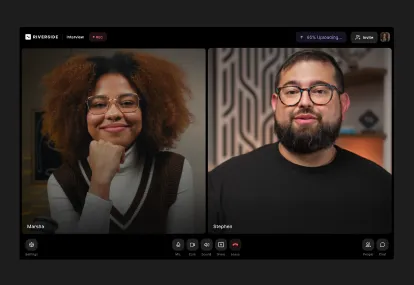
- For an efficient, all-in-one solution that lets you record, edit, repurpose, and host everything under one roof, choose Riverside.
A podcast hosting platform stores your episodes and distributes them to major listening platforms.
But while many options look alike, picking the wrong one means you’ll risk paying hidden overage fees or having to migrate once your needs change.
I’m Stephen Robles, host of three top-100 tech podcasts: Primary Technology, Mac Power Users, and Top 5 Tech.
To launch and scale my own shows, I’ve had to make the same choice you’re making now. I'm sharing my experience to help you skip the guesswork and make that decision easier.
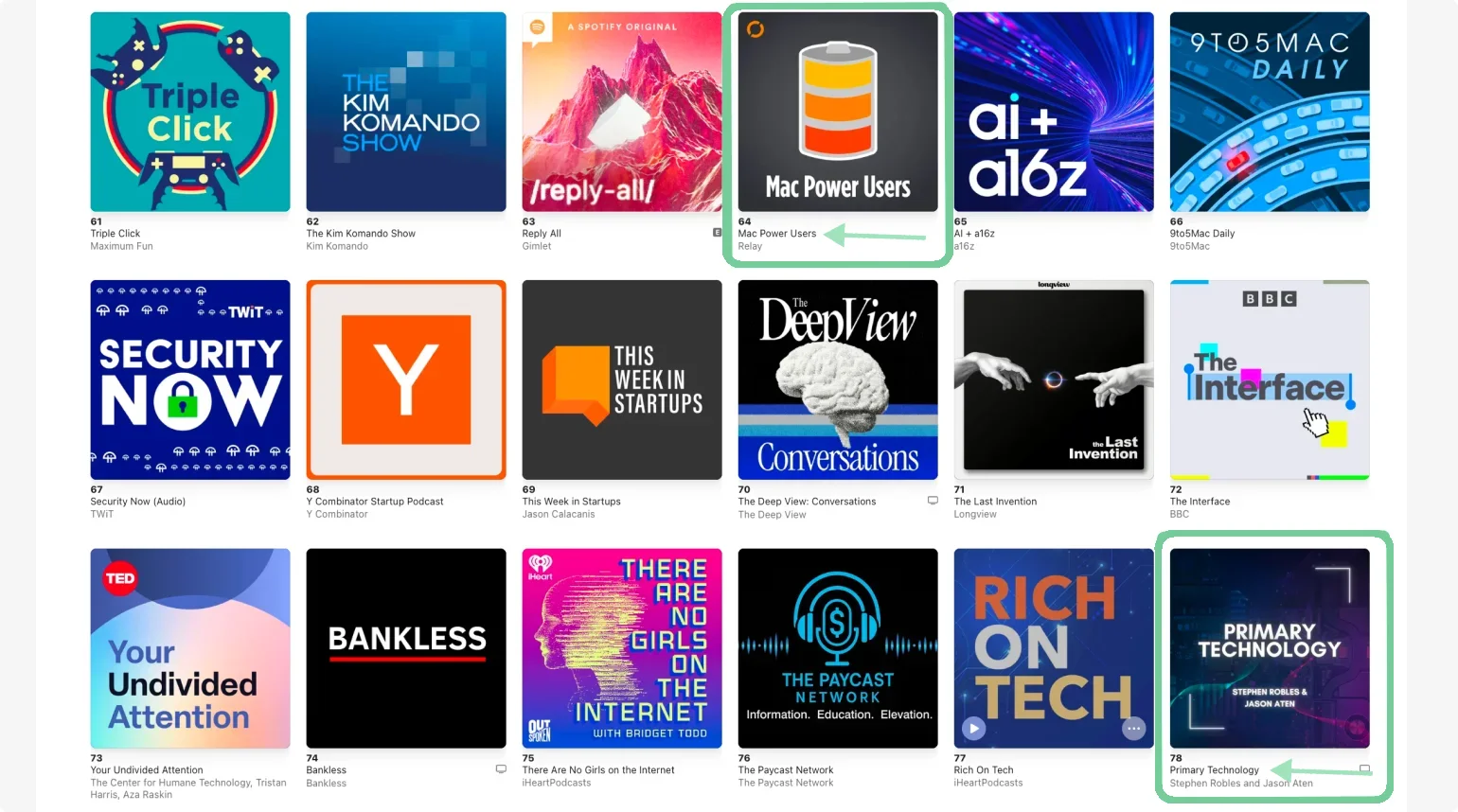
You’ll get my honest, side-by-side comparison, based on first-hand experience, of 9 of the best podcast hosting platforms for 2026. That way, you can choose the right one for your workflow.
The top podcast hosting platforms for 2026
Here’s a quick look at our top picks for best hosting platforms, followed by a detailed overview of each.
Note that:
- Storage is how much audio/video you can host. Run out, and you’ll need to delete old episodes.
- Uploads indicate how much you're allowed to publish each month. Hit the limit, and you can't add new episodes til it resets.
- Downloads is what counts when listeners stream or play your episodes. Exceed this, and some hosts charge overage fees.
| Platform | Storage | Uploads | Downloads | Analytics | Paid plans price (starting from) |
|---|---|---|---|---|---|
| Spotify for Creators | Unlimited | Unlimited | Unlimited | Basic | Free |
| Buzzsprout | Unlimited | 6-15 hrs/month (paid plans) |
1 TB per billing cycle | Advanced, IAB-certified | $15/month |
| Podbean | Unlimited (paid plans) | 16-660 hrs audio/month or 10-40 hrs video/month (paid plans) |
Unlimited (Network plan capped at 3 TB/month) | Advanced, IAB-certified | $12/month |
| RSS.com | Unlimited (audio only) | Unlimited | Unlimited | Advanced | $11.99/month |
| Transistor | Unlimited | Unlimited (1000MB/file cap), multiple podcasts | Unlimited | Advanced | $19/month |
| Captivate | Unlimited | Unlimited, multiple podcasts | 30,000-300,000 downloads/month | Advanced, IAB-certified | $17/month |
| Libsyn | Unlimited (episodes archive permanently) | 3-55 hrs/month | Unlimited | Advanced, IAB-certified | $12/month |
| Acast | Unlimited (paid plans) | Unlimited (paid plans), multiple podcasts | Unlimited | Advanced, IAB-certified | $14.99/month |
| Riverside | Unlimited | Unlimited | Unlimited | Basic | $24/month (Pro Plan) |
Here is a quick breakdown to help you decide:
- If you want a free and simple platform: Spotify for Creators.
- If you want strong analytics and a beginner-friendly interface: Buzzsprout.
- If you want a mobile-first, audio-only solution: Podbean.
- If you want a budget-friendly host with unlimited episodes: RSS.com.
- If you run multiple shows or private podcasts: Transistor.
- If you are focused on marketing and audience growth tools: Captivate.
- If you need robust enterprise features: Libsyn.
- If you run a podcast network: Acast.
- If you want to record, edit, and host in one place: Riverside.
How I evaluated the best podcast hosting platforms
I’ve personally tried out these platforms and evaluated them by comparing their real-world features that will impact your daily workflow.
Here are the criteria I used to rank the top podcast hosts:
- Storage and bandwidth: Does the platform offer unlimited episode uploads or restrict you with tight monthly limits?
- Data and analytics: Are the analytics reliable and certified by the Interactive Advertising Bureau (IAB) so you can add them to your media kit? Do they provide sufficiently advanced data?
- Monetization tools: I checked if the platform provided built-in options to increase your revenue, like dynamic ad insertion, sponsor marketplaces, and premium subscriber features.
- Distribution: Manually submitting your RSS feed can be a chore. One-click distribution to major directories like Apple Podcasts, Spotify, and YouTube is a big plus here.
- Video support: Support for video podcasting is essential for expanding your reach on platforms like Spotify and YouTube.
- Overall value: I compared the various plans and checked whether the best features are hidden behind costly paywalls.
Best free podcast hosting platform
If you specifically want a free platform, check our free podcast hosting guide for a full review on all free plans. But overall, Spotify for Podcasters is our top option on this list:
Spotify for Creators

Paid plans price: Free.
Analytics: Basic (audience retention, demographics, episode ranking).
Storage: Unlimited audio and video hosting.
Spotify for Creators (previously Spotify for Podcasters and Anchor) is the best option if you’re just getting started. It’s a completely free, beginner-friendly host with a straightforward workflow. It’s the place I’d start since you can distribute episodes, analyze data, encourage engagement with comments, and set up monetization, all within the platform.
Even to this day, I still think it’s perfect for beginners with its user-friendly interface and the ability to quickly and easily publish and schedule new episodes. You can also monetize your podcast through the Spotify Audience Network, and qualifying for the Partner Program is now easier. As of January 2026, you only need 1,000 engaged listeners and 2,000 consumption hours to start earning.
One thing I don’t like about Spotify for Creators is that it automatically distributes your podcast only to its own app. You still need to enable your RSS feed and submit it to other directories yourself, which can be a chore. Eventually, I’ve found its ecosystem to be a bit too Spotify-centric, so I moved away from its walled garden model.
But it’s one of the first platforms to jump on video podcasts. And with the Spotify integration with Riverside, you can easily record your content, edit it, and then share it seamlessly on Spotify.
Key features:
- Support for video podcasts: Upload and share MP4 video files so you’re not limited to just audio shows.
- Basic podcast analytics: Analyze your podcast performance with access to key insights on plays, impressions, and streams.
- Monetization opportunities: Monetize your podcast through subscriptions, one-off donations, and programmatic ads from the Spotify Audience Network.
- Listener engagement tools: Set up polls, Q&As, plus clickable timestamps in show notes to engage and retain listeners.
- No storage limits: Spotify is completely free with no storage, episodes, or shows limits, which is rare these days.
Best for growing shows
Buzzsprout

Paid plans price: Starting from $15 per month.
Analytics: Advanced, IAB-certified (downloads over time, apps used to listen, listener location, trends over time, performance prediction).
Storage: Upload 6-15 hours per month, unlimited storage.
With both free and paid options, Buzzsprout can work well for beginners and more advanced podcasters looking for a clean, intuitive interface. It’s a great fit if you’re moving from a casual show to something more serious. It gives you the features to grow while still keeping the show a hobby.
Monetization is basic but functional: You can add pre-roll and post-roll segments to monetize your show and offer premium subscriptions. Buzzsprout’s strength is its relatively comprehensive analytics. You can track listener demographics, episode performance, and platform distribution.
Other stand-out features include the presence of two AI-powered tools. “Magic Mastering” automatically enhances sound quality. “Cohost AI” is an AI assistant that generates titles and repurposes episodes into blog posts. Both features come with a separate fee, though, and can quickly become costly.
Key features:
- Advanced statistics: Get access to some of the most advanced podcast data to track the success of your show.
- AI tools: Use “Magic Mastering” to polish up your audio and let Buzzsprout optimize episodes such as file types, bitrates and ID3 tags.
- Monetization tools: Run ads to monetize through Buzzsprout’s affiliate marketplace, or offer your listeners premium subscriptions.
- Cohost AI: Transcribe your episode within the platform, generate titles and chapters for your episodes, or repurpose your recordings into blogs and social posts.
- Customizable websites and web players: Create customizable websites and web players to give your podcast a more professional touch.
Podbean

Paid plans price: Starting from $12 per month.
Analytics: Advanced, IAB-certified (downloads by day/week/month/all-time, apps used to listen, listener location, retention, hourly and daily trends, comments and likes tracking).
Storage: Unlimited storage and bandwidth (paid plans).
Podbean is the best pick if you want a flexible option to record, edit, and manage your show on the go. The app can turn your smartphone into a portable podcasting studio, making it ideal if you’re looking for an audio-only, mobile-first workflow.
Plus, it seamlessly scales with your show. It’s simple enough for beginners while offering flexible plans so you never have to switch platforms as your audience grows.
Podbean gives you access to one of the most comprehensive monetization systems, including an ads marketplace and a monthly subscription service. Every account also comes with a free customizable podcast website to help you promote your show.
Podbean analytics are IAB-certified, but they’re a bit surface-level when it comes to listeners' behavior. Data is tracked only for people listening directly inside their proprietary app, so you’ll miss out on all your audience tuning in through third-party directories like Apple Podcasts or Spotify.
Higher-paid plans offer video support, but only on Apple Podcasts through HLS delivery (Apple’s specific video format). I feel this is a bit limiting, especially if you’re serious about hosting a video show. However, you get unlimited storage and bandwidth on all paid plans.
Key features:
- Monetization features: Monetize your show using Podbean’s “Ads Marketplace,” dynamic ad insertion technology, and Apple Podcast Subscriptions integration.
- Customizable and professional websites: Every account comes with a free, responsive, and customizable podcast website to promote your show, though it’s a bit basic.
- All-in-one mobile app: Record, edit, and publish episodes directly from your phone, including remote interviews with guests.
- Ongoing podcast support and advice: Develop your podcasting skills with Podbean’s blogs, tutorials, and webinars.
- AI tools: You can use AI to clean up audio, generate titles and show notes, label speakers, and create episode scripts, music, and even voice.
RSS.com
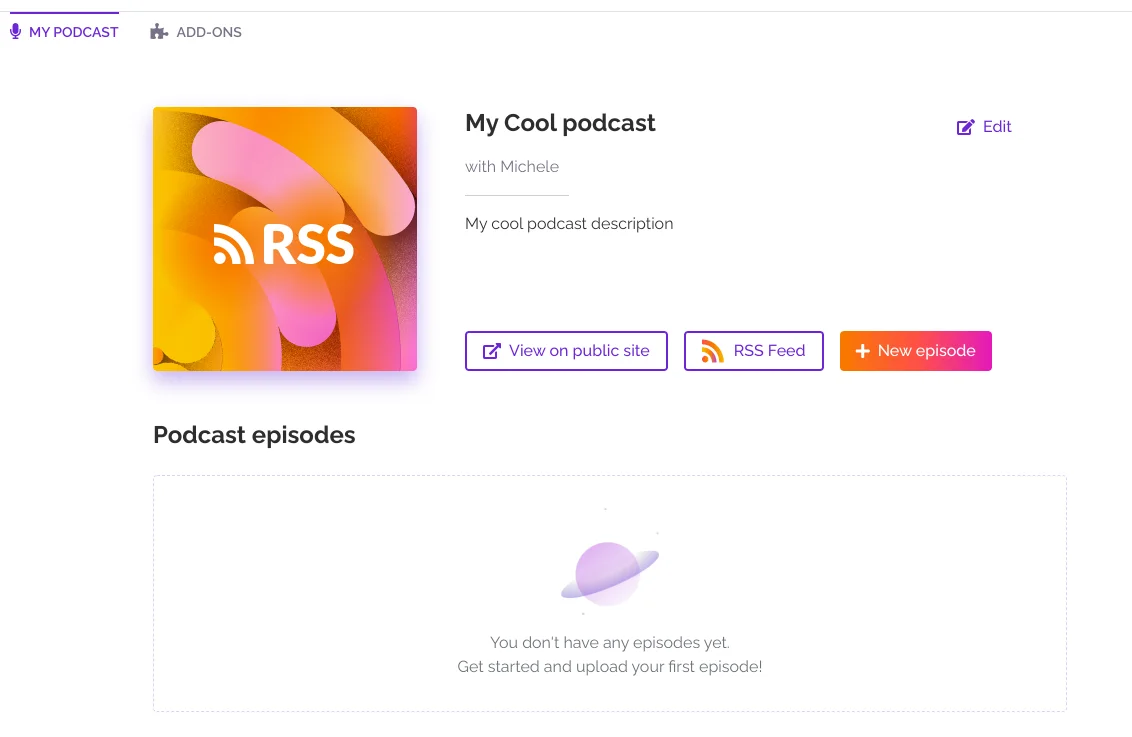
Paid plans price: Starting from $11.99 per month.
Analytics: Advanced (180 days of insights with time trends, location, episode details, comparisons, and reviews).
Storage: Unlimited episodes (audio only).
RSS.com is a budget-friendly option to host your podcast without running into plan limits too quickly. It’s perfect for audio-only creators who want simple podcast hosting with generous publishing limits that scale as their shows grow.
Even its lower-tier plans include unlimited episodes and audio, so there’s no cap on how long your episodes should be. You also get automatic distribution, episode scheduling, a podcast website, and basic analytics. Unlike other free podcast hosts, RSS.com doesn’t delete old episodes or cap your monthly uploads. And when you upgrade, the paid plans add features like advanced analytics and transcripts while remaining affordable.
RSS.com also includes monetization options such as dynamic ads, Apple Podcasts Subscriptions, donations, and Value for Value support. All this makes RSS.com a practical choice for newer podcasters or smaller shows that want to keep costs low now and still have room to grow later.
Key features:
- Unlimited episodes and audio: Publish as much as you want without worrying about storage caps or deletions.
- Built-in monetization: Turn on dynamic ads, offer Apple Podcasts Subscriptions, or accept listener donations directly.
- Built-in website: Give your show a home with a mobile-optimized site that includes an embeddable player.
- YouTube support: Can convert audio episodes into YouTube-ready static-image-style videos.
Best for serious creators and networks
Transistor
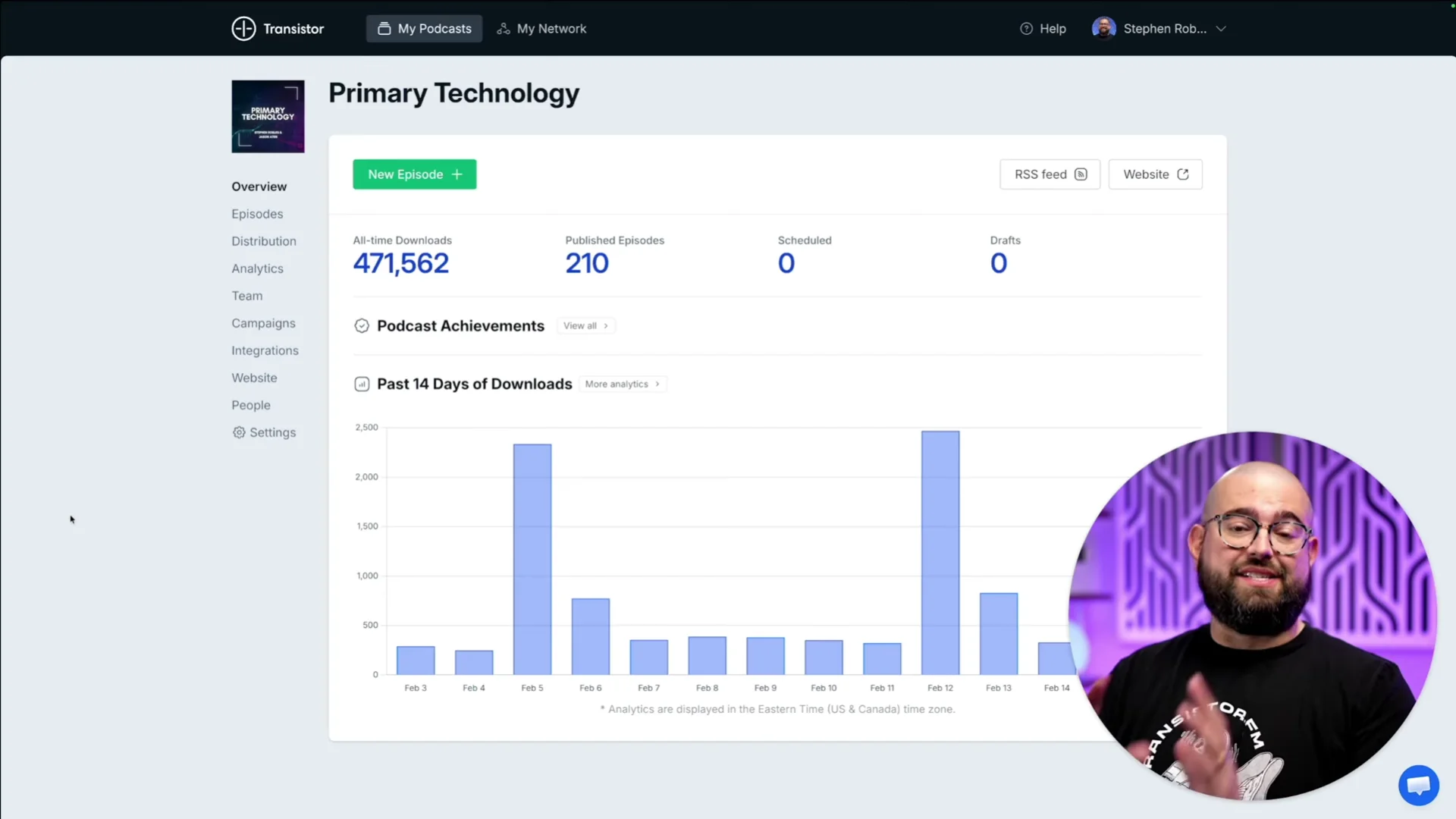
Paid plans price: Starting from $19 per month.
Analytics: Advanced (average downloads per episode [7/30/60/90 days], estimated subscriber count, monthly listens, apps/devices used, listener trends over time).
Storage: Unlimited storage, multiple podcasts.
Transistor is one of my favorite picks because I can effortlessly manage multiple podcasts from a single dashboard without paying extra. I particularly like that it’s compatible with Apple Podcasts’ delegated delivery. This means I can upload both my free and paid podcasts from one place since it integrates with Apple Podcasts Subscriptions.
It also provides a solid infrastructure to let you monetize on your own terms. You can automatically insert dynamic ads across your catalog, connect private feeds to Patreon, or embed listener support links directly into your show notes.
And if you’re recording audio podcasts but still want to publish on YouTube, Transistor can do that automatically. It’ll convert your audio podcast into a video with a static image or waveform and post it to your YouTube account. Note that Transistor is gradually releasing video distribution, and while it’s still in beta, it might be worth waiting for a little while more!
Transistor also supports private podcasts on all plans, so you can create member-only shows without a separate tool. Plus, it integrates perfectly with lots of external platforms like Zapier, Make, Slack, Patreon, and Stripe.
Key features:
- AI tools: Automatically transcribe your podcast and insert dynamic ads into your episodes.
- Essential podcast analytics: Monitor performance with essential podcast analytics that allow you to understand your listeners and their behavior.
- Professional podcast website: Build professional and responsive websites for individual podcasts or a podcast network.
- Embeddable players: Customizable embeddable podcast player allows you to showcase podcasts on your website or blog.
- Private podcasts and integrations: Create private podcasts for select ears and browse Transistor’s range of integrations for your podcast workflow.
Captivate

Paid plans price: Starting from $19 per month.
Analytics: Advanced, IAB-certified (listener behavior, daily trends, historical analytics migration, downloads over time, month-to-month trends, and engagement metrics).
Storage: Unlimited podcasts and storage.
Captivate is a popular podcast distribution platform focused on growth and helping podcasters expand their audience. It includes tools for episode planning and guest booking that save you time and streamline your workflow. You can create a public booking page, manage availability, collect guest details, reschedule interviews, and keep guest information in the same platform you use to host the show.
You can also generate a sponsor kit in a few clicks to present your show to potential partners. Other useful growth features include a built-in podcast website builder plus customizable calls-to-action in your web player.
I love that Captivate is also adapting to the AI age. It has an AI assistant that generates transcripts, show notes, episode titles, and ad breaks. And like Transistor, you get unlimited podcasts and storage on all paid plans.
Key features:
- Guest bookings tool: Manage and notify your guests and dynamically pull their bio and links into episodes.
- Marketing tools: Create and track attribution links, add CTAs to your web player, and make customizable links to send listeners to a branded page to subscribe to your show.
- Collaborative working: Add unlimited team members to your account. Then get full control on permissions and access levels.
- Professional website and web player: Build a customizable professional website and web player that you can align with your brand.
- Range of monetization tools: Leverage built-in monetization tools like listener donations, membership subscriptions, and dynamic ad insertion.
Best for enterprises and monetization
Libsyn

Paid plans price: Starting from $12 per month.
Analytics: Advanced, IAB-certified (total downloads, downloads by episode, by time period, app usage, global location map, consumption metrics).
Storage: Storage based on plans (3 to 55 hours of audio uploads per month).
Libsyn caters to larger-scale publishers looking for a more mature podcast infrastructure. Its current plans are based on monthly upload hours with no download limits, making it ideal for established shows with large audiences.
Libsyn is one of the oldest podcast hosts on the market, with a history dating back to 2004, but I feel it has kept up with the times. It’s a reliable platform to bet on and a very solid infrastructure to host your show. I also like how it provides centralized multi-show management, enterprise-grade security, account control, custom branding, and dedicated onboarding. With its automatic publishing, I think it’s a great option for scheduling syndicated episodes.
Libsyn features advanced monetization campaign options and dynamic ad insertion. You’ll even get a dedicated ad sales team at your disposal to connect you with sponsors and partners.
Key features:
- Support for video podcasting: Libsyn supports video podcasts distribution on YouTube and Spotify.
- Monetization tools: Includes a marketplace to connect podcasters with sponsors for host-read ads, paid subscriptions, and dynamic ad insertion functionality.
- Promotion and growth tools: Grow and promote your podcast with tools like social media auto-posting, QR codes, episode scheduling, and the ability to upload promotional materials.
- Canva integration: Keep your podcast brand cohesive with show and episode artwork you can design and upload instantly.
Acast

Paid plans price: Starting from $14.99 per month.
Analytics: Advanced, IAB-certified (downloads over time, unique listeners, geographic breakdown, listen-through rate, listening apps & platforms, and device types).
Storage: Unlimited storage and uploads.
Perhaps overkill for solo creators, Acast is a powerful host built for podcast networks and established podcasters. What sets it apart for me is its monetization and scaling tools.
It has one of the largest podcast ad marketplaces in the world, as well as built-in tools for paid premium content and memberships. I also like the listener-first ad targeting, which aims to provide more personalized ads for better monetization and user experience. You’ll get campaign tools with dynamic ads, so you can easily swap them without re-editing your audio files, and keep earning from your back catalog.
Larger networks can manage content at scale through Acast’s Publishing API and integrations with automation tools like Zapier. Acast also supports multiple shows and lets you check network-level performance from a single dashboard.
Key features:
- Monetization marketplace: Access Acast’s ad marketplace for dynamic ads, sponsorships, and branded content opportunities.
- Seamless publishing options: Get access to flexible publishing and scheduling, dynamic intros and outros, and multi-show management.
- Branding features: Websites and embeddable players are fully customizable with social media links, colors, fonts, and logos.
- Workflow automation: Connect Acast to third-party tools and your content management system (CMS) to automate your workflows.
Best all-in-one podcasting platform
Riverside
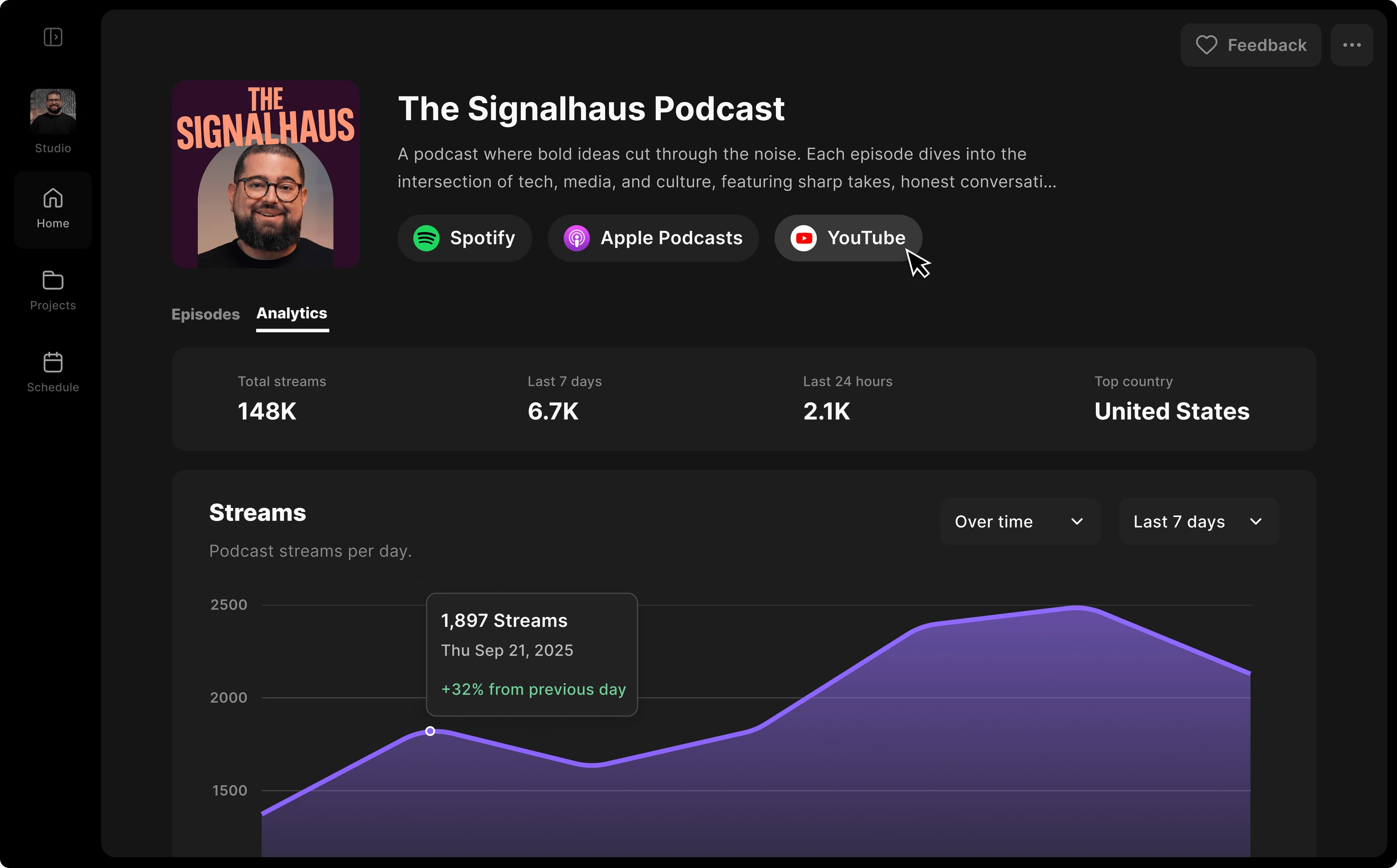
Paid plans price: Starting from $24 per month (Pro Plan).
Analytics: Basic (total streams, top episodes, top listening apps, etc.).
Storage: Unlimited hosting. The Business plan offers unlimited shows.
Riverside is a new entry in the world of podcast hosts, but it’s my top choice for recording, editing, and hosting a podcast in one place. I particularly like how you can stream a live podcast, record in up to 4K, and edit in minutes with the AI editor without paying for separate tools.
You get all you need for hosting with automatic show notes, transcripts, and even your own podcast website. And with the AI repurposing agent, Co-Creator you can create episodes covers, social media clips, and even a newsletter from your podcast recording.
Also, Riverside continuously rolls out new features, giving you access to better tools as your show grows. And you get the essential hosting infrastructure you need to streamline your workflow. This includes unlimited cloud storage, native video podcast support, and one-click publishing to major directories.
Key features:
- One-click hosting and distribution: Publish your finished episodes straight to Spotify, Apple Podcasts, and YouTube in one click.
- Video podcast support: Record your video podcasts in up to 4K quality; then publish or schedule them on YouTube.
- Custom thumbnails: Create customized thumbnails and add a new one for each episode.
- Podcast website: Listeners can browse and play episodes, subscribe for updates, and find their connected platforms on your own custom site.
- Publish-ready assets: Get automatic show notes, thumbnails, transcripts, and promotional clips just by chatting with the chat-based editor, Co-Creator.
How to choose the best podcast hosting site for you
After comparing the platforms above, you now need to choose the one host that truly supports your goals.
Here are some expert insights I’ve picked up along the way:
Be mindful of storage and bandwidth
Some hosts offer unlimited storage, while others cap your monthly uploads or file size. This usually only becomes an issue if your episodes are very long or you’re running a video podcast.
Bandwidth, on the other hand, matters more when a lot of people are streaming or downloading your episodes. My advice is not to worry about it too much if you’re just starting out.
It’s also a good idea to check what happens if you exceed your limit. Some platforms pause uploads, while others automatically charge overage fees.
Look for extra features
Focus on features that propel your growth and help you save time. For example, some platforms automate scheduling or transcription or provide AI repurposing tools to convert your episodes into blogs or clips.
Even if these features seem secondary at first, automating tedious tasks prevented me from long-term burnout more than once. You want to spend all your energy on creative decisions instead of getting drained by editing and promotion.
Go for one-click distribution
Manual RSS submission takes time and slows down your production process. Look for platforms that offer one-click distribution to major directories like Apple Podcasts, Spotify, and YouTube.
Make sure you have the right analytics

Basic analytics track total downloads and listener locations, which is often enough when you first launch.
But we all know you will need to pitch sponsors at some point. Once you get to that point, you’ll need IAB-certified analytics to meet strict industry standards for advertising.
Think about monetization methods
If you want a hands-off approach, dynamic ad insertion automatically places and updates ads across your entire catalog. I prefer to focus on having a loyal audience, so I look for platforms with built-in subscription models or listener donation buttons.
Still, you don’t need every monetization feature from day one, but you do want a platform that supports your growth as you scale.
Compare pricing plans carefully
Some platforms may seem affordable but lack essential features, leading to hidden costs. Flat-rate models offer predictable monthly expenses, while per-download or per-storage plans might become expensive as your podcast grows.
Get video podcast support

Platforms like Spotify and YouTube heavily prioritize video podcasts in their discovery algorithms. Because of this, I highly suggest recording video from the get-go. Video podcasts are rapidly gaining traction, with 80.5% of podcasters recording them.
Even if you’re audio-only today, it’s worth checking whether your host supports video uploads and distribution.
If you already record video, choose a host that natively supports large video file uploads.
FAQs on Podcast Hosting Platforms
Why do you need a podcast hosting site?
You need a podcast hosting site to store your episodes and distribute your show to podcast directories like Apple Podcasts and Spotify. Hosting platforms also help with tracking listener analytics and providing built-in tools to manage and monetize your show from one place.
How much is a podcast hosting fee?
Podcast hosting fees typically range from $12 to $35 per month, although for enterprise and large-scale podcasts, they can be more than $100 per month. Pricing usually goes up when you need things like advanced analytics, video podcasting, private podcasting, team features, or network-level tools.
Do I need a separate website for my podcast?
No, you don’t need a separate podcast website, but having one can be a good way to build your brand and promote your show. Many podcast hosting platforms, like Riverside and Buzzsprout, provide a basic, customizable webpage for your show.
Is it free to host a podcast on Spotify?
Yes, it is completely free to host a podcast on Spotify for Creators. It offers unlimited storage and uploads, monetization tools, and support for video podcasts. Best of all, it integrates with Riverside, so you can record your podcast, use our video editor, and share your high-quality podcast all in one place.
Can I switch podcast hosting platforms without losing subscribers?
Yes, you can switch podcast hosting platforms without losing subscribers as long as you set up a proper RSS feed redirect. If the 301 redirect is set up correctly, most subscribers won’t even notice the change. Most hosts let you redirect your RSS feed automatically.



-Need-to-Know-About-Podcast-Hosting-Sites.png)