Key takeaways:
- Free podcast hosting is great if you want to launch without upfront costs and learn the basics before committing to a paid plan.
- Key factors when choosing a free host include storage and bandwidth limits, analytics capabilities, and additional features, like monetization options.
- The free podcast hosting services without real limitations are RSS.com and Spotify for Creators, although Spotify is a restricted ecosystem.
- Bundled hosting, like what Riverside offers, only makes sense if you already pay for it as part of a recording/editing platform.
I've spent 15+ years podcasting, and a bad hosting fit shows up fast: you're stuck between upload limits and the content you actually want to publish.
If you're new to podcasting and don't have a budget to spare, several platforms let you host for free.
Free doesn't always mean the same thing. A truly free plan, a limited tier, a free trial, and hosting bundled with a paid product are not the same.
Here's my rundown on the top free podcast hosting platforms, so you can pick the right fit for your show.
What counts as free podcast hosting?
Free podcast hosting does not always mean the same thing across platforms. Some hosts, like Spotify for Creators, offer permanent, unrestricted plans. Other hosts only offer free trials, like Transistor.fm. And some enforce other limits, like Podbean, which allows only 5 hours of uploads.
Here’s a recap of the most common free hosting models:
How we evaluated these platforms
I evaluated each podcast hosting platform by how useful its free option is for real podcasters, and whether there was a hidden catch or condition.
First, I checked whether the free plan is permanent or only a temporary trial, and if hosting is included with another paid plan. Then, I looked at practical limits, like storage, monthly uploads, bandwidth, episode caps, file-size restrictions, and so on.
I also compared each platform’s features, such as RSS feed distribution, analytics, video support, and monetization options. Finally, I considered ease of use and the transparency of upgrade paths, and looked at overall user reviews to see what people actually think.
Best free podcast hosting platforms at a glance
If you’re looking to host your podcast for free, here are some of the best hosting platforms out there:
And here's a quick recap to ease your choice:
- Want the closest thing to genuinely free publishing? Choose Spotify for Creators or RSS.com after verifying current free plan terms.
- Want the easiest beginner experience? Choose Buzzsprout for the cleanest, most straightforward dashboard.
- Want a free podcast website? Choose Podbean if you want a dedicated landing page for your episodes at no extra cost.
- Want monetization tools? Compare Acast, RedCircle, and Spreaker to access ad insertion marketplaces or listener tipping features right from the start.
- Want to host multiple small shows? Consider Pinecast if you run up to 2 separate test projects at the same time.
- Already record/edit on Riverside? Use Riverside’s bundled hosting for a frictionless production-to-publishing pipeline under one subscription.
1. Spotify for Creators: Best for unlimited free publishing

Spotify for Creators (formerly Anchor) is a free hosting platform that’s all about making podcasting accessible. It supports audio and video podcasting and offers free hosting with unlimited uploads, advanced analytics, and monetization options.
It’s worth emphasizing that Spotify for Creators is one of the few free hosting platforms that supports video. I think this is important when video is rising and even, according to our own user base, 80.5% of podcasters are recording video.
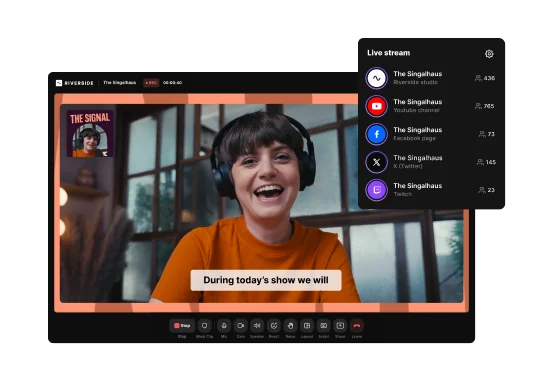
Spotify for Creators also provides content creation tools through Riverside. This means you can record your podcast in high quality, add captions, clean up audio, and more.
Overall, Spotify is, hands down, one of the best places to start your podcasting journey, but it’s very platform-centric. For example, the best interactive and monetization features, like episode polls and Q&A, do not appear on RSS feeds outside of Spotify. And, video episodes are only available on Spotify, while other podcast apps receive the audio version through RSS.
Eventually, experienced creators may want to push out of its restricted ecosystem model.
User review: “I have used a few different services, and even with some of its lacking features, the ability to easily roll out your podcast makes Anchor a clear choice” — Jeremy H., Host and Owner
Spotify for Creators features
- Unlimited storage and no limit on the number of episode uploads.
- You own the rights to all of your content, while granting Spotify the rights needed to distribute and promote it.
- One-step distribution to Spotify (but for other directories, you must manually submit your RSS feed to each platform).
- Detailed, IAB-certified metrics and engagement insights.
- Ability to monetize your podcast by including promotions and getting matched with viable sponsors.
- Audio and video recording and editing possible through Riverside.
2. RSS.com: Best for unlimited free audio hosting

RSS.com's free plan is among the most generous, offering unlimited episodes and audio. Its free "Local and Niche" plan is a strong choice for audio-only podcasts. Besides hosting, you get a few features that could help with promotion and distribution, like an embeddable player, a basic podcast website, and basic analytics.
What makes RSS.com different from free publishing options like Spotify for Creators is that it works as a standalone podcast host for audio-only shows. Your monetization isn’t locked to any app since RSS.com focuses entirely on an open ecosystem. You cannot upload video, but you maintain complete control to distribute your audio feed to every major directory without platform restrictions.
I'd recommend RSS.com for smaller shows and community projects, especially since there's no pressure to upgrade. But most growth features, like built-in video publishing or monetization tools, sit on paid plans. You're also limited to just 1 podcast per account, and analytics only cover the last 90 days.
RSS.com features
- Unlimited episodes and unlimited audio on the free “Local and Niche” plan.
- Episodes are stored indefinitely with no expiration.
- Basic analytics that track listener insights for the past 90 days.
- Basic podcast website and embeddable player (with no branding options).
- Episode scheduling.
3. Buzzsprout: Best for beginners who want simplicity

Buzzsprout is one of the most beginner-friendly podcast hosting platforms. Its dashboard is clean, and the upload and distribution process are as straightforward as possible. The free plan offers an accessible starting point, giving you 2 hours of audio uploads per month and an embeddable player.
But, it works somewhat like a (very) long free trial since episodes are hosted for just 90 days. Once an episode expires, it will be stored for another 90 days, but users won’t be able to download or stream it.
If you want to use Buzzsprout over the long run, or have an existing content library you’d like to import, you’ll need a paid plan. Video support and IAB-certified analytics are also not included on the free plan.
Because of the timelimits, I think Buzzsprout is best as a launchpad to test the waters of podcasting for a few months. If you need a permanent free home for your content, you should look elsewhere.
User review: “As a podcast newbie, I've really enjoyed the learning journey. Encouraging emails, and a free version that is simple to use to get started and learn, step by step.” — Sian P., Public Relations and Communications Consultant
Buzzsprout features
- Upload 2 hours of content per month.
- Episodes are removed from your RSS feed and podcast apps after 90 days.
- Dynamic content lets you add pre-roll, mid-roll, and post-roll clips to any episode.
- Chapter markers and visual soundbites on the free plan.
- Access to podcast stats (but IAB-certified analytics are available only on paid plans).
- WordPress plugin allows you to embed players directly to your WordPress site.
4. Acast: Best for monetization potential
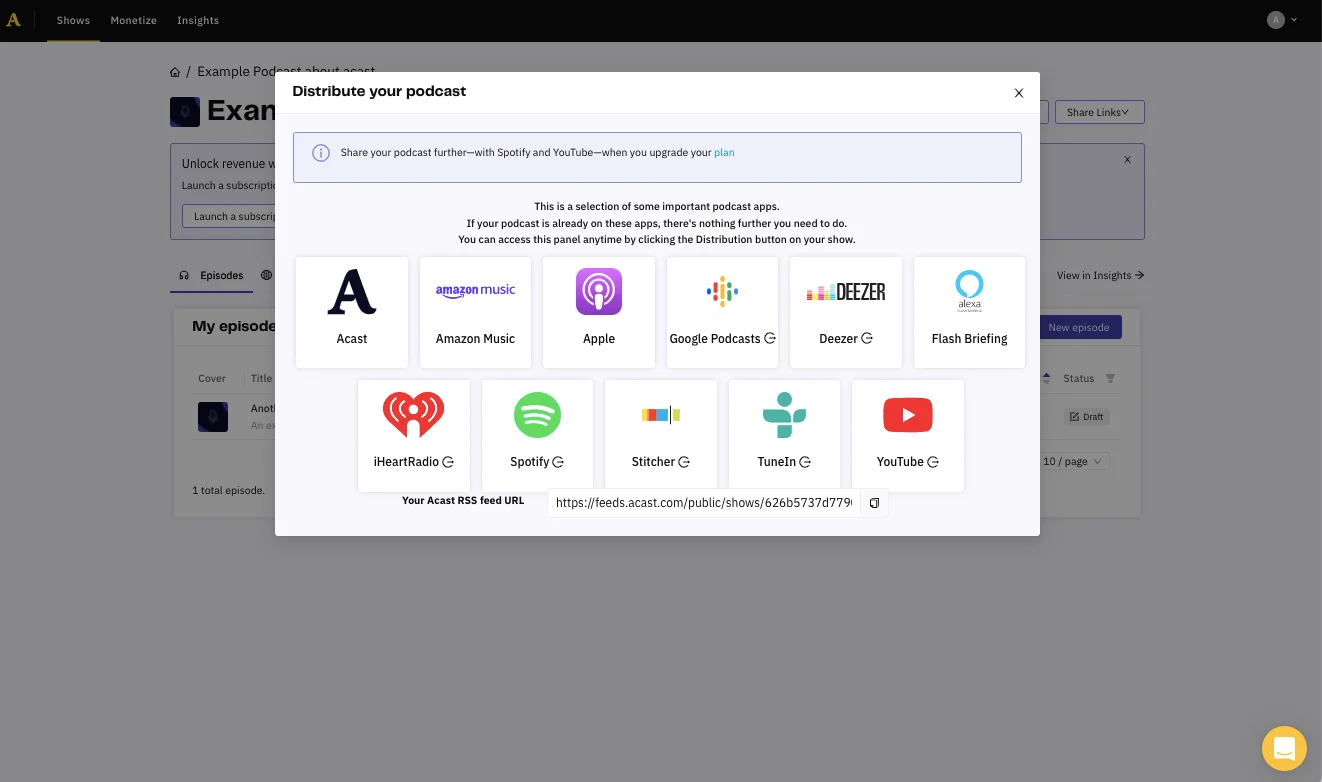
Acast stands out in monetization thanks to its marketplace. Opting in means you remove the 5-episode cap on the free plan. Instead of upgrading to a paid plan, you can unlock the same limit-free access just by running ads.
You need roughly 1,000 monthly listeners/listens to apply to the Marketplace, but most creators don’t start seeing revenue until they reach about 5,000 monthly listeners.
Thanks to its partnership with Podcastle, you can also record and edit your episodes from one platform. And if you’re looking to switch podcast apps, Acast lets you move all your episodes to it for free.
Overall, I’d choose Acast if you don’t mind running ads from day one. But if you want a genuinely free host for a hobby project that’s also ad-free, Acast is no longer the right fit.
Acast features
- 1 show, up to 5 episodes (remove this limitation by making your show available in Acast’s advertising marketplace).
- Unlimited bandwidth and unlimited listener downloads.
- Basic, non-customizable embed player and podcast website.
- Relatively detailed analytics that are fully IAB-compliant.
- Recording and editing capabilities through Podcastle.
5. RedCircle: Best for donations and ad tools

RedCircle is my top pick for donations and ad tools because it's the only free host here that offers both immediately, with no subscriber threshold.
Instead of charging for storage, RedCircle takes a 50% cut of your ad revenue and 4.5% of listener donations. So essentially, you trade a share of revenue for zero upfront cost, rather than paying a subscription fee regardless of what you earn.
While you can host only 1 podcast, its business model lets you access features typically available only on paid plans. You get unlimited storage, bandwidth, episodes, and downloads. Plus you get easy distribution, built-in monetization, basic analytics, and more.
But you must hit a threshold of 500 weekly downloads to access the advertising marketplace, and your individual file size is capped at 200MB per episode. This may force you to compress longer audio files.
What you don’t get on RedCircle is video (unless you upgrade to a paid plan), but that is also true about every hosting platform on this comparison except Spotify for Creators and Riverside. If you don’t need video, RedCircle is an excellent option.
User review: “RedCircle’s free option allows you to do so many things and get your podcast in most directories. I couldn't be happier with that. Still, the analytics on the free version are limited, so I can't really know much about my listeners” — Lindokuhle M., Digital Content Creator
RedCircle features
- 1 podcast with unlimited storage, bandwidth, episodes, and downloads.
- Distribution to major podcast platforms, including Apple Podcasts, Spotify, and Amazon Music.
- Ability to accept listener donations.
- RAP programmatic/host-read ads (but you can’t customize ad categories).
- Standard analytics.
- Podcast webpage with “Related Shows” at the bottom, and embeddable episode player.
- Access to RedCircle Ad Platform (after reaching 500 weekly downloads).
6. Pinecast: Best for multiple small shows
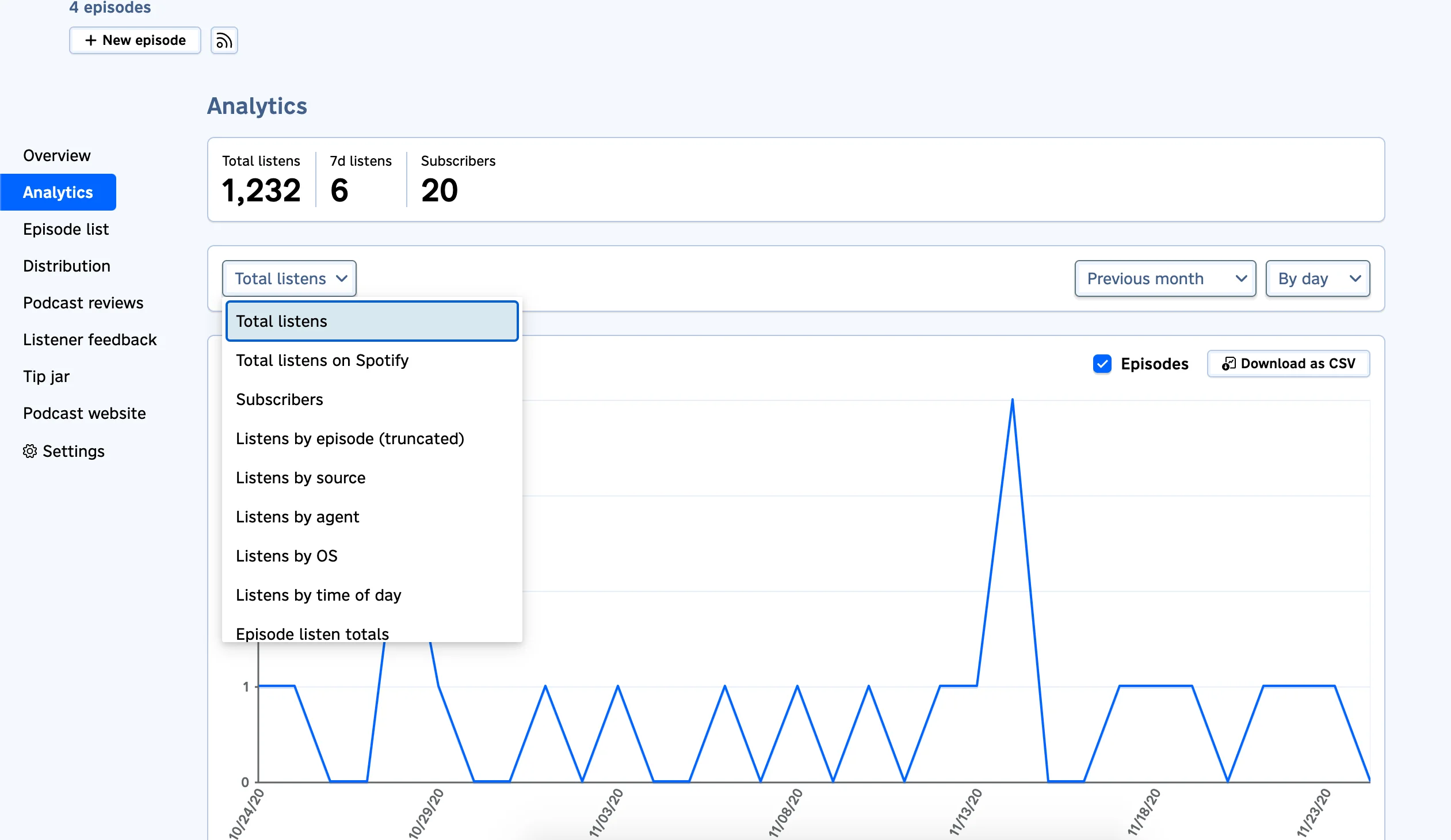
Pinecast is a good free podcast host if you want to test more than 1 small audio show without paying.
Its free plan has no time limits and lets you create up to 2 shows, which is unusual among free podcast hosting platforms. You also get unlimited storage and uploads, and can monetize right away using a built-in tip jar.
But be aware, only the 10 most recent episodes per podcast appear in your dashboard and RSS feed with the free plan. Older episodes are not deleted, but they are hidden until you upgrade.
There’s no video support and each episode is also capped at 48MB, so I’d say Pinecast only really works for shorter audio shows. All in all, I don’t think it’s the most scalable free host once your show becomes consistent or you want to switch to video.
Pinecast features:
- Ability to create up to 2 podcasts, each with its own feed.
- Host up to 10 episodes per podcast.
- Unlimited uploads (individual episodes are capped at 48MB).
- Basic analytics, including listener statistics and trends.
- Monetization via a “tip jar” feature (individual tips are limited to $10 and a 30% service fee applies).
7. Podbean: Best for a free basic podcast website
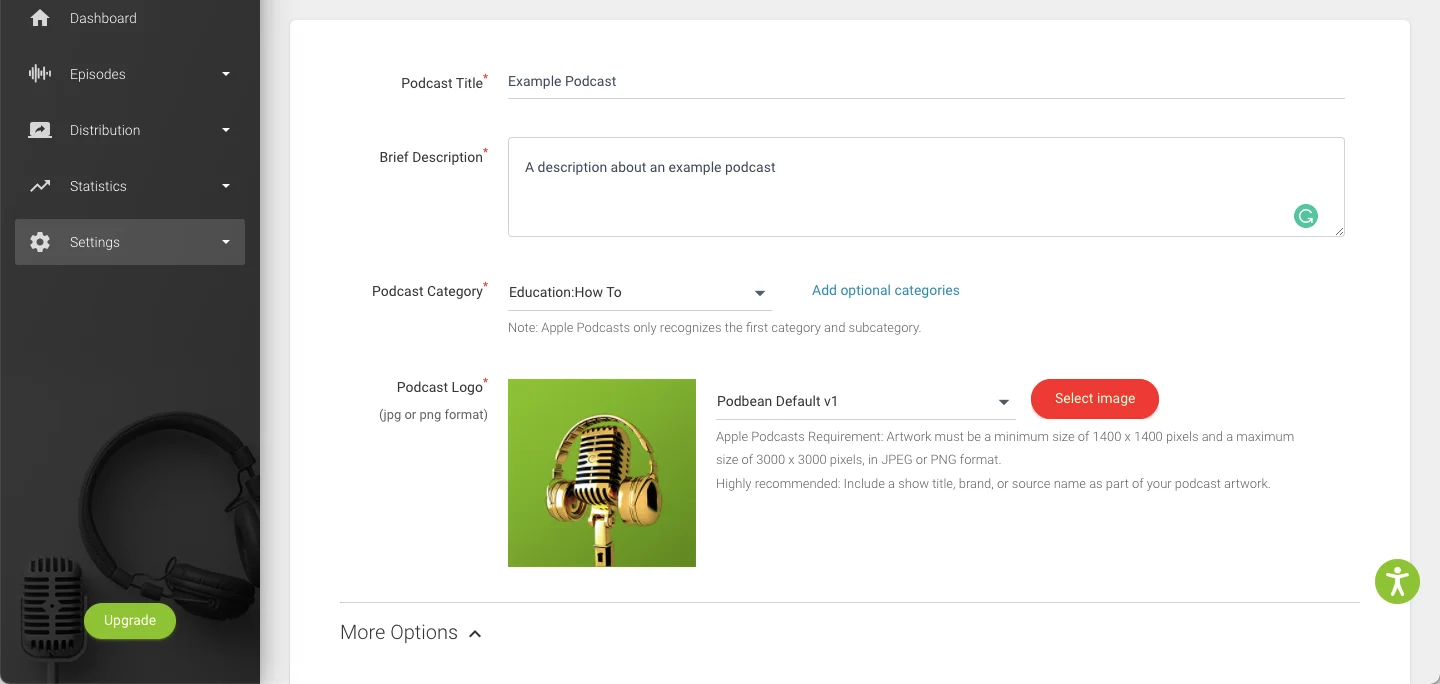
Podbean is a solid free option if you want a basic podcast website alongside your podcast hosting.
I have a website for my show and recommend it because it can help make your podcast more discoverable on search engines like Google. Podbean's podcast websites come with standard themes and automatically display your episodes as you publish new ones.
Note that it does display Podbean’s branding, and you’ll have to upgrade to get a fully customizable, white-labeled site. But if you’re just starting out, it’s very complete and also includes an embeddable audio player for your episodes.
The basic plan gives you 5 hours of total storage, 100GB of monthly bandwidth. Podbean also offers basic analytics, but honestly, I don’t like them much: they’re very bare-bones on the free plan.
The limits are also pretty tight. The 5-hour storage cap is a lifetime limit, not a monthly allowance. Once you reach it, you must upgrade to a paid tier or delete old episodes. Video uploads are also reserved for paid plans.
In practice, that makes Podbean’s free plan only suitable for short audio shows. If you’re serious about your show, you will likely need to upgrade.
User review: “It is a very user friendly experience and a great place to start for someone trying to start a podcast. But there isn’t enough variety in tools to customize your show. Other applications give you more ways to improve your content.” — Jeremy H., Host & Owner
Podbean features:
- 5 hours storage space per month; publish up to 3 episodes per day.
- 100GB monthly bandwidth.
- iOS and Android apps let you record, publish, and manage podcasts on the go.
- Dedicated podcast website with several themes (with Podbean branding).
- Embeddable player for your podcast website.
- (Very) basic podcast stats.
Read more: How to Upload Video Podcasts to Podbean
8. Spreaker: Best for programmatic ad revenue
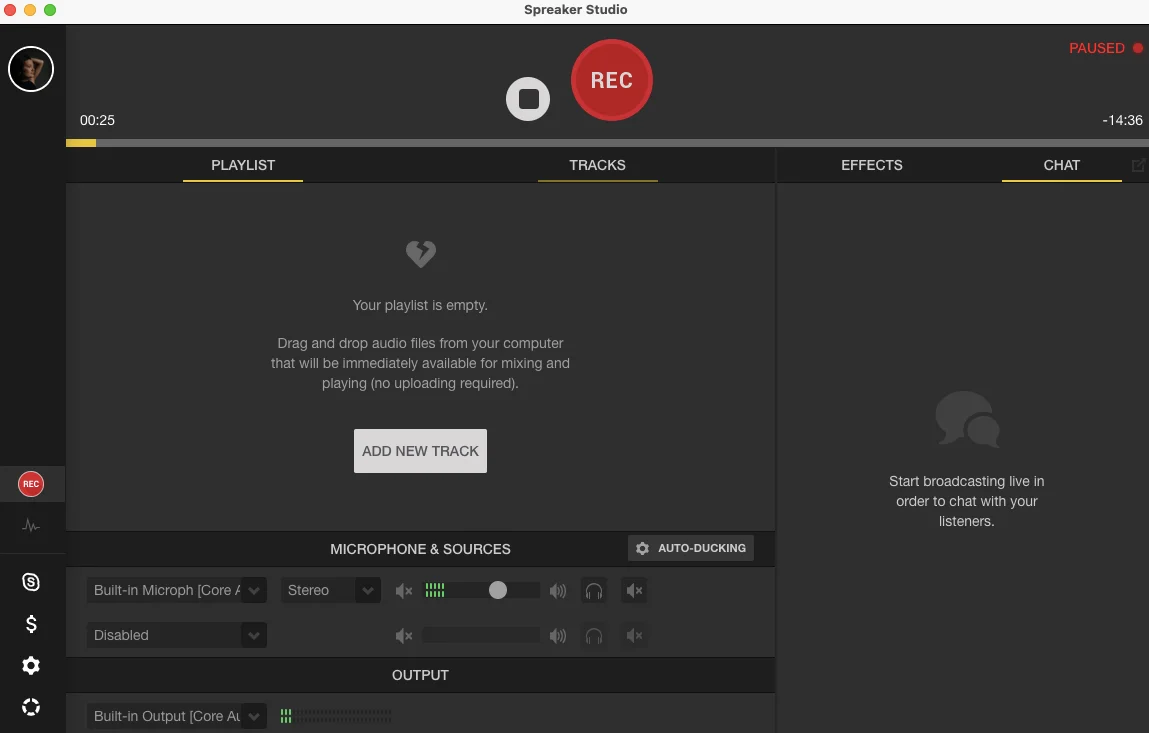
Spreaker is a podcast hosting platform from iHeartRadio that lets you monetize with programmatic ads from the very start.
Its “Free Speech” plan includes 1 podcast with unlimited episodes, auto-upload to iHeartRadio, Spotify, and Apple Podcasts, basic analytics, and access to its Ad Exchange program. The platform will then take a cut of your ad earnings and charge a 20% fee on listener subscriptions (until you upgrade to a paid plan).
Spreaker also offers a browser and mobile tool for recording your episodes (called Spreaker Create). It lacks video podcasting support entirely, though.
That said, I think Spreaker is a good free host if you want to experiment with ad income before paying. But it is not the same as having full control over your ad strategy. Free plan analytics are also quite limited, but if you’re just starting, this could be enough for you.
Spreaker features:
- Ability to upload 1 show with unlimited episodes.
- Monetization through programmatic ads with a 20% fee on the free plan.
- Online recording studio and mobile app.
- Basic analytics that only track the past 6 months of listener data.
- Auto-upload to iHeartRadio, Spotify, and Apple Podcasts.
9. Riverside: Best if you already record and edit with Riverside

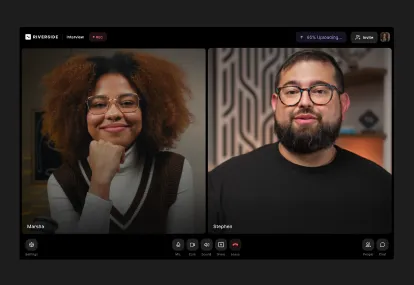
Riverside is not a standalone free podcast host in the same way as Spotify for Creators or RSS.com. But podcast hosting is included in all the paid plans. So if you are already using Riverside to record and edit your show, it is a strong option that keeps everything in one place.
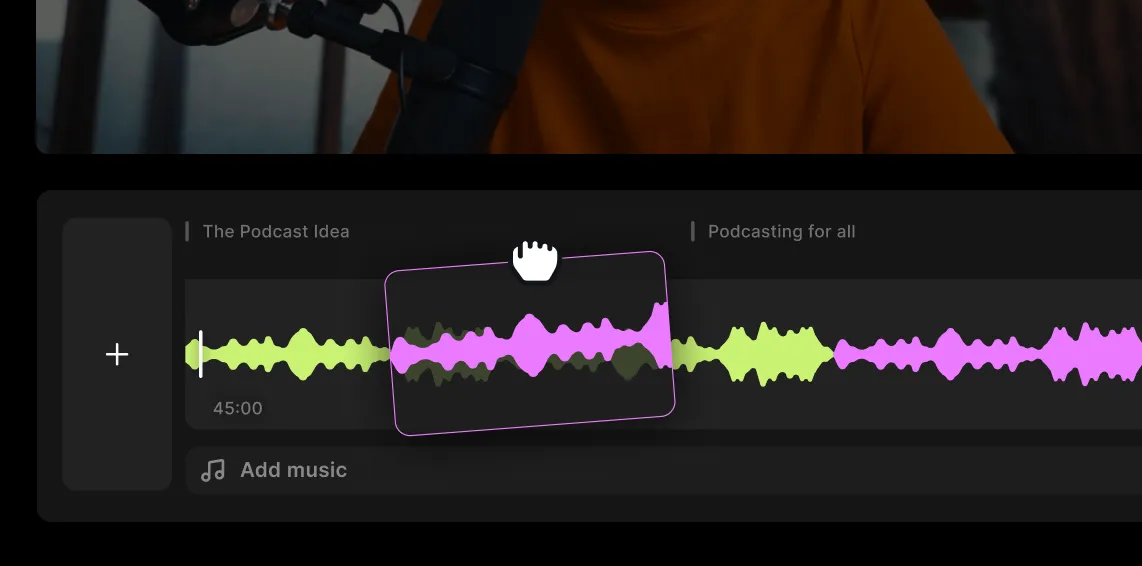
Riverside will handle your entire workflow from beginning to end. You can record up to 4K video and 48kHz audio, edit in minutes with AI, then host, publish, and repurpose your episodes from the same dashboard. You also get access to Co-Creator, an AI agent that can automatically generate multiple assets, like show notes, titles, descriptions, social media clips, and episode artwork.
To keep track of everything, Riverside also offers analytics for demographics, watch time, and downloads.
Overall, I love Riverside for its all-in-one production system. But if your only goal is to find a no-cost, standalone host for pre-recorded files, it’s not the right option.
User review: “I am blown away by the editing tools that Riverside offers. I can host my podcast, edit, make shorts, have captions for IG & blogs, photos and the cherry on top was the Youtube Thumbnail.” — Coni M., President of Education Management
Riverside features
- Unlimited cloud storage with no limit on episode uploads.
- Full support for video podcast hosting and distribution.
- One-click distribution to Spotify, Apple Podcasts, YouTube, etc.
- All-in-one recording, editing, repurposing, and publishing.
- Create custom artwork and thumbnails, or polish your episode in minutes with Co-Creator’s chat-based editing.
- Generate social-ready clips, reels, and shorts with a click using Magic Clips.
- Track your show’s performance and listener data (demographics, listening apps, downloads) from your analytics dashboard.
How do I choose between free and paid podcast hosting?
The choice between free and paid hosting depends on your maturity as a podcast or content creator.
Free hosting is an excellent solution for starting out and testing. Paid hosting is usually better for serious long-term publishing. Most platforms allow you to upgrade, so go for a service that can scale with your needs.
Here’s a deeper dive into the pros and cons of free hosting:
Advantages
- Affordability: A lack of upfront costs makes podcasting accessible to hobbyists and new podcasters, and it’s fine for testing a show.
- Easy setup: Limited features typically mean a streamlined experience. You can get your podcast up and running in minutes.
- Ability to upgrade: Although most free podcast hosting limits storage and bandwidth, you can always upgrade to a paid plan if your needs change. That means you don't need to move if you like your host.
Disadvantages
- Limited platform options: A free hosting platform means choosing from a small selection of hosting services that offer a free plan.
- Upload limits: These are common on free plans and may restrict the amount of content you can upload.
- Episode duration limits: Some podcast hosts limit the length of your audio, which can be frustrating or even a dealbreaker.
- Third-party ads: Some free hosting services advertise on your content without compensating you for the ad space.
- Copyright issues: Always read the fine print. Some podcast hosts stipulate ownership claims over the content stored on their servers.
How to choose a free podcast hosting service
Here are the factors to keep in mind when choosing between free (and even paid) podcast hosting services:
Bandwidth, upload, and storage limits
Some free podcast hosting services limit your uploads and storage allowances. This could affect how many hours of audio you can upload or the length of your episodes.
File format
Check which file formats your chosen podcast host accepts. MP3 is the most universally supported audio format, but some hosts will let you upload uncompressed WAV files for better quality.
Podcast analytics
You should be able to easily access stats and data regarding listener engagement, as well as the performance of your content. If possible, look for analytics that are IAB-certified and compliant.
Usability
You need a podcast host that’s easy for you to use. Assess the interface and dashboard design, whether you find the site clunky, and how easy it is to distribute your show to podcast directories.
Additional features
Depending on your podcast and goals, certain additional features like a website, built-in recording, or monetization tools may be incredibly valuable.
FAQs about free podcast hosting
Still need information? Here are the answers to some frequently asked questions.
What is a podcast host?
A podcast host is a platform that stores your podcast’s media files and distributes them to podcast directories. Your podcast host will provide an RSS feed that you can submit to each directory. Every time you add a new episode to your show, it'll be available on all directories you submitted your RSS feed to.
What is the best free podcast hosting platform?
The best free podcast hosting platform depends on your needs. Different providers excel at different use cases:
- Spotify for Creators is the best option for unlimited free audio and video publishing.
- RSS.com is the best option for unlimited free audio hosting.
- Buzzsprout is the best option if you want an easy beginner experience and don’t mind its 90-day storage window.
- Riverside is the best option for bundled hosting if you already use the platform to record and edit your show.
Can I host a podcast for free?
Yes, several platforms let you host a podcast for free. Just check the limits before you choose one. Most free plans include limitations such as monthly storage caps, episode deletion windows, basic analytics, lack of video support, or mandatory platform ads.
Is Riverside free for podcast hosting?
No, Riverside is not a standalone free podcast hosting platform. Riverside provides podcast hosting and distribution features bundled inside its paid recording and editing plans at no extra cost.
Does it cost money to host a podcast?
Podcast hosting can be free, but many creators eventually pay for it (usually around $10-$20 per month). Free plans are useful when you’re testing a show or publishing casually. Paid plans are usually better for long-term storage, deeper analytics, stronger branding, monetization tools, video support, and full distribution control.
Is SoundCloud good for podcast hosting?
SoundCloud can work for simple audio hosting, but it is not as podcast-focused as dedicated podcast hosts. Its free tier limits your total upload time to 3 hours and lacks robust distribution tools, video support, and IAB-certified analytics.
Setting up your RSS feed to share your podcast to popular directories is also quite complicated. SoundCloud may be fine for short audio projects, but it is usually not the best long-term podcast host.
Can I switch from free to paid podcast hosting later?
Yes, you can switch from free to paid podcast hosting at any time without losing your audience. You can migrate your show by importing your existing RSS feed into the new platform, and all your past episodes will be pulled automatically.



.webp)
-Need-to-Know-About-Podcast-Hosting-Sites.png)

-p-800.webp)