
Trusted by:




.svg)


.avif)
You hit record. Your newsletter writes itself.
The moment you finish recording, AI turns your content into a newsletter that you can edit freely and send to your audience. And you don’t even have to switch tabs. Prefer to write it from scratch? You can do that too.
Get Started
One site for your audience to subscribe
Get a dedicated site where people can read and subscribe to your newsletter. Add your social links as well, and if you host your podcast on Riverside, your episodes can show up there too.
Get Started
.avif)
Own your audience and watch it grow
Build up your subscribers list
Get subscribers directly through your Riverside site.
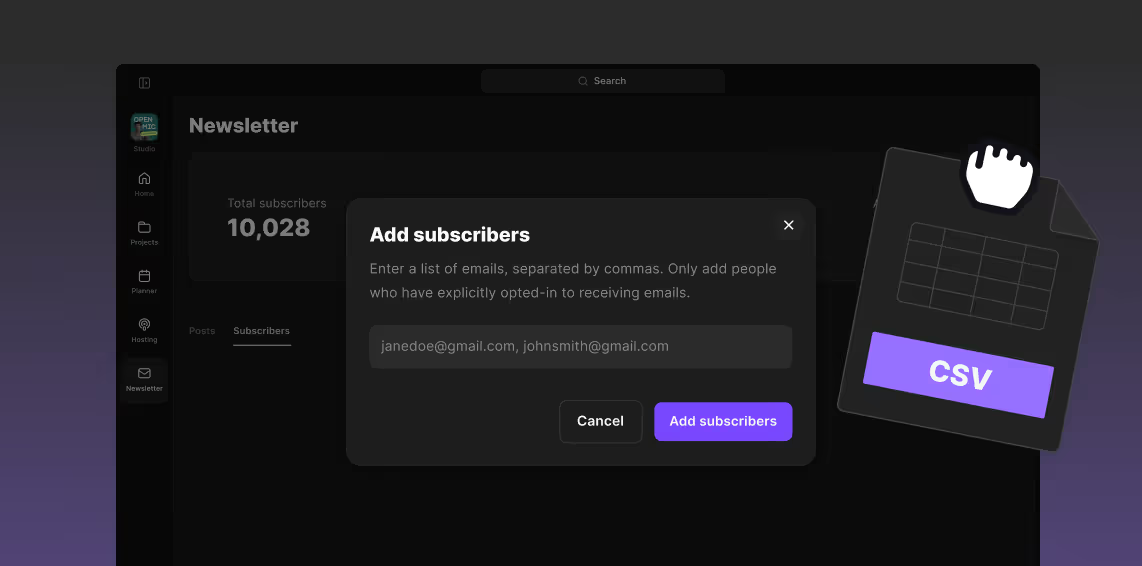
Or import from other newsletter tools by uploading a CSV.
Or import from other newsletter tools by uploading a CSV.
Track your growth
See subscriber growth, open rates, and where your audience
is coming from, all in your built-in analytics.
.avif)
Why pay for so many tools when one does it all?
Record
Record studio-quality podcasts, videos, and social clips, solo or with guests.
Edit
Use the simple text-based editor packed with AI tools to turn your recording into professional content, fast.
Publish
Schedule and publish content straight to Spotify, Apple, YouTube, and social platforms.
Grow
Turn your content into a newsletter and create promo content fast to grow your audience.
How it works
01
Import your existing subscribers
by uploading a CSV or start growing your list with your Riverside site.
02
Generate a newsletter
from any of your recordings, or create one from scratch.
03
Edit and add images
then send yourself a test email to make sure it looks perfect.
04
Schedule your newsletter
to be sent at your date and time of choice.
05
Track your subscriber growth
and open rates, and see where your audience is coming from with built-in analytics.

Frequently Asked Questions
Is it easy to create a newsletter?
Yes! If you've recorded an episode or video, AI can turn it into a newsletter draft in seconds. Then you can make edits and add images just like you would in a Google Doc.
How do people subscribe to my newsletter?
Every Riverside account comes with the option to create a free website. That’ll be your newsletter's home. If you're hosting your podcast with Riverside, it can be your podcast's home too. Your audience can go to one URL to read your newsletter, listen to episodes, and subscribe. You'll see all your subscribers in your dashboard.
What will my newsletter’s website URL look like?
It'll be [yourchoice].riverside.com. You pick the name when you set up your site.
How can I import my subscribers list into Riverside?
Just upload your list as a CSV and your subscribers will be ready to go.
Is it free to create a newsletter?
Creating a newsletter is available on Live/Grow plans and above.
Can I generate a newsletter from uploaded recordings or only ones recorded in Riverside?
You can generate a newsletter from any recording, not just ones recorded on Riverside. Record or upload any file, edit if you want, then export it. Once it's exported, you can generate a newsletter from it.
Can I customize how my newsletter looks?
You can customize your newsletter’s logo, title, and description, and for each newsletter issue you can edit the text, add images, and format the email how you want.
Can I send myself a test email to check it before I send it to my subscribers?
Yes. You can send as many test emails as you want to the email of your choice.
Does Riverside handle unsubscribes?
Yes. Every newsletter you send includes an unsubscribe link, and anyone who opts out is removed from your list right away.
Stop renting your audience. Start owning it.

Features


English


