


Key takeaways
- The best all-around microphone is the RØDE PodMic USB which combines full vocal sound with USB-C simplicity and XLR flexibility.
- The best budget pick is the Samon Q2U with a USB and XLR connection, stand, windscreen and cables for under $70.
- The best professional mics are the Earthworks Ethos and Shure SM7dB.
Throughout my 15 years of podcasting and video creation, I’ve tried all kinds of microphones.
But, to help you find the right one, here are my 8 best podcast microphones, tested for every budget and recording setup.
For each mic, you'll hear a raw audio sample recorded in Riverside and get my take on its strengths and drawbacks.
How I tested these microphones
For an accurate comparison, I recorded each microphone's raw audio with:
- Matching volume
- A consistent distance from the mic
- No EQ, compression, or software processing
- Riverside software, which captures local, uncompressed tracks
I also tested some of the mics’ background-noise rejection by playing café noise through two HomePods.
My test was very similar to the one my colleague Ben did here:
Best podcast microphones at a glance
Here is a quick comparison of the 8 best podcasting microphones I’ve tested:
Prices checked September 10, 2026, on manufacturers’ US websites. Prices exclude any additional recording equipment.
Disclaimer: Please see our help site guidelines to check the compatibility of any equipment with Riverside.
The best podcast microphones I tested
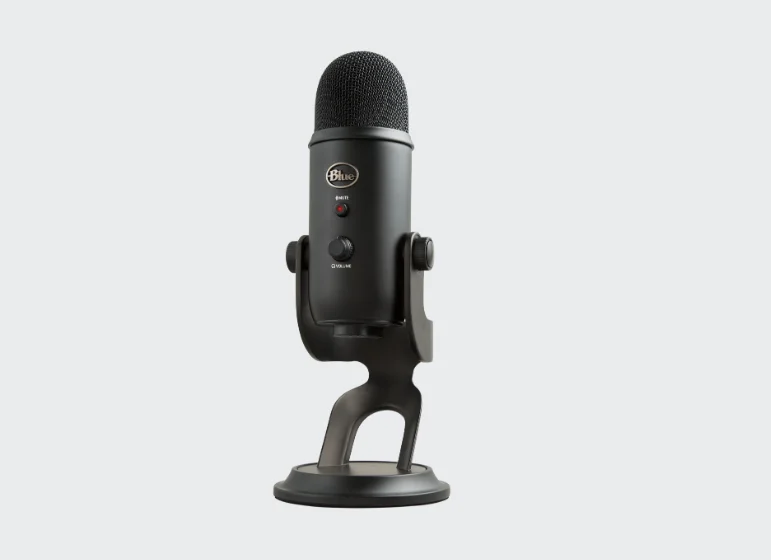
Blue Yeti: Best mic for beginners
Price: $109.99 on sale; $139.99 regular price
Type: Condenser
Polar pattern: Cardioid, bidirectional, omnidirectional, and stereo mode
Connection: USB (Mini-B port)
Frequency response: 20 Hz - 20 kHz
The Blue Yeti is best for budget-conscious beginners who want to start recording a podcast quickly. Its plug-and-play USB design makes it easy to start recording with no extra audio interfaces or drivers.
You’ll get good vocal clarity with the Blue Yeti, but its sensitive condenser capsule picks up heavy room noise and keyboard clicks. You need a quiet recording environment to capture clean audio.
I suggest checking your hardware settings before you record to improve its performance. Use the cardioid polar pattern when recording alone or with remote guests, and dial back the physical gain knob so your audio does not distort. There’s also a bidirectional cardioid setting that captures sound from the front and back for two people sharing the mic.
While this mic gets a lot of hate, it’s very popular and ties with the Shure MV7 as the most popular microphone among our own Riverside creators.
What I like
- Direct USB connection makes setup straightforward.
- The zero-latency headphone jack lets me hear what the microphone is capturing as I record.
- 4 hardware polar patterns for maximum flexibility with different speaker setups.
- Physical gain and pattern controls make adjustments easy.
What I don’t like
- The sensitive condenser capsule picks up a lot of background room noise.
- Easy to misuse if the gain is set too high or the wrong polar pattern is selected.
- Mini-USB is less convenient than USB-C and requires a legacy cable.
RØDE PodMic USB: Best all-purpose mic

Price: $209
Type: Dynamic
Polar pattern: Cardioid
Connection: USB-C and XLR
Frequency response: 20 Hz - 20 kHz
The RØDE PodMic is a great all-purpose choice for its full, rich sound and the flexibility to connect over USB-C or XLR.
In my café-noise test, it did a good job of rejecting noise from behind the microphone without any noise removal or voice isolation effects. It also handled position adjustments without picking up too much handling noise.
I love that I can plug the PodMic straight into a computer, iPhone, iPad, or Android device, or use the XLR connection if I move to an audio interface.
If you later expand to an in-person podcast with several mics, I suggest buying the XLR-only version of the PodMic for just $99 for the additional speakers. But for standalone flexibility, the USB-C version is a fantastic investment.
What I like
- Dual USB-C and XLR connections let you upgrade your studio without replacing the microphone.
- Full, clear vocal sound without needing effects.
- Dynamic capsule naturally rejects background noise and room echo in untreated spaces.
- Headphone jack to plug in your own headphones for zero-latency monitoring.
- Included windscreen
What I don’t like
- There’s no physical recording-gain knob; USB gain adjustments require software.
- Heavy, all-metal body that requires a sturdy broadcast boom arm to handle the weight.
- Moving to a multi-mic XLR setup adds the cost of an interface and cables.
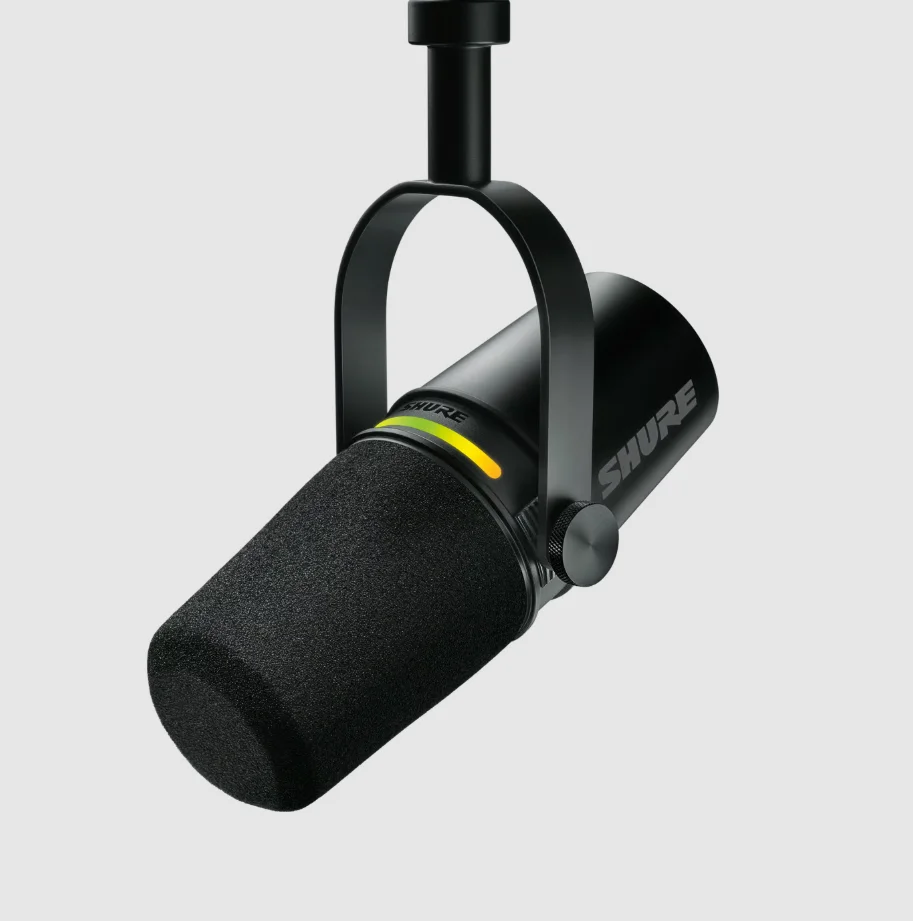
Shure MV7+: Best for imperfect rooms
Price: $299 (no stand included)
Type: Dynamic
Polar pattern: Cardioid
Connection: USB-C and XLR
Frequency response: 50 Hz - 16 kHz
The Shure MV7+ is one of my favorite microphones for traveling because it works well in less-treated rooms. I used to use the MV7, but the MV7+ is a huge upgrade in rejecting background noise.
In a noisy environment, some sound can still come through, but this is one of the better microphones at keeping any noise from competing with my voice. Plus, the USB-C makes it an easier choice to pack with my laptop or iPad.
The MV7+ improves on the original MV7 with a longer physical pop filter, a modern USB-C port, and a customizable LED touch-to-mute strip. Just note that you cannot completely turn off the LED strip in USB mode, which I find slightly distracting.
For USB recordings, the mic’s free MOTIV Mix software gives you a real-time denoiser, automatic level adjustment, and a Digital Popper Stopper that noticeably softens pops. I prefer setting the recording gain manually, so I’d treat those features as options to address specific problems rather than switches you need to enable.
Note: Pay close attention when shopping, because buyers often accidentally purchase the MV7X, which is an XLR-only version that lacks USB connectivity.
What I like
- Strong vocal sound and good background-noise rejection in my raw recording test.
- USB-C for a simple portable setup, with XLR available for an audio interface.
- Headphone monitoring with an adjustable voice/computer balance.
- Longer windscreen and optional software tools are very effective at eliminating harsh vocal plosives.
What I don’t like
- The standard $299 package is a significant investment for a beginner but still needs a separate stand or mic arm.
- The onboard processing and touch-to-mute control don’t affect the XLR output.
- I couldn’t completely switch off the LED strip in USB mode during my review, although I could dim it.
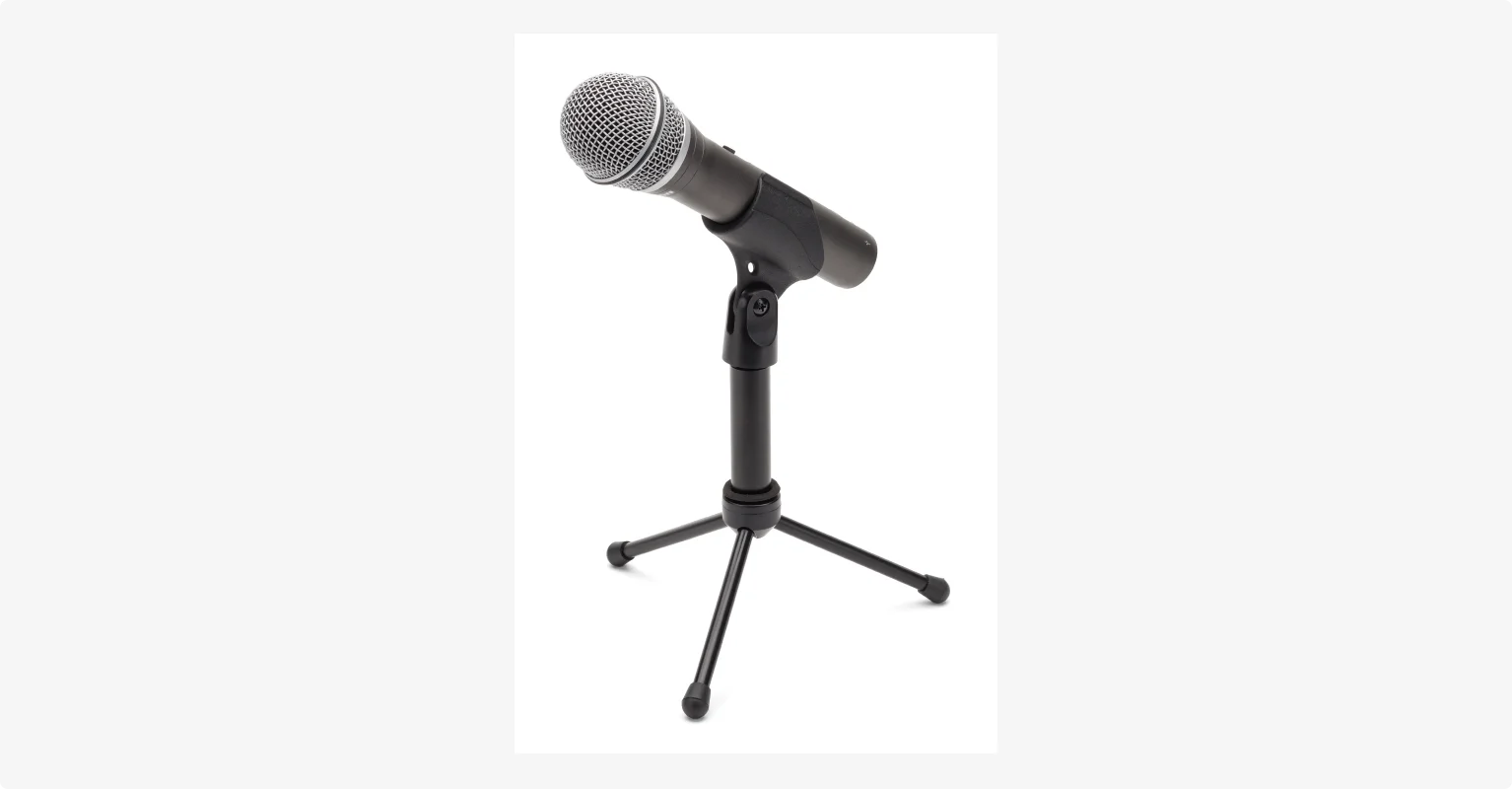
Samson Q2U: Best low-budget pick
Price: $69.99
Type: Dynamic
Polar pattern: Cardioid
Connection: Mini-USB, XLR
Frequency response: 50 Hz - 15 kHz
The Samson Q2U is my low-budget recommendation for any new podcaster looking for value. For under $70, you get a robust microphone that comes with a desktop stand, mic clip, windscreen, and all the cables you need.
Since it’s a dynamic microphone, the Q2U is forgiving in untreated rooms like a home office or bedroom. But, in my testing, it picked up more room and background noise than the PodMic USB and MV7+.
My least favorite thing about it is the dated mini-USB port. Finding a replacement cable in a pinch can be a real hassle. Samson now lists USB-C, though, so check which version the seller supplies.
While I prefer the Audio-Technica ATR2100x as a low-budget mic, the Q2U is a solid alternative now that Audio-Technica is discontinued.
What I like
- Dynamic capsule handles untreated rooms better than budget condenser microphones.
- Stand, windscreen, and USB and XLR cables included.
- USB convenience now, with XLR available for a future audio interface.
What I don’t like
- Captures slightly more background room noise than the dynamic picks above.
- Relies on an outdated mini-USB port instead of a modern USB-C connection. Check the connector before buying.
- Plosives can sound harsh unless you purchase a separate foam windscreen.
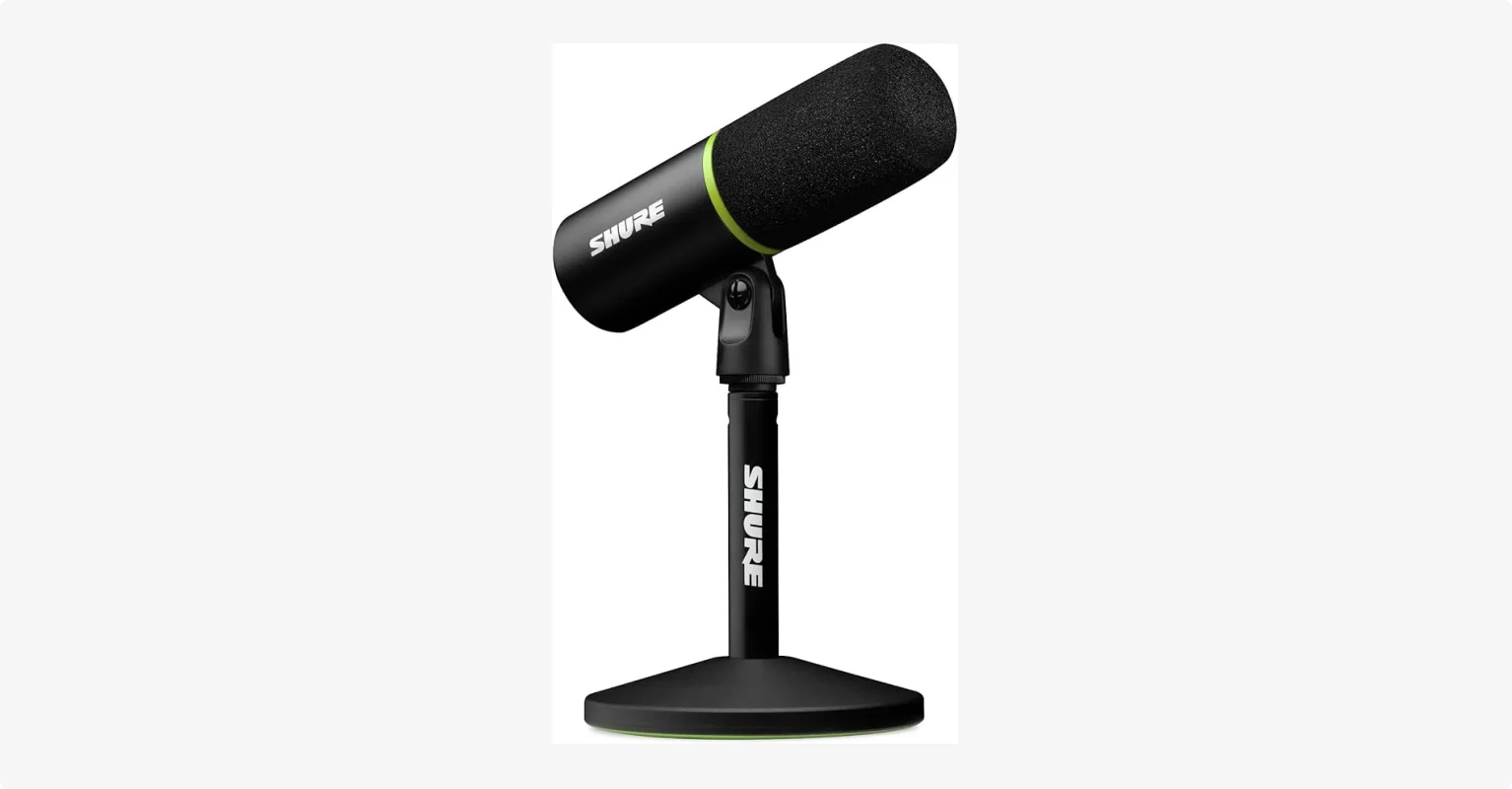
Shure MV6: Best for travel and simplicity
Price: $169, including desktop stand and USB-C cable
Type: Dynamic
Polar pattern: Cardioid
Connection: USB-C only
Frequency response: 50 Hz - 15 kHz
The Shure MV6 is a good mic for travel because it plugs straight into a USB-C phone or tablet, like an iPad. It ships with a USB-C cable, so you can start recording as soon as you unbox it.
I like the touch-sensitive mute button because I can silence a cough with a light tap without shaking the stand. The capsule sits well back inside the grille, naturally reducing harsh vocal plosives without needing an external pop filter. Also, it handles noise from repositioning remarkably well.
In my test, I left automatic leveling enabled, and it kept my voice at a useful recording level without audible distortion. The free MOTIV Mix software to adjust the tone, reduce background noise, and enable the Digital Popper Stopper is also a great plus.
A new version of this model was also recently released. The Shure MV6 Gen 2 gives users more control over its software processing. It includes adjustable voice levels and real-time denoising intensity.
What I like
- Good vocal sound with a simple setup.
- Heavy-duty desktop stand and USB-C cable included.
- Light-touch mute button with a red light showing when I’m muted.
- Recessed dynamic capsule naturally reduces harsh plosives and rejects background room noise.
- It includes a headphone jack for audio monitoring.
What I don’t like
- Lacks an XLR output, limiting your ability to upgrade your studio hardware later.
- The stand is reassuring on a desk, but it’s heavy to handle and not very flexible.
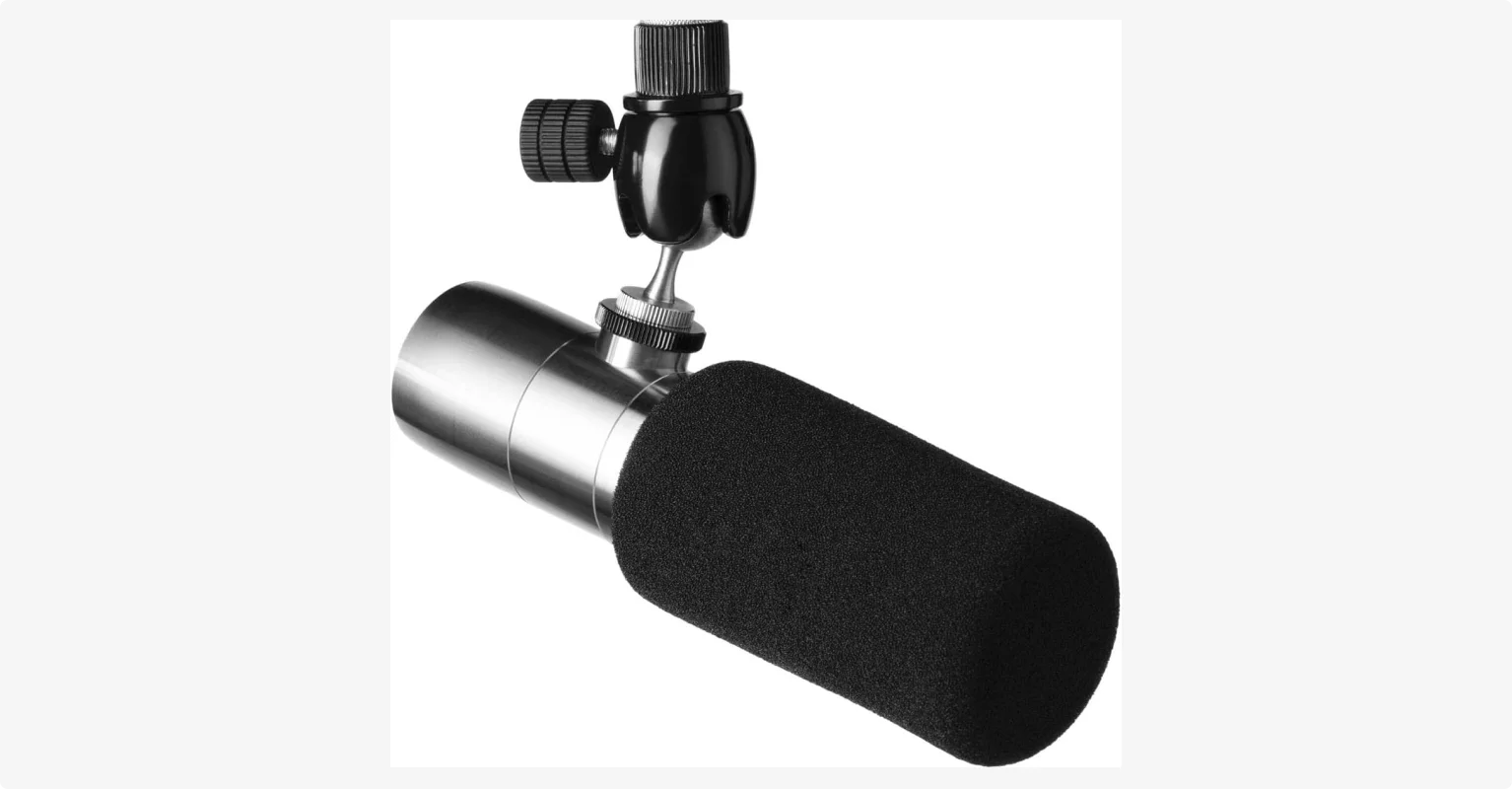
Earthworks Ethos: Best for professional podcasts
Price: $399.00
Type: Condenser
Polar pattern: Supercardioid
Connection: XLR
Frequency response: 20 Hz - 30 kHz
The Earthworks Ethos is one of my favorite podcast microphones, and I currently use it on my own podcast, Primary Technology. I love how open and natural my voice sounds, with plenty of detail, crisp top-end clarity, and rich low-end warmth.
Although it is a condenser microphone, Earthworks engineered the supercardioid capsule to have the noise rejection of a dynamic microphone. The result is a stunningly clear tone that captures every nuance of your voice.
It still picks up room reflections and echoes, so I only recommend buying this mic if you record in a sound-treated space.
It's also easier to power than you'd expect. Plug it into an affordable audio interface like a Focusrite Scarlett and turn on 48V phantom power. You won't need an inline booster. This alone reduces the total setup cost compared with an SM7B that might need additional amplification.
What I like
- Natural, detailed sound with lots of depth for spoken-word recordings.
- Works with affordable compatible interfaces without an extra signal booster.
- Integrated ball joint mount for effortless positioning without loosening boom arm joints.
- Clean design for safe traveling without exposed external cable.
What I don’t like
- The included foam windscreen is thin and can capture plosives if you don’t keep a rigorous distance.
- Less forgiving of room noise and handling in untreated spaces.
- Upfront cost of roughly $400 remains steep for creators just starting out.
Shure SM7B: The industry standard, with caveats

- Price: $439 USD
- Type: Dynamic
- Polar pattern: Cardioid
- Connection: XLR
- Frequency response: 50Hz - 20kHz
The Shure SM7B is the go-to for many of the world's top podcasters because it's built for in-person shows with several hosts. It rejects sound from the sides and back, so each mic focuses on the person in front of it. It also handles people grabbing or repositioning it without much handling noise.
I used it for the AppleInsider podcast before switching to the Ethos, and I understand why so many creators like its full, warm sound.
But I find it fiddly to get right: lower voices can sound muddy, and getting clarity through EQ, or tonal adjustment, without losing that fullness is a chore. The rear switches help by reducing bass or boosting the midrange for clearer speech, though cutting too much bass can leave my voice sounding thinner.
Its quiet output also needs substantial amplification, and you may need an inline booster if your existing preamp cannot provide more than 60dB.
If you want the SM7B sound without buying extra gear, consider the Shure SM7dB. It retails around $549 and features a built-in active preamp, but it needs 48V phantom power from an interface or mixer to operate.
What I like
- Strong off-axis noise rejection for recording with other people in the room.
- Good handling-noise control when guests adjust their microphones.
- Two included windscreens, with a larger option for speaking close.
What I don’t like
- Can sound muddy on lower voices and take time to adjust.
- Is XLR-only and requires a powerful, expensive audio interface or an inline booster like a Cloudlifter to achieve proper volume.
- Less straightforward for beginners than the USB options above.
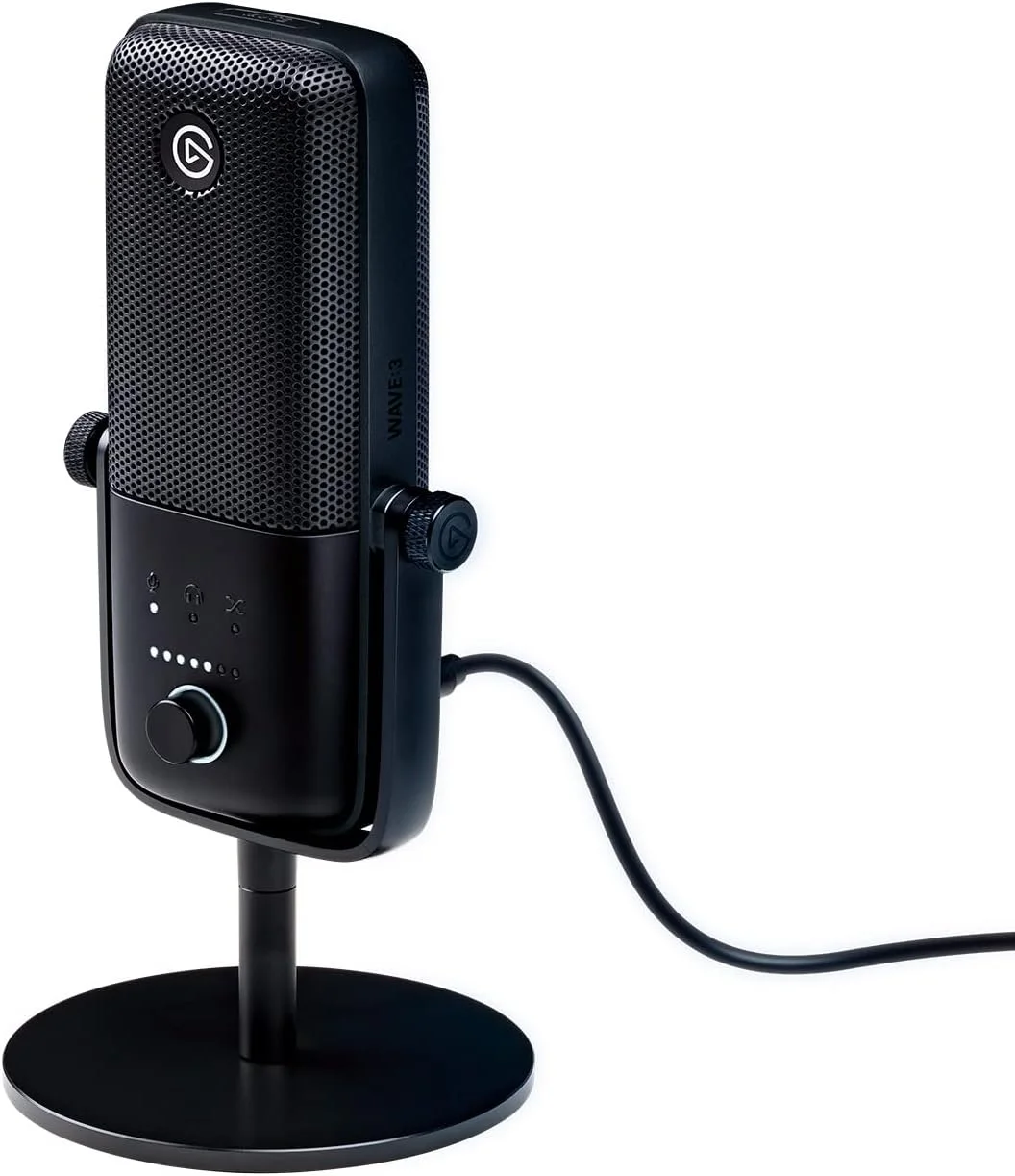
Elgato Wave:3: Best USB condenser for a treated room
Price: $149.99
Type: Condenser
Polar pattern: Cardioid
Connection: USB-C
Frequency response: 70 Hz – 20 kHz
The Elgato Wave:3 is the best USB condenser mic for a quiet, treated room, where it captures clear, detailed vocals.
But its sensitivity is also its catch. It struggles with reverb and background noise, as this showed in my tests. Moving it farther from my mouth let in more room sound and made my voice sound worse.
Although it comes with a tabletop stand, I suggest mounting it on a mic arm and keeping it about a fist’s length from your mouth.
One feature I particularly like about the Elgato Wave:3 is the capacitive mute button on top that glows red when activated. A light touch lets me mute for a quick break during a livestream. The front dial is useful, too. Press it to switch between mic gain, headphone volume, and the balance between your voice and computer audio in your headphones.
What I like
- The sensitive condenser capsule captures clear, detailed vocal sound in a quiet recording space.
- Capacitive tap-to-mute button provides instant, silent control during long recording sessions.
- Physical controls for recording level and headphone monitoring.
What I don’t like
- Highly sensitive, picks up any background noise and room echo.
- USB-only connection means you cannot transition this microphone to an XLR audio interface later.
- The included desk stand is too low, requiring a separate boom arm to bring the mic close to your mouth.
Expert picks we haven't tested yet
Here are three microphones recommended by trusted creators that are currently on my radar. I haven’t tested these 3 microphones yet, so I can’t offer my own verdict on their sound.
- Mackie EM-99B: Recommended by Justin Jackson, co-founder of Transistor. An affordable dynamic broadcast microphone designed to deliver a rich, radio-ready tone on a budget.
- Neumann KMS 105: Recommended by Myke Hurley of Relay FM and Marco Arment. While originally built as a handheld stage condenser, podcasters use it for studio recording due to its natural vocal reproduction and tight pickup pattern.
- Lewitt RAY: Recommended by James Cridland of Podnews. This XLR microphone features onboard sensor technology that automatically adjusts your volume and tone as you move toward or away from the capsule.
How to choose a podcast microphone
Once you understand how connection types, capsule designs, and pickup patterns interact with your room, finding the perfect model becomes much easier.
USB vs XLR: which is better for podcasting?
I recommend a USB microphone for simple solo shows and remote interviews, and an XLR microphone for multi-person recordings.
USB microphones
USB microphones have a built-in converter, so your computer can process the sound captured by the device through a single cable. This makes them ideal for starting out because they are:
- Easy to plug in and set up without any external hardware.
- Cost-effective, since they don't require a separate interface.
- Portable, making them ideal for travel.
The biggest limitation is scalability. Most computers can't easily record more than one USB mic at once, so USB mics don't suit in-person co-hosts.
XLR microphones
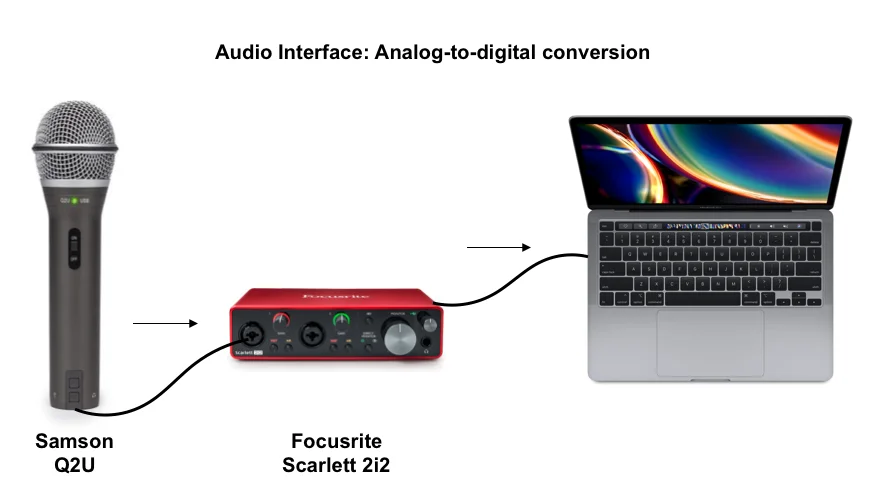
XLR setups cost more and require extra gear because they need to send the audio signal to an external audio interface first. But if you are an advanced creator and pristine audio quality is your top priority, XLR is the standard you need because:
- They use higher-grade components, so the final sound quality is noticeably cleaner.
- You can plug in multiple microphones simultaneously for in-person shows.
- You can tweak your EQ on the fly if you pair your interface with a mixer.
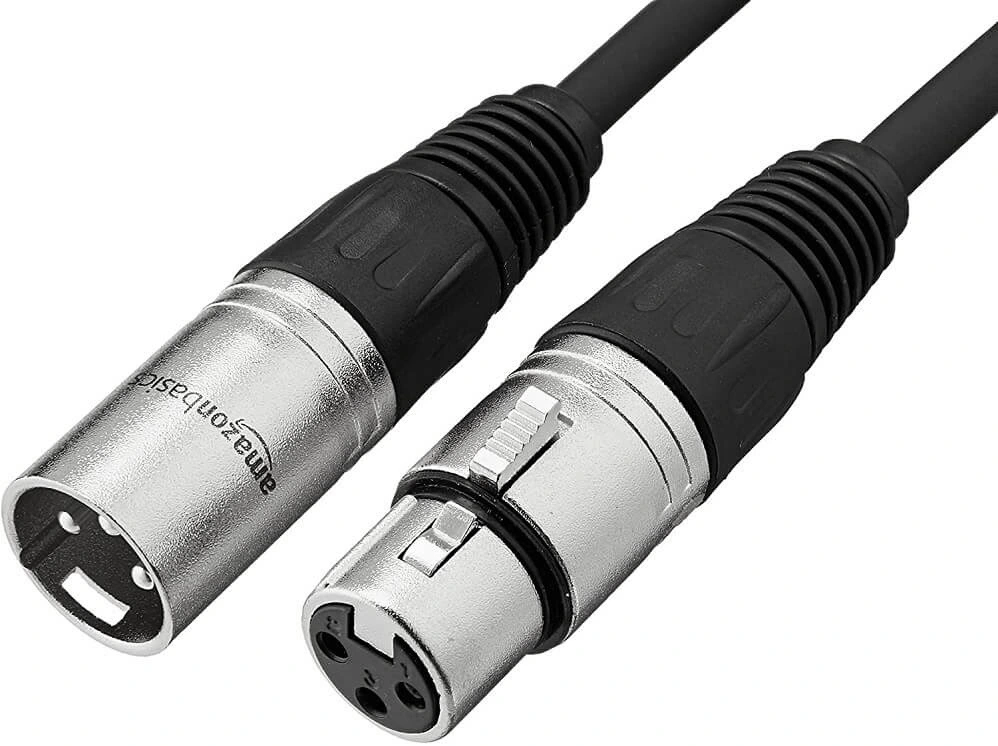
XLR mics are connected using standard 3-pin XLR cables, which provide two distinct physical advantages:
- Clean signal as they shield your track from static and electrical interference far better than a USB cable.
- Can’t slip out mid-recording because a spring lock holds the cable tightly in place.
Dynamic vs condenser microphones
A dynamic microphone is better for recording in untreated spaces because it rejects ambient room noise and echo. A condenser microphone captures more vocal detail, has higher sensitivity, and features an open, airy frequency response but must be used in acoustically treated studios.
Dynamic microphones
A dynamic microphone is more durable and resistant to background noise because it uses an electromagnetic induction coil to capture sound. That’s why it’s more forgiving and requires less editing if you record in a standard bedroom, living room, or home office.
But “dynamic” doesn’t mean noise-canceling: the pickup pattern and distance from your mouth also affect how much room sound reaches the recording. You can prevent plosives by talking across the capsule at a slight 45-degree angle or by adding a foam windscreen or external pop filter.
Condenser microphones
Condenser microphones are very sensitive and can capture subtle nuances and vocal textures that dynamic capsules smooth over. That’s because they use a vibrating diaphragm and an electrically charged backplate to turn sound into an electrical signal.
But that sensitivity is a double-edged sword. Unless you record in a sound-treated space, a condenser mic will pick up room echo that makes you sound hollow and distant.
Additionally, condenser microphones need electrical power. USB models receive it through USB, while XLR condensers commonly use phantom power from an interface.
Frequency response
Frequency response is how a microphone’s output varies across low, middle, and high sound frequencies. For podcasting, look for a range between 80 Hz and 15 kHz, where the human speaking voice sits.
A wider advertised range doesn’t automatically mean clearer speech. Condensers often offer a wider 20 Hz to 20 kHz range that captures airy high frequencies that sound brilliant in treated studios but harsh in noisy rooms.
Microphone polar patterns explained
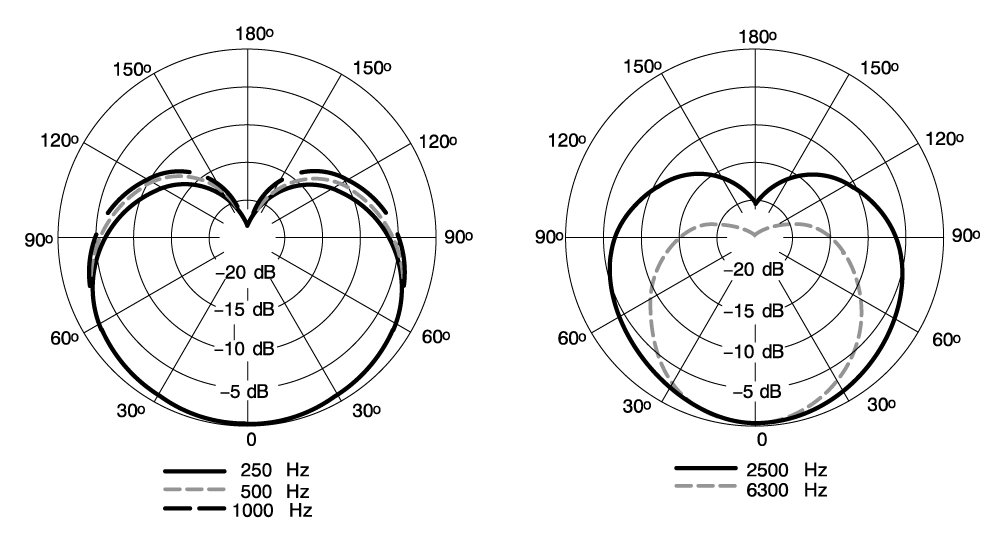
A microphone polar pattern defines how sensitive the capsule is to sounds arriving from different directions.
A cardioid microphone uses a heart-shaped directional audio pickup zone that captures sound from the front of the capsule while rejecting noise from the rear. I’d start with a cardioid mic for podcasting because it favors the person speaking in front of the microphone.
A supercardioid microphone is also a good alternative since it has a narrower front pickup than cardioid, with some sensitivity directly behind the capsule. You can choose this in less treated spaces that require tighter side rejection or if you want to stand farther away from the microphone.
An omnidirectional microphone can be useful in certain scenarios because it picks up sound from all directions. This polar pattern works best to capture location ambiance when you want the surrounding atmosphere, or for round-table discussions where multiple speakers share a single central microphone.
What to spend on your podcast microphone
I recommend spending between $70 and $200 on your first podcast microphone. Buy a quality dynamic microphone, ideally with dual USB and XLR connections so your gear can grow alongside your show.
Here are a few alternatives for different budgets:
- Under $70 (Budget entry): The Samson Q2U is a great starting point. It offers reliable dynamic noise rejection and dual outputs at an accessible price.
- $100 to $200 (The sweet spot): Choose a microphone like the RØDE PodMic USB and Shure MV6. You get premium metal construction, onboard digital audio signal processing (DSP) tools, zero-latency headphone monitoring, and versatile USB-C connections.
- $300 to $450 (Studio professional): Higher-end mics include the Shure MV7+, Earthworks Ethos, and Shure SM7B, which deliver pristine broadcast tones. But note, premium XLR models in this tier require sound-treated spaces and expensive audio interfaces to perform at their best.
Spending $400 on a flagship microphone is never a good idea if you record in an echoey room without acoustic treatment. A $100 dynamic mic placed one fist length from your mouth in a quiet room will consistently sound better than an expensive studio condenser recording in a reflective space.
FAQs on podcast microphones
What mic does Joe Rogan use?
Joe Rogan uses the Shure SM7B dynamic microphone mounted on a O.C. White ProBoom Ultima Gen2 boom arm for The Joe Rogan Experience podcast. It’s an XLR-only dynamic microphone, so it is connected to an Universal Audio Apollo FireWire audio interface.
What is the 3-to-1 rule for microphones?
The 3-to-1 rule is an audio recording guideline that recommends keeping microphones at least 3 times farther apart than each microphone is from its respective speaker. For example, If each mic is 4 inches from its speaker’s mouth, aim for at least 12 inches between microphones.
This helps reduce tonal changes caused by the same sound reaching multiple microphones at slightly different times.
How to connect 3 microphones for a podcast?
To connect 3 microphones for a podcast, plug 3 XLR microphones into a multi-channel audio interface or mixer with at least 3 mic inputs. Operating systems struggle to manage multiple USB microphones at once, so an XLR interface is essential. This setup allows recording software to capture separate audio tracks for each speaker without crosstalk or routing errors.
Why is the Shure SM7B so popular?
The Shure SM7B is popular because it makes voices sound warm and full while rejecting much of the surrounding noise. Its dynamic cardioid capsule focuses on the person in front of it, which suits untreated rooms and in-person shows with several hosts. Its prominence in top video podcasts adds to its appeal.




-(1).webp)
.webp)


