

%20_%201.webp)


Key takeaways:
- Riverside no longer offers a free plan, substituting it with a 14-day free trial.
- You can choose to trial 1 of the 3 available premium tiers: Pro, Grow, or Webinar.
- Riverside’s paid plans start at $35 per month in US, UK, CA, AU, and the Euro area.
Riverside only offers a free 14-day trial to test the Pro, Grow, or Webinar plans.
The free trial is a time-limited period of full access to the paid plan’s features, after which the account converts to a paid subscription unless canceled.
This guide explains exactly how the trial works, what plans you can test, and how to cancel before your 14 days end.
What’s included in the Riverside free trial
The free trial includes all recording, editing, screen-sharing, and mobile capabilities available in the Pro, Grow, or Webinar plan you select. No features within that plan are withheld during the trial.
Recording
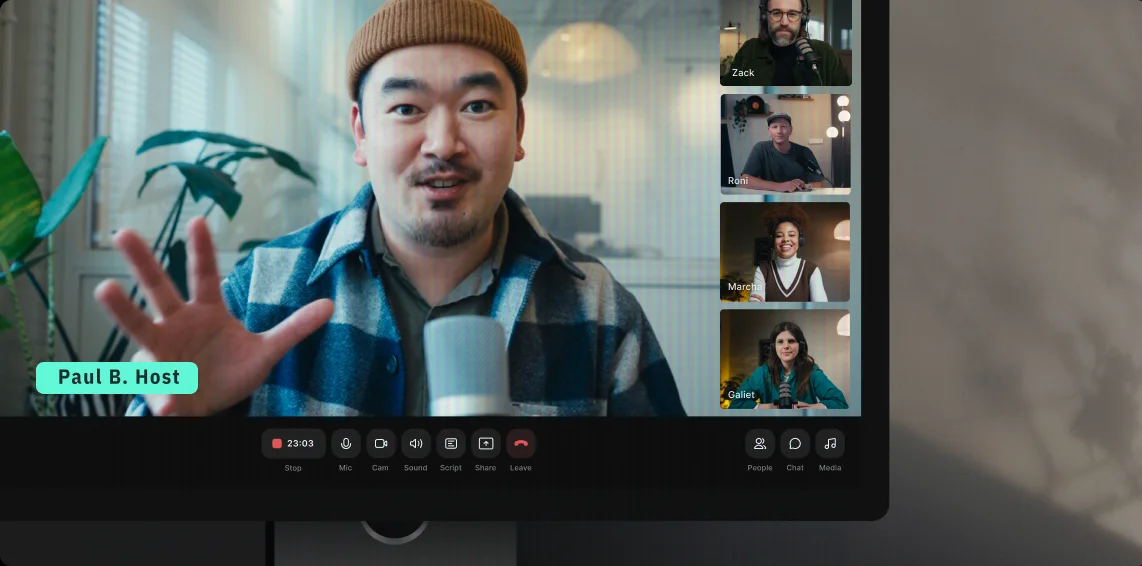
Riverside’s free trial lets you create professional recordings with up to 10 remote participants.
High-resolution video and audio
Record in up to 4K video resolution and 48 kHz audio, which is suitable for most social media and podcast streaming platforms.
Local recording
Riverside records each participant's audio and video directly on their device rather than over the internet. This helps ensure you don’t have to worry about freezes, quality drops, or connection issues ruining your recording.
Automatic file uploading
While Riverside records locally on each participant’s device, it automatically uploads everyone’s tracks to the cloud as you record. This means you can find your files online immediately after your session.
This keeps your files safe, and you don’t need to remember to upload them manually later. You also won’t have to rely on your guests sending you their recording files before you can start editing.
Multi-track recording downloads
The free trial lets you export separate audio and video tracks for each guest with multi-track recording. This helps you edit one track without affecting the others. For example, you can mute one guest or adjust their volume without impacting the other guests’ audio.
You’ll get 15 hours of multi-track recording with the Pro plan trial, 20 hours with Grow, or 25 hours with Webinar. But note this cap only applies to exports, and not to recording or editing.
You can record and edit as many separate tracks as you want in Riverside's built-in multitrack editor. The 2-hour limit only kicks in when you export the separate tracks to use in another editor.
Media board
With our media board, you can add sound effects, background music, images, and/or overlays live while recording.
Live streaming
The Grow and Webinar plan trials also include live streaming in up to 1080p. You can multistream to unlimited destinations simultaneously and even custom RTMP.
Editing
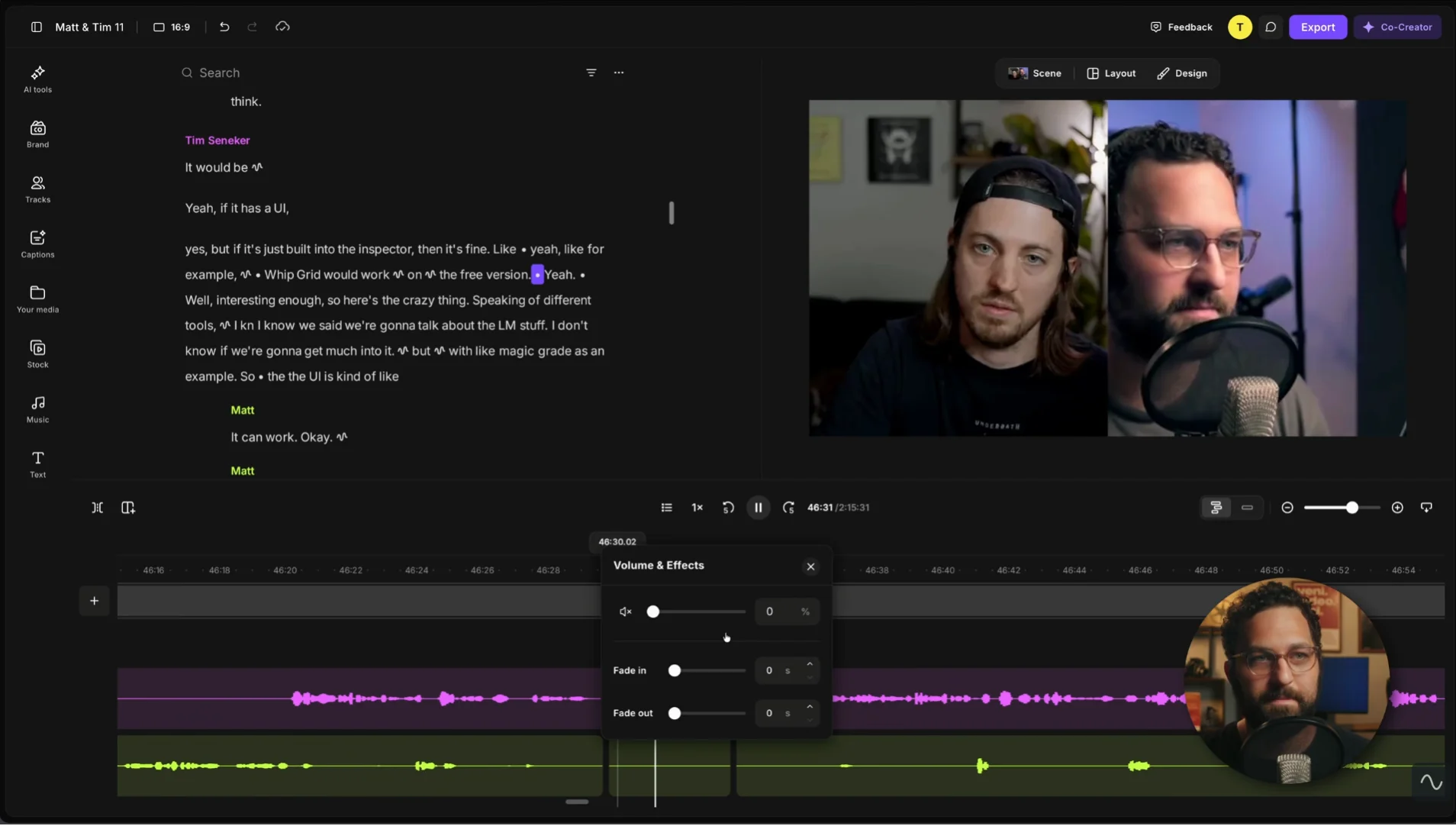
The trial gives you access to our easy-to-use video editor, our AI tools, and lets you export your edited files without a Riverside watermark.
Chat-based editing with AI Co-Creator
Prompt Co-Creator, our AI agent, to perform full edits for you. Ask it to trim recordings, remove filler words, add captions, music, and more. It can also create full episodes, clips, blog posts, post captions, and other repurposed assets.
Text-based editing
With our text-based editor, trimming and polishing your content is as simple as editing a document. The editor transcribes your recording, and when you delete words from the transcript, the corresponding video footage gets removed automatically.
Multi-track editing timeline
The multi-track editing timeline displays each participant’s video and audio on separate tracks, making them easy to edit without inadvertently affecting anyone else’s recording.
The timeline creates automatic chapters to help you segment and organize your recording.
It includes a conventional splitting tool, plus options for adding chapters and scenes.
Layouts
Choose how to display your episode’s visuals, with options like full screen, picture-in-picture, split screen, and grid. Or, use an AI-powered smart layout that switches to the active speaker automatically.
Audio cleanup tools
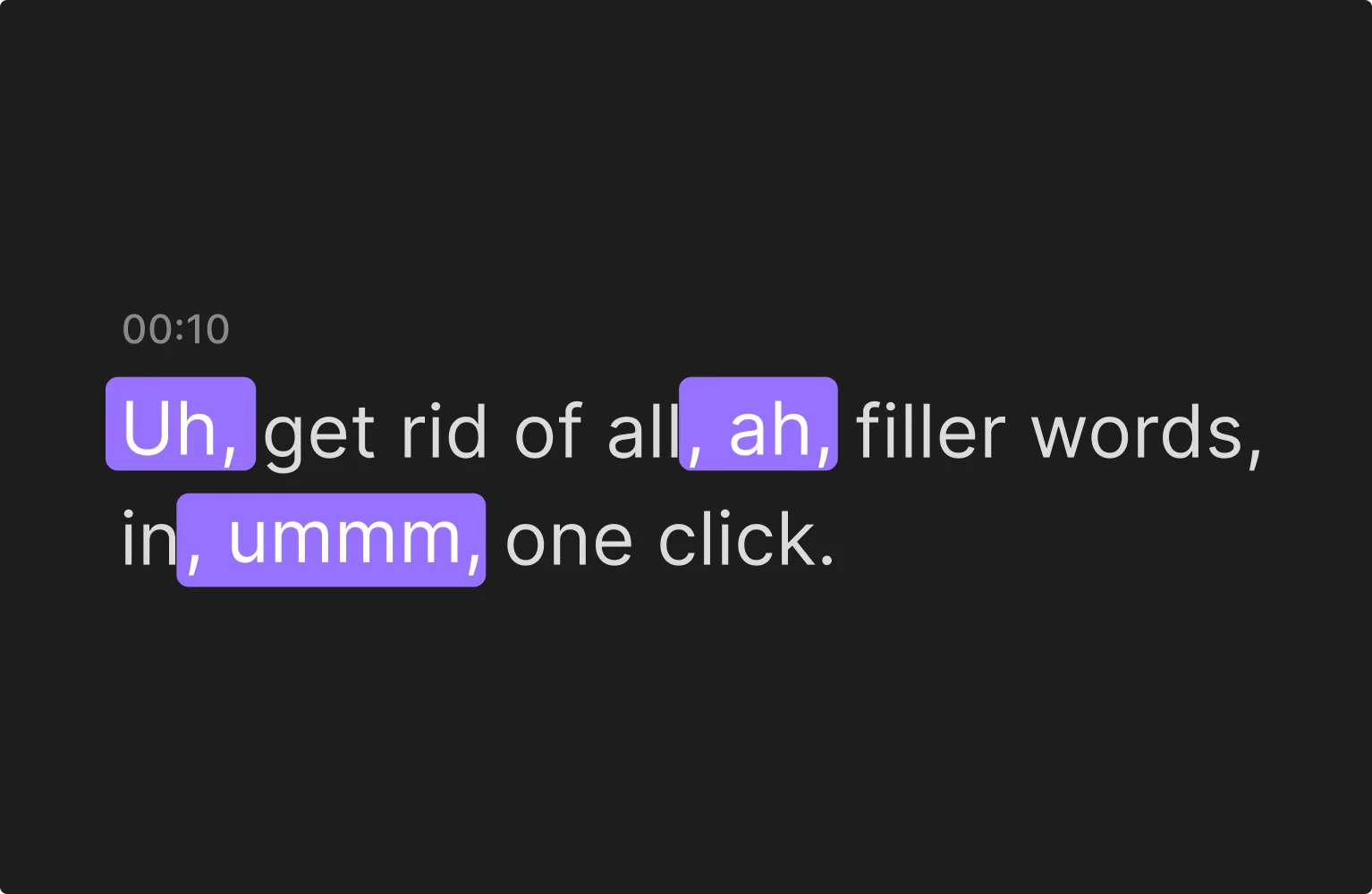
On the free trial, you get full access to AI audio cleaning and enhancing tools that include:
- Automatic filler-word removal to cut out words like “ums” and “ahs.”
- Silence removal, where you can set the pace and trim long pauses.
- Audio normalization to level out volume across your tracks.
- Background noise removal for clear audio.
- Automatically enhance your audio with one click.
- Adjust the frequency balance of your audio with Manual EQ for full control.
Branding
Brand your videos with logos, custom text colors, and intro and outro segments for a signature look and feel.
Animated captions
Add animated captions to improve your episodes’ accessibility and watch rate.
Our animated, AI-generated captions are available in multiple styles and over 100 transcription languages. They’re also highly accurate. See for yourself with our free transcription tool.
Generate promotional clips using Magic Clips
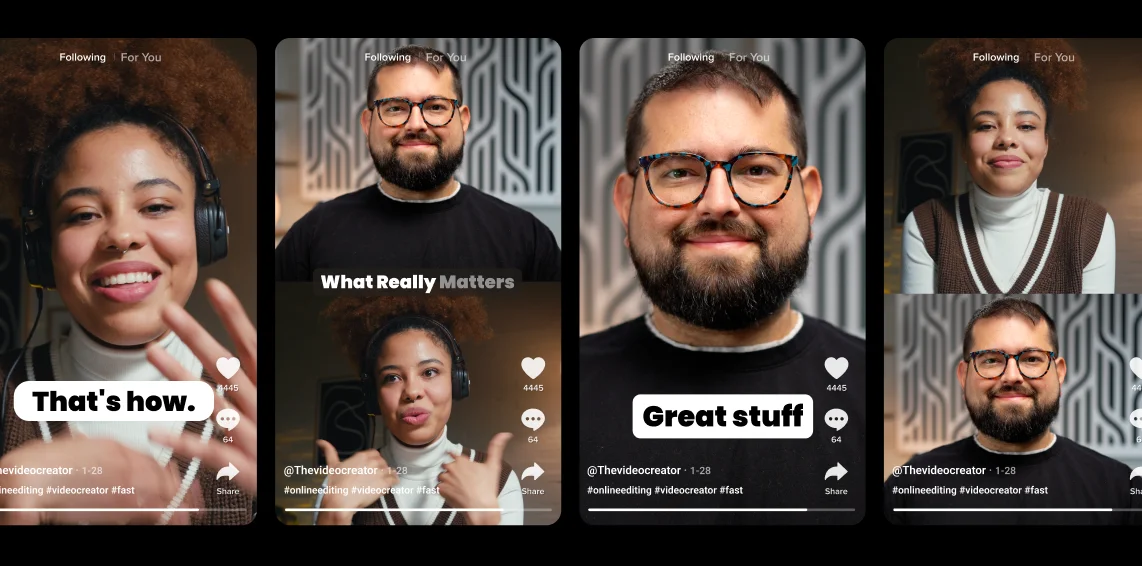
The Magic Clips tool uses AI to turn highlights from your recordings into short, engaging snippets that you can post on social media to promote your episode.
AI B-roll
You can generate relevant B-roll footage automatically from text prompts. The AI agent will create a relevant clip so you can insert it directly into the timeline saving you hours searching for stock footage manually.
AI Twin and voice dubbing
Create a perfect version of your own voice with AI Twin to generate new videos from a script. Or fix mistakes in your recording with VideoDub by simply adding text to your transcript. Riverside will synchronize your lip movements with the audio seamlessly.
Publishing
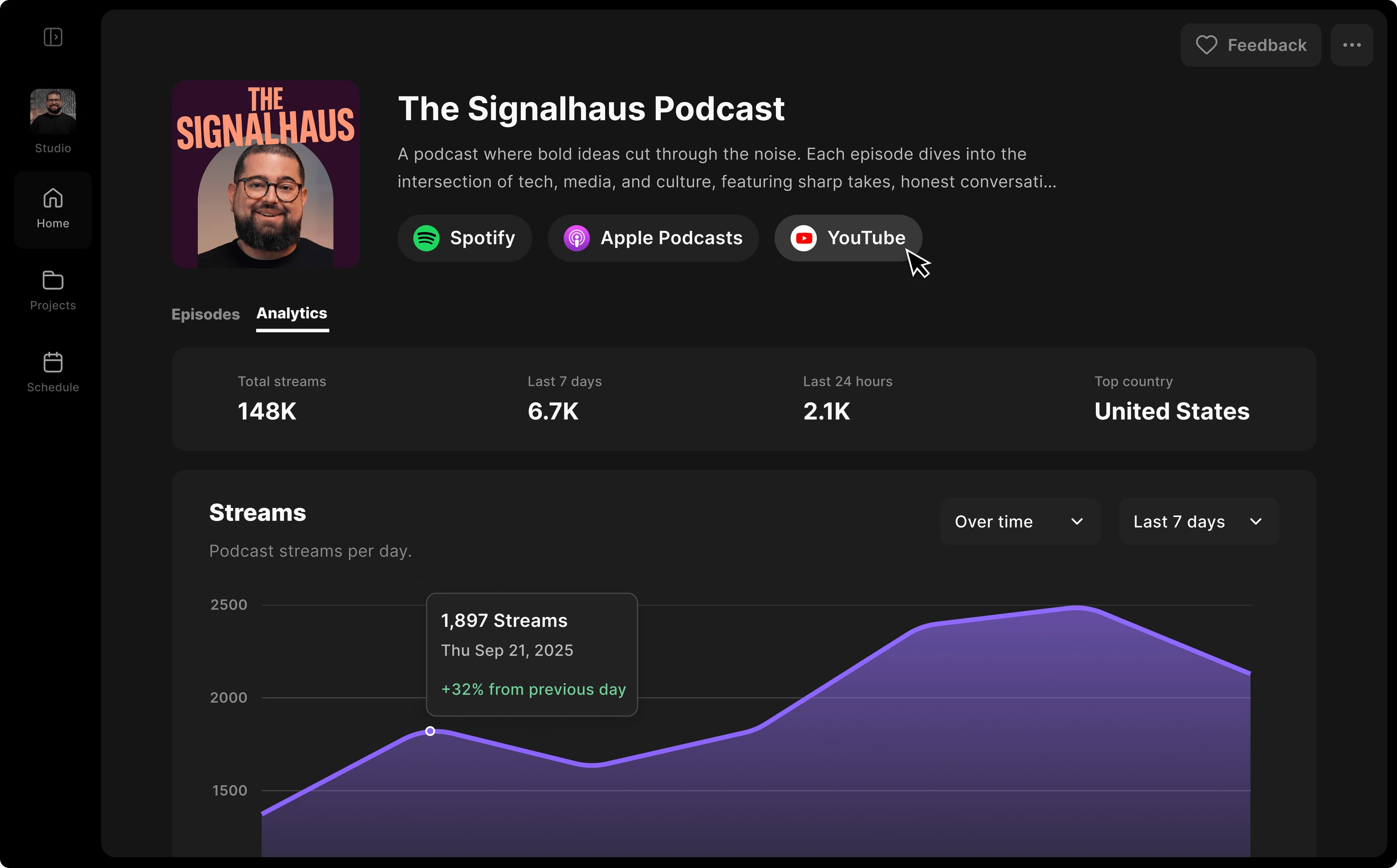
Streamline the final steps of your workflow by keeping your hosting and promotional assets all in one place.
Hosting
Episodes through your podcast’s RSS feed and distribute them to connected platforms such as Apple Podcasts, Spotify, and YouTube.
You can host your podcast directly on Riverside and publish episodes through your podcast’s RSS. You can check your show’s analytics, and distribute your episodes to directories like Spotify, Apple Podcasts, and YouTube with one click.
Scheduling
Schedule your episodes and promotional clips for a future release directly from your dashboard. You can also plan your content such as newsletters and social posts across multiple connected platforms directly from the Content Planner.
AI assets
Generate all the written and visual assets needed to promote your episode automatically. Chat with Co-Creator to create clips, thumbnails, social media posts, transcripts, show notes, episode summaries and more.
Screen sharing
All three trialable plans let you share and record your screen during a recording session in up to 1080p resolution. You can choose whether to share your entire screen, a specific window, or just a single browser tab.
Riverside records the screen share as a separate track, so do not have to choose between showing your presentation and the speaker's face. You can export both tracks to arrange them however you want in the editor and also include audio from a shared tab.
Mobile app
You record on the go using the Riverside mobile app for iOS and Android. Guests can join a session directly from their phones with a single tap, or you can use a phone as a second camera in multicam mode.
Capture 4K video and uncompressed audio directly to the cloud, then polish your recording with the mobile editing tools. You can also apply the last finishes on desktop since all files will be available in your browser-based Riverside account.
What happens when your Riverside free trial ends?
On day 15, when the trial ends, your account converts to a paid subscription. The credit card on file is charged automatically for the tier you selected.
You can cancel the account at any point before the 14-day period concludes to avoid being charged. If you cancel, your existing recordings remain saved in your account and are not deleted.
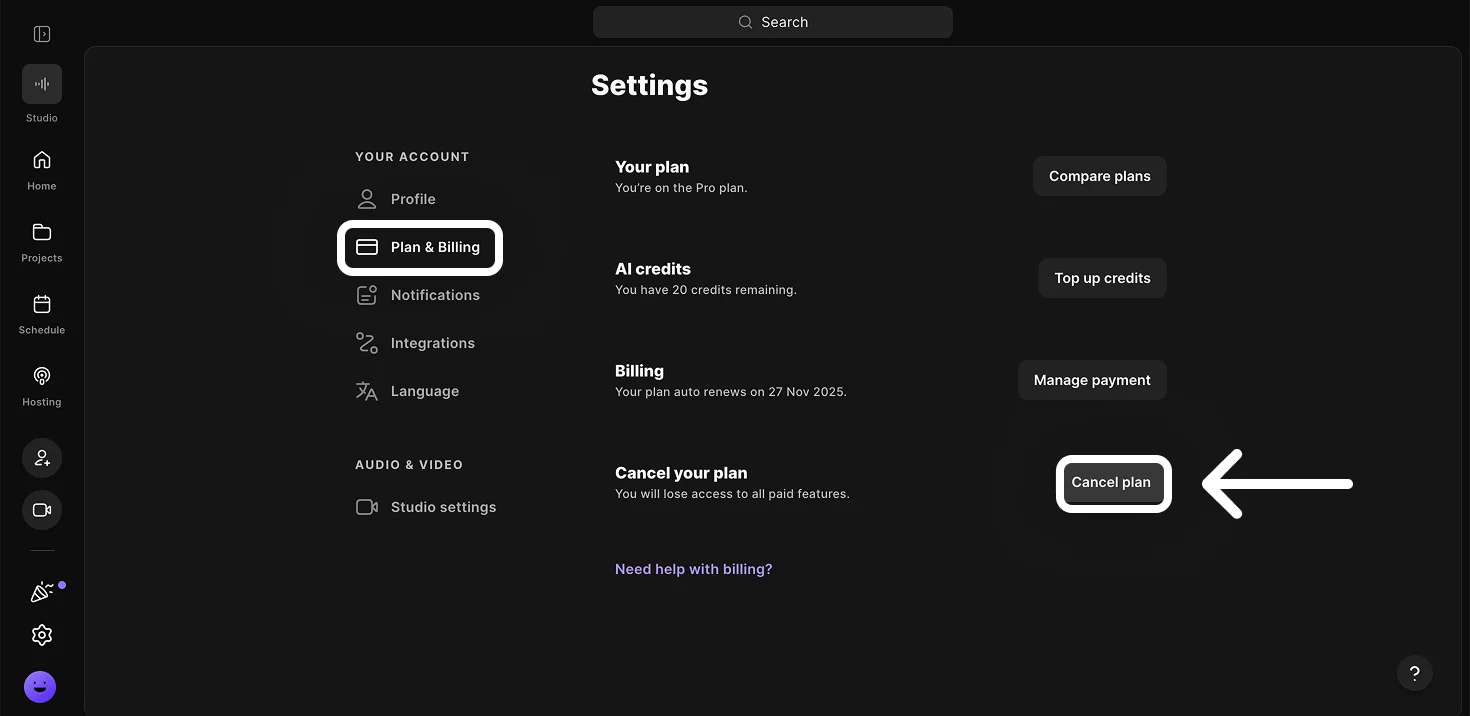
To cancel your account, just click on the “Settings” panel, then on “Plan & Billing” under “Your account”.
Click the “Cancel plan” button at the bottom of the page to immediately cancel your plan.
How much does Riverside cost?
Riverside costs:
- $35 per month for Pro
- $45 per month for Grow, and
- $99 per month for Webinar with monthly billing.
Annual billing lowers the effective monthly prices to $29, $39, and $79, respectively.
Business plans require a custom quote, instead.
Read more: Want to stay updated about Riverside's new features as they come out? Don't forget to chek to our product update releases.
FAQs about Riverside’s free trial
How much does Riverside cost?
Riverside costs $35 per month for the Pro plan, $45 per month for the Grow plan, and $99 per month for the Webinar plan (on monthly billing). A discount of up to 20% applies for annual billing. The Business plan’s pricing is available on request.
What are the limits of the Riverside free trial?
There are no limits. The free trial includes all features of the plan you select.
Is Riverside free forever?
No, Riverside is not free forever. The 14-day trial converts to the selected paid subscription unless you cancel before it ends.
Is the Riverside video editor free?
No, the Riverside video editor is not free. You can test it during the 14-day free trial, but continued access requires a paid subscription.
Do I need a credit card to start the Riverside free trial?
You need a credit card to start the Riverside free trial. The card is not charged when the trial begins but is charged automatically on day 15 unless you cancel beforehand.
Does Riverside’s free trial have a watermark?
No, Riverside’s free trial does not have a watermark. The trial gives you full access to a paid plan, which allows you to export your videos without any watermark.
How many people can use Riverside under the free trial?
Riverside’s free trial allows up to 10 people to be recorded in a single session (including you). The Webinar trial can also accommodate up to 100 registered audience members, but only 10 people can be recorded.
Can I use Riverside’s free trial on my phone?
Yes, you can use Riverside’s free trial on your phone by downloading either the Riverside iOS or Android mobile app. With the app, you can record, edit, and manage your content on the go for free.
Is Riverside easy to use?
Yes, Riverside is easy to use. The platform is user-friendly and runs directly from your web browser, and guests can join by just clicking on a link. Both professionals and beginners can record and edit studio-quality video without prior experience.
Which plans offer a free trial?
New users can start a 14-day free trial directly on Riverside’s Pro, Grow, or Webinar plan. The Business plan does not have a trial, and you must contact Riverside’s sales team to receive a custom quote.



.webp)


