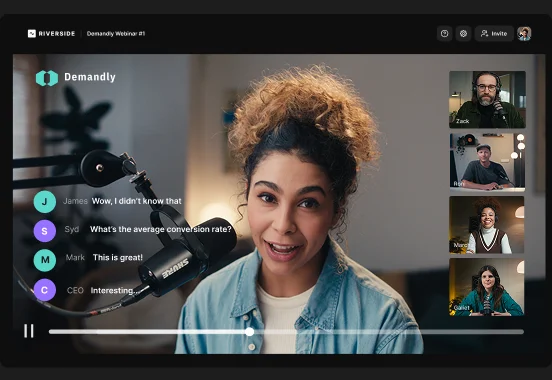





Key takeaways:
- Virtual events like webinars and product launches can reach a global audience without the expense of physical venues.
- Interactive formats like Q&As, panels, and workshops make virtual events more engaging and memorable.
- Recording and repurposing your virtual event can extend its value long after it ends.
- Choosing a platform with built-in streaming, recording, and editing can help you cut costs and maximize your event’s ROI.
Virtual events are more than just big online meetings or webinars. They help you reach large audiences by creating an experience people actually want to join.
However, planning virtual events that actually engage people can feel overwhelming.
In this guide, you’ll learn what virtual events are and how to run them successfully. Plus, we’ll share ideas and examples to help shape your strategy.
What is a virtual event?
Virtual events are events hosted online instead of in a physical venue. They often replicate the experience of an in-person event with keynote speakers, panel discussions, and networking sessions. The main difference is how people join, interact, and experience the event through a digital platform.
Webinars, product launches, conferences, workshops, and networking sessions are all virtual events.
There are many reasons why you may host a virtual event:
- Reach a global audience: You can connect with attendees anywhere in the world without travel barriers.
- Lower event costs: You can avoid expenses like hiring a venue, catering, travel, hotels, and on-site staff.
- Track engagement more easily: Many virtual event platforms offer analytics on attendance, watch time, session popularity, and audience actions.
- Greater scalability: It is much easier to host a large audience. For example, on Riverside you can host up to 10,000 attendees.
- Collect feedback faster: Built-in polls, surveys, and chat features can help you understand what attendees want and improve future events.
- Easy repurposing: With Riverside, you can record your event locally, then easily repurpose it into shareable clips, blog posts, and newsletters, all by chatting with AI.
How to host a successful virtual event
A successful virtual event starts with a clear plan. Before you send invites, you need to make a few important decisions.
Steps like defining your strategy, securing your guests, or choosing the right virtual event platform can make a huge difference.
Here’s what you need to build your event from the ground up:
Step 1: Set a clear goal
Start by defining exactly what your virtual event needs to accomplish and why you want to host it. Set a primary goal that represents your mission, and support it with secondary objectives.
Some of the most common virtual event goals include:
- Lead generation: Capture attendee information to build your sales pipeline. On Riverside, you can customize your registration forms and connect them directly with Salesforce or HubSpot.
- Audience education: Teach customers how to use your product or share industry insights by running workshops, trainings, tutorials, or product walkthroughs.
- Community building: Connect like-minded professionals and encourage participation and conversation to foster brand loyalty.
- Driving revenue: Sell tickets for exclusive access or pitch a new product live with a sales-focused session.
- Brand building: Position your company as a trusted voice in the space by sharing research or expert insights.
Step 2: Choose a virtual event format
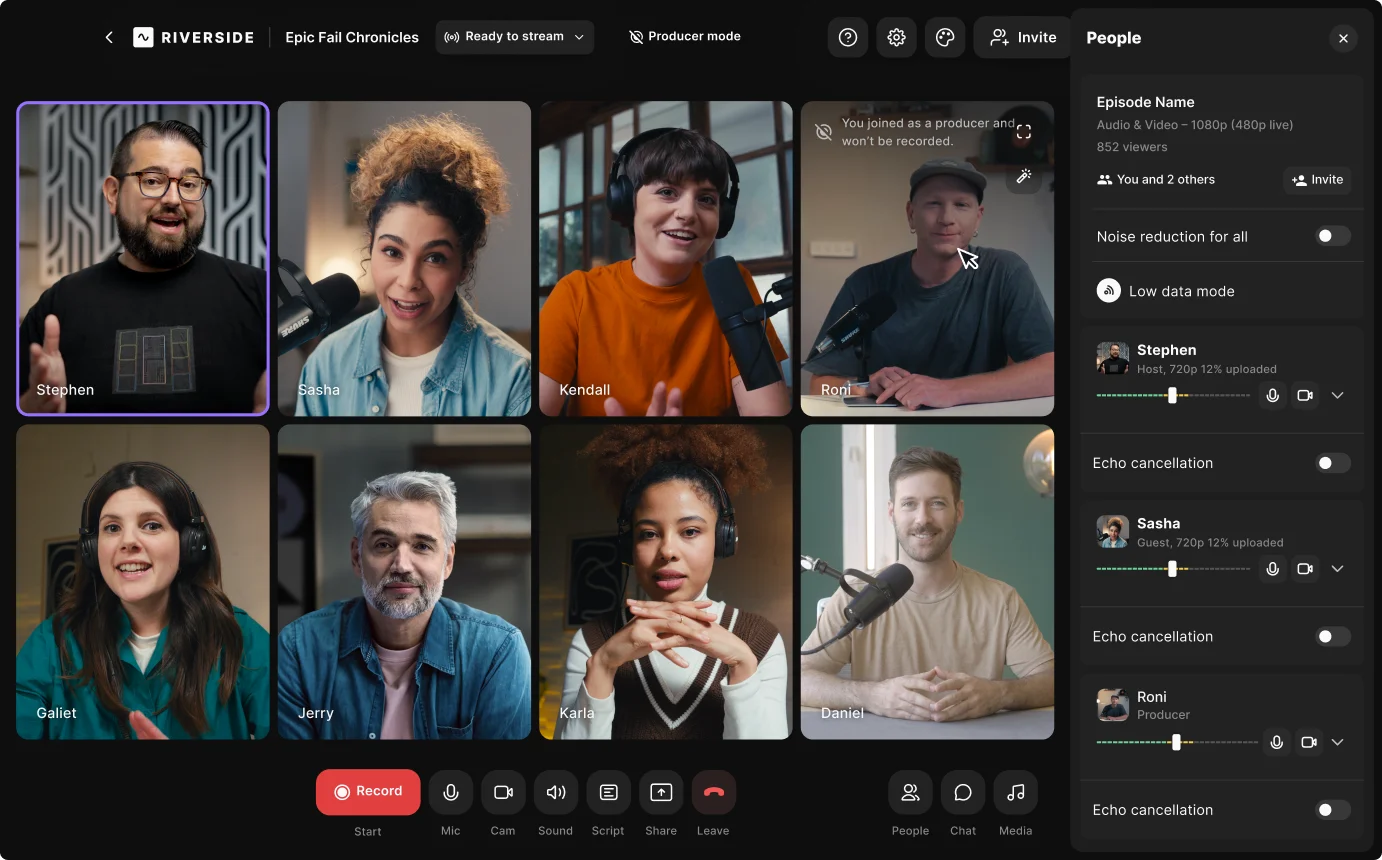
Some virtual event formats work better for lead generation, while others are better for education, community building, or product marketing.
Once you know your goal, you can pick the right format to achieve it and deliver the right experience to your audience.
Popular types of virtual events include:
Webinars
Webinars are best for educating your audience or generating leads. One or more speakers present a deep dive on a topic, usually with a slide deck and a Q&A at the end.
Virtual conferences
People attend virtual conferences to network and learn about industry trends from thought leaders. They usually span a few days and feature multiple sessions and keynote speakers.
Virtual product launches
These can generate as much hype as in-person launches and drive immediate revenue. You showcase your new product with a polished presentation to make a stunning first impression, then reuse the best clips after the event.
Workshops and training
Attendees learn from experts who share their screens to walk them through specific processes step by step. This is a great setup for hands-on education and professional development.
Town halls or company updates
Best for internal communication and team alignment. They’re useful for all-hands meetings where you can deliver messages and announcements to your entire organization.
Step 3: Establish the budget
Balancing expenses and revenue streams keeps your event profitable. Your virtual event budget should cover both cost and predicted return so you can correctly project your return on investment (ROI).
The formula to calculate your virtual event ROI is:
ROI = [(Total Revenue - Total Cost) / Total Cost] x 100
Start by defining how the event will create value. The right return model depends on the type of event you’re running. Here are a few examples:
Once you have the return side, estimate the cost side. The main expenses for a virtual event include:
- Virtual event platform: Your platform cost may include tools needed for registration, streaming, recording, attendee engagement, post-event editing and repurposing, and analytics. Using an all-in-one platform like Riverside can keep your costs to a minimum.
- Speakers: This can include speaker fees, host or moderator costs, guest prep, and any travel or equipment you need to send them.
- Marketing: Paid ads, promotional materials, landing pages, design, social promotion, and email campaigns to drive registrations.
- Production: This includes video and audio setup, branding assets, presentation design, editing, captions, and technical support during the event. It can also include hiring an editor for post-production, unless you wrap it up in-house in minutes using an AI-powered tool like Riverside.
- Staffing: You’ll also need to pay for all the people that run the event, such as producers, moderators, chat managers, tech support, and sales or success teams handling follow-ups.
A product launch may justify a higher production budget if the event generates a high enough ROI.
Step 4: Create a detailed agenda
With the help of event planning software like Trello or Asana, create a precise agenda to keep your event on track.
Make sure it covers the following steps:
- List out the sponsors, hosts, speakers, and vendors for your event.
- Set up logistics by appointing moderators, chat managers, producers, sales reps, or support staff and giving them instructions.
- Come up with a schedule and a list of activities for the event (make sure to include networking activities as well).
- Detail how you’ll make the event engaging for attendees (e.g. Q&As, breakout rooms, round tables, etc).
- List out questions for surveys and feedback.
- Develop a strategy for generating leads.
An agenda matters even more for events with lots of moving parts like multiple guests or different session tracks.
Step 5: Choose the right virtual event platform
Choosing the best virtual event platform is extremely important as it will shape the attendee experience and the workload behind the scenes. Also, your tool should handle the technical heavy lifting so you can focus on delivering the best content.
Here is what you should look for:
- Attendee capacity: Ensure the software can handle your expected audience size. For example, Riverside lets you host up to 10,000 attendees easily.
- Audience engagement: Look for tools that let you engage your audience, like polls, Q&As, chat, and live call-ins.
- Analytics and reporting: You need data to measure your ROI. Track attendance, engagement, and drop-off rates to see what worked.
- Recording: Always record your live streams. Tools that offer 4K local recording like Riverside ensure you get flawless video and audio for post-production, even if your internet connection drops.
- Integrations: Connect your platform directly to your CRM to streamline your lead generation workflow.
- Registration and email: Use customizable registration forms to collect audience data and manage your invites.
Riverside
Riverside is an all-in-one tool to record, edit, and host your virtual events. It is your best pick when the live event is only one part of the value. You can go live with up to 10,000 attendees on multiple platforms simultaneously, sync your attendee data on HubSpot and Salesforce, and invite a producer to manage the session behind the scenes.
You can also record your event locally in up to 4K video and 48kHz audio quality, without worrying about connection speed. Every speaker records to a separate track, and you can edit and repurpose your event in minutes with AI. Just chat with our AI Co-Creator to instantly enhance audio and video, add captions, and turn your event into shareable clips, blog posts, newsletter emails, and social assets.
Additional features include:
- Add pre-recorded videos for your virtual events.
- Engage audiences through call-ins, polls, and OmniChat tools.
- Present slides and share your screen in HD as separate tracks.
- Add soundtracks, intros, outros, or any themed music during a livestream with the Media Board.
- Brand your event with custom layouts, logos, and overlays
Step 6: Set up speakers and content
Great speakers and engaging content are the backbone of your virtual event. Once you’ve figured out which guests you’d like to invite, reach out to them to give them the right context and support. Provide them with a clear brief about your plans for the event, emphasize how it will benefit them, and explain how their session fits into it.
Next, decide what the visual content will look like. Determine if the session will feature slide decks, panels, interviews, live product demos, or video playbacks.
Even if your speakers build their own materials, you should still give them a framework. Share content guidelines with them that define strict time limits and a checklist of technical requirements. To keep the event consistent, support them with branded templates and resources, including who to contact for support.
Before the event, run a rehearsal with every speaker or guest. If you’re using Riverside, this step becomes easier because you can just share an invite link to check their setup in advance.
.webp)
Step 7: Promote your event and drive registrations
Now that you’ve built a great virtual event, it’s time to ensure your audience shows up. You need a multi-channel marketing strategy to fill your virtual seats.
Start by creating an inviting landing page that takes registrations and entices your ideal attendees.
Focus the page on the attendee benefits. Tell people what they’ll learn, who the event is for, and why it’s worth their time. With Riverside, creating and customizing a landing page takes just a few minutes.
Now you need to funnel people to your landing page. You can promote it by:
- Sharing it on social media platforms like Facebook, LinkedIn, and Instagram.
- Running ads on Facebook, Instagram, and/or Google.
- Sending emails with the landing page link to your existing customers, letting them know about the event.
- Running targeted ads on platforms where your audience hangs out.
- Reaching niche communities through channels like Meetup and Reddit.
Step 8: Host and manage the live event
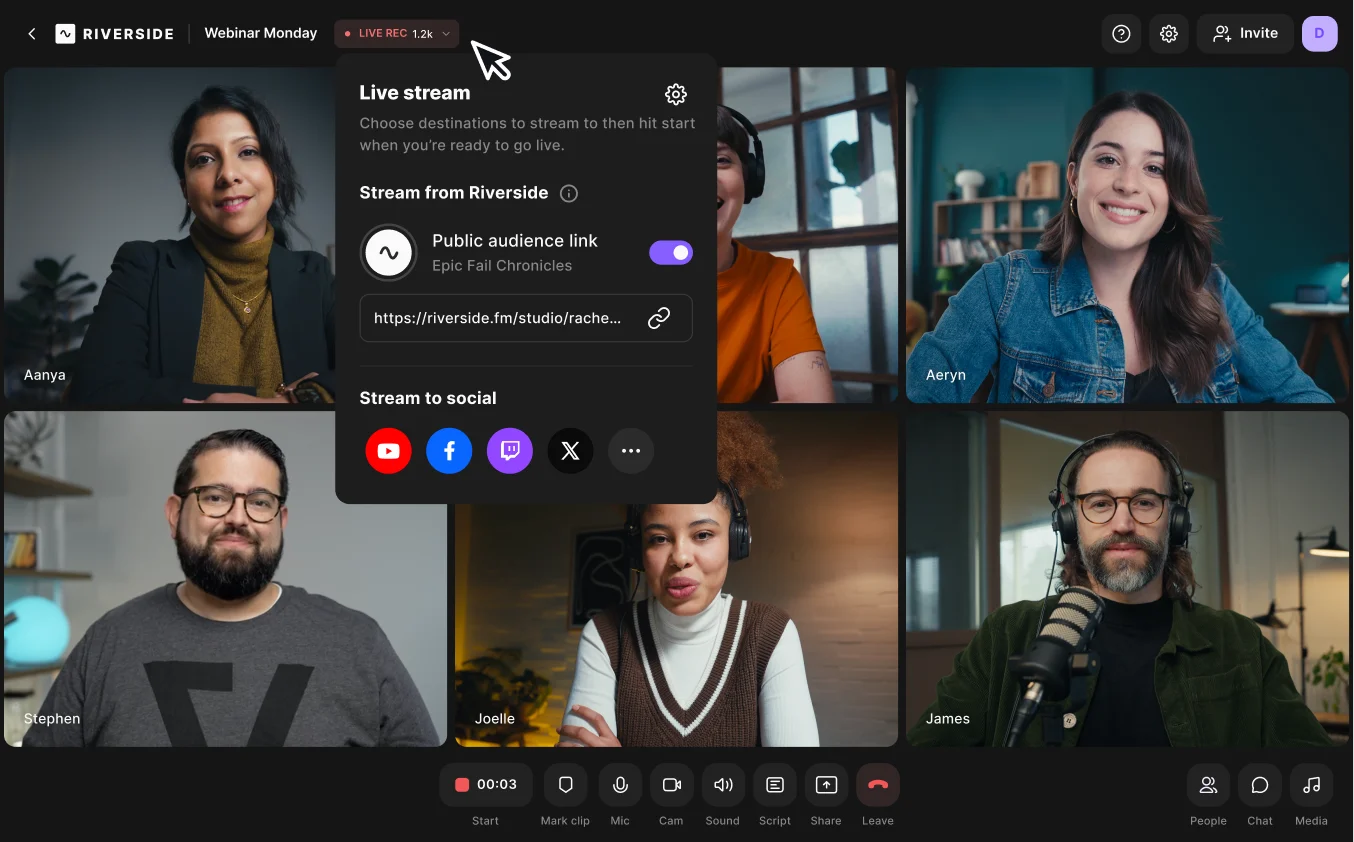
As the event is online, you’ll want to take extra care to make it engaging, interactive, and informative. Remember, the attendees will be viewing the event through their laptop or phone, so if they get bored, they can easily switch tabs in their browser to scroll through Instagram or YouTube.
Here are some pointers to host a great event and keep your audience engaged:
- Include media that keeps the content interesting, like videos, presentations, documents, and images.
- Have someone moderate the chat and feed the best questions to the host or speakers.
- Be ready to provide technical support to speakers or attendees. On Riverside, you can invite a producer to help them with audio, video, screen sharing, or joining issues.
- Conduct entertaining virtual activities to inject fun into the event, like Q&As or inviting your audience for live call-ins.
- Watch the clock and give your speakers clear time warnings to keep all sessions on schedule.
“What are the things your audience finds annoying or irritating in your niche? Once you identify those pain points, you can create content that solves them, and that’s often the most valuable content you can produce.” – Jade Beason, Founder of The Creator Project, YouTube Creator Class Valedictorian, Class of 2023
Step 9: Repurpose the event
The live session is only one part of a successful virtual event. Once the event ends, you can maximize your ROI by turning that single session into a wealth of ongoing content.
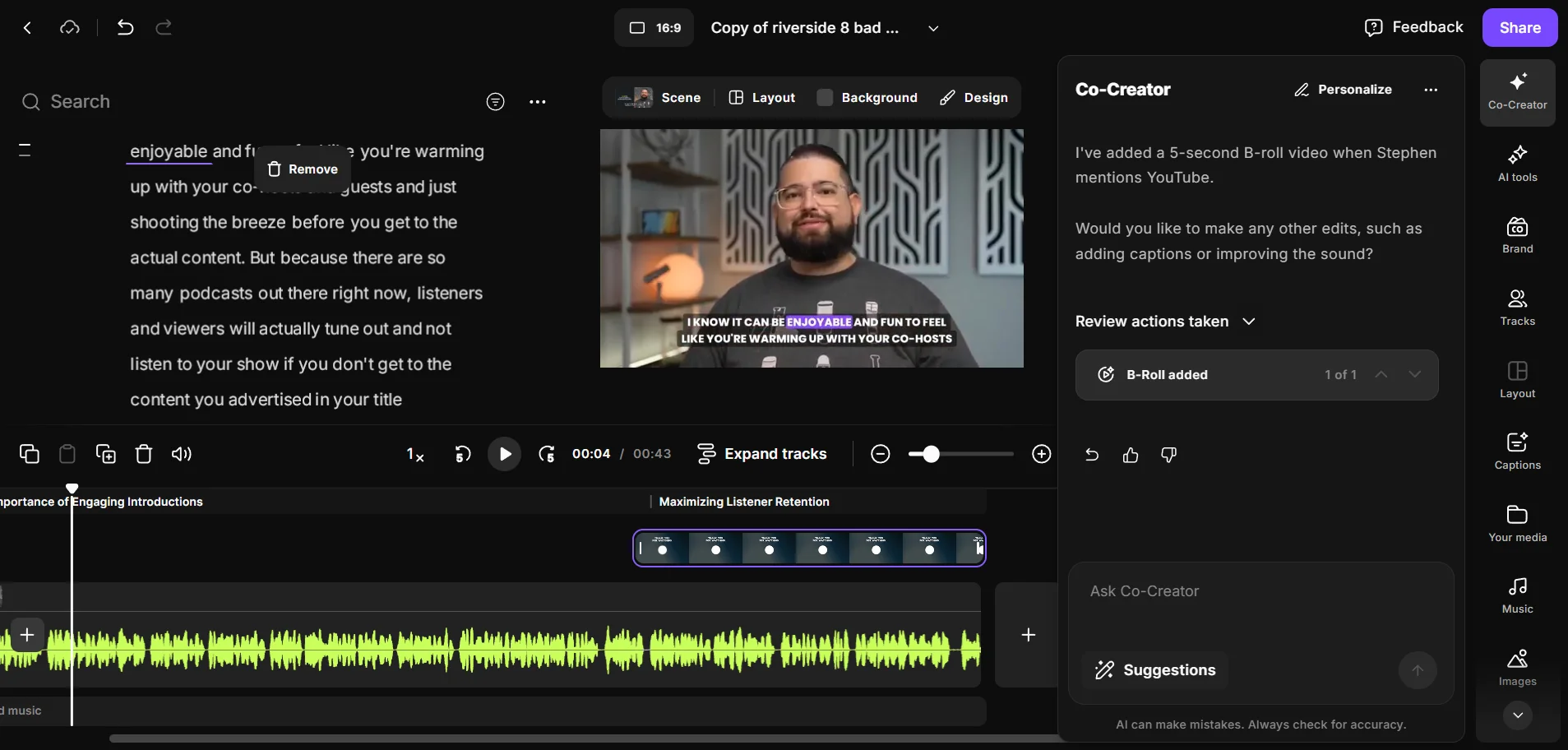
On Riverside, all you need to do is chat with Co-Creator, our AI agent, to instantly repurpose your webinar into blog articles, social posts, and newsletters. This way, you can cover all your marketing channels, and keep the interest fresh for a long time.
“You can’t repurpose and distribute mediocre content and expect results. If you promote bad content, you’ll get bad results. But if your content is high quality and has channel-user fit—meaning it aligns with your users on the platforms they’re on—you’ve got gold.” – Ross Simmonds, CEO & Founder, Foundation Marketing
You can also edit your raw footage into a high-quality, on-demand version of the event that can continue generating new leads overnight. Even just sharing a replay helps people revisit key moments, catch sessions they missed, and share the content internally with teammates or stakeholders.
Instead of a compressed, low-quality file that is frustrating to edit, Riverside records locally to capture pristine video in up to 4K resolution. Plus, you get separate video and audio tracks for every single speaker.
You can edit the raw footage as easily as editing a document using text-based editing on the auto-generated transcript.
Step 10: Analyze event data

After your virtual event ends, you must review the data to understand how successful it was. Analyzing these metrics helps you calculate your ROI and improve your future content.
Data points to track include:
- Registrant names and their interests.
- Poll answers.
- Registrant engagement.
- Registrant drop off rate.
- Registration source.
- Watch time.
- Speaker analytics (to highlight popular speakers).
- Sponsor and exhibitor analytics that highlight booth attendance, leads generated, clicks and impressions, etc.
Virtual events FAQs
What is the difference between a webinar and a virtual event?
The difference between a webinar and a virtual event is that a webinar is a single, presentation-focused session. A virtual event is a broader category that also includes webinars as well as large-scale events, multi-day conferences, interactive workshops, and online trade shows.
For a deeper breakdown, see our guide on the differences between virtual events and webinars.
What are some ideas for virtual events?
Common virtual event ideas include:
- Panel discussions with industry experts.
- Product launches or company announcements.
- Online workshops and training sessions.
- Q&A sessions with customers or communities.
- Virtual conferences with multiple speakers.
- Networking events or roundtables.
- Live podcast recordings or media events.
The best format depends on your goal. If you want to educate, workshops work well. If you want reach and engagement, panels, launches, and live shows usually perform better.
How do I choose the right platform for a virtual event?
To choose the right platform for your virtual event, you must match your specific goals with the software's features. You should look for a virtual event platform that includes:
- Reliable live streaming.
- Pre-recorded videos and a live media board.
- Multistreaming and custom RTMP support.
- Customizable branding options.
- Screen sharing and presentations.
- High-quality audio and video recording (ideally local recording).
- Audience participation features like Q&As and call-ins.
- Multiple guest speakers.
- Separate audio tracks with speaker labeling.
- Easy and fast post-production with AI tools.
- Post-event repurposing, like clips, transcripts, and social content.



.webp)
-Event.png)
.webp)