Live Webinar
Host live webinars in studio quality with Riverside. Stream to multiple platforms, capture leads, and turn every session into clips, blogs, and more.




How to host a webinar live stream with Riverside
Step 1
Create your event
Set up your webinar details in the studio. Schedule the date, customize your registration page, and sync leads directly to HubSpot and Salesforce.
Step 2
Brand your studio
Customize layouts, logos, background, and overlays, and make your webinar unmistakably yours. Pre-load your media board so everything is ready to go.
Step 3
Go live and engage
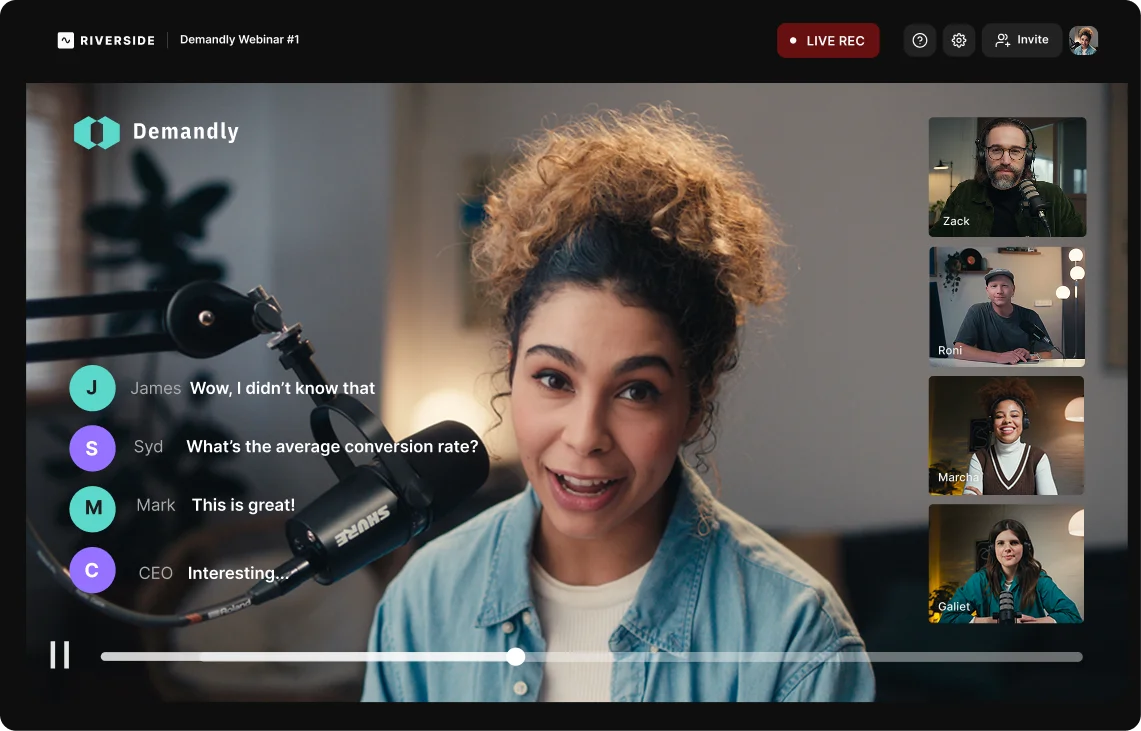
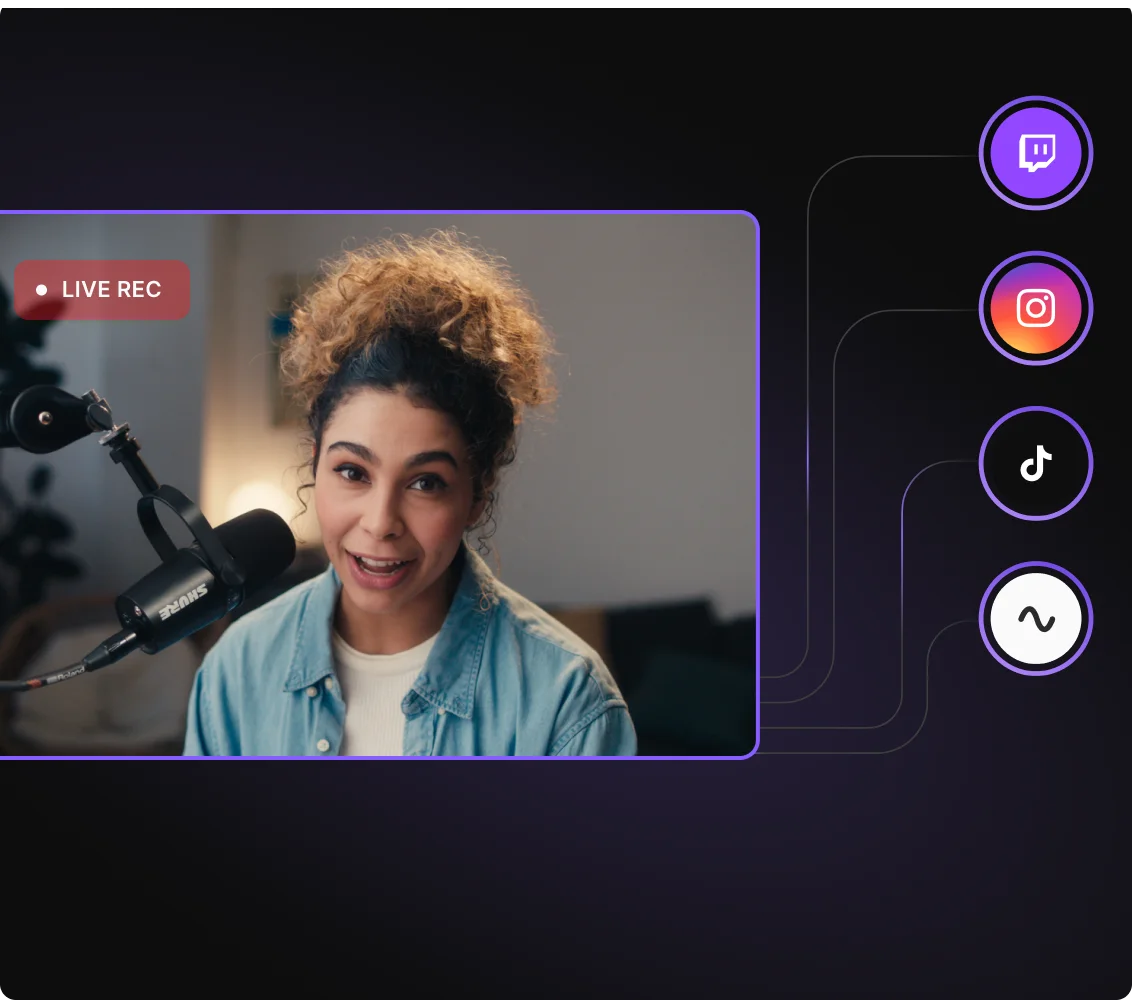
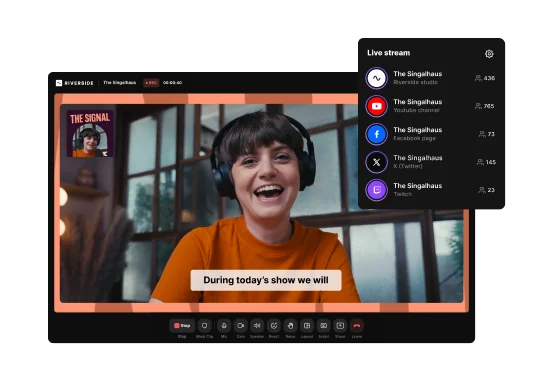
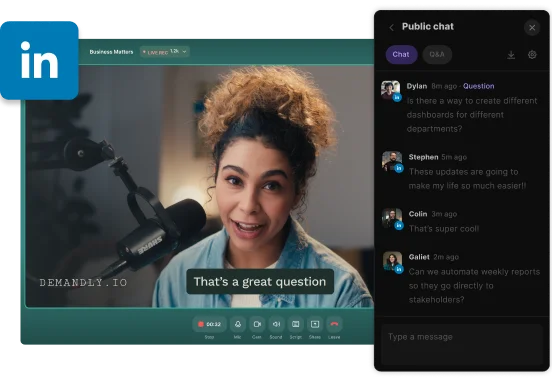
Multistream to social platforms, but. keep all your audiences under one pane with Omnichat. Engage viewers with Q&A, polls, and live call-ins.
Step 4
Edit and repurpose
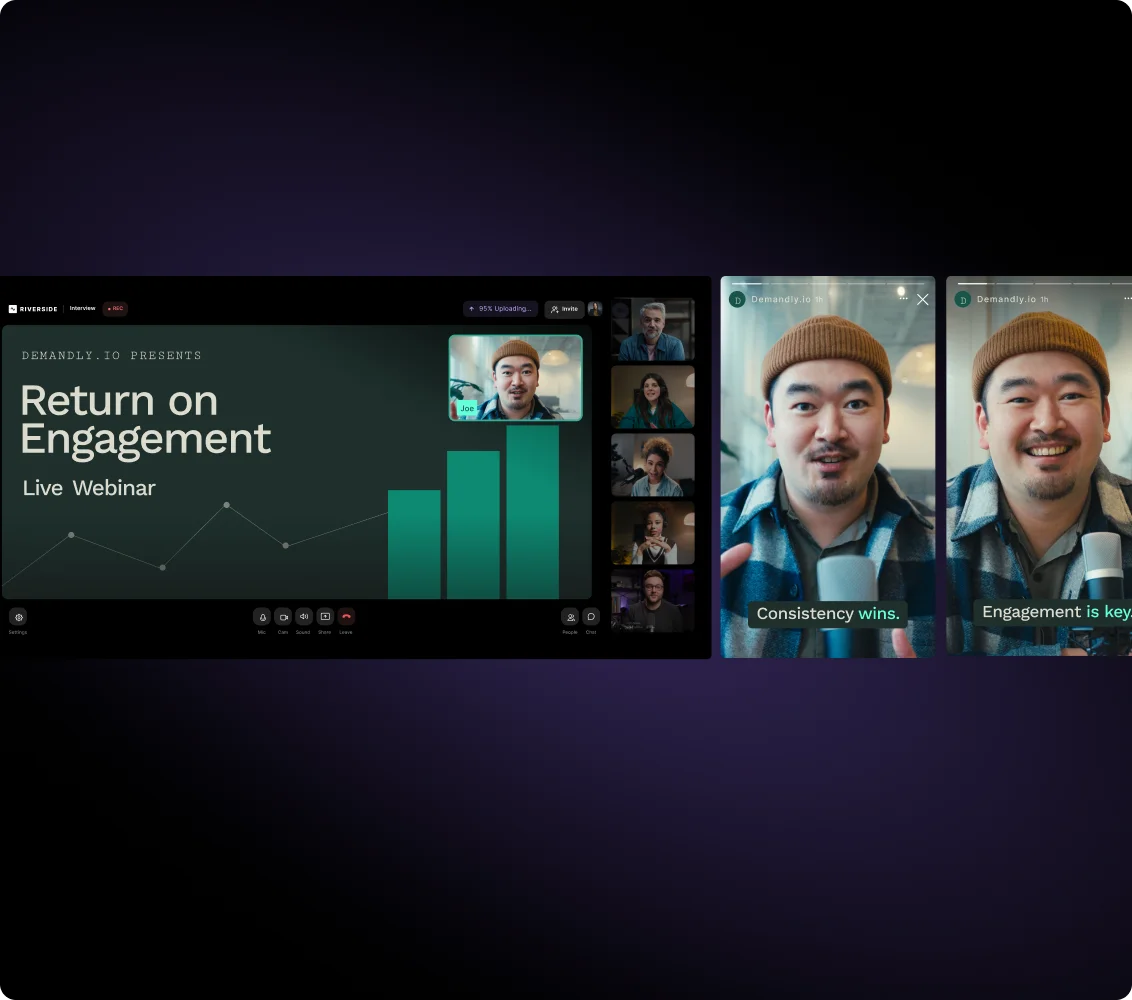
Edit your studio-quality recording with AI. Add captions, enhance audio, and generate clips in minutes, then chat with the chat-based editor to repurpose into posts and newsletters.

Why Riverside:
The live webinar platform that turns your session into an endless content engine

Engage your audience in real-time
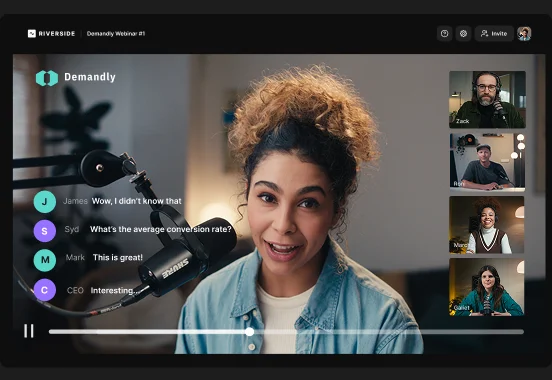
Host interactive webinars with built-in chat, Q&A, and polls. Invite audience members on stage with live call-ins and keep all your audiences in place with Omnichat.

Brand your live webinars
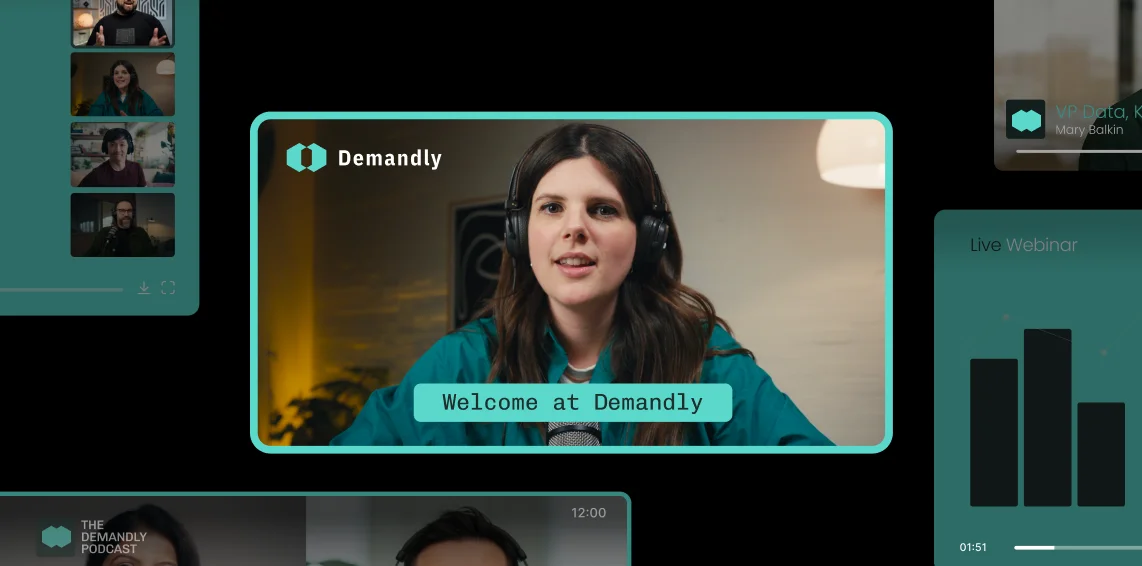
Customize your studio with logos, backgrounds, overlays, layouts, and lower thirds. Keep your brand front and center throughout the entire webinar live stream.

Customizable webinar registration
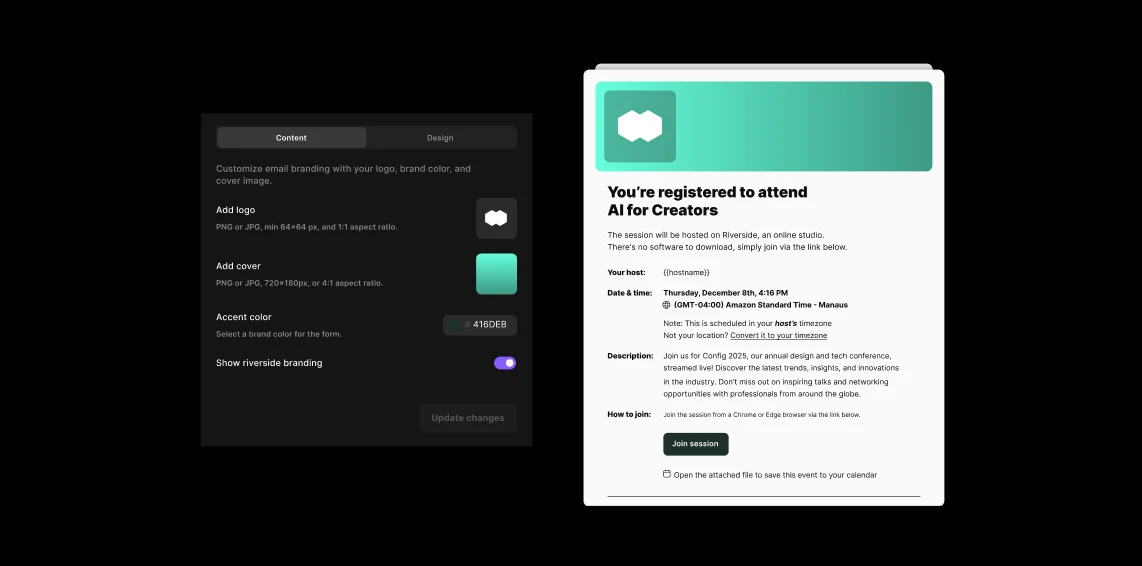
Create branded registration pages to embed on your website. Register up to 10,000 attendees with automated reminder and follow-up emails to nurture them from sign-up to show up.

Turn your viewers into a sales pipeline
Sync attendee data directly to HubSpot and Salesforce to easily capture and nurture leads long after the session ends.

Analytics to make every webinar better
Track registration, attendance, and engagement with built-in analytics. See what worked, spot what didn't, and use it to make your next live webinar even stronger.
Record live webinars in studio-quality
Capture your live webinar in up to 4K resolution. Local recording keeps quality crystal-clear even when your connection drops.

Turn webinars into weeks of content
Trim silences, remove filler words, add captions, and polish your webinar for on-demand viewing. Or, prompt the AI agent to repurpose your webinar into clips, blogs, emails, and more.
Run webinars with a producer
Use Producer Mode to let your team handle technical details behind the scenes. Keep everything running smoothly without interrupting the live experience.

Multistream your webinar live
Reach audiences across platforms by multistreaming your live webinar to YouTube, LinkedIn, and other destinations at once.
Make every live webinar count.
Stream live, record in 4K, and turn every session into endless content.
How to choose the best live webinar platform
Interactive webinar features
A live webinar must be engaging. Choose tools with built-in chat, Q&A, polls, and live call-ins to keep your session dynamic and engaging.
Multistreaming features
Talk to all your audiences at once to maximize your reach. Look for a platform that can stream your webinar to multiple social media and custom RTMPs simultaneously.
Post-event analytics
You can’t optimize future webinars if you’ve got no analytics to measure attendance, engagement, and performance.
Studio-quality local recording
Your live session might lag or stutter if your connection is a bit lazy. But if your tool is capturing audio and video locally, your recording quality will remain perfect.
Easy post-webinar editing
No one wants to spend hours in post. Look for built-in AI editing tools that can wrap up captions, trimming, resizing, and audio enhancement in a couple clicks.
AI-powered repurposing tools
A live webinar is a content engine that can hold up your entire marketing strategy. Find a tool that lets you repurpose into blog articles, social posts, newsletters, and more.
Host live webinars for all your needs:
Marketing webinars for lead generation
Boost retention with automatic reminders and customizable registration forms. Then capture leads by syncing attendee data directly to your CRM.
Online workshops or masterclasses
Keep your webinar workshops engaging with interactive elements like polls, Q&As, and live call-ins. Turn your session into evergreen learning assets with chat-based editing.

Panel discussions or virtual events
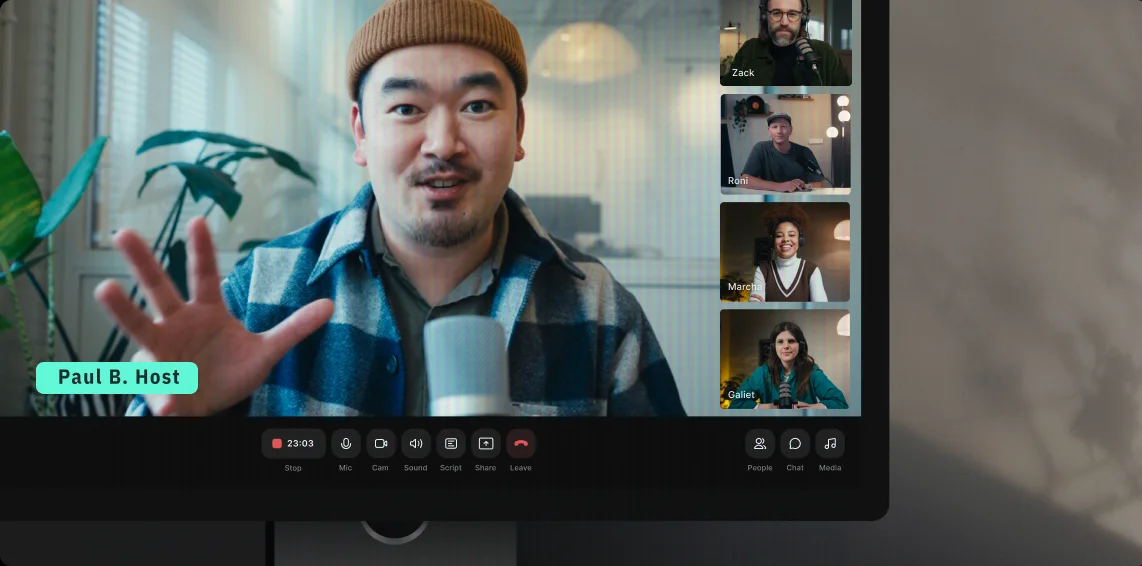
Bring up to 9 experts on stage and introduce them with branded lower thirds. With separate speaker tracks, easily clean up each person's audio and video in post.
In-house trainings or communications
Brand your studio during corporate training sessions and invite a producer to help you from behind the scenes. Record in 4K for employees who missed the live session.
Frequently Asked Questions
A live webinar is an online event in which a host presents to an audience in real time. Unlike pre-recorded video, a live webinar is created on the go and allows you to interact with your audience through Q&A, polls, and chat while the event is happening.
With Riverside, you can host live webinars in 1080p quality while recording them locally in up to 4K so you can repurpose the content later.
Yes, you need a microphone for a webinar if you are a host or presenter and if you plan to speak. Attendees generally do not need microphones unless they plan to speak using live call-in features.
While built-in laptop microphones work, an external USB or XLR microphone significantly improves the clarity quality of your audio.
You can prepare for a webinar by writing a script, testing your equipment, planning your visuals, and defining engagement moments in advance.
Here’s a simple checklist:
- Outline your key talking points.
- Write a script you can read later using the teleprompter.
- Prepare polls, presentations, slides, or Q&A prompts.
- Schedule your webinar, and send them automatic reminders to reduce the percentage of no-shows (Riverside does that automatically).
- Sync your registrants data with your CRM. On Riverside, you can import your registrant data on HubSpot and SalesForce.
- Customize your studio branding. On Riverside you can change logo, background, and layouts.
- Test your microphone, camera, and lighting. You can easily do that in the lobby before you start recording.
- Rehearse screen sharing or transitions.
Your camera is only on during a webinar if you choose to turn it on. Most live webinars include video to increase engagement and trust, but you can host audio-only sessions if preferred.
In most webinars, your camera is usually on only if you are a host or a guest speaker, and off if you’re an attendee. But, if a host invites an attendee onto the stage using Riverside’s video call-in feature, that attendee’s camera can become active as well.
A webinar can be live, recorded, or anything in between (like a simulive webinar). A live webinar happens in real time with audience interaction. However, you can also record the session to turn it into an on-demand or evergreen webinar immediately after finishing.
Many platforms also allow you to record live webinars so you can use them for pre-recorded content later on. For example, Riverside records your live webinar in up to 4K, so you can edit, clip, and repurpose it after the event ends. You can also host a pre-recorded webinar using a previous live one.
Your live webinar doesn’t end when you press stop.
Host interactive webinars, record in 4K, edit in minutes, and repurpose into endless content. All in one place.
.webp)

More from Riverside
%20(copy)%20(1).webp)


Features