Speech to Text Software
AI-powered speech transcription software for automatic, quick, and accurate timestamped text.


or drag MP3, WAV, MP4 or MOV files


How to transcribe speech to text with Riverside's free tool
Step 1
Upload your audio
Drag and drop your audio file or click on ‘upload a file’ to select one from your device library.
Step 2
Select a language
Open the drop-down to select the language of your audio recording. You can choose from over 100 languages.
Step 3
Convert your speech to text
Click ‘Start transcribing’. Our AI will automatically convert your speech-recording into a text transcript.
Step 4
Download your transcript
Click Download once your transcript is ready. Choose between a text (TXT) or subtitle (SRT) file.


Why Riverside:
Why Riverside is the best speech to text software
Accurate speech to text converter
Generate more accurate transcriptions with our robust AI speech-to-text-technology. Pair this with 48kHz audio, plus noise and echo cancellation for unbeatable accuracy.
Speech transcriptions in minutes
Easily generate voice transcriptions straight after recording with our automatic speech recognition software. Let AI convert your speech to text in minutes, then simply download your transcripts at the click of one button.

Automatic timestamps
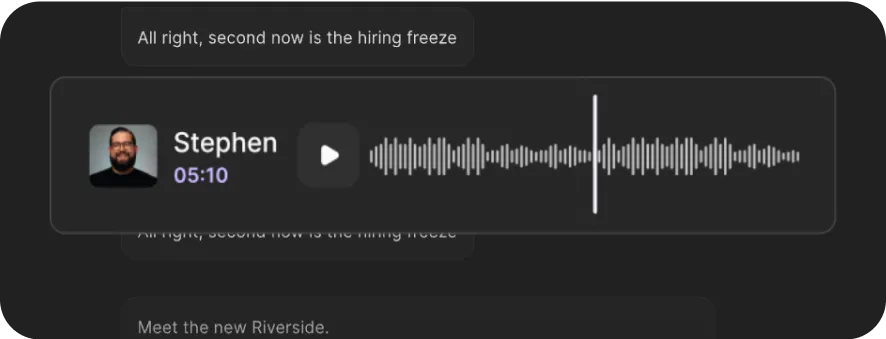
Download speech transcriptions with automatic timestamps. You can invite up to 8 participants to join you. Transcripts differentiate between speakers and include timestamps for each.
All-in-one speech to text recorder
Record and convert speech to text online, all on one platform. Don’t waste time downloading different apps or tools. Our recording software already comes with online speech-to-text transcription services.

Create text documents without typing
Generate TXT files to easily convert your recordings into written documents for blogs, articles, social media posts, etc. Great for those who struggle to type or don’t have the time to start transcribing.

Speech to text in 100+ languages
Transcribe speech to text accurately, no matter your mother tongue. Our AI software works with over 100 languages and accents to ensure you still get top-quality transcripts.
Convert speech to text now.
Accurate, fast, one-click transcriptions.
How to choose speech-to-text software
Speed and reliability
Choose software that quickly generates accurate transcripts without compromising quality.
High accuracy
Opt for software that minimizes editing needs and provides accurate transcriptions.
Multi-speaker support
Look for software that can differentiate among multiple speakers and automatically generates timestamps for easy editing.


Audio recording capability
Choose a tool that also records audio in high quality to ensure higher transcription accuracy.
Text transcript downloads
Ensure the software allows you to download transcripts in TXT format for easy content creation.
Ease of use and compatibility
Pick software that’s simple to navigate and accessible across various devices for convenience.

Pricing
From recording to publishing, all on one platform. Studio-quality results with AI that does the heavy lifting.
Pro
Create polished, high-quality content
/mo (yearly plan)
High-quality video & audio recording in separate tracks
Unlimited text-based editing
Unlimited multi-track editing
AI tools (Magic Audio, Smart Scenes for automatic multi-cam edits, eye contact, unlimited transcriptions, show notes, remove silences & filler words)
AI content repurposing tools
Publish to YouTube, Spotify, Apple, Instagram, LinkedIn & more
Business
Produce at scale with control
Full remote control over recording and post-production
Custom branding
Webinar solution
Podcast hosting for as many shows as you want
Async recording
Team collaboration
24/7 priority support
Dedicated Customer Success Manager
Enterprise-grade security

Frequently Asked Questions
While you can manually type out your speech to text, you can save plenty of time and work using an online speech-to-text converter. Generally, these use artificial intelligence or speech recognition software to identify words and convert them into written text.
Check out how to automatically transcribe text with Riverside. It’s super simple! Record your audio, and straight after, we’ll automatically turn your speech into text with the tap of a button.
Yes. While there are many free speech-to-text options available online, not all of these are reliable. Google Doc’s voice typing feature is a well-known option to turn speech into text for free. This works if you’re just looking to type up a document through talking. If you’re looking for an audio recorder and AI transcriptions all in one platform, it’s worth checking out Riverside instead.
The most accurate way to transcribe your speech into text is to do so yourself manually or hire someone to do it for you. This can be highly time-consuming or expensive if you hire someone. AI voice-to-text software might be easier, but it’s important to proofread your transcripts as they might not be as accurate. You can improve the accuracy by using a high-quality voice recorder, a good microphone, and ensuring your audio is as clear as possible.
You should consider various features when looking for the best speech-to-text software for you. This includes price, accuracy, and speed. Some software is free, but it might not be entirely accurate or give you fast results. On the other hand, a lot of online software charges for transcription per minute, which can be a lot of money if you’re looking to transcribe hours of speech. We’ll say that Riverside is the best speech-to-text software if you’re looking for fast, accurate transcriptions straight after recording in high-quality resolution.
Record. Stream. Edit. All in one place.
Start creating with Riverside.



More from Riverside
.webp)
%20(1).webp)
.webp)

Features