Podcast Soundboard
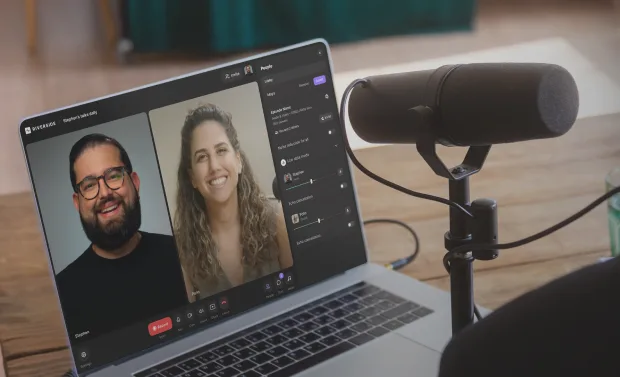
Spice up your sound - produce and live edit with Riverside’s integrated podcast soundboard.


How to use Riverside’s soundboard for your podcast
Step 1
Invite to studio
Invite guests and an audience to join you to a recording studio or a live stream.
Step 2
Upload & Preview
Upload your sound effects and video, then test it out with a quick preview.
Step 3
Record & Play
Hit record and play your sound or video from the soundboard live as you record.
Step 4
Download
Save all your separate synchronized files or edit your podcast directly on Riverside
.webp)

Why Riverside:
Why Riverside is the best podcast soundboard
Integrated podcast soundboard online
With Riverside’s integrated soundboard software, you don’t need a mixer or any additional apps. You can record video in 4k and 48 kHz audio resolution, all while mixing sound effects from our live soundboard.
Live behind the scenes Producer mode
Save yourself from messy interruptions while recording! On Riverside, you can invite a Producer to your studio. Producers aren't recorded so they can mix your sound live, fully behind the scenes.
A soundboard for next-level streaming
Keep your live audience interested with our streaming soundboard. Add intros and outros, background music, and more while streaming live on Riverside or other social media platforms.
Locally recorded, separate tracks
Record everything directly to your device to make sure your resolution doesn't depend on internet connection. Then, download separate tracks of all your audio, video and media files. All tracks are in sync, and you can even merge them if you create a finished podcast with our editor.
Easily add effects
Riverside’s online soundboard is easy to use. Choose one of the pre-recorded soundboard sounds or upload media files with the tap of a button. Riverside also has an editor where you can add an intro and outro to polish off your podcast.
Pre-recorded files for all your needs
Spice up your sound and create a vibe with video. Add any pre-recorded sounds or videos to your soundboard. Reaction videos, short clips and more. You can even share your screen and capture it live.
Amp up your show with Riverside's Podcast Soundboard.
How to choose a podcast soundboard online
Ease of use
Choose a soundboard that’s simple to navigate, offering a variety of media effects for your show.
Automatic syncing
Opt for a soundboard and mixer that syncs separate tracks automatically for a seamless setup.
Customizable media
Ensure the software allows you to add your own audio files for a personalized touch to your podcast.


Live recording capabilities
Look for a soundboard that you can use in real time while recording. Ideal for dynamic live sessions.
Live streaming features
If you stream your podcast, consider software with live streaming tools to enhance audience engagement.
Producer controls
Behind-the-scenes controls for a producer can help manage sound effects while you focus on your podcast.

Pricing
From recording to publishing, all on one platform. Studio-quality results with AI that does the heavy lifting.
Pro
Create polished, high-quality content
/mo (yearly plan)
High-quality video & audio recording in separate tracks
Unlimited text-based editing
Unlimited multi-track editing
AI tools (Magic Audio, Smart Scenes for automatic multi-cam edits, eye contact, unlimited transcriptions, show notes, remove silences & filler words)
AI content repurposing tools
Publish to YouTube, Spotify, Apple, Instagram, LinkedIn & more
Business
Produce at scale with control
Full remote control over recording and post-production
Custom branding
Webinar solution
Podcast hosting for as many shows as you want
Async recording
Team collaboration
24/7 priority support
Dedicated Customer Success Manager
Enterprise-grade security

Frequently Asked Questions
A podcast soundboard is a media library you can add sound effects to your podcast recordings. For example, you can add intros, outros, background music, and more. This comes integrated with a podcast mixer in many cases, but these are not the same thing. A podcast mixer is a piece of equipment to merge and control multiple tracks. Read more about podcast mixers if that is what you’re searching for.
Although, if you want to avoid the need for this equipment, you’re better off using a podcast soundboard online or other soundboard software. Riverside is an easy-to-use soundboard for any PC. This all-in-one platform lets you edit live as your record, allowing you to add podcast sound effects from a soundboard even as you live stream.
In simple terms, your first step would be to add all the media you need to access for your podcast sound effects in your soundboard. If you’re creating your own soundboard, you will have to download or save the various media files you need on your computer. If you’re using an online soundboard, you simply have to upload all your media, and they should be ready to use. On Riverside’s Media Board, you can either use pre-recorded effects or upload various audio and video files.
A lot of soundboards come with podcast sound effects already preloaded. For example, Riverside’s Media Board has a selection of pre-loaded podcast sounds that anyone can use. You can also find free or paid sound and podcast music on various websites dedicated to this. Read over our free music for podcasts guide for some ideas. Some people even record their own sounds, and this could be an option if you’re looking for something specific you can’t find.
It depends on what you need. For example, you might need a soundboard for streaming or an online soundboard that helps free your PC storage.
There are many soundboards that could be ideal for you, some even free. It’s generally best to go for soundboard software that is integrated into your recording platform. This makes it much easier for you to connect everything. Riverside is one of the best soundboards for any PC.
As Riverside is browser-based, both Mac and Windows users can access this software. We offer high-quality video and audio recording, live streaming, and a Media soundboard that even beginners could use.
Record. Stream. Edit. All in one place.
Start creating with Riverside.



-p-800.webp)

More from Riverside
.webp)
.webp)

Features