Twitch Live Streaming Software
Go live on Twitch in HD, multistream to every platform, and turn every session into content. All in minutes, on one online Twitch streaming software.


.webp)


How to go live on Twitch with Riverside
Step 1
Set up your live studio
Customize your streaming studio with your own branded theme. Invite up to 9 guests or co-hosts by sharing a quick link with them.
Step 2
Connect your Twitch livestream
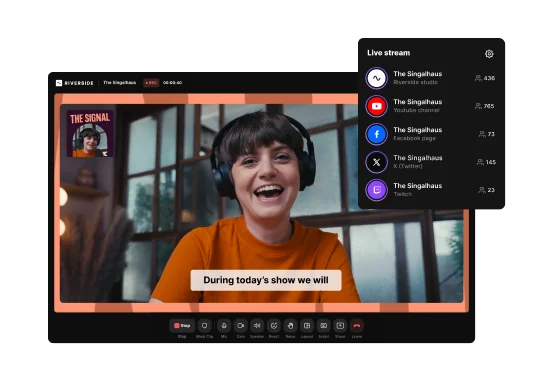
Connect your Twitch channel to Riverside in one click. Add YouTube, Facebook, or custom RTMPs to multistream everywhere.
Step 3
Start streaming on Twitch
Go live on Twitch in HD right from your browser. Engage your viewers with screen sharing, media effects, Omnichat, and live call-ins.
Step 4
Repurpose your Twitch stream
Edit your recording with AI to repurpose your live in minutes. Chat with Co-Creator to generate clips, on-demand content, blog posts, and transcripts.


Why Riverside:
The all-in-one Twitch streaming platform built for gamers, not techies

Twitch streaming setup in minutes
Connect your Twitch account Just connect to Twitch in a click and go live. No stream keys, no complicated setup. You can even bring in a producer to handle the tech while you focus on your stream.

Multistream to all your platforms at once
Why stop at Twitch? Multistream to YouTube, Facebook, and more simultaneously so your audience can find you wherever they hang out.

Brand your Twitch stream
Add custom logos, overlays, and backgrounds, so your brand is immediately recognizable on every stream.
Co-streaming with guests
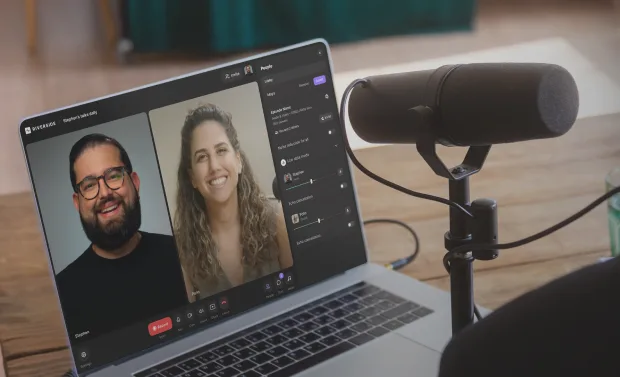
Invite up to 9 co-hosts or guests with a simple link for streaming sessions with friends. Guests can join by desktop or mobile.

Engage with your audience
Turn your broadcast into a real conversation. Engage your audience with polls and live call-ins, and respond to messages across platforms with the Omnichat.
Turn your Twitch stream into lasting content
Cut filler words, clean up audio, and add captions in the text-based editor. Or repurpose your stream into clips, thumbnails, and social posts with the chat-based editor.

Stream your screen in HD
Stream your desktop, window, or browser tab with audio. Screenshares record in a separate high-quality track for more editing freedom after your stream.

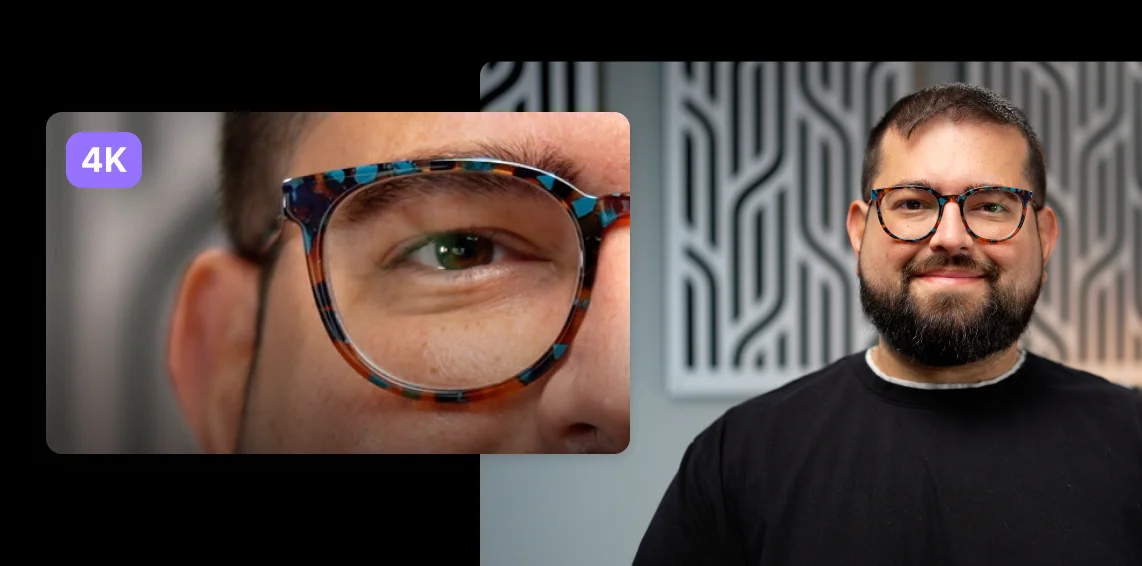
Record Twitch streams in 4K
Capture Twitch live streams in uncompressed 4K quality. With local recording, quality is unaffected by your internet speed.
Automatic Picture-in-picture mode
Show your gameplay and switch tabs while keeping yourself visible in a corner. Enable automatic PIP mode as you focus on the conversation.
Turn Twitch streams into endless content.
Go live, record, edit and repurpose your Twitch streams in one platform.
How to choose the best Twitch live streaming software: 6 Tips
Think about your format
Your setup should match what you stream, whether that’s solo gameplay, co-streams, interviews, panels, or multistreamed live shows.
Consider performance and system requirements
Some tools need a lot of local processing power which can slow your computer. Look for lightweight software that runs smoothly on your setup.
Match your technical skills
Skip complicated encoding configurations and stream keys and choose an easy-to-use platform that doesn’t need constant tweaking.
.webp)
.webp)
Plan for future content
Choose tools that support your long-term content goals, helping you record, edit, clip, and repurpose content after the stream ends.
Check customization and branding options
Custom layouts, overlays, backgrounds, and branded visual elements help your stream look polished and consistent across platforms.
Factor in pricing and budget
Save money by choosing an all-in-one solution for recording, streaming, and editing rather than buying multiple apps.
Twitch live streaming software to:
Build a loyal gaming community
Stream tournaments or casual sessions in 1080p HD with smooth screen sharing and performance. Add custom overlays, chat with viewers, and turn your best moments into shareable clips.

Host engaging talk shows
Turn your podcast or talk show into a live Twitch experience. Stream in studio quality, bring in co-hosts, and record every episode for on-demand content.
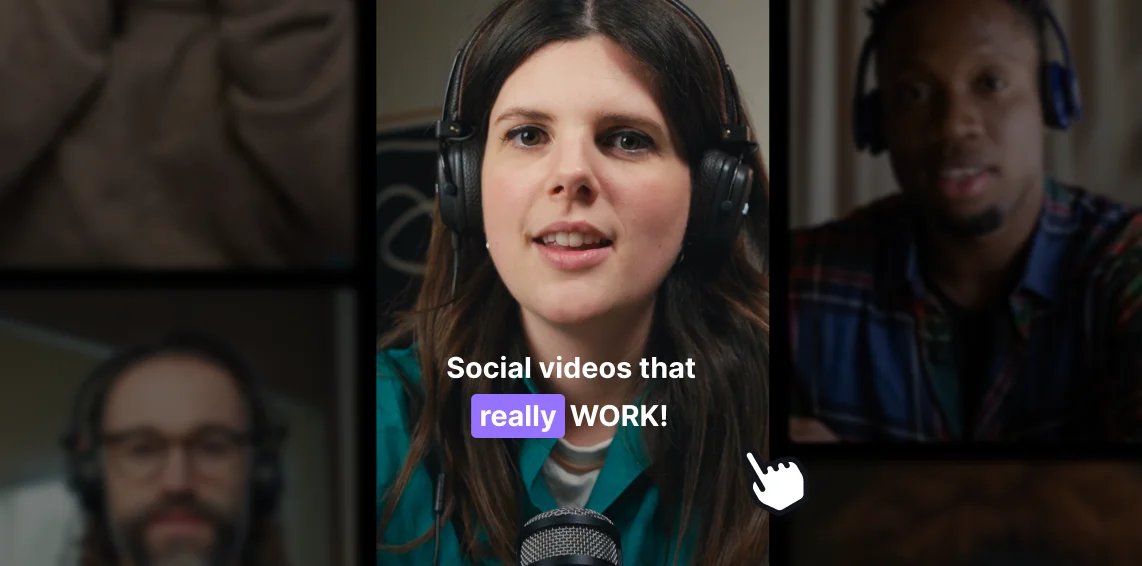
Repurpose streams into content
Record high-quality streams, then use AI to turn them into highlight clips, social posts, and YouTube videos without starting from scratch.
Perform music live on Twitch and reach fans
Stream your music live with uncompressed 48kHz audio quality and a setup that's ready in minutes. Focus on your performance, not the tech.


Pricing
From recording to publishing, all on one platform. Studio-quality results with AI that does the heavy lifting.
Pro
Create polished, high-quality content
/mo (yearly plan)
High-quality video & audio recording in separate tracks
Unlimited text-based editing
Unlimited multi-track editing
AI tools (Magic Audio, Smart Scenes for automatic multi-cam edits, eye contact, unlimited transcriptions, show notes, remove silences & filler words)
AI content repurposing tools
Publish to YouTube, Spotify, Apple, Instagram, LinkedIn & more
Business
Produce at scale with control
Full remote control over recording and post-production
Custom branding
Webinar solution
Podcast hosting for as many shows as you want
Async recording
Team collaboration
24/7 priority support
Dedicated Customer Success Manager
Enterprise-grade security

Frequently Asked Questions
Yes, Twitch live streaming is completely free. You only need to create a Twitch account and pick a streaming software to go live.
While you can use Twitch Studio as a free option to start out, Riverside offers more control, better recording quality, and easier customization.
To livestream on Twitch you need to set up your microphone, camera, and other live streaming equipment, then connect your Twitch account to a streaming software.
Just follow these steps:
- Create a Twitch account.
- Choose a live streaming software like Riverside.
- Connect your Twitch account directly in the Riverside studio (no manual stream keys needed).
- Add your overlays and branding, then invite your guests and co-hosts.
- Click “Go Live” and start streaming!
With Riverside, you can also simulcast and engage with viewers from multiple platforms via Omnichat, all while you record in studio-quality.
Learn more in our full guide on how to stream on Twitch.
It depends on your goals. Twitch is designed for gaming livestreams and live interactions with a strong community feel.
YouTube, instead, offers better opportunities to increase your reach thanks to algorithmic discoverability and long-term content visibility.
You don’t have to choose, though. With Riverside, you can stream on both platforms at once and engage with all your audiences using the Omnichat. Plus, you can easily repurpose your Twitch livestream into polished videos and short clips for YouTube. Go live once. Win twice.Twitch is better than YouTube for gaming, live interactions, and community, while YouTube is better for long-term reach and discoverability.
You don’t have to choose, though. With Riverside, you can stream on both platforms at once and engage with all your audiences using the Omnichat. Plus, you can easily repurpose your Twitch livestream into polished videos and short clips for YouTube.
The main disadvantages of Twitch are low organic discoverability and a short content shelf life.
Here is a more detailed overview:
- Low discoverability: Twitch doesn’t do a great job at featuring smaller channels, and it’s much harder to grow organically on Twitch than on platforms like YouTube.
- Monetization limits: New streamers must hit milestones before unlocking income options, and revenue split for Twitch streamers are very low.
- Short content shelf life: Twitch streams disappear quickly, and only last if they’re repurposed and reposted elsewhere. This is why we suggest recording your stream with a platform like Riverside and then repurposing it afterwards.
Niche focus: Twitch is still heavily associated with gaming, which may limit reach for other creators.
Record. Stream. Edit. All in one place.
Start creating with Riverside.


-p-800.webp)

More from Riverside
-(1).webp)
-(1).webp)
-(1).webp)

Features