Audio to Text Converter
Transcribe audio files to text in seconds with 99% accuracy. Get fast, reliable transcripts with Riverside’s free AI audio transcriber online.


or drag MP3, WAV, MP4 or MOV files


How to transcribe audio to text online with Riverside
Step 1Record or upload audio
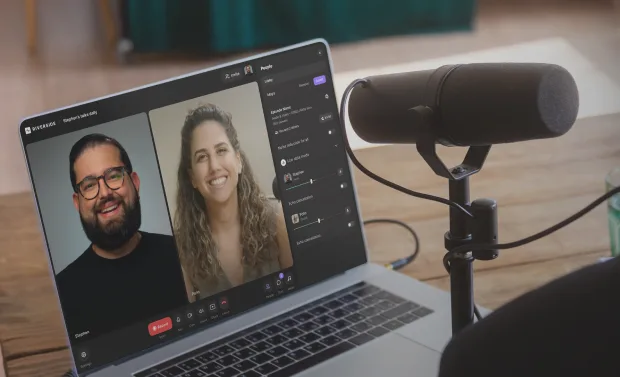
Create a new studio and record in high resolution for more accurate audio transcription. You can also upload your audio or video file.
Step 2 Convert audio to text
Sit and relax, but don’t get too comfy. Transcribing audio happens fast with Riverside and you still get 99% accuracy.
Step 3 Download audio transcripts
Preview your recording and transcripts. Choose between a text or subtitle file then download your audio transcripts.
Step 4Repurpose or share transcripts
Turn your transcripts into text posts, emails or summaries. Or upload them along with your audio to help search engines find your content.


Why Riverside:
An audio transcriber that delivers down to the last word

Audio to text in quick time
Convert audio to text without spending hours typing. You don’t even have to upload anything (but you can). Record on Riverside, and you’ll have an audio transcription ready after your session.

Transcriptions with 99% accuracy
Get spot-on audio transcripts powered by advanced AI speech-to-text recognition. Pair this with high-res recordings, and you’ll never have to worry about “there” becoming “their”.

Transcribe audio in 100+ languages
Español? Français? Italiano?
Riverside’s AI audio transcriber is compatible with 100+ languages, including French, Spanish, German, Italian, and Portuguese.

Speaker labels for every transcript
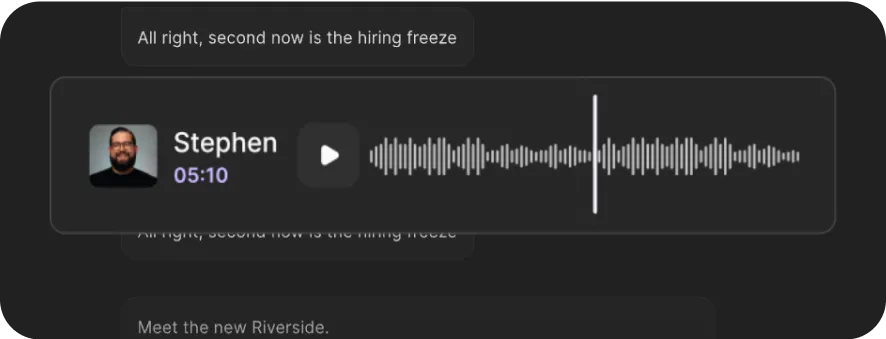
Invite up to 9 guests to join your meetings from wherever they are. Our audio transcriber automatically detects and labels each speaker in your transcript for easy navigation.

Caption-friendly transcripts
Download a subtitle file (SRT) with automatic timestamps. Perfect for uploading captions or subtitles to platforms like YouTube. No manual syncing required.

Ready to repurpose text transcripts
Export transcripts in TXT format to quickly turn your audio into other content. From blog posts and show notes to publish-ready transcripts that improve discoverability.
Seconds to transcribe. 99% accuracy. No effort required.
How to choose the best audio transcriber
Affordable price:
While human-made manual transcriptions can be very accurate, their price can quickly add up over time.
Fast and automatic:
You don’t want to wait hours. Even a lengthy recording should take only a few minutes to turn into a transcript.
Accurate and reliable:
Don’t compromise on accuracy for speed. Pick a reliable audio transcriber with high accuracy rates.


Multiple audio transcript file formats:
Text (TXT) files are ideal for repurposing audio into written content. SubRip (SRT) files are timestamped, making them suitable for quick and easy subtitles or captions.
Multiple speakers support:
Look for audio transcribers that can differentiate between speakers and highlight them clearly.
Easy to use:
Look for software with an intuitive interface that is also accessible without complicated downloads.
Audio to text to:
Repurpose your content
Get the best from each of your recordings. Transform transcripts into blogs, social media text snippets, or generate concise summaries for creating carousels.

Boost your reach
Improve your search rankings and drive more traffic to your platform. Upload keyword-rich transcripts alongside your audio (and video) content.

Edit content with ease
Skip rewatching everything! Track your edits with your transcript. Even better, with Riverside’s text-based editor, diretly edit recordings by editing your transcript text.

Make support materials
Equip your students with high-quality study materials and references. Transcribe your lessons into comprehensive summaries and resources.


Pricing
From recording to publishing, all on one platform. Studio-quality results with AI that does the heavy lifting.
Pro
Create polished, high-quality content
/mo (yearly plan)
High-quality video & audio recording in separate tracks
Unlimited text-based editing
Unlimited multi-track editing
AI tools (Magic Audio, Smart Scenes for automatic multi-cam edits, eye contact, unlimited transcriptions, show notes, remove silences & filler words)
AI content repurposing tools
Publish to YouTube, Spotify, Apple, Instagram, LinkedIn & more
Business
Produce at scale with control
Full remote control over recording and post-production
Custom branding
Webinar solution
Podcast hosting for as many shows as you want
Async recording
Team collaboration
24/7 priority support
Dedicated Customer Success Manager
Enterprise-grade security

Frequently Asked Questions
An audio transcriber is a human or software that converts audio into written text.
Humans are often very accurate, but their services can be costly, and they require some time.
Automated audio transcribers use AI speech-to-text recognition to convert audio to text. While they’re much faster, they aren’t always as accurate for heavy accents or unclear recordings. But if you’re using Riverside, you’ll get crystal clear audio and advanced AI transcripts with 99% accuracy.
You can create an audio transcript manually or through dedicated software.
Manually, you can listen and transcribe audio yourself. This is very time-consuming. Or, you can hire someone, which can be expensive.
Transcription software will save you tons of time and money. If you’re using Riverside, follow these steps to transcribe:
- Create a new studio and record your audio on Riverside for the best results. But you can also upload your own recording.
- Click on your recording to preview it.
- At the bottom of the preview, go to Transcript and click “Download” to choose between a text and subtitle file.
Read more in our full guide on how to transcribe audio to text.
There are plenty of free audio transcribers online. We have one too! You can use our free online audio transcription tool with these steps:
- Click “Transcribe now” to upload a file.
- Select your audio’s language and content type. Click “Start transcribing”.
- Let our AI do the audio to text conversion.
- “Download” your new captions or text transcripts for free.
The fallback here is that you’ll need to upload your audio files each time, and it’ll take longer cause it’s not automatic. For quick automatic transcriptions and a whole lot more, it’s worth signing up for a paid plan.
We’ve got a full list of some of the best transcription software. But if you’re looking for almost 100% accurate transcriptions fast after recordings, give Riverside a shot. You'll get quick AI takeaways, automatic captions and a text-based editor where you can trim your recording by deleting text in your transcript.
Riverside can transcribe in 100+ languages, including English, Spanish, French, German, and many others. Check our full list of transcription languages.
It depends on the efficiency of the AI transcription software you’re using. We can say at Riverside, our transcriptions are up to 99% accurate. We use some of the most advanced AI speech-to-text technology.
To improve your accuracy, we suggest you:
- Use high-quality clear audio recordings. (Record with us, and you’ll get this. ;))
- Use a good external mic. Transcribing a voice memo recorded on a phone is less accurate than transcribing a recording caputred with a professional XLR mic.
- Speak as clearly as you can. Note that accents can sometimes be harder for AI to pick.
- Avoid crosstalk, where multiple speakers are speaking at once. (With our separate recording tracks, you can easily work around this.
From transcription to creation.
Transform ideas into content. Record, edit, and transcribe—all in one audio and video creation platform.


.webp)

-p-800.webp)
%20(1).webp)
More from Riverside
.webp)
%20(1)%20(1).webp)

Features