New release
Webinars
Custom consent notice on registration forms
Add your own privacy wording and policy links to your webinar registration form.
September 6, 2026
Business

Add your own privacy wording and policy links to your webinar registration form.
Try Riverside
for Free

What's new
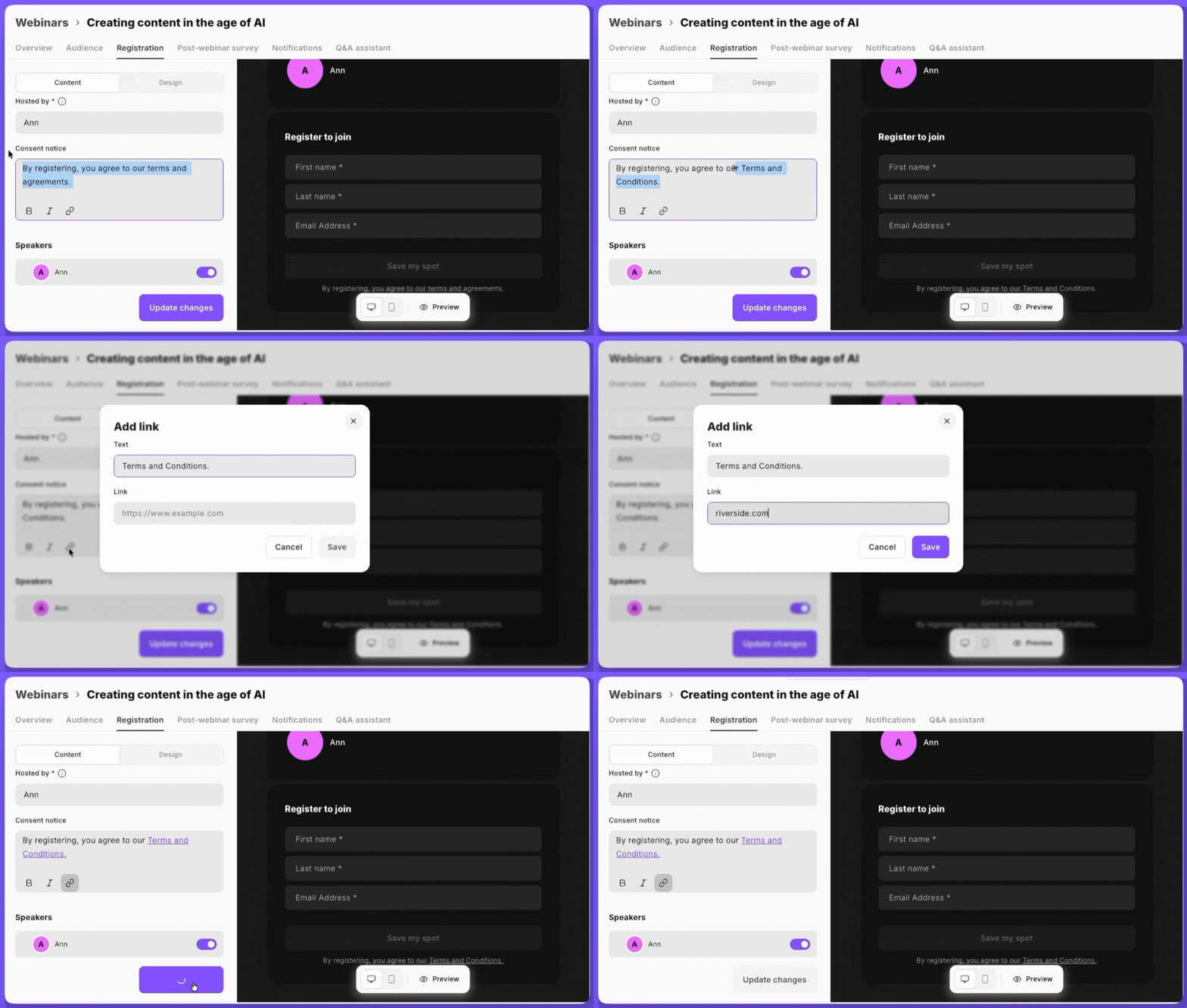
Write your own consent notice at the bottom of your registration form, with rich text (bold, italic, and links to your own privacy policy and terms). You can fully replace the default text, including Riverside's own Terms and Privacy links. Your notice looks the same on the hosted registration page and the embed widget, and if you never change it, the default notice stays as it is.
How to use it
In your webinar's registration form editor, open the Content tab and edit the consent notice field at the bottom of the form.

Got a process that works for you? Get featured by submitting your step-by-step flow. Help other creators save time, learn new tricks and improve their productions.


