New release
Recording
Live streaming
Get camera ready before you record
Look your best before you record, with live framing and lighting tips and an on-screen ring light.
October 4, 2026
Free

Look your best before you record, with live framing and lighting tips and an on-screen ring light.
Try Riverside
for Free

What's new
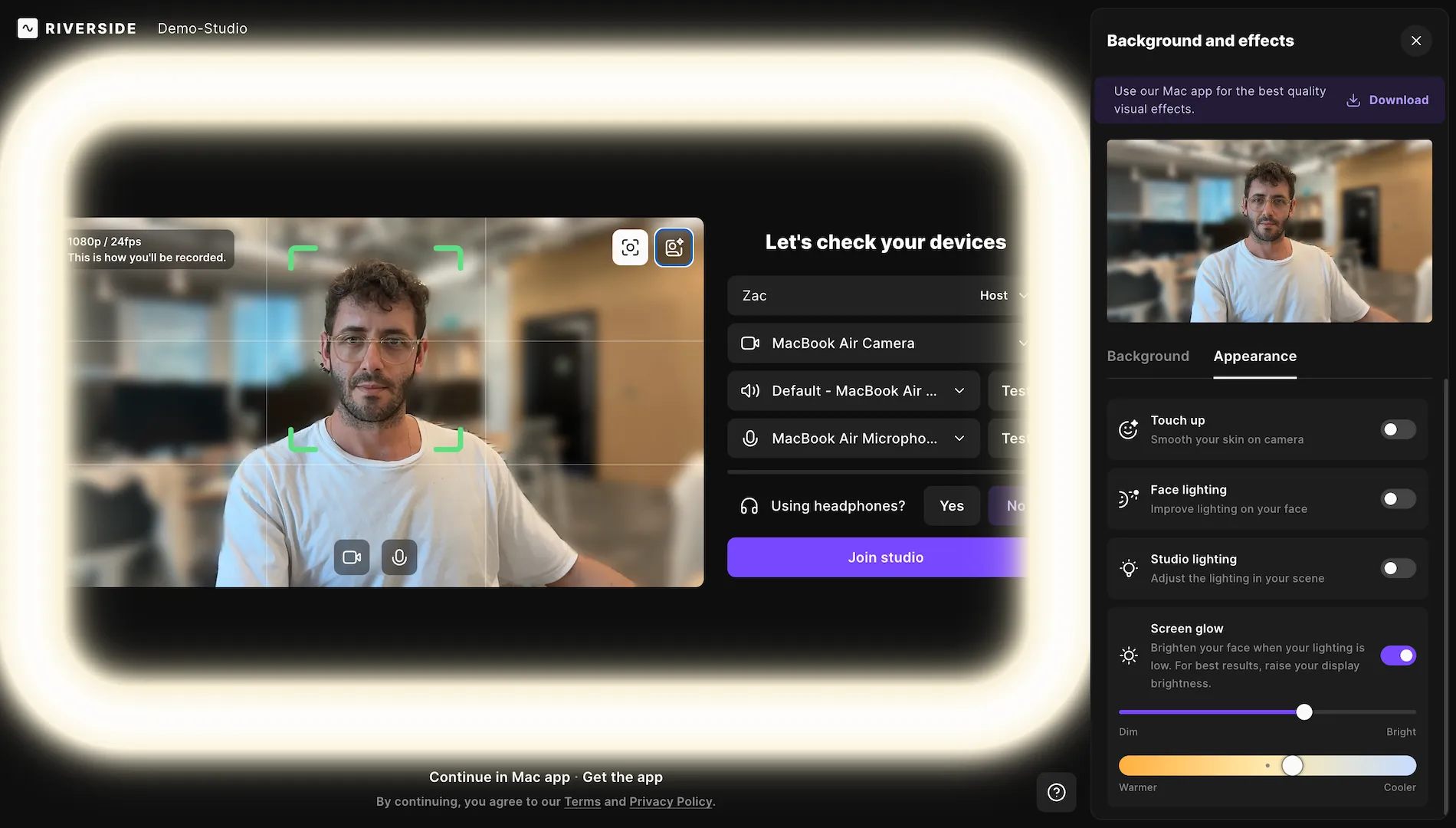
The studio lobby now checks how you look, not just your camera and mic. A lighting check scores the light on your face, and if it could be better, you can turn on Screen glow. That's an on-screen ring light around your preview that lights up your face, with brightness and warmth controls. Only you can see it, so it never shows up in the recording or stream. A live framing guide also tracks your face and turns green when you're centered.
How to use it
The guides are on by default when you join a studio as a host, producer or guest. If the corner brackets aren't green, follow the directions in the top left of your camera preview to center yourself. If a lighting tip appears, click Adjust lighting, turn on Screen glow, and use the sliders to set the brightness and color temperature. To hide or show the framing guides, click the framing and lighting icon in the top right corner of your preview.
Learn more about this topic
Check your framing and lighting in the studio lobby
Get live, on-screen guidance in the studio lobby that centers your shot and brightens your lighting
Apply video touch-ups in the studio
Video touch-ups let you adjust your on-camera appearance before or during a studio session, including skin smoothing and lighting improvements.

Got a process that works for you? Get featured by submitting your step-by-step flow. Help other creators save time, learn new tricks and improve their productions.


