New release
Live streaming
Stream in multiple aspect ratios at the same time
Go live in portrait and landscape orientation from a single session, so every platform gets the aspect ratio it's built for.
September 8, 2026
Grow +

Go live in portrait and landscape orientation from a single session, so every platform gets the aspect ratio it's built for.
Try Riverside
for Free

What's new
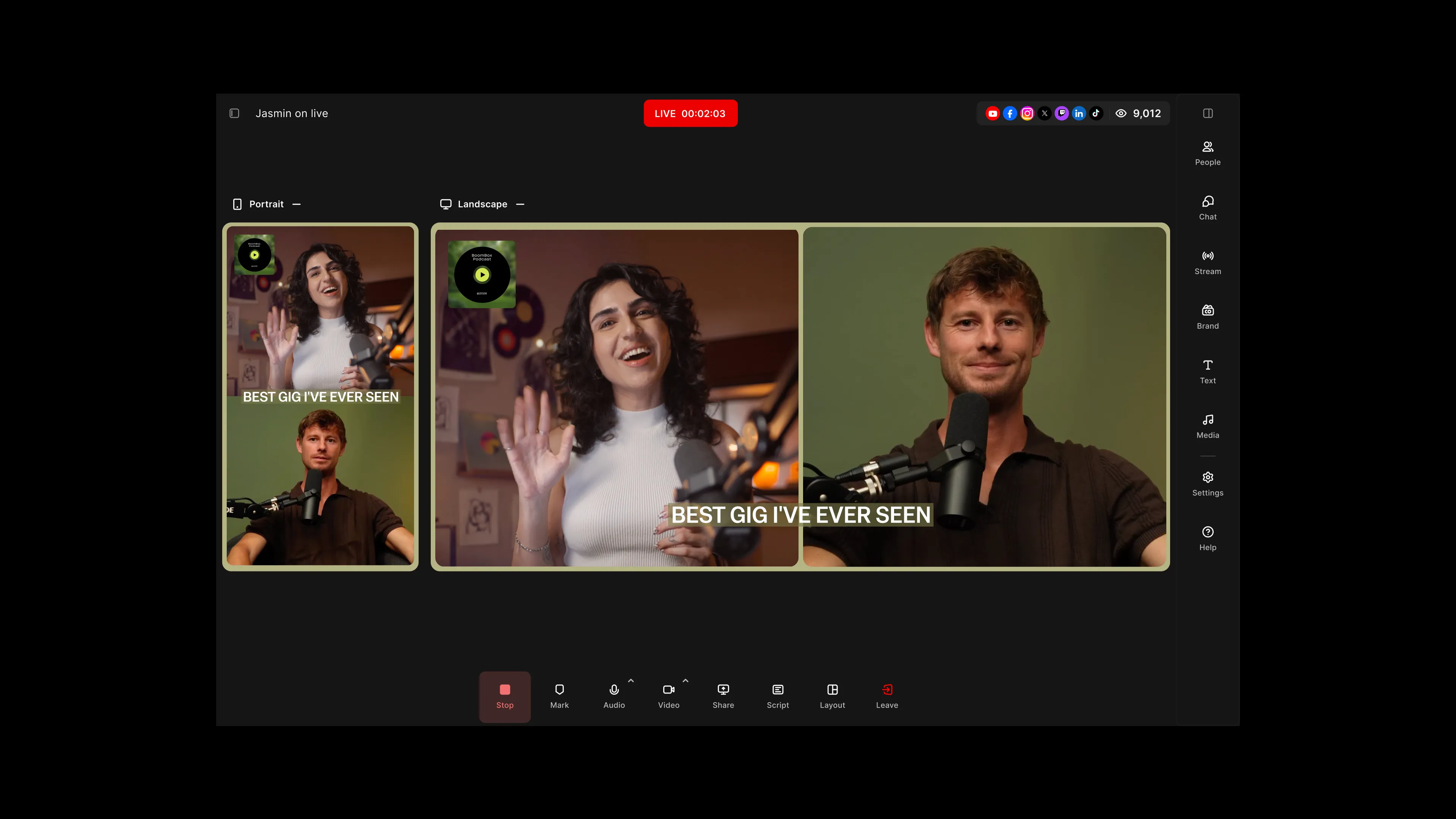
You no longer have to choose one orientation for your whole stream. Multi aspect ratio streaming lets you pick portrait or landscape for each destination, so you can send a 9:16 stream to TikTok and a 16:9 stream to YouTube out of the same studio at once. Layouts adjust automatically for each orientation, and the studio canvas shows a live preview of whichever orientations you're streaming, each one hideable so you can focus.
How to use it
In the Live stream panel, as Host or Producer, choose portrait or landscape for each destination when you set up your stream. The canvas follows your destinations (portrait only, landscape only, or both side by side), and you can hide either preview while you work.
Learn more about this topic
Live stream: Stream in multiple aspect ratios
Stream in portrait and landscape at the same time, choosing one orientation for each platform you connect to.
Live streaming: Overview
Live stream your Riverside studio session to platforms such as YouTube, Facebook, LinkedIn, and more. Use this overview to learn how to set up your destinations, go live, manage viewer engagement, and resolve issues.

Got a process that works for you? Get featured by submitting your step-by-step flow. Help other creators save time, learn new tricks and improve their productions.


