New release
Webinars
Post-event webinar survey
Collect feedback the moment your webinar ends.
September 17, 2026
Webinar +

Collect feedback the moment your webinar ends.
Try Riverside
for Free

What's new
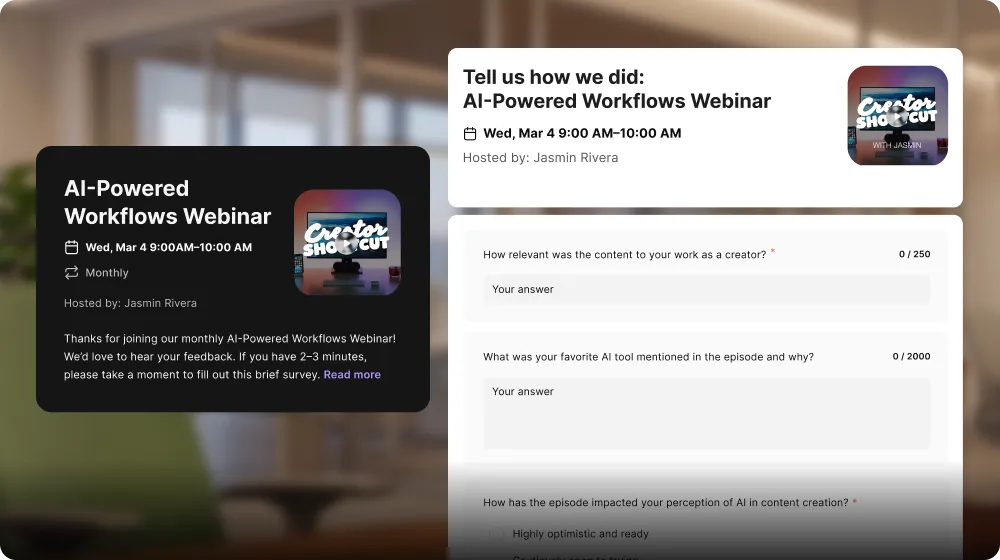
Collect feedback from attendees the moment your webinar ends, with a branded survey built right into Riverside so there's no external form to share. Every answer is saved to the attendee's audience record, and you can download all responses as a CSV.
How to use it
Open your webinar from the Planner, click Manage webinar, then open the Post-webinar survey tab. Add your questions, choosing from short or long answer, single choice, checkbox, a 1 to 10 rating, country, or phone number, then use Design to add your logo and colors and click Publish. After the event, download the results from the survey section of the webinar's Overview tab.
Learn more about this topic
Post-event webinar survey
Collect feedback. Immediately.

Got a process that works for you? Get featured by submitting your step-by-step flow. Help other creators save time, learn new tricks and improve their productions.


