New release
Webinars
Import and re-invite webinar registrants
Fill your next webinar faster by uploading your registrant list with a CSV or inviting people from your past webinars in a few clicks.
September 14, 2026
Webinar +

Fill your next webinar faster by uploading your registrant list with a CSV or inviting people from your past webinars in a few clicks.
Try Riverside
for Free

What's new
Two new ways to build your audience without adding people one by one:
Upload registrants with a CSV: Bring your list into Riverside in one go, whether you're moving from another tool or collecting sign-ups elsewhere. Download a template built from your registration form, custom fields included, and upload up to 5,000 people at once.
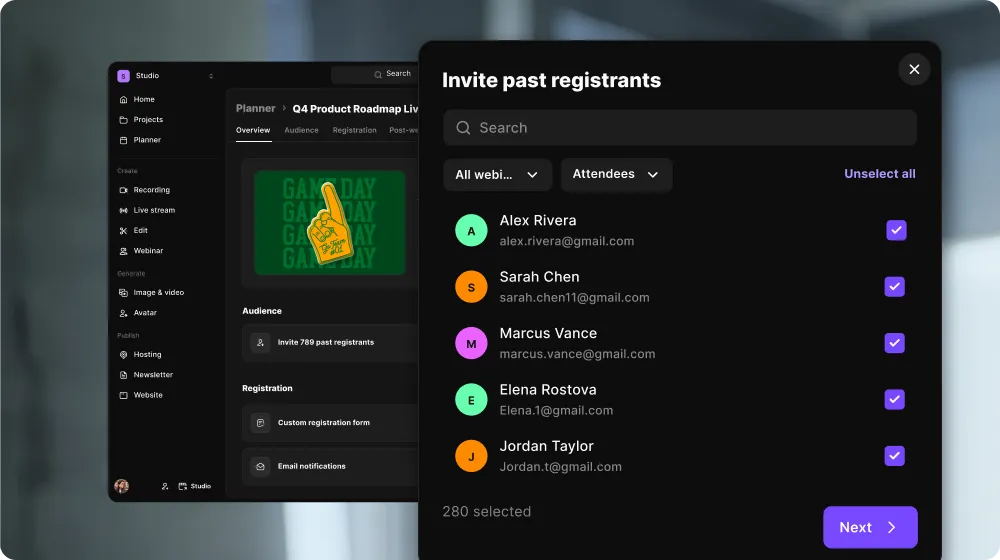
Invite past registrants: Your past registrants are the warmest audience you have. Riverside gathers everyone from your previous webinars into one list with no duplicates, which you can filter by event and by whether people registered or attended.
How to use it
Upload a CSV: Open any upcoming live webinar and go to the Audience tab to upload your CSV. Download the template there first so your columns match your registration form. For a series, choose whether to import into this event only, this and following events, or all events. Imported registrants show "CSV import" as their source.
Invite past registrants: Open your upcoming webinar and click Invite, in the Audience section of the Overview page or in the Audience tab. Choose which past webinars to include and whether to invite registrants, attendees, or both, then pick people, click Preview email, and send. Invitees show as Pending in your Audience tab. The option appears once your account has at least 10 past registrants.

Got a process that works for you? Get featured by submitting your step-by-step flow. Help other creators save time, learn new tricks and improve their productions.


