Update
Live streaming
Live streaming, faster and more reliable
Go live faster and monitor the health of every destination before and during your stream.
August 10, 2026
Grow +

Go live faster and monitor the health of every destination before and during your stream.
Try Riverside
for Free

What's new
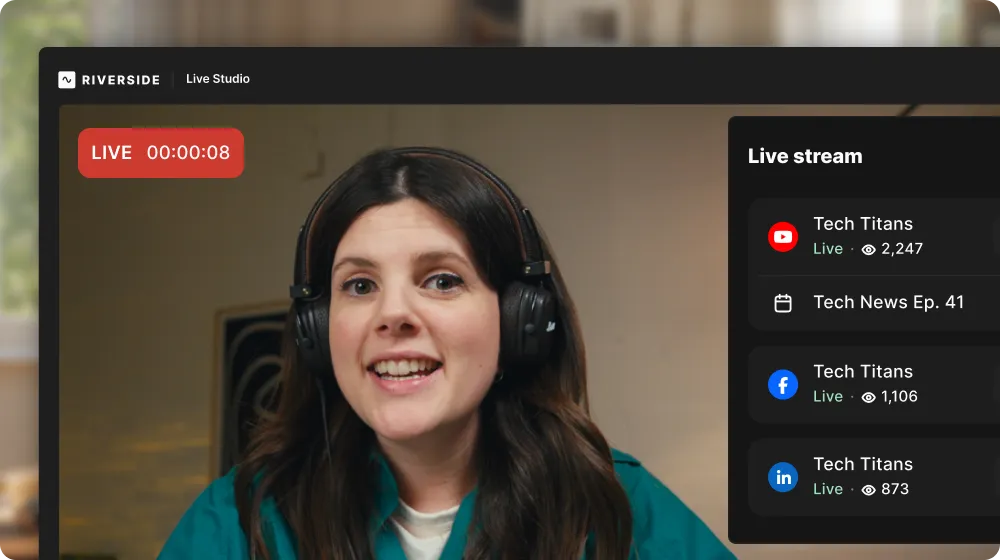
Two upgrades that make going live faster and more stable. Your stream now starts faster, and the redesigned live stream panel shows you exactly where you're about to go live and the health of every destination before and during your stream. Riverside auto-checks each connected destination on entry, flags any problem in plain language with a clear fix, and keeps your other destinations running if one drops mid-stream.
How to use it
There’s nothing to set up on your end. Just go live as usual, with more confidence that you’ll reach your destinations quickly and reliably. To view the channel health, open the Live Stream panel from the right navigation in the studio. You can open and close it while streaming without it affecting the audience’s view.

Got a process that works for you? Get featured by submitting your step-by-step flow. Help other creators save time, learn new tricks and improve their productions.


