Live Streaming
Live podcasting, hosting a webinar, or live stream gaming? Riverside has all the live streaming services you need.


-p-800.webp)


How to go live with Riverside
Step 1
Invite to studio
Create a new studio and send an invite link to your guests and audience.
Step 2
Select streams
Choose live stream platforms and add their stream URLs and stream keys.
Step 3
Live stream
Start live streaming and invite callers, add sound effects, and screen share live.
Step 4
Download
Download your separate audio and video recordings to repurpose your live stream into more content.


Why Riverside:
Why Riverside is the best live streaming platform
Download high-quality live stream recordings
Save your online video streaming in up to 4K resolution and your audio at up to 48 kHz. Recordings upload while you live stream and you get separate video and audio files for all participants.
Expand your reach with multi-streaming
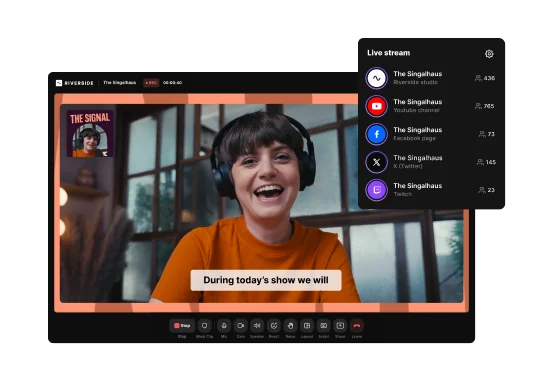
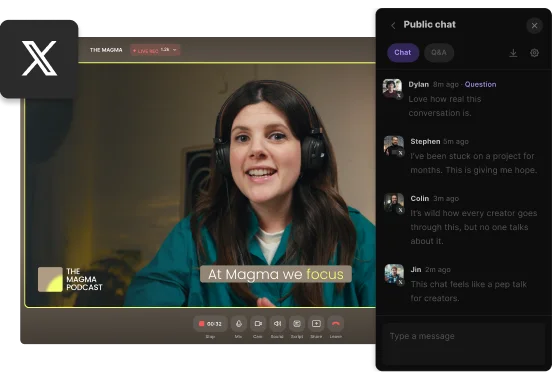
Reach more viewers without extra effort. Start streaming live to YouTube, Facebook, Twitch, and more all at once. Even, stream straight on Riverside with up to 1000 audience members.
Produce and edit while live video streaming
Add sound effects, media clips, and more all while live video streaming. Invite a producer to help you behind the scenes so you can focus on what matters when live streaming.
Live streaming with remote guests from anywhere
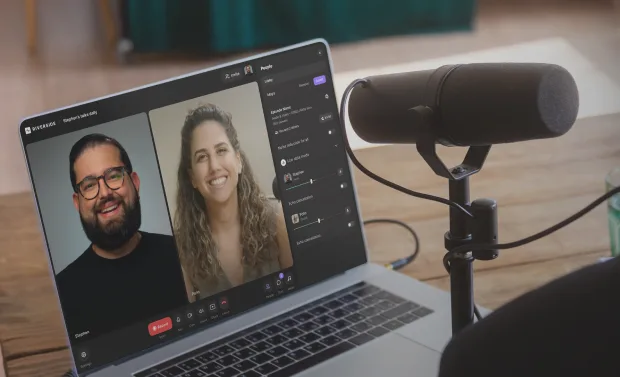
Invite up to 7 guests to join your video live streaming from wherever they are. Guests can also join from any iOS or Android mobile phone with our live streaming app.
Grow your audience with engagement
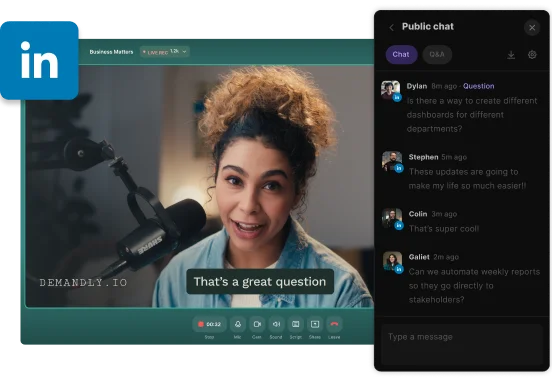
Don’t leave your audience in the chatbox. Engage with them and get your audience to ask their questions with live call-ins. Make them part of your live show too.
Screen sharing for live podcasts, webinars, gaming, more
Captivating your viewers with live screen shares or presentations. This is ideal for live podcast streaming, tutorials, gaming experiences, presentations, and more.
Take your live streams to the next level with Riverside.
How to choose live streaming software
Easy setup and integrations
Choose software that connects seamlessly with your preferred live streaming platforms.
Multistreaming support
Opt for a tool that lets you broadcast to multiple channels at once for a wider reach.
High-resolution recording
Ensure your software records in top-quality video and audio for easy content repurposing.


Multiple input support
Look for software that allows multi-camera, screen-sharing, and remote guest recording.
Mobile compatibility
A live streaming mobile app lets you use your phone as a second camera for more flexibility.
Audience engagement tools
Features like live chat, calls, and sound effects help keep your stream interactive and dynamic.


Frequently Asked Questions
Live streaming is when someone broadcasts what they are recording, in real-time, as they are recording it. This can include various content such as live podcasts, live gaming, and video live streaming of big events. Some people even stream live their everyday life.
Generally, live streams are hosted online. Some big live streaming platforms include Twitch, Facebook Live, and YouTube Live.
It’s recommended you use good quality equipment including a microphone and suitable camera. Other than that, you would need a good live streaming platform. Riverside is the best live streaming platform for someone looking to record and go live at the same time. It offers multi-streaming, audience engagement tools as well as easy editing with high-resolution downloads to help you repurpose your content further. You could even turn your live recording into short promotional clips to share your show all over social media. Check out the best YouTube microphones, cameras, and how to record a streaming video for more information on getting started.
It’s easy to live stream free as there are many free live streaming platforms. This even includes some of the best live video streaming platforms such as YouTube and Facebook. Although, depending on the quality and tools you’re looking for it might be better to use other software. For example, Riverside is great if you’re looking to stream to a few platforms at once, or if you’re looking to repurpose your live stream into high-quality content afterward. It offers simple stream sharing, powerful live and post-production editing tools as well as live call-ins for better audience growth and engagement.
Record. Stream. Edit. All in one place.
Start creating with Riverside.
.webp)

More from Riverside


.webp)

Features