Live workshop: Turn one webinar into endless content
Turn webinars into blogs, clips and social posts for search, Reddit and LinkedIn with Riverside.

Turn webinars into blogs, clips and social posts for search, Reddit and LinkedIn with Riverside.
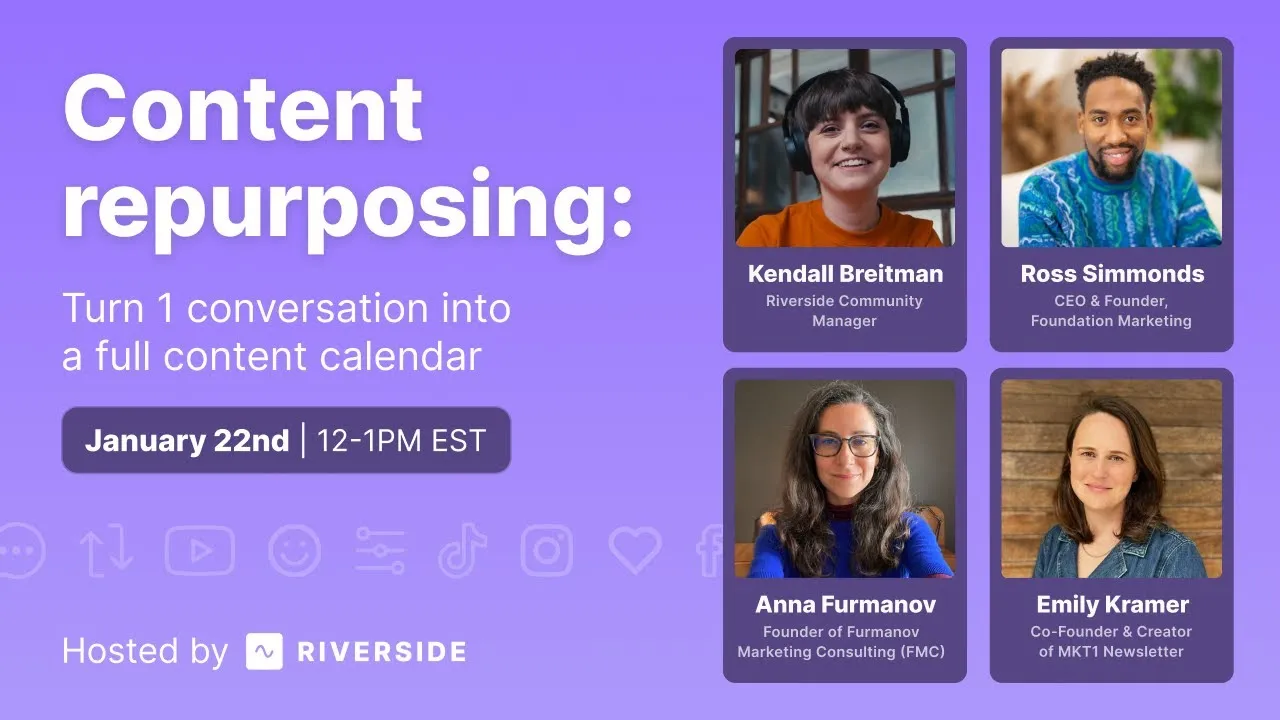
In this live workshop, marketer Ross Simmonds explains why every webinar should become a library of content, and Riverside shows the tools that make repurposing faster.
The video covers:
00:00 Hello to everyone who is tuning in. My name is Kendall and I am the Community Manager here at Riverside.
00:07 And we have a very special session today because we are doing what we like to call internally here our webinar on webinars.
00:15 So um we at Riverside have been working really hard on delivering a lot of new features as far as webinars.
00:23 So we figured that it was time. for a bit of catch up, but also for a session on webinar repurposing.
00:31 I am joined here by Ross, who's going to introduce himself in a second. Thanks for joining, Ross. Excited to have you here. Yeah, of course.
00:39 And so basically what this session is all about is that a lot of you here who are tuning in or maybe watching during the recording that we're going to be putting out there.
00:48 ah You're doing webinars and if your webinars are starting and ending during that hour or half hour session and then afterwards you're not really doing much with it then you are
01:00 Missing out on so much of the opportunity that you have when it comes to webinars There's so much content that you can make for them so much more that you could be getting out of
01:09 them And so today is really a crash course on everything that you can do to help you get inspired to be able to bring them back to your own workflows.
01:18 And a quick introduction, though, uh of I already introduced myself, but of Riverside for anyone who does not know us.
01:25 We are an end-to-end recording, editing, repurposing content platform for your video and audio content.
01:34 and also includes going live and going live with webinars. And we have added, as I said before, a ton of features.
01:41 So between studio layouts, branding your studio, being able to register your audience and connect it directly to HubSpot or Salesforce, but also on the back end, getting all of
01:52 these AI features that you can use your transcripts, being able to make blogs, newsletters, emails, all out of those webinars.
01:59 There's just a lot that you can do Ross, with that, I'd love for you to introduce yourself to everyone who's tuning in, because I am really excited to have you back with us.
02:09 I'm to be here. really looking forward to this presentation. uh My name is Ross Simmons. I'm the founder of a company called Foundation Marketing.
02:15 We work with B2B brands, helping them scale their content marketing engines every single day.
02:20 Everything from webinars to blog posts to eBooks to guides to SEO, GEO, Reddit marketing, et cetera.
02:27 I'm super excited to kind of dive in today and really share.
02:31 uh a lot more on some of the work that we do, but also some of the frameworks that I've used to announce things like my book, et cetera, with webinars and how I was able to really repurpose that content for weeks, if not months at a time.
02:45 So really looking forward to this one. Yeah, and I will just say that, I mean, anyone here who's been working on webinars, you know how much goes into them.
02:53 I mean, you're creating email chains, you're creating the audience registration, you're doing the whole event. And so it just, there's so much work that you put into it.
03:02 So it's time to just get more out of it. And so we're gonna be talking about that and you have, I know you have a lot to get to.
03:09 So I'm gonna, yeah, I'm gonna let you take it from here and feel free to ask questions in the chat if you're watching along live as we go.
03:17 I'll be collecting them and asking them throughout, but also for a Q &A at the end of session. Awesome. Appreciate it, Kendall.
03:24 So folks, I want to start by just acknowledging that we have all been lied to.
03:29 Every single one of us, we've been lied to by people we care about, by people we love, some of our peers, some of our colleagues, some of the gurus and marketers that you see on LinkedIn, they have lied to us.
03:40 One of the first lies that I ever heard that really shook up my life was the fact that if you swallow bubble gum, it doesn't actually stick in your stomach for seven years.
03:49 There was another lie. that stuck with me for quite some time, which was this idea that if you drive and you have your dome light on, you're not actually gonna get arrested.
03:58 But I actually thought that this was a real thing, literally until probably about a month ago. I know, right? It's wild. I thought.
04:06 does not, if you swallow a watermelon seed, does it not grow in your stomach? doesn't grow in your stomach. You're not going to have any type of decomposing thing happen where the watermelon becomes a plant.
04:14 It was all a lie. uh But there's other lies that go around in marketing that we have all bought into.
04:22 And I see them on LinkedIn pretty much every day where people are saying that you can't use AI to streamline your workflows, that AI kills the creativity, that AI is a waste of
04:32 time, that it is evil and that you should never use it, that AI generated content is going to fail. It is absolutely a lie.
04:40 But my belief in all things is that we should always test. We should always try to get to the root cause of these stories that we're hearing so we can understand what is fact and what is fiction.
04:51 And in this case, where I seen this post where somebody was saying that AI written content could never drive results, I decided to find a publication like CNET who was publishing tons and tons of content that was explicitly written with AI.
05:05 And you can see they're calling it out right here. It says this article and the assets here were assisted by an AI engine, fact-checked and edited by their editorial team.
05:14 So they were created with AI. And based off of this, you would think, that's never going to work. And it turned out that there was a lot of errors.
05:22 Tons of errors were in this content. Humans, marketers, myself included, were like, wow, we're good. We don't need to worry.
05:29 AI can't replace us, the media was covering it. It was drama everywhere. They had to shut it all down. So much controversy, so much drama.
05:37 But I decided that instead of believing that this was the truth, that I would unlock my own inner Sherlock homeboy and start to try to figure out what actually went on.
05:48 And if any of you are wondering, that's not actually me. That's not like an actual picture of me. However, if anyone knows where I can find this P-coat, I'd be all over it. So please send me the link.
05:57 I would love to get this P-coat. I think it's dropping in the chat. But either way, I wanted to figure out like what happened to this content.
06:04 So I decided that I was going to analyze how much traffic these pieces were generating. Millions of visits, getting tons of links.
06:11 The value of this traffic was insane, right? And while the nonsense and the lies out there was that this was a failure, the reality looked very, very different.
06:22 And this is why I think truly folks, All of you have made a brilliant decision today to show up to hear a conversation on how you can do more with AI.
06:32 If any of you are already using Riverside, you have made a good decision because AI is doing to white collar jobs what robotics has long been doing to blue collar jobs.
06:42 And for some that's scary, but for you who have made the decision to actually show up to improve yourself, to elevate your skills, I believe truly that you are going to be differentiated in the workforce.
06:53 because you are going to be able to augment the things that others, the naysayers, will never do. Folks, as marketers, creators, people who are trying to get stories out there, your life is becoming more challenging.
07:04 The algorithms on X on LinkedIn, everything is changing left, right, and center. Google is no longer a place that sends you organic traffic, but it has become a destination.
07:12 We look at multiple job listings and job titles, whether you're a content writer, an email marketer, a graphic designer, you name it, and many of us think that our jobs are at risk.
07:22 and we look at job postings and we see that people are trying to hire branding, social media, AI, community management, Twitter backgrounds, PR, design videos, six years experience.
07:31 It's wild out there. Budgets in our industry are getting cut left, right and center. Everybody wants Barbie results, but they have Ken budgets.
07:40 It is absolute chaos, right? We used to have it so smooth. Everything felt so much smoother back in 2019.
07:49 Today, it is absolute chaos. And back in 2019, I would ask folks, like how many of you think that robots, AI can take your job?
07:59 And I'd be curious in the chat, like how many of you think today that AI could take your job? And some of you will say, no, not a chance.
08:08 But now I ask, how many of you think AI can take a part of your job? And I hope that the answer is yes. And if not, by the end of this presentation, I hope I can change your mind.
08:18 Because one of my favorite games, Sudoku, is now able to be done in the matter of seconds, which used to take like a good chunk of time.
08:25 You had to sit down and do this, but now with AI, Sudoku can be done in the matter of seconds, right? The book, Where's Waldo?
08:33 I don't know if there's any Where Waldo fans. That was one of my favorite books as a kid. And now you can know like there's an app that allows you to find Waldo by just scanning it.
08:41 It's wild, right? This is what we're into. This is the world that we live in. So here's what I want you all to do. I want you to run an exercise with me.
08:48 I'm gonna show you a picture. of an animal in a food. And I want you in the chat to write down how many animals you see in this snapshot.
08:58 I want you to just take a second. I know you might have other tabs open, come back here. I want you to look at this for just a second. All right. How many muffins do you see versus chihuahuas?
09:06 The AI would have figured it out. How many bagels do you see versus dogs? The AI would have figured it out. How many pieces of fried chicken versus puppies?
09:14 The AI would have figured it out. How many slots versus pastries? The AI would have figured it out, eight muffins, six bagels, six pieces of chicken, eight pastries, and guess what?
09:22 The AI would not have gotten hungry. This is what we're up against, folks. This is why we have so much turmoil in this industry.
09:31 For years, we have had things way smoother, but now we've got AI, we've got tech changes, we've got algorithm changes.
09:39 There's so much change, and that is why today I actually want us to go back in a ton, back into a time where things were a little bit more simpler.
09:46 I want to go back in a time when I was telling a lot of marketers at a lot of events all over the world that Google is becoming a destination and we need to change our approach.
09:53 We actually need to repurpose our content. We need to distribute our content.
09:56 We need to take our webinars and put them on Reddit, on Quora, on Facebook, on LinkedIn, that we need to stop playing this game of just create, create, create, and instead distribute our stories, right?
10:07 Because if you look at Google as an impact on your business and the webinars that you're producing and the life cycle that they have, It has changed, right?
10:17 You look at the most cited domains on Google AI overviews, it's Quora, it's Reddit, it's LinkedIn, and it's YouTube. YouTube is not just a library for you to upload your content.
10:26 Reddit is not a place for you to just break out into hives and be afraid of. These are channels where your webinars can be repurposed and repackaged and shared.
10:33 And I wish someone would have told us about this back in 2018. In fact, there was, but some of you might not have been in the industry. I give you a break.
10:41 But for those of you who have been around for a while, I've been preaching this since 2018, telling brands and businesses, you need to be on Reddit, you need to be on Quora, you need to be on LinkedIn, you need to think about first principles of distributing great stories.
10:54 And that's the framework that I wanna share with you today. Research, creation, distribution, and optimization, because it is time as marketers for us to put marketing back into content marketing.
11:05 And it starts with research, but let's sprinkle AI all over that.
11:10 When it comes to research, when you are thinking about your webinars, when you are thinking about what you should do, I want you to rely and leverage AI to do things faster.
11:19 You can ask AI to do comparative analysis of all of your webinars versus a competitor's webinars versus another brand's webinars and have it do a deep dive and break down the
11:30 differences, maybe even look at the engagement rates on different webinars and provide you with insight on what the best ones are and it will give you a spreadsheet that breaks it all down.
11:40 I did this with Best Electrolyte powders just recently and it did all of this research for me in a matter of seconds.
11:48 You can take PDFs and resources, internal documents, you can analyze this content at scale with AI.
11:55 You can analyze investor reports with ChatGPT, you can analyze transcripts from your webinars with ChatGPT, all of these things to get insights.
12:05 One of my favorite things to do is to actually really put in that inner, like that Sherlock homeboy mentality into my mind and then put it into practice.
12:15 And before I start a webinar, I wanna research the people who I'm going to be connecting with.
12:21 Research the people that my clients are trying to sell to, who their webinar is for. So we have what we call content market fit.
12:29 And we research that upfront, right?
12:32 And webinar content, folks, is absolute marketing gold because you can create one webinar that turns into four LinkedIn updates, two blog posts, three status updates, a story, a pre-roll post.
12:45 Like you can turn a webinar into absolute marketing gold. But here's what I want you to do.
12:52 You need to understand that webinars are essentially a form of content. They are a video format that is live typically.
13:01 but they can also have a life that lives beyond that moment in which it goes live.
13:06 This is why I love to go into things like YouTube and do research on stories that matter to my audience.
13:12 Let's pretend, this isn't real, but let's pretend that I ran a gardening website or a website that had a SaaS product for gardening or I was a gardening creator and I wanted to build up a pipeline around this.
13:25 I would go to YouTube and I would start to look around with my actual eyes. not relying on the tools, but with my human eyes and use taste to try to figure out what's working.
13:35 And then I'd see this video, propagating basil, grow an infinite supply forever, 350,000 views.
13:42 Now the keyword research tool I would use might tell me that there's not that many people looking for this content.
13:48 And this is why I think you actually need to rely on the human taste and understanding more than just the technology.
13:54 Because I might say, look, this propagating lavender piece, has about 500 to 800 searches a month, let's dive in and go to YouTube and type that in and see what happens.
14:03 And I see propagating lavender from cutting, lavender from cuttings in water, lavender in water, lavender from stemming cuttings, all of these things.
14:11 And then when I go in and I actually start looking, I see that there's over 455,000 views on this content.
14:18 Maybe I should create a webinar on how to propagate and grow lavender from cuttings because clearly there is an interest here, right?
14:27 This is a part of our project. This is a part of what we should do as marketers, as creators. We don't just create the webinar and call it quits.
14:34 We have to start by understanding what our audience wants. Also, if you've never put lavender on a sleep mask, it is an absolute game changer.
14:41 I've been getting tons of deep sleep lately, exclusively because I put lavender on my sleep mask. Insane. All right, here's some other things that you should research.
14:50 Research websites. Take a look at what content other brands are publishing. that have generated lots of traction. Use tools like Ahrefs to understand how much traffic they're getting.
14:59 But also use this to inform your marketing decisions. Like sites like g2.com, they're losing lots of traffic. Trustradius.com losing lots of traffic.
15:06 Captera, lots of traffic. But marketers continue to invest in them. This is why I think marketers need to continuously do research.
15:14 Some research we recently found that uh Reddit URLs are being cited more frequently than ever before on things like ChatGPT.
15:22 There recently was a little bit of a slight dip, but it's still significant. Perplexity, Reddit, YouTube.com, these are channels that are being cited.
15:29 And some of you might be like, okay, but why would Reddit show up here? Because Google and Reddit have a partnership. Open AI and Reddit have a partnership.
15:37 So follow the data, follow the money. And if you are these other sites, I'm sorry, but you should have partnered with Google. Like that's the reality because Google is still a juggernaut.
15:46 And when you are creating webinar content, you happen to have the ability to influence the second biggest search engine in the world, which is YouTube, which is why that webinar that you create shouldn't live and die behind a gated resource.
15:59 It should probably be chopped and skewed into different clips.
16:03 uploaded to YouTube and maybe the entire thing uploaded after you start to see fatigue in your ads that you were trying to drive pipeline with, right?
16:11 We're starting to see 20 % of citations including a LinkedIn source. So maybe you should be repurposing your webinars for LinkedIn.
16:18 On the same flip side, if you're in B2B, we see tons of brands still investing in sites like G2 and Captera, yet less than 2 % of the citations in LLMs, right?
16:27 Then let's talk about creation.
16:28 Let's go back to the early fundamentals of like, YouTube is clearly from research identified as a place that we want to be.
16:36 So that strategy that I talked about around creating a webinar based off of your own eyes and understanding the research around what would resonate, maybe you can now start to use
16:46 ChatGPT to take your headshots to make better thumbnails because that's one thing I see here. None of these thumbnails are really that great.
16:54 So can I go to ChatGPT and say, hey, ChatGPT, take these headshots of me and turn them into a YouTube thumbnail? where I'm propagating lavender with the title, How to Propagate Lavender in 2026.
17:04 And then I get this, right? In the matter of seconds, but I'm wearing a Coogee sweater. That looks silly. So I'm like, that's cool, but I would prefer not to be wearing that.
17:11 Could you put me in a different gardening style outfit? That it does this. Amazing, right? Now I look like I'm actually wearing a gardening outfit.
17:20 I've got lavender behind me. This is brilliant. Sure, it doesn't look exactly like me, but it's close. And remember, this is the worst that AI will ever be.
17:27 Then I say, Hey, ChatGPT can you write me a script for my entire webinar?
17:31 And then if I got really lazy and I didn't wanna do that webinar myself, I could use a tool like HeyGen and I don't know if you can hear that, but it actually sounds somewhat like me.
17:43 It creates an AI version of me talking.
17:50 It doesn't get all the abouts as a Canadian, like my Canadian flare ups don't really show in the video, but it again is the worst it will ever be.
17:58 Or I can take a webinar where I'm talking about propagating lavender with experts and maybe I can upload and get the transcript from that directly out of Riverside.
18:07 Again, this is where. the augmentation process becomes way better, right? Like I've been using for the Ross Simmons show, my podcast, definitely check it out.
18:14 uh I've been using Riverside to record my podcast episodes. And in these episodes, I no longer have to write what was talked about.
18:22 I no longer have to re-listen to it. I can use the show notes directly from Riverside, copy and paste those over into Spotify and it takes care of that.
18:29 You can also get creator clips. This is game changing folks. We talked about how important it is to not just create content and walk away.
18:37 this allows you to create an asset once and then have multiple social assets that you can actually have repurposed and shared on different platforms.
18:47 So now that I have this episode where I'm talking about propagating lavender with an expert in propagating lavender, I can now have all of these micro clips that I can share
18:56 on TikTok, YouTube shorts, Reddit, LinkedIn, Quora, Facebook, and more. All in the same amount of time as it took me to produce it, because it does it in the background.
19:06 One of the next things that you can do is you also get these things called snapshots from Riverside, which is gold, where it's like these preliminary images.
19:13 So you no longer have an excuse, folks, to not do pre-promotion of your webinar, because as soon as it's done recording, it's gonna find some interesting shots and then give those to you, right?
19:23 And if you really wanted to take this webinar global, you could do it.
19:27 Because with AI now, there are tools that will allow you to turn that webinar into Mandarin, into Spanish, into French, into German, Italian, and more, all with AI.
19:35 reach global markets.
19:36 I was speaking in Brazil and I decided that I was going to put my entire deck into Portuguese and people from Portuguese absolutely loved the fact that I made it tailored to them.
19:46 And if you're wondering, how can you learn this stuff?
19:49 Study from those who are doing a great job, unleash your own Sherlock homeboy to study the ins and outs of some of the best YouTube channels such as SEMrush, such as GitHub, so you can use it to inform yours.
20:01 And some of you, are sleeping on what I believe is probably the low hanging fruit for a lot of your video content, and that is thumbnails.
20:09 Optimize your video content with great thumbnails.
20:14 You want to create a YouTube thumbnail video with best practices for every video, and again, while my head looks crooked in this video and it doesn't look exactly like me, this is the worst it will ever be, right?
20:24 And if you are in a business where you're like, we're investing in webinars, but we're not getting traction, here's another pro tip.
20:31 Go find actual creators.
20:34 Go find people who are great on camera, who understand best practices of storytelling and bring them into the mix and create video content that then gets embedded into your blog post.
20:44 Because remember, the video content that you create, those webinars that you create can take on a new format, just like this video that I've done with HubSpot, right?
20:53 Reverse engineer the content that is working. Reverse engineer everything from blog posts to webinars.
20:59 so you can have a holistic strategy that connects it back to one another. When I look at CNET, I look at Bankrate, I see what blog content they've produced that are driving results, and then I started to see some trends.
21:11 I seen that they all had high editorial standards, that multimedia content webinars, double eat best practices were incorporated throughout, reads like a human has interlinks
21:22 um throughout from pages to pages, and sometimes it had disclosure. These are the things that showed up in AI assisted assets.
21:31 But I want to call out this one, multimedia content. The best brands today are realizing that a webinar doesn't just get published and then you walk away.
21:38 You take that webinar and you embed it into a blog post that is relevant to that audience. Because guess what?
21:46 Google owns YouTube. And where do you think Google is going to send someone? To a URL that happens to then let them watch a video on YouTube?
21:54 Of course, because that's where they get more ad But it doesn't end there. I want you to be holistic with this. I want you to follow the data and see that yes, Reddit is showing up more.
22:04 Reddit is more and more frequently showing up in the buyer's journey. We need to consider it as well. So why don't we remix that webinar for Reddit?
22:12 Why don't we take elements of that webinar and incorporate it into a Reddit post?
22:17 The same way that you would find great content like this, if you're looking for pizza in New York, this is showing up today in the SERP, search engine results page.
22:25 I would look at this and say, okay. Maybe I can create a bunch of different variations of this if I had a food blog for different states, for different cities.
22:33 Just like I did here in my hometown, Nova Scotia, Halifax, on the East Coast of Canada, I took inspiration from this piece, a New York pizza tier list, and I said, I'm gonna create that in Halifax and see what happens.
22:45 The result, 40,000 views, 100 upvotes, and I didn't get banned or blocked from Reddit, the channel that gives everybody the heebie-jeebies, right?
22:53 Here's how you get set up for Reddit to distribute your webinar content at scale. One, you wanna consider having a branded subreddit.
23:00 Two, you wanna consider having a user account that is dedicated to your brand. And three, you want to consider having a user representative of your brand on Reddit.
23:08 When you have these three things, you then need to embrace the four fundamentals of the four E's. Educate, engage, entertain, and empower.
23:17 These types of content assets will always work well on Reddit the same way that they work well on webinars.
23:23 And in that long form post that is filled with value, you plug your webinar, right? And if you're not sure your audience is on this channel, I recommend you check out a tool like SparkToro.
23:33 It gives you details and insights into channels that your audience might be on. Then, you've done all this, now it's time to distribute that content like wildfire.
23:41 Folks, this is what I've done time and time again. It has built my career, it's also helped build my agency, as well as the clients that we serve every single day.
23:48 We start with a long form asset. It could be a webinar, it could be a podcast, it could be a YouTube video, it could be anything.
23:55 and then you repurpose that blog post into a podcast, into a thread, and you repackage that content time and time again.
24:03 Riverside makes this ridiculously easy, right? You take your podcast, you turn it into clips, you take your webinar, you turn it into blog posts, you take screenshots with your guests.
24:12 Some of this is now automated because of tools like Riverside. And then manually, you can distribute it through sites like Hacker News, through Reddit, et cetera.
24:22 You can use tools like Runway ML, which allows you to turn images into video. So I can take that image of me thinking that the dome light was on and turn it into a video asset.
24:33 I can use tools like 11 Labs to create a synthetic version of my voice and then create a handful of AI generated content, right?
24:40 All of these things are possible now where I can upload versions of me talking and create and blend them together to actually create a AI hosted webinar.
24:51 maybe an AI posted podcast, YouTube, all of these things are feasible today.
24:58 I can go into chat GPT and I can take some of my best performing content and say, Hey, take a look at the top tweets that I've ever sent and write me 75 more.
25:07 And then please, I always use my please and thank you with my AI just because in case they do. Yeah, you have to, I know it's not good for the environment.
25:13 Yeah, I've heard it's like bad for the environment, but I'm doing it anyway.
25:16 um you still have to kind of be kind. If they come to life someday, they're not coming to get me. So I will.
25:23 AI session and I kept writing, can you please do this? And someone in the chat was like, do you have to say please? I'm like, no, you don't, but I do.
25:31 Yeah. So you get your spreadsheet directly from the LLM and you'll be like, great, this is awesome, right?
25:39 Like this is amazing. I have a bunch of tweets that sound exactly like me. Then you can take that, upload it to Canva.
25:45 They have a data section where you can upload spreadsheets and you can say, just like you would in an email campaign, I want you to take these quotes and put them in this quote section.
25:55 I want you to put my handle in this section. and it will do it at scale for you, but you might look at that photo and say, that's kinda not great, that doesn't represent my brand.
26:02 So then maybe you go out and you find an image that you do like, and you might upload that to Mid Journey and say, describe this image so I have a better prompt that is more aligned with what I actually want.
26:11 And then you might say, I like this, but I wish it had some melanin. And then boom, you can add that to your prompt and there you go, you got a whole bunch of new visuals.
26:19 You can upload those directly to your channels, schedule them to go live, and in about 20 minutes you have 18,000 impressions, 30 new followers because you decided to share these pieces.
26:28 And some of you might be thinking, well Ross, that's not gonna drive quality content.
26:32 In a game and in time where attention matters so frequently, we actually need to be willing to fail more often.
26:41 We need to be okay with some of our clips being flops because the algorithm is actually more in control than the actual creative.
26:48 Brands like Cluey are doing this with TikTok right now, where they're taking webinars and they're chopping up hundreds of clips and they're sharing them all the time on multiple channels.
26:56 There are YouTube channels, it's called Daily Facts Worth, where they're simply taking AI generated content and they're uploading it and they're getting 230,000 subscribers.
27:05 And you might be thinking, Ross, you talked about a lot today, who in the world has time for this?
27:10 Between tools like Riverside, tools like distribution.ai, it makes your life way easier to tap into this technology.
27:17 Distribution.ai, it does the written side of what Riverside does with the video side, where you can upload your blog posts, upload your webinars, and it will craft and create all of those assets for you on your behalf.
27:28 You can do it with Riverside as well. Again, we use this all the time with our podcast episodes, and the beauty is you can also share it to other channels directly in the platform.
27:39 So I wanna share it on LinkedIn, I wanna share it on YouTube, I wanna share it on Shorts, Instagram. uh It allows you to do that, TikTok. directly in platform.
27:47 Folks, there is no more excuses around we don't have time to distribute your content when tools like Riverside Distribution.ai exist because you now can upload your content directly to these platforms and have it repackaged, repurposed and written about.
28:01 And your creativity still stays the same because your value and the creativity lives in the evergreen asset that you created that was unique to you, your brand and your story.
28:11 And then you let it spread, right?
28:14 When you use AI, with social, you can reach way more people faster, more efficiently.
28:20 And then I want you to not just get into the cycle of research, create and distribution, but also to remember the importance of optimization.
28:29 That webinar that you created at the beginning of this year that is collected dust, I want you to actually go back to it.
28:34 I want you to go back to it and write a blog post about that topic and include all of the things that are in this screenshot. This is the checklist.
28:43 to ensure that you don't create content debt on your website. Engineering teams talk often about technical debt.
28:51 We as marketers have this issue where we have focused so much on creation that we have created content debt for our websites.
29:01 And what I want you to do is to go back in time, look at the webinars that you published last year and ask yourself, are they still generating leads?
29:09 Are they gated?
29:10 If not, allow them to be free for the world to consume. Because in that consumption, the LLMs might get trained on them, your audience might get trained on them, and people will read them and be more likely to share them.
29:21 But it doesn't end there. You wanna write a blog post that summarizes it.
29:26 And AI tools, distribution.ai, Riverside, et cetera, these tools can help augment you to do this at scale, right?
29:35 Make sure that your headlines are aligned with the things that people are looking for.
29:39 If you have a old link, Update that old link, make it great again.
29:43 Because we are going into a time right now where the content that you produce has the ability to influence buyers tomorrow and the next generation to come.
29:53 So my goal today is simple.
29:57 I want you all to recognize that in your fingertips, if you are running a webinar experience for your brand, for your client, for you, then you have an opportunity.
30:06 You have an opportunity to create stories that build trust. Because where we're going as buyers and as marketers is going to require it more than ever.
30:17 Because in the future, when I want to buy something, I'm going to go to an LLM and I'm going to say, hey, I want you to find the best Lower Bowl Philadelphia Eagles season tickets, Go Birds.
30:28 And my AI is going to know my calendar. They're going to know when I'm free. They're going to know where I want to sit. They're going to know my budget.
30:36 They might even have access to my bank account. And they're going to go and they're going to book that ticket for me. Cause this isn't what's going to happen.
30:43 Like this can be done today. This is an experience that I went through literally this week. I didn't buy the tickets.
30:51 That's a lot of money for tickets, but this is what you're able to do. The AI went out and went to this place. It found the lower bowl.
30:59 It found the pricing and it told me exactly what my seats were. In the future, I'm going to be able to say, Hey, LLM, I want you to go and book a demo with the top CRM companies.
31:09 Hey, LLM. I want you to go and find me the best t-shirt for my trip to wherever.
31:16 I want you to find me a bottle of kombucha that is lower than 150 calories, whatever it might be. You will be able to ask that question.
31:24 And the brands, the businesses and the organizations that win, when the human discovery, the clicks are no longer our fingers, but instead are a transaction that an AI does on our behalf, are going to be the ones that we seek out.
31:38 And the only way... for me to seek you out is to actually know who you are and to build trust. So I encourage you to embrace this framework.
31:47 Research your audience to understand the content they care about, understand how they're finding content, the channels they're on, create stories no matter what format, but
31:57 embrace webinars and then repackage them because as I said, webinars are content gold. Then distribute them like wildfire.
32:05 Make sure that you are spreading them on the channels where your audience is. whether it's X, it's Reddit, it's LinkedIn, it's YouTube, it's Masternodes, Blue Sky, I don't care.
32:13 Just go where your people are and then optimize that content for generative engine optimization, for conversions, for data, for refreshes, et cetera.
32:22 And I know we covered a lot and you might be thinking, Ross, where in the world do I start with all of this?
32:29 I've got limited budget, limited time, resources are crazy and I don't know what to do. Folks, it's very simple. It is a new dawn, it's a new day.
32:38 The old idea of just create a bunch of webinars in the world will be yours is dead. It's absolutely dead. R.I.P.
32:46 The new strategy is create a webinar once and distribute it forever. I wrote an entire book on this concept.
32:55 I wrote this book with one intention, to help great creators like you who care about the stories that you're telling, the audience you want to connect with, and your craft.
33:04 Understand how if you can get the fundamentals right, you should be able to win. I want you to win. That's why I wrote the book.
33:12 And I want you to tap into this and use it in your day to day.
33:16 Folks, this framework, I want you to print off, steal, use it, because our industry truly does depend on it.
33:25 We all need to put marketing back into content marketing. And if we don't, we will struggle, we will fail.
33:33 And I hope today, at least one idea one nugget, one tactic, one strategy will stick with you longer than if you swallowed a piece of bubble gum.
33:42 Thank you all so much. I hope you got a ton of value out of this. Riverside, thank you for having me. Folks, if you have questions, drop them in the chat.
33:49 I will be happy to discuss with you. That was that was such an incredible breakdown of so much information.
33:59 first of all, Ross, I want to say thank you for sharing all of that. We had a few questions if you would be able to if we could share the deck ah with the. Yeah.
34:06 So everyone who's watching along or watching the recording will share the deck with you as well, because there was a lot packed into there.
34:14 We also will have a recording. And I do want to I'm going to be trying out something in the chat right now that that we are.
34:23 a lot of what we just talked about and I'm going to be showing you some of it now before we go into the Q &A. You can be doing directly within Riverside.
34:31 So if you want to get a demo, I'm writing this as I do it, of Riverside for webinars, vote here in the chat.
34:42 This is my first time using polling because it is brand new. we're in this together. Yes, please.
34:53 and No thanks. Sad face. Wrong choice.
34:58 um Save and let's launch it. So if you all see that poll, let me know if you do, because again, first time doing this.
35:08 um But I do.
35:11 There's so much that you talked about during this that I do want to do a quick before we get into the Q &A overview of just a few things that you could be doing right within Riverside that you talked about, because there were a lot of questions in here.
35:25 that we're asking, well, how do I, you have all the stuff that you have to do, how do I do it myself?
35:33 And so at Riverside, what we've been really working hard on is creating an entire end-to-end webinar system so that you can do it without needing a full team.
35:42 For example, I do all of the webinars, I'm not a video editor, I'm a community manager, and I am able to do the registration, make all of the clips, edit them.
35:53 create the blog content, all of that myself, and it's not sucking a lot of my time. I'm able to really get a lot done through Riverside.
36:02 So let me just show you a quick overview of some of the things that you could be doing here.
36:09 This is a webinar that I recently did on script and hook writing. So if you're also into that, check that out.
36:15 But so here on this Made For You tab in the project page, you already have, for example, your AI generated show notes, which a lot of you are probably familiar with.
36:24 But if I click into them, I have my keywords right here. I could just, they're already separated by commas. I could take this, put it into YouTube and add that into my YouTube description.
36:34 Take that as inspiration for titles maybe. to be able to use some of those keywords. Use that in the summary as well.
36:42 It's powered by these keywords. Maybe I want to scroll down and use some of these sound bites.
36:49 For example, you were talking about creating those Canva pictures that have some key quotes. I can take them right here from these sound bites.
36:57 So really easy to be able to do that. Obviously, if you scroll down, a lot of you are familiar with your magic clips.
37:04 So you can even customize them to make them exactly how you want.
37:08 So maybe I want my all of them to be instead of 30 to 60 seconds, maybe I want that to be a minute, a minute and a half.
37:15 I want to add my branding. And in one click, I could just have a ton of clips created for me, all with my branding, with an intro, whatever I'd like.
37:25 We actually also just added segments to because what we're seeing is a real trend here.
37:30 is that there's the long form content and then there's the 30, 60 second shorts.
37:36 But we're seeing more and more of, and Ross you talked a little bit about it during that presentation, is a variety of content.
37:43 So maybe now, instead of having just the hour long webinar, you want 10 minutes, a section of that webinar, so that you can share that and really keep repurposing.
37:53 You have that now with Magic Segments, which again, you can personalize. add your branding, be able to remove pauses, filler words, do any of that that you can normally do in the editor.
38:03 So you have that. And we also, you know, we have the screens, the snapshots at the bottom.
38:10 look very serious and like I'm really tuned in. So that's a good one right there.
38:15 But if you go up here to ask co-creator, what I just want to show really quick in case anyone here hasn't tried it out, it's basically like having an entire marketing team just right there, built within Riverside.
38:26 So It's an AI chat assistant. instead of having to take, you'd have to, before this, you'd have to take your transcript, um copy the entire thing, put it in a chat GPT.
38:38 If you're using free chat GPT, then you would have to kind of split it because the transcripts are usually very long.
38:46 What the co-creator does is it has your chat, your conversation, your transcript already there. So it can create content without you having to take it anywhere else.
38:55 So. I can go here and do Instagram captions and just have it create an Instagram caption.
39:01 could even, you were talking about thumbnails, I can have it generate thumbnails for me right here based on the conversation that you just had and a picture of you and your guest.
39:11 You can create clips, I'm gonna show, um you can create promo trailers, social media images, episode titles, descriptions.
39:19 Maybe I wanna, we were talking about blog posts before. Maybe I wanna have a blog post.
39:25 and I want it to, I can pick a topic that I want it to review.
39:31 So maybe I want to have a blog post on one of the topics that we talked about.
39:37 So here's just a general blog post written right here and it's literally live right now.
39:46 So you could see how fast this is working and I can take this, massage it out, make it my own with my own voice.
39:52 I could even continue to talk with it, say, I want this to be more fun, base it on this, something like that, and go back and forth with it, and it already has your content.
40:01 You can just create all of those assets right there. um I wanna write, um you were talking about getting insights.
40:08 Give me the top, give me the top insights from this session.
40:16 and format it into a social media post for LinkedIn.
40:23 I'm doing this live, so let's see how this goes. But here are some insights from our webinar and written for LinkedIn.
40:32 So we were talking about how do you have time to do all of this?
40:36 And what we've really been working hard on here at Riverside is making sure that you have that time by building tools that give you all of everything that you need.
40:46 to create all these assets. So highly recommend checking them out and let us know with that poll if you want a little bit of a private tour of our entire webinar solution.
40:58 And with that, we've covered a lot. Yeah, I wanna get you a...
41:04 just a couple of days ago and I was like, this is game changing for folks. I'm excited for more folks to use it.
41:11 Like the ability to augment yourself as a creator, it's never been a better time. I say it all the time. It's never been a better time.
41:18 tease because for everyone tuning in here that we have a lot more coming when it comes to that and very soon so I'm really excited to continue to roll out even more features that are going to help you create even faster and create some really pro level content.
41:33 So with this we have a lot of questions Ross, which can be expected because you covered a lot.
41:44 Yeah, some of them are for you, think too. Like there's a lot of good Riverside questions. guys, yeah, love it, love to see it. Yeah, so okay, first, will the replay be available?
41:53 Yes, and that's a great compliment that you want to rewatch, so great to see it. um So I am scrolling through over here.
42:02 um Can we get a link to the story and the hooks webinar?
42:08 I will be sending that now in the chat. Let me get that very quickly and...
42:17 I'll send that right now in the chat. Great. So I'm just going from the bottom.
42:25 um How on earth do you upload data to Canva?
42:33 Ross, that one's for you. That is fair. So there is a feature within Canva. think...
42:42 as simple as data. There's a feature where you can do like a data upload directly in where you can like do bulk.
42:53 It's under bulk setting. So you go into Canva, there's a section called bulk edits and you can create bulk content at scale.
43:02 So it's a feature under the app section. You go to bulk create and then from the bulk create, you're gonna upload your spreadsheet.
43:10 You can select up to like 300 rows, 150 different columns. or you can enter the data manually and it will allow you to do it.
43:21 it's uh one of my favorite tools of, one of my favorite features and tools, like this is where you'll find more about it.
43:28 uh Access Bulk Create, you just upload it here, add in your data and you will be off to your races in terms of creating content at scale.
43:39 While you were answering that question, I also wanted to say that we had a question from Sophie.
43:46 Can I give timestamps to Riverside to generate shorts automated? So one thing that you can do, and I was just getting it prepared in the other tab.
43:58 I just wrote into the, it's still creating it because I just wrote it, but I asked you create a 30 second clip from the conversation we had at 30 minutes in.
44:07 So if you do have those time codes here, you can see created a 39 second clip to include the end of the sentence that I said we were saying. And it's created for you.
44:15 You can go in, change the in and out points, make it exactly what you want, change the layouts.
44:20 But yeah, you can have it start with the co-creator and end exactly where you want it to, or just give kind of a rough estimate and be able to be able to find that moment.
44:29 So very cool. I'm excited. I'm really excited about this feature. So.
44:36 We have, um for reusing content, how do you suggest we craft this? Should we be all salesy?
44:43 Should we have a strong CTA to subscribe, book a call, et cetera? Or should we rather just focus on the key concepts covered in the actual content?
44:53 So the key with your teaser content, the video content, the shorts, the clips, is to make them so engaging that people wanna watch the whole thing.
45:03 So you don't want to use the shorts, those reels to really sell. You want to use them to make someone want to go and discover what conversation they missed.
45:13 And when you do that, you start to get them into a story where they can then be sold to.
45:18 So imagine for instance that we just cut this right where it was the last like, 80 seconds or so of me just doing this monologue, somebody watches the entire episode to get back to this point, they would have seen a lot of Over ever said.
45:31 They might have seen me talk about Create Once Distribute Forever, this book that I encourage you all to read, and they might buy the book, right?
45:38 And then after reading the book, they might reach out to learn more about our services and things like that. the clips are the teaser. Think about it like a movie.
45:46 Like I don't, I assume all of you have watched a movie before. You know how in the movies they have trailers?
45:52 Those clips, those little micro pieces are trailers to get somebody to buy into the idea that they wanna watch the whole thing.
46:00 And that is why you look for the most engaging, interesting, jaw-dropping cliffhanger moment so they come back to it.
46:08 I love that you're saying that because I think that a big, a common mistake that I see people make is that they kind of like, you those trailers that you watch and you're like, well I feel like I just saw the whole movie, you know?
46:19 Don't make your clips that trailer. Make it so that like you want to, and this is what I keep in the back of my mind, you want to peak the curiosity gap.
46:27 I like, you want people to say, well what is the answer to that question?
46:30 I think I actually was once inspired by um a teaser, it was by Call Her Daddy that was uh the podcast that was,
46:38 just her questions and then you see the celebrity that was talking, like go to answer it and you're like, wait, I wanna know the answers to those questions.
46:45 And it was a smart strategy, like doing things like that that make people say, wow, I wanna learn what that was all about.
46:51 um I want to, I definitely wanna get to this question. Mercedes is in charge of webinars using Zoom.
46:59 How are you guys better than Zoom? I'm not gonna knock other places. But what I am going to say is that if you're going to be doing all of this work on webinars, you want to make sure that they're high quality.
47:09 all of their, I'm going to say this in two points, all of the things you record in Riverside are recorded locally.
47:16 So it's going to be in the highest quality that you'll be able to get from whatever camera, whatever microphone that you're using.
47:23 And I think that you'll see the result of that when you're watching back on this replay.
47:27 I also will say that The beauty of using Riverside for your webinars is everything that you also, beyond that high quality recording, everything that you get on the backend.
47:37 So you automatically, right when you stop recording, you get your transcript, you get um your show notes, you get clips created for you, you get an editor on the backend, you get the co-creator that I showed you.
47:50 You get so many features that are actually built. for the purpose of what you're using it for.
47:56 So, built to make it as easy as possible to market your webinar, not just to record. And so, I think that that's really what makes it easier and sets apart.
48:05 um Actually, I also, because I remember that I was forgetting a feature. You were also talking about before localizing your content.
48:15 And we did recently roll out AI translations.
48:18 So, if you are making content and you want it to be on a global scale, know that. That's crazy. That's cool.
48:25 you can now translate your content into 30 different languages using, and it's in your own voice and includes optional lip sync.
48:33 So um there is a video that I will send out later after this, um that you could see me trying it out in all these different languages.
48:42 And it really looks like I'm saying it. And the cool part too is that it also translates your entire transcript. So you can make the captions in that language.
48:51 you can take that transcript and send it out to people that are watching along. um yeah, making your content global is even easier now.
48:59 any, think the vast majority of marketers have absolutely no clue how big of an opportunity the global market becomes when you do that.
49:09 Especially if you're in the info product world, if you're in the content world, that's huge. I didn't know that. I don't know why I that announcement or feature.
49:18 Well, if you go, oh my gosh, it's like you're completely setting me up for exactly what I want.
49:24 um If you go to Conversation Creators by Riverside on Facebook, and I'm going to post that in the chat as well, that is our community group.
49:36 And actually, that's where you find out about all of the features first. head on over to the community if you see it in the chat.
49:44 I'll also be putting a link in the email ah once we... once we send this out.
49:52 oh If we're solopreneurs, where should we focus our efforts in the multiple platforms?
49:58 I LLMs can make us efficient, but I am marketing ah to AI skeptics. So, oh, I lost that.
50:07 So things, you got the idea. So things need to be as authentic as possible and they need to be efficient. There we go. Yes, who?
50:15 No one needs to know that you used AI. I think a lot of times people think, we have like this screams AI.
50:21 It doesn't like when you're selling to someone, you don't scream, I use spell check. Or when you have a typo in a iMessage to someone, you don't say, oh, I used auto correct.
50:31 Like we don't do that. When you're doing a math equation, you're not like disclosing to the world, I used a calculator. You just do the things that get you to the desired outcome.
50:40 And the same thing works as communicators.
50:42 If you use AI to repurpose your webinar, content, you don't need to scream at the top of your lungs, hey folks, we're using Riverside so we're sorry. No, you're not sorry for anything.
50:51 You're more efficient. You're more effective. You don't get in trouble for using distribution.ai to like make your content. See, I'm getting excited about this stuff.
50:58 But you don't need to, yeah, you don't need to get all angry. Like you don't need to disclose it. They don't need to know. How would they know?
51:07 There's that GIF, that meme that goes around the internet. Like how would they know? How are they gonna know? They're not gonna know. So don't. feel like you're losing your authenticity.
51:15 um You're just being more efficient. Speaking of efficiency, we do have a question.
51:22 Should we repurpose webinar content to multiple platforms or really only focus on one platform?
51:27 And I think that this question also comes up a lot because an issue that we see people having as far as podcasting, but also probably with webinars, is that they kind of just like create one asset and then just throw it onto every channel.
51:41 And then they're wondering why is it not picking up any of these channels? so sometimes the recommendation is...
51:46 Focus on Instagram if you want it to be Instagram and really create content that's good for that. Answer people, engage.
51:54 What is your recommendation as far as that? I used to think that you should only be focused on one channel until you're excellent and then move on to the next one.
52:03 My dad used to always have this quote, it's better to have one good kid than two bad. And I used to believe that that was applicable to social as well, but I changed my mind.
52:11 In the world of AI, you have no excuse to not be everywhere more frequently than ever before.
52:18 It doesn't take as much time as it used to to be present on LinkedIn, X, Instagram, TikTok, YouTube shorts. It used to.
52:27 It used to be a lot of work, but now tools allow you with a couple clicks to be able to scale your content across multiple channels and you don't have to spend a lot of time nurturing and nurturing.
52:36 Like you just have that presence and maybe your impressions in your view count might be 20, 10, five.
52:42 It's not a lot, but one of those five views could translate into an opportunity and that opportunity could be worth a lot of money.
52:50 So for me, I think you have to. I think AI makes the... opportunity cost lower than ever before and thus we should pursue it.
53:02 And we have another question. Ross, how exactly is your process structured after a podcast? um How much do you work with AI assistants?
53:12 Yeah, so I'm a big believer in like trying to consolidate your stack. And for my podcast, the stack is simple.
53:18 Riverside, distribution.ai, those two tools. I plug them both in and those are what I use to repurpose, repackage and like make my podcasts get spread.
53:27 There's some manual efforts such as using a manual upload to my Instagram stories and stuff like that, taking the clips and sharing those on uh TikTok and YouTube shorts, et cetera.
53:38 But those, that's it. Like I don't have a workflow in an overly complex agent like N8N or anything like that to manage it.
53:45 I just use the native platform, Riverside Distribution.ai, run my cycles through these things and let my story spread. We also have another question.
53:54 Any suggestions for how to do content research on the transcripts of multiple webinars? For example, if you want to find keywords that occur frequently.
54:04 I'm a big believer in using deep research in ChatGPT.
54:08 when deep research is, deep research, which is a feature of the pro account on ChatGPT, you can click this thing and it will do much more in-depth research and you can ask and
54:18 upload your prompts around transcripts, et cetera, and it will go and do a lot of this research for you.
54:23 There's a lot of websites that have published the transcripts of webinars, of podcasts, et cetera, and it will analyze those transcripts on your behalf and help inform your.
54:33 around this research that you're trying to do. Awesome.
54:38 And do you have any very high level list of topics to cover in a webinar to help us start drafting our webinar content?
54:46 My recco would be to categorize your content into four different groups. Educational, engaging, entertaining, and empowering.
54:53 And then ask yourself if you can come up with five topics associated with your niche that goes into each one of those.
54:58 So if you are creating podcasts about healthy living, then you need to create five educational ones around that.
55:04 like maybe you're educating people by creating a piece of content on like five simple ways to run your first 10 kilometer race in under a certain amount of time.
55:13 That's educational. engaging, you might create content that talks about your own story. What I learned failing at my first 10K, that's an engaging story.
55:21 Another one could be entertaining.
55:23 So you could talk about a story or some type of variation of what happened when I uh tried to grab a glass of water from my partner when I was running and actually spilt it on my face or something like that.
55:34 And then on the empowering side, you might create an episode where you're talking about five different long distance runners that you should probably follow if you want to be great.
55:41 And then you're empowering other runners. Those people might get that link, share it with their friends, et cetera. So. The four E's is the fundamentals of every asset that lives on the internet that is good.
55:52 And if you can create five topics within each of those, then you would automatically have 20 episodes that you could create. And that is more than most people actually do.
56:00 So start with 20. And then if you have that, then you're great. And if you wanna learn more about the four E's, again, Create Once, Distribute Forever, I talk about that concept a lot more in that book.
56:09 So I'm going to take this last question, which is, you using Riverside producer function to make the Q &A show up on the lower third?
56:15 A great part about this is that I am, as a host, I can go through my Q &A.
56:20 My questions are actually filtered into a Q &A section within my chat. So I won't have to go through the full chat.
56:28 I could just see. the Q &A, the questions that have been asked, and then I could just hover over them and press show and they show on the screen.
56:35 So there are a lot of really incredible and fun to use features that you can use during your webinars that are already built into, we talked a little bit about after you record, but that are also built into your studio.
56:48 We are at the top of the hour.
56:50 So I just want to say that I'd love to keep this conversation going and there are a There are over 20,000 incredible creators that are in our creator community So I just linked to
57:02 that in the chat I would love to see you there and again, that is where we often announce our features first So if you want to stay on top of everything that we're doing at
57:10 Riverside if you want to be able to ask more questions ah That is where I recommend that you do it And I also just want to take this last minute to say Ross, thank you so much for all of this information, for joining me again.
57:24 We had you on for a previous webinar and I was just so excited by how much you shared and how applicable it all was.
57:32 And this was once again, one of those sessions. So thank you so much for that. Thanks for having me, really appreciate it and I'll see everybody on the internet.
57:41 Yeah, I'm going to ask you to stay on once I press stop, but otherwise, thank you all in the chat, everyone who's tuning in live, everyone who's watching this afterwards, and
57:49 anyone who's watching the repurposed versions of this webinar, because, you you got to take this and put it into action.
57:57 Please tag us in anything that you're creating that you learned from this webinar, or if you have any webinar content that you want to um show us that you're actually repurposing, I would really love to see it.
58:11 Make sure to tag us, make sure to join that community and see you back here for the next session. Thanks.
More videos you might like
Grow your audience with podcast SEO, a unique selling point and branding that turns searchers into listeners.
Tips from PodMatch on planning and hosting podcast interviews that keep listeners hooked until the end.
Record calls in Riverside, then use the transcript to create follow-ups, highlights, and insights.
Learn how to plan, set up, repurpose, and keep livestreams engaging.

Got a process that works for you? Get featured by submitting your step-by-step flow. Help other creators save time, learn new tricks and improve their productions.


.avif)